Memora+
Turn Photos Into Memory Movies
Diseñada para iPhone, iPad
Gratis · Compras en la aplicación
- Clasificación por edad4+
- CategoríaFoto y vídeo
- DesarrolladorSang Hun Kim
- IdiomasInglés+ 2 más
- Tamaño93,5 MB
Enlaza a la página oficial de App Store
Download.org no aloja ningún archivo de Memora+. El botón abre la página de la aplicación en App Store, donde la publica Sang Hun Kim. Ficha comprobada por última vez el 23/11/2026.
Capturas de pantalla


Acerca de
El desarrollador no ha proporcionado este texto en tu idioma.
[Memora: Turn Your Memories into Beautiful Stories]
Are your most meaningful moments buried beneath thousands of photos? Memora is a local-first smart gallery app that finds memories of family, travel, pets, anniversaries, and everyday life in your iPhone or iPad photo library—and turns them into beautiful memory movies with a story.
No video editing experience is required. Choose your photos and review the suggested story, and Memora will analyze dates, locations, people, and scenes to create a naturally arranged video draft. Before rendering, you can customize the photos, order, music, duration, and visual style however you like.
* Key Features
- Local-First & Private On-Device Analysis: Keep your personal photos private. By default, Memora analyzes faces, scenes, dates, locations, and other photo information securely on your device. Core features—including photo search, memory recommendations, and video creation—are available without remote analysis.
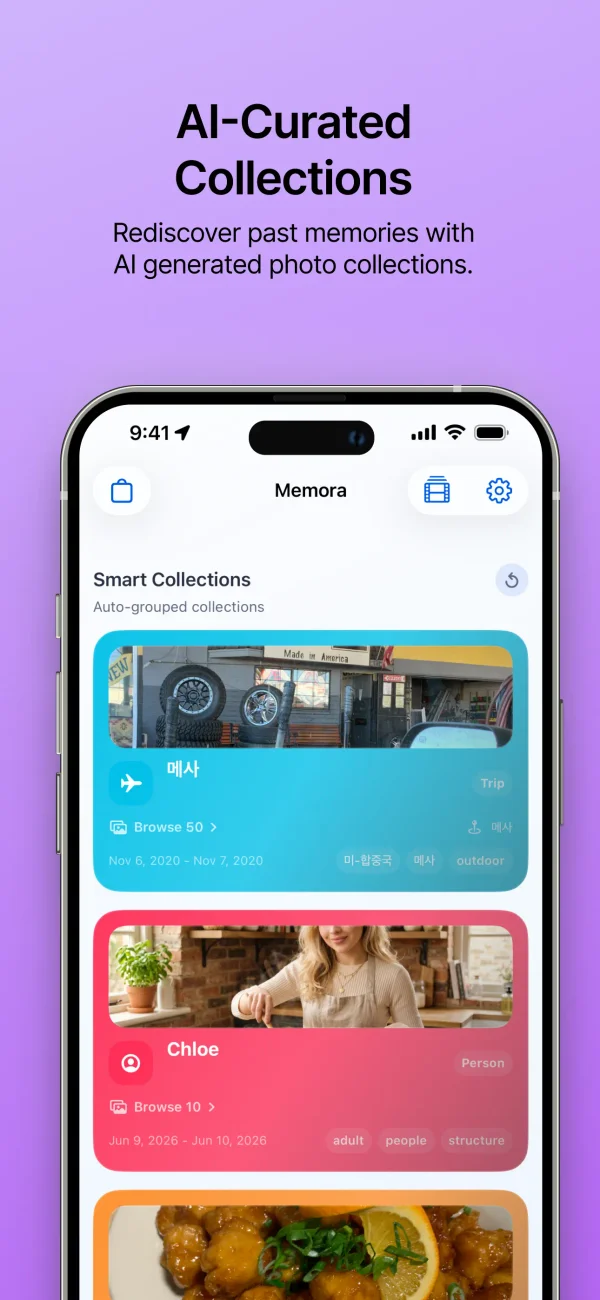
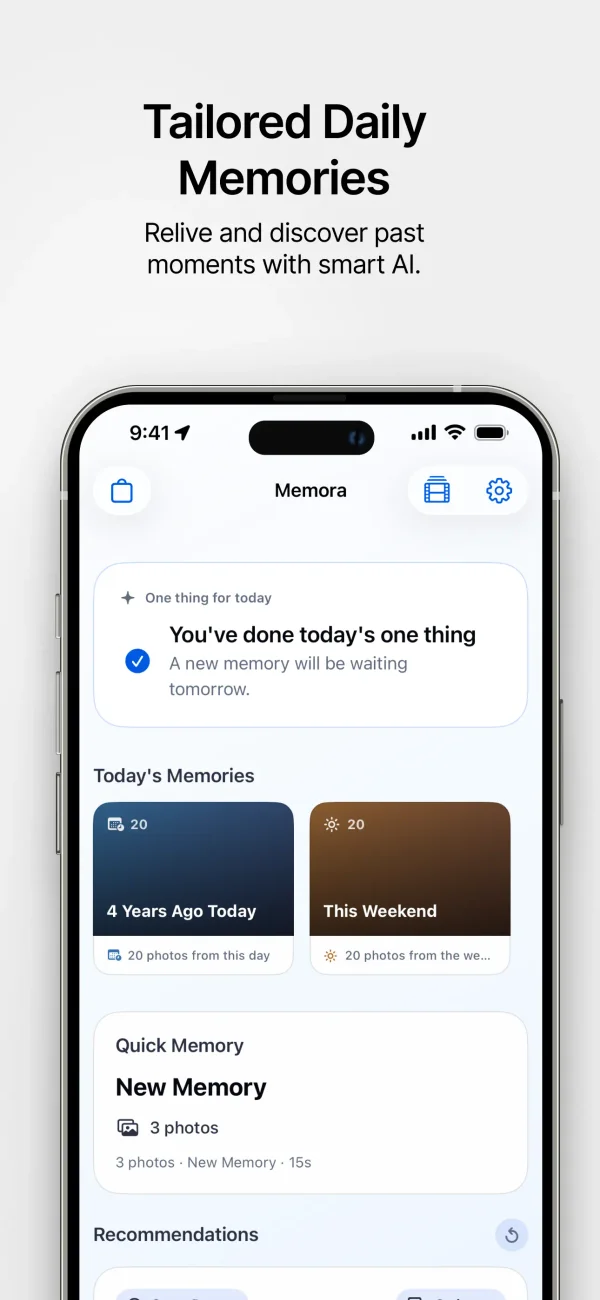
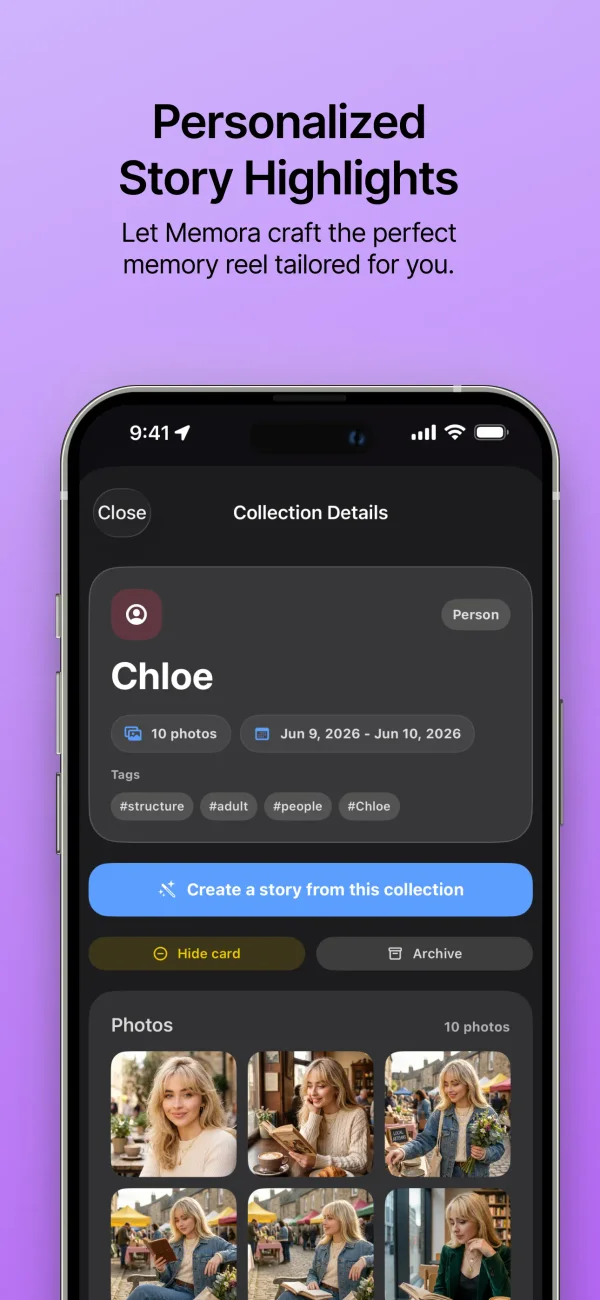
- Personalized Memory Story Recommendations: Rediscover meaningful moments such as family time, special trips, beloved pets, memories from years ago today, anniversaries, and seasonal changes. You can hide themes you do not want or exclude them from future recommendations.
- Reviewable and Editable Video Drafts: Preview each suggested story in full screen before creating your video. Remove photos you do not want, replace them with better ones, add more photos, or rearrange them in your preferred order.
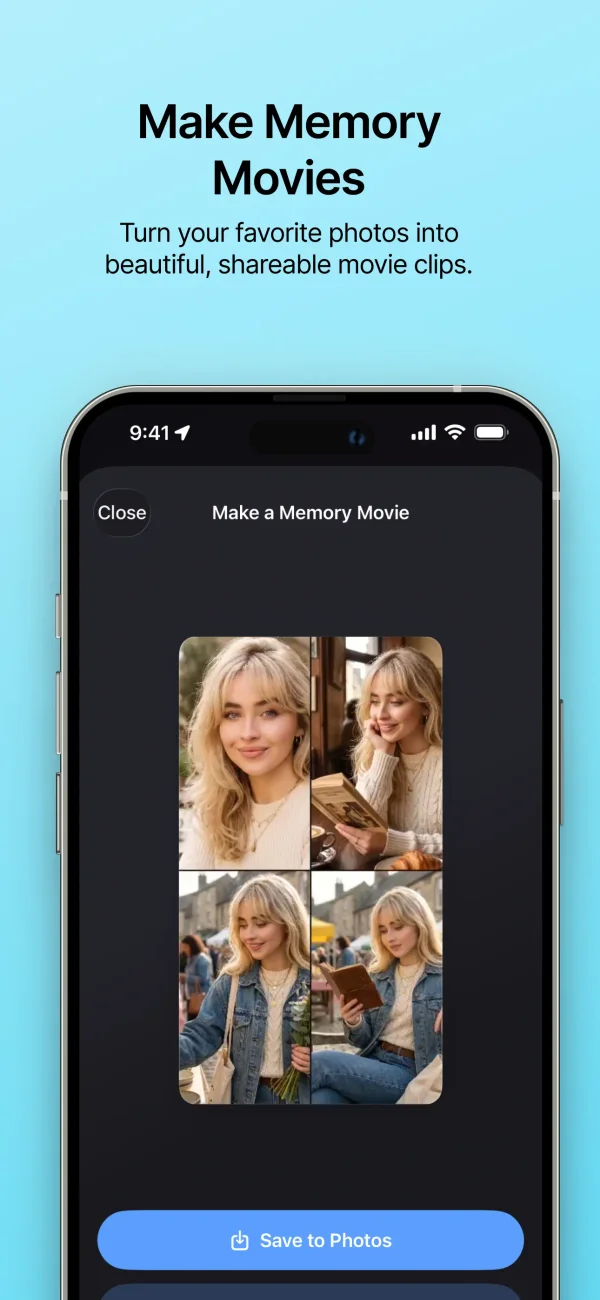
- Memory Movies in Your Own Style: Choose a duration of 15, 30, or 60 seconds, or set a custom length. Personalize the mood, music, text, transitions, and aspect ratio to create a memory movie that feels uniquely yours.
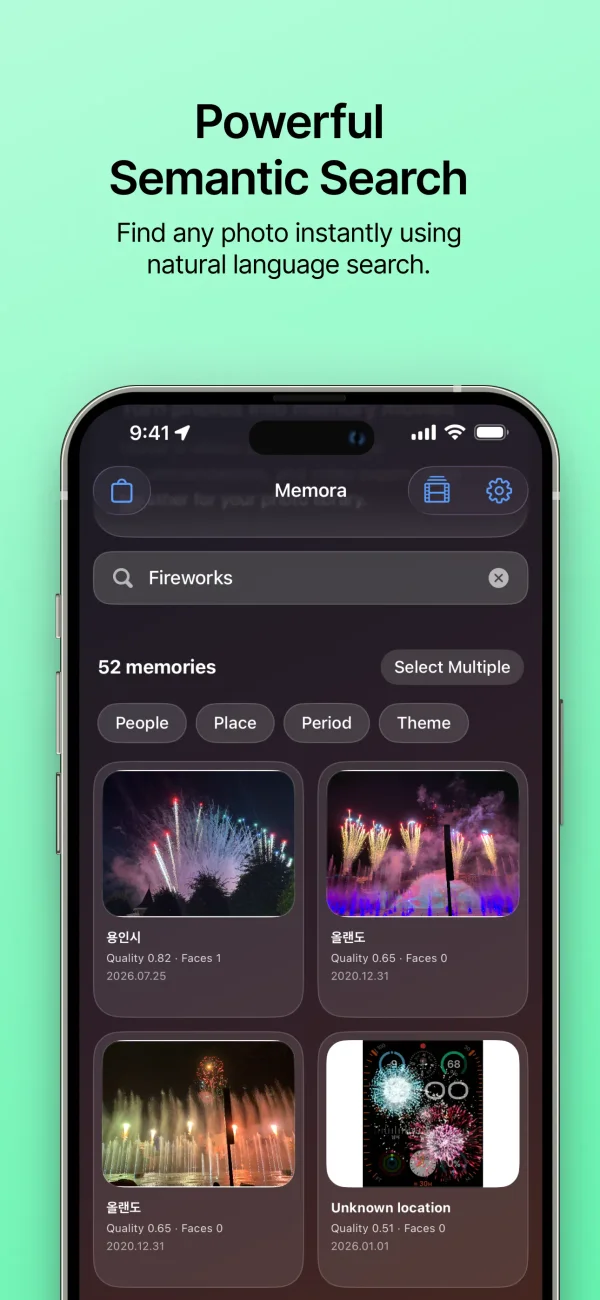
- AI Captions & Natural-Language Search: Memora understands the context of your photos, generates fitting captions, and connects individual moments into a story. Quickly find photos using phrases you remember, such as “last summer in Jeju,” “fireworks,” or “sunset at the beach.”
- Simple People Management: Register the faces of family members, partners, and friends as featured people. Browse photos with a specific person and create dedicated memory stories about the time you shared.
- High-Quality Native Video Rendering & Sharing: Create high-quality videos with smooth transitions — dissolve, slide, zoom blend, and dip to black. Save finished videos directly to the Photos app on your iPhone or iPad, then easily share them with family and friends.
- Secure Backup & Restore: Back up and restore your stories, photo analysis information, and app settings. Keep your memories and preferences when moving to a new device.
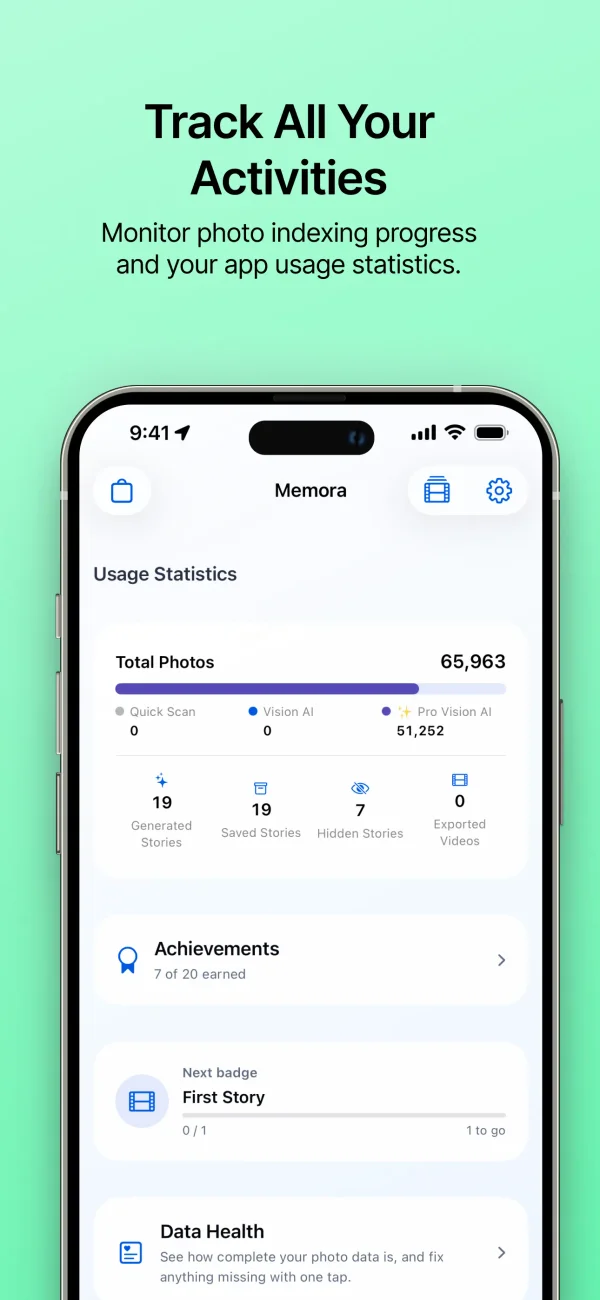
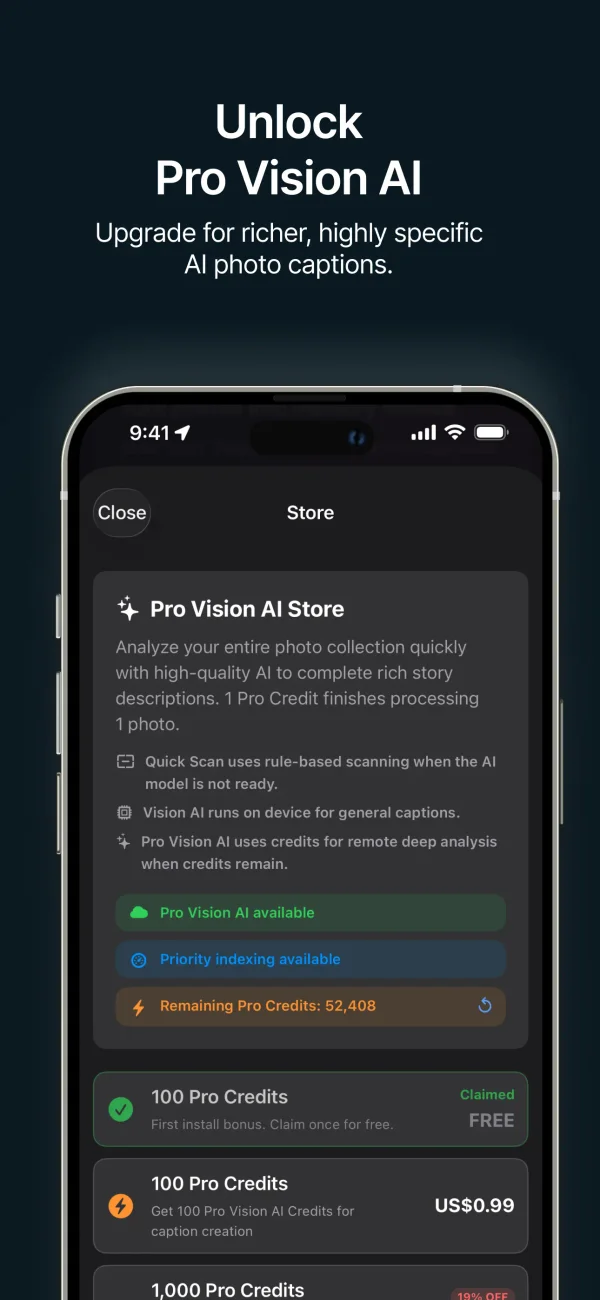
- Pro Vision AI (Optional Upgrade): Choose Pro Vision AI for faster, more detailed photo analysis and captions. When remote analysis is on, only downscaled photo previews, scene tags, face count, capture time, and city/country context are sent to Memora Cloud and the Ollama Cloud API. Original files, Exif metadata, face coordinates, and people data are never sent. Transmitted images are not stored once captions are generated; Memora keeps the captions briefly so a retry does not cost you more. Ollama states that cloud inputs and outputs are processed temporarily and are not used for model training.
- Memora Pro or Pro Credits: Pro Vision AI runs on Pro Credits — one credit per photo the server accepts. Buy a credit pack when you need one, or subscribe to Memora Pro monthly or yearly: while a subscription is active, Pro Vision AI captions use no credits, up to a fair-use limit of 1,000 photos per day. Credits you already own are kept and stay usable after a subscription ends. Subscriptions renew automatically unless cancelled at least 24 hours before the period ends, and can be managed or cancelled in your Apple Account settings.
Download Memora today and rediscover the meaningful moments in your photo library as your own personal memory movies.
Terms of Use (EULA): https://www.apple.com/legal/internet-services/itunes/dev/stdeula/
Novedades
Versión 1.2.6 · 22/11/2026
What's New:
[New Feature] Bring your Live Photos to life in memory videos. Live Photo motion is now supported in Quick Start and Story Review previews and exports, and you can toggle it globally in Settings under Video Defaults or adjust it per draft.
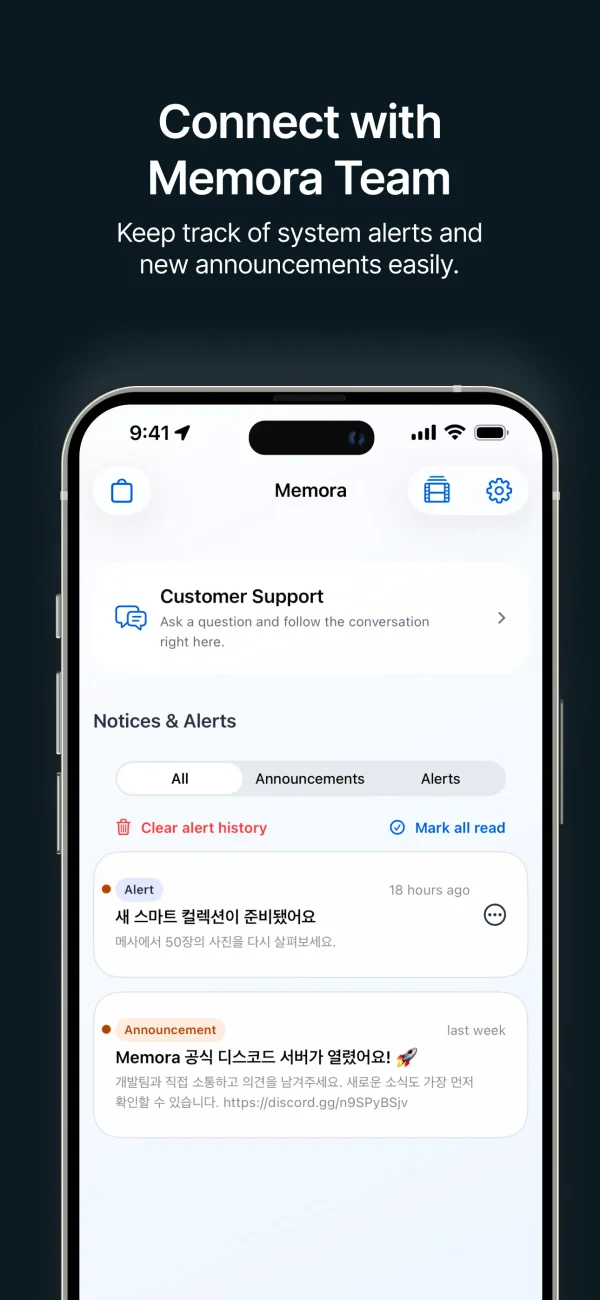
[Improvement] Start creating faster with the unified Quick Start view, bringing New Video, Edit Draft, and My Videos together in one place. Settings has also been reorganized into clear sections—Scanning & Analysis, Video Defaults, and Data Management—complete with built-in guides.
[Improvement] Smarter photo search and story requests. Search now matches places across Korean, English, and Japanese regardless of how they are stored in your library, and better understands month and season ranges along with natural date expressions.
[Bug Fix] Clearer Store status messaging for pending approvals, syncing purchases, and partial catalog loads, with stronger protection against missed or duplicate credit purchases during network hiccups. Also fixed an issue where the Privacy & Consent sheet did not dismiss on the first tap of Done, and refined layouts for larger accessibility text sizes and Japanese.
[Performance] Faster search in large photo libraries and smoother responsiveness while scanning and rendering videos. Strengthened reliability across backups, restores, and people/memory edits, and added read-only recovery archive checks and export under Settings > Data Management.
Privacidad de la aplicación
Lo que Sang Hun Kim declara en App Store sobre cómo esta aplicación gestiona los datos.
-
Datos vinculados a ti
Pueden recopilarse y vincularse a tu identidad.
- Compras
- Ubicación
- Contenido del usuario
- Identificadores
- Datos de uso
-
Datos no vinculados a ti
Pueden recopilarse, pero no se vinculan a tu identidad.
- Diagnóstico
Las prácticas de privacidad pueden variar, por ejemplo, según las funciones que uses o tu edad.
Información
- Vendedor
- Sang Hun Kim
- Categoría
- Foto y vídeo
- Versión
- 1.2.6
- Actualizado
- 22/11/2026
- Publicado
- 3/7/2026
- Tamaño
- 93,5 MB
- Requiere
- iOS 18.0 o posterior
- Clasificación por edad
- 4+
- Precio
- Gratis
- Compras en la aplicación
- Sí
- Idiomas
- Inglés, Japonés, Coreano
- Copyright
- Copyright © 2026 MFLab-AI. All rights reserved.
Quizá también te guste
-
 Memories: Vídeo mensual bebéDiario de fotos del primer año
-
 MemoBloom: Photo MemoriesFoto y vídeo
-
 MellowConvert Photo FormatsFoto y vídeo
-
 VrsionsFoto y vídeo
-
 Minute It - Vídeos con fotosTus recuerdos, en el teléfono
-
 Souveneo: Vídeo de RecuerdosPase de fotos con música
-
 BabyReel : baby memoriesFoto y vídeo
-
 Pluto: Photo EditorFoto y vídeo
-
 Timeline - Your Life in PhotosFoto y vídeo
-
 Pasaporte de Viaje: tu diarioPlanificador y mapa de viajes