Pluto: Photo Editor
Film looks, AI edits & sets
Diseñada para iPhone, iPad
Gratis
- Clasificación por edad4+
- CategoríaFoto y vídeo
- DesarrolladorJustin Cahoon
- IdiomasInglés
- Tamaño84,1 MB
Enlaza a la página oficial de App Store
Download.org no aloja ningún archivo de Pluto: Photo Editor. El botón abre la página de la aplicación en App Store, donde la publica Justin Cahoon. Ficha comprobada por última vez el 23/11/2026.
Capturas de pantalla
Acerca de
El desarrollador no ha proporcionado este texto en tu idioma.
Find your look. Make it yours.
Pluto is a photo editor for everyday moments, portraits, travel photos, and the sets you want to share. Start with a film-inspired look, adjust light and color, and refine the details. Edit one photo or bring up to 8 together in a set. No subscription is needed to use the editing tools.
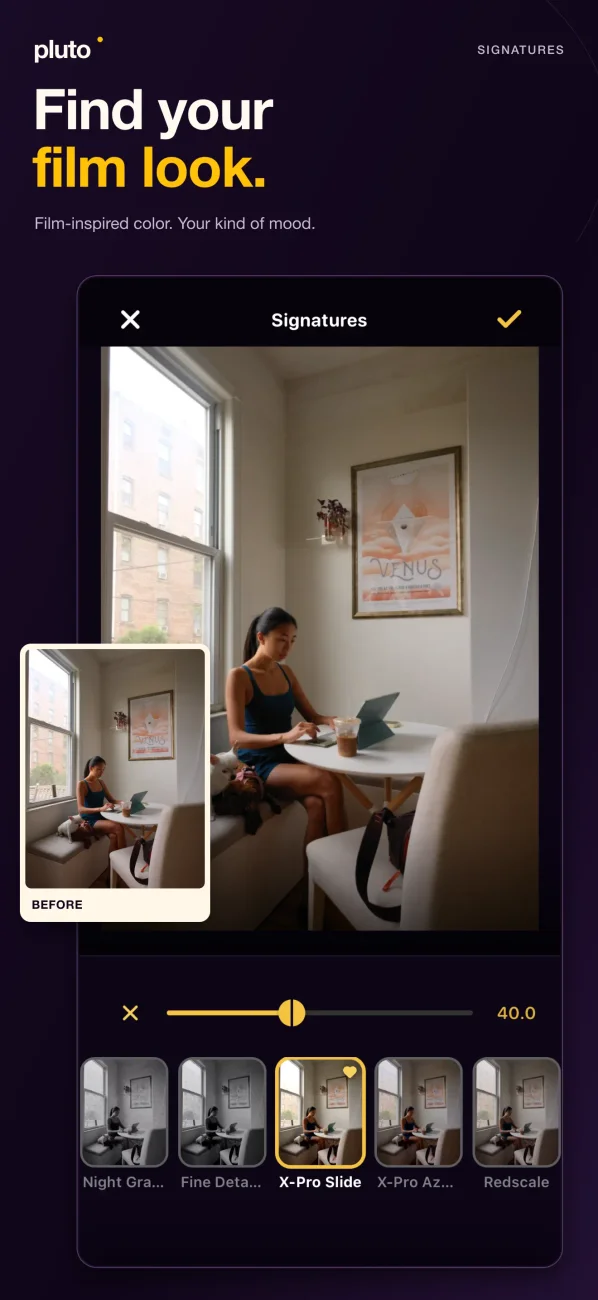
A LOOK THAT STARTS WITH YOUR PHOTO
Preview curated signatures on your photo and adjust their strength. Explore the wider film-inspired collection, save your own looks, and reuse them later. Share a look without sharing your private photo.
AI ADJUST. YOU STAY IN CONTROL.
Use AI Adjust directly in the editor for suggested light, color, and tone adjustments. You can use it on its own or choose Adapt this look in Signatures. The result uses editable controls: compare it with your starting photo, refine it, or undo it. AI results vary and may need manual refinement.
ONE LOOK. ROOM FOR EACH PHOTO.
Create a set of up to 8 photos. Choose a shared look, apply per-photo adjustments, and review the results. Open any photo to refine it, leave individual photos out, and export the included set with progress and retry options if something fails.
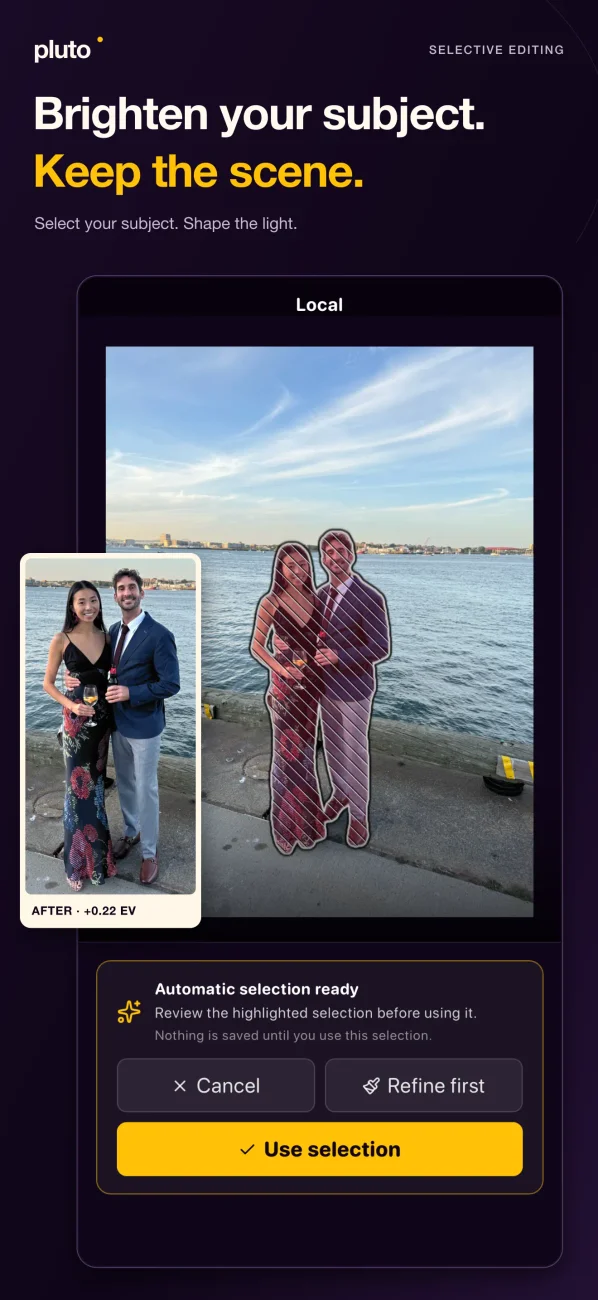
BRIGHTEN YOUR SUBJECT. KEEP THE SCENE.
Start with automatic subject or background selection when supported on your device, or paint a mask yourself. Refine it with Add and Subtract, then adjust Exposure, Saturation, Warmth, and Tint in the selected area.
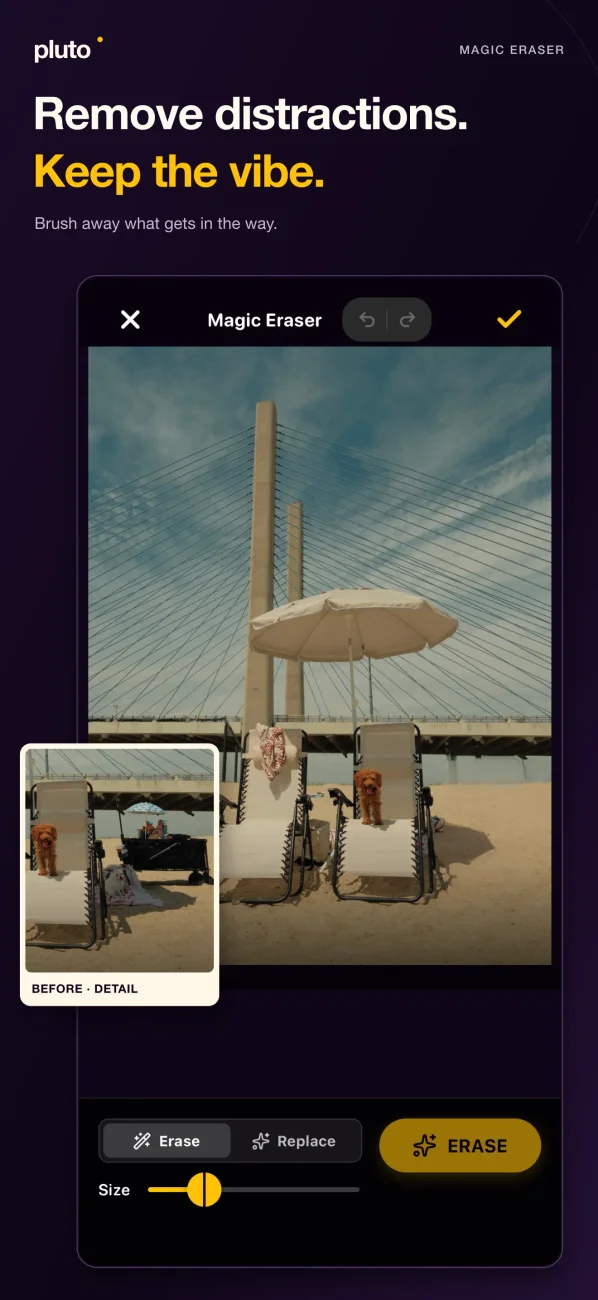
CLEAN UP AND REIMAGINE
Paint over a distraction and let Magic Eraser generate a cleanup. Target Replace lets you describe a change inside a painted area. Generative Expand adds space around your photo. Review generated results before accepting them.
YOUR FINISHING TOUCH
Shape colors with HSL, add grain, softness, vignette, or light leaks, and rotate or straighten while keeping your edits. Undo and redo as you work. Reopen saved local projects on the same device.
SAVE THE PHOTO YOU WANT TO KEEP
Export finished photos as JPEGs, with original-size output for supported photos and edits. Available size and detail depend on your photo, edits, and device.
Cloud AI sends a photo preview, and selection information where needed, for processing. It requires an internet connection and is subject to usage and capacity limits. Manual editing and built-in looks do not require a cloud AI request. Projects remain on the device; sharing a look does not synchronize photos or projects.
Terms of Use (EULA): https://www.apple.com/legal/internet-services/itunes/dev/stdeula/
Novedades
Versión 2.10.8 · 21/11/2026
Bring out your best shot with AI Adjust, then make the result yours.
- AI Adjust suggests editable light, color, and tone changes directly in the editor. Use Adapt this look to refine a signature for your photo.
- Create sets of up to 8 photos, apply a shared look with per-photo adjustments, review each result, and export with progress and retry options.
- Save and reuse looks, or share them without sharing your photo.
- Export JPEGs at original size for supported photos and edits. Available size depends on your photo, edits, and device.
- Rotate and straighten while keeping your edits. Enjoy clearer photo selection, more space in the editor, and improved saving and project reopening.
- Start with your own photo or a sample, directly in AI Adjust.
- Improved camera exit, mask responsiveness, and idle rendering, plus simpler Settings.
No subscription is needed to edit. Cloud AI requires internet access and is subject to usage and capacity limits.
Privacidad de la aplicación
Lo que Justin Cahoon declara en App Store sobre cómo esta aplicación gestiona los datos.
-
Datos no vinculados a ti
Pueden recopilarse, pero no se vinculan a tu identidad.
- Compras
- Ubicación
- Contenido del usuario
- Identificadores
- Datos de uso
- Diagnóstico
Las prácticas de privacidad pueden variar, por ejemplo, según las funciones que uses o tu edad.
Información
- Vendedor
- Justin Cahoon
- Categoría
- Foto y vídeo
- Versión
- 2.10.8
- Actualizado
- 21/11/2026
- Publicado
- 12/1/2026
- Tamaño
- 84,1 MB
- Requiere
- iOS 17.0 o posterior
- Clasificación por edad
- 4+
- Precio
- Gratis
- Idiomas
- Inglés
- Copyright
- © 2025 JC-enterprises
Quizá también te guste
-
 Phota : AI Photo EditorFoto y vídeo
-
 WeThere - AI SelfieFoto y vídeo
-
 yurayuraFiltros de carrete coreanos
-
 PipFu - Selfie FiltersFoto y vídeo
-
 Jeju Filter: Landscape CameraFoto y vídeo
-
 vismo - Film CameraFoto y vídeo
-
 Maple: Raw Photo EditorFoto y vídeo
-
 Quick FiltersFoto y vídeo
-
 Cámara instantánea de bolsilloCámara instantánea táctil
-
 RecallPic: AI Photo SearchFoto y vídeo