
- Clasificación por edad4+
- CategoríaFoto y vídeo
- DesarrolladorSULKI CHOI
- IdiomasCoreano+ 1 más
- Tamaño5,6 MB
Enlaza a la página oficial de App Store
Download.org no aloja ningún archivo de Momenlapse. El botón abre la página de la aplicación en App Store, donde la publica SULKI CHOI. Ficha comprobada por última vez el 23/11/2026.
Capturas de pantalla

Acerca de
El desarrollador no ha proporcionado este texto en tu idioma.
Turn your daily grind into a masterpiece.
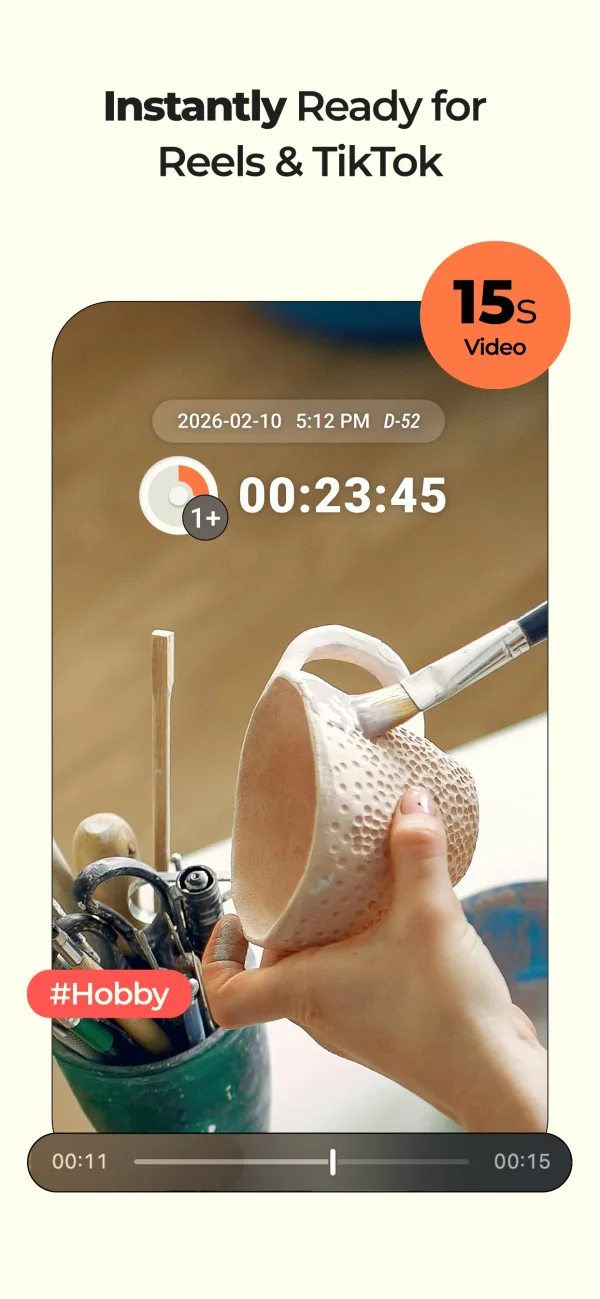
Momenlapse isn't just another camera app; it’s a dedicated tool for those who want to turn their hard work into undeniable proof. Stop manually adding stickers or text to your videos. With Momenlapse, your progress is automatically stamped onto your time-lapse in real-time.
Instant Proof, Zero Effort.
The moment you finish recording, your 15-second video is already complete with your essential data. No back-and-forth between editing apps—just the raw, beautiful evidence of your growth.
Key Features:
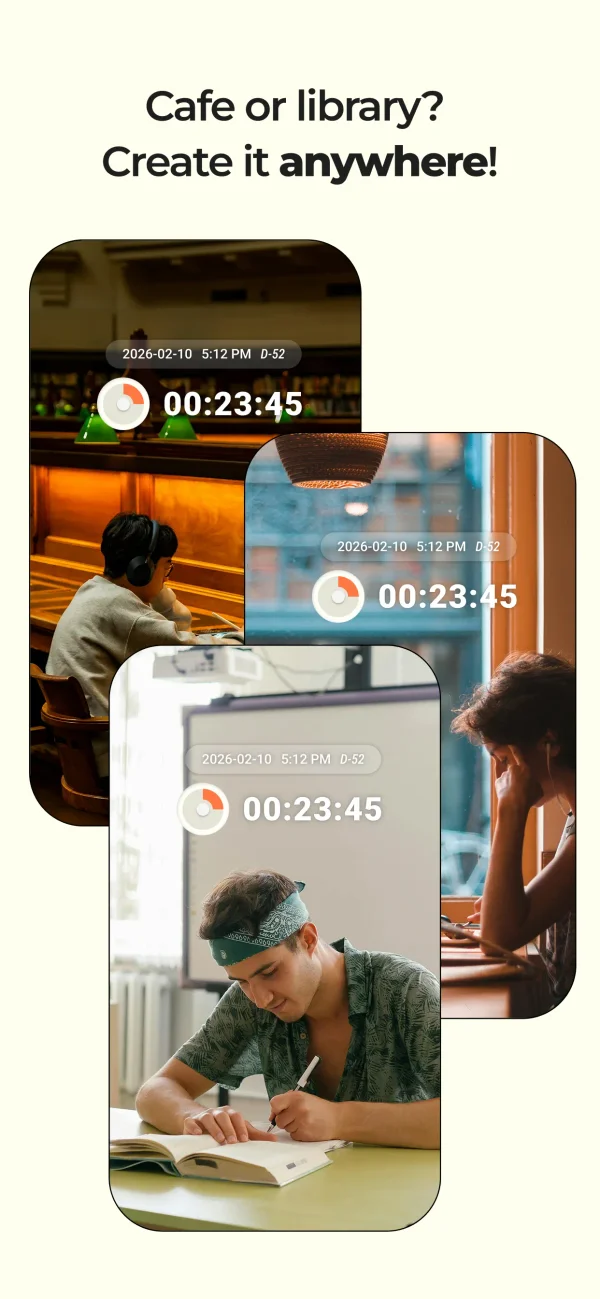
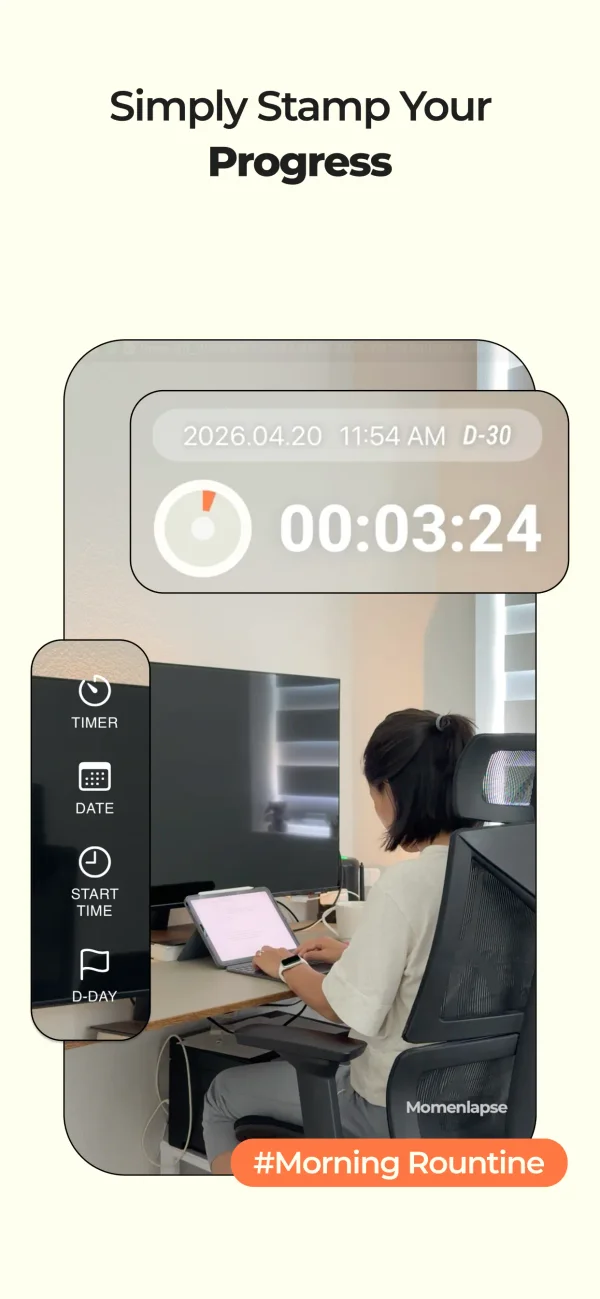
- Live Data Stamping: Your video automatically displays the date, start time, and a real-time progress timer.
- Dynamic D-Day Tracker: Keep your ultimate goal in sight. Your D-Day is stamped right on the frame to show how far you’ve come.
- Optimized for 15s Stories: We automatically condense your session into a 15-second clip, the perfect length for Instagram Reels and TikTok.
- Aesthetic & Minimalist: Designed with a clean, sophisticated UI that makes your "Study-gram" or "God-saeng" feed look professional.
- Direct to Gallery: Your timestamped masterpiece is saved directly to your Photo Library, ready to be archived or shared.
Why Momenlapse?
Because invisible effort is hard to sustain. Whether you're hitting the books, mastering a craft, or building a morning routine, Momenlapse makes your dedication visible and your progress undeniable.
Prove your growth, beautifully. Download Momenlapse today.
Novedades
Versión 1.0.5 · 24/10/2026
1. New preset [Basic 2] : You can pick a color of the capsule and timer ring.
2. Choose what your video shows : You can customize date, day, start time, goal, or D-day into the Capsule and Caption.
3. Show your total focus time : You can add total focus time to the caption.
Privacidad de la aplicación
Lo que SULKI CHOI declara en App Store sobre cómo esta aplicación gestiona los datos.
-
Datos no vinculados a ti
Pueden recopilarse, pero no se vinculan a tu identidad.
- Ubicación
- Contenido del usuario
- Datos de uso
- Diagnóstico
Las prácticas de privacidad pueden variar, por ejemplo, según las funciones que uses o tu edad.
Información
- Vendedor
- SULKI CHOI
- Categoría
- Foto y vídeo
- Versión
- 1.0.5
- Actualizado
- 24/10/2026
- Publicado
- 17/5/2026
- Tamaño
- 5,6 MB
- Requiere
- iOS 26.2 o posterior
- Clasificación por edad
- 4+
- Precio
- Gratis
- Idiomas
- Coreano, Inglés
- Copyright
- © 2026 Sulki Choi
Quizá también te guste
-
 ChallengeCam: Timelapse ProofFoto y vídeo
-
 YohakuFoto y vídeo
-
 HyperChronoFoto y vídeo
-
 Cover It: Pixelar y DifuminarTapa caras en fotos y vídeos
-
 Timelog - Auto timestamp vlogFoto y vídeo
-
 LogBloom: LUT Video GradingFoto y vídeo
-
 OSnap! Pro 2: Lapse & MotionFoto y vídeo
-
 Timestamp Camera: ShowYourTimeFoto y vídeo
-
 타임스탬프 - 워터마크 없는 인증샷 카메라Foto y vídeo
-
 Crear GIF en HD - GIFdotPor lotes, mosaico y edición