
- Clasificación por edad4+
- CategoríaProductividad
- DesarrolladorFatih Ziya Cengel
- IdiomasInglés
- Tamaño2,7 MB
Es posible que MPV Player Remote no esté disponible en App Store en este momento
No se pudo acceder a la ficha de la tienda en nuestra última comprobación. El enlace sigue llevando a la página oficial de App Store.
Capturas de pantalla

Acerca de
El desarrollador no ha proporcionado este texto en tu idioma.
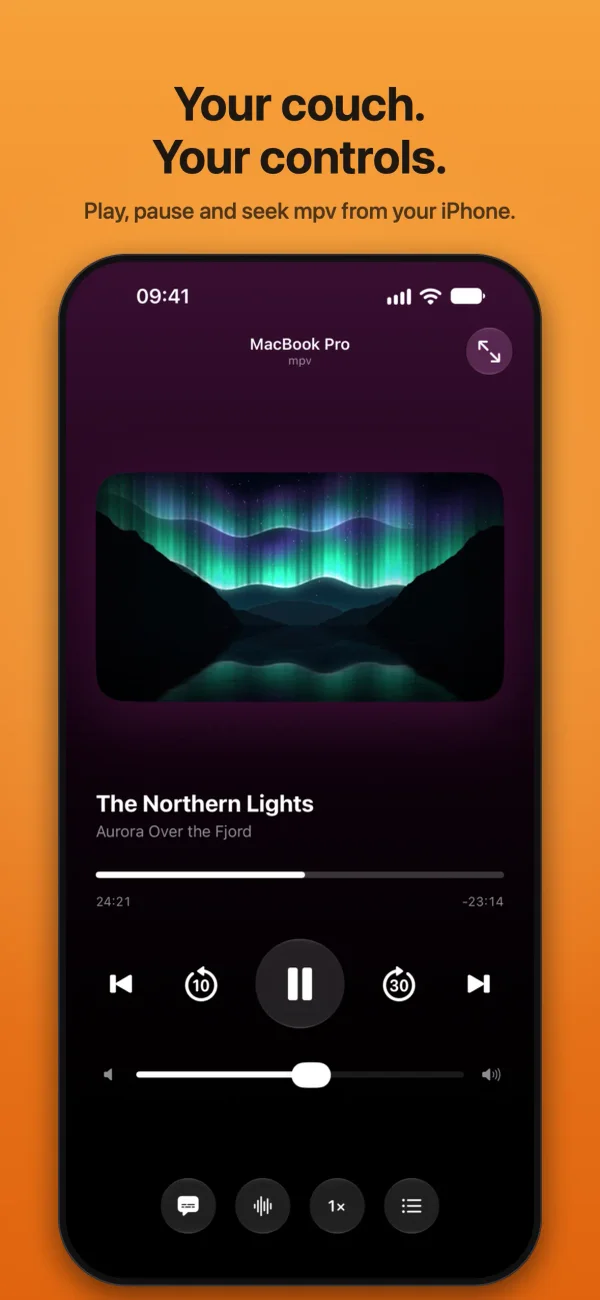
MPV Player Remote turns your iPhone into a remote control for mpv on your Mac. Sit back on the couch and control playback without reaching for your laptop.
FEATURES
• Play and pause, skip back 10 seconds or forward 30
• Drag the progress bar to jump anywhere in the video
• Adjust the volume or mute
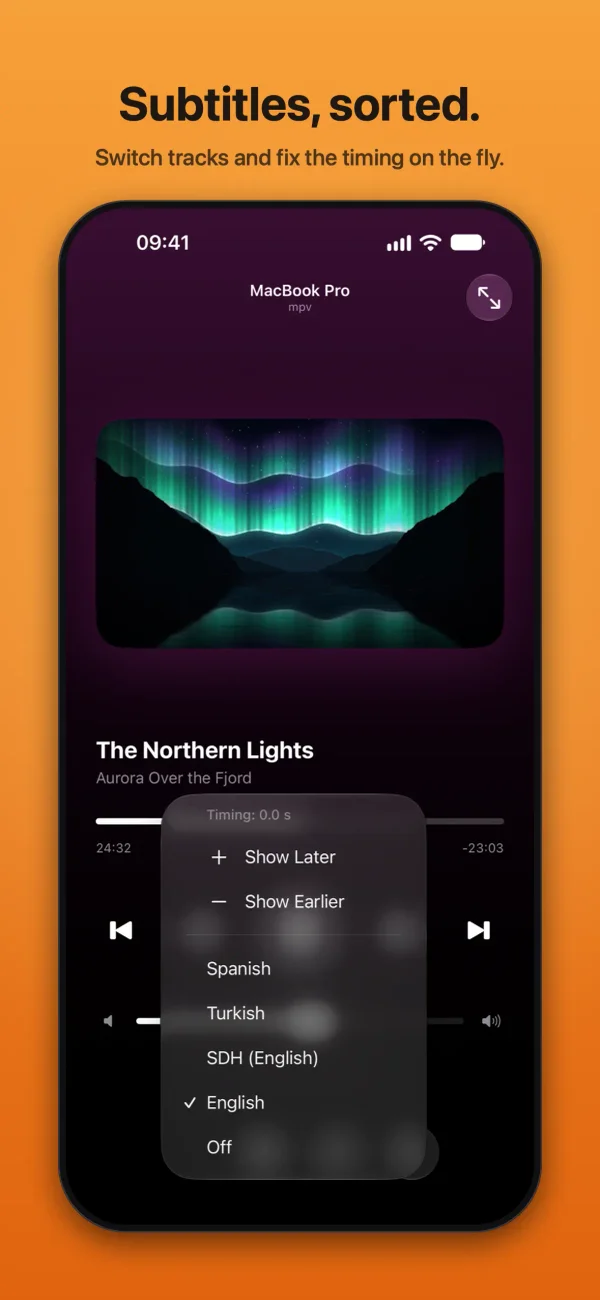
• Switch subtitle tracks, or turn subtitles off
• Nudge subtitle timing earlier or later when it's out of sync
• Choose between audio tracks, like a dub or a commentary
• Change playback speed from 0.5× to 2×
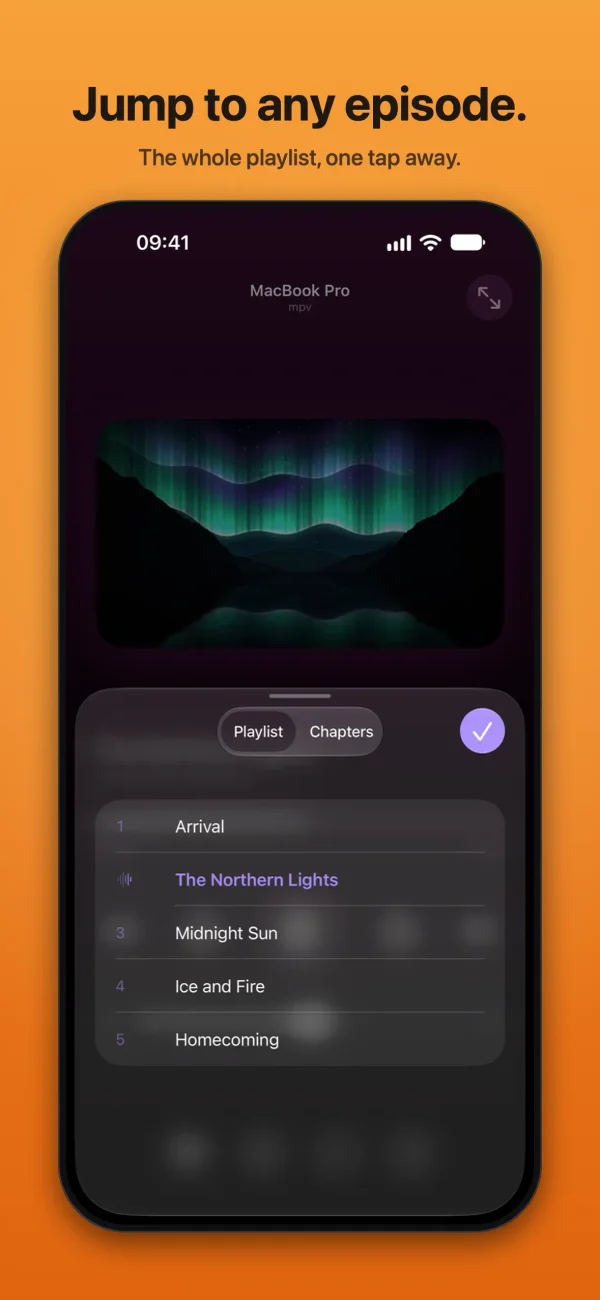
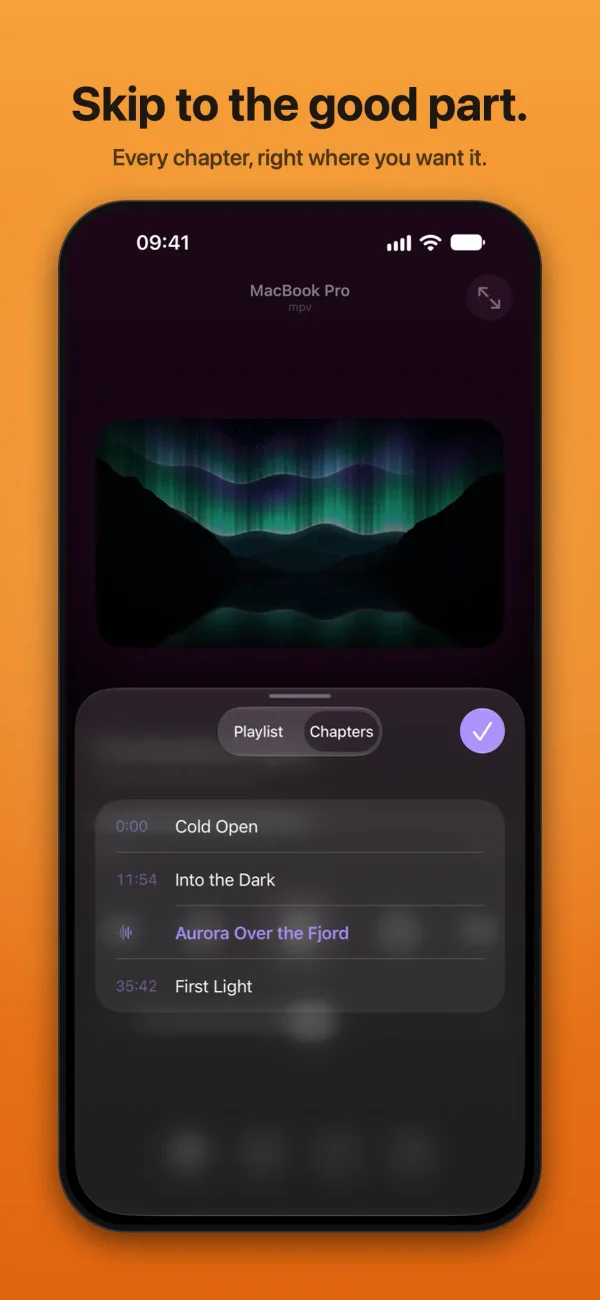
• Browse the playlist and chapters and jump straight to any of them
• Toggle full screen
WORKS WITH
• MPV Player Tiger Version, the Mac player this remote is made with, on the Mac App Store. The companion is built in, so there's nothing else to install.
• Plain mpv, free from GitHub (github.com/mpv-player/mpv) or mpv.io, with the free MPV Remote script from github.com/ryudexter/mpv-remote. You don't need to buy anything to use this remote.
EASY TO SET UP
1. On your Mac, open MPV Player Tiger Version, or mpv with the free MPV Remote script.
2. Open the app. Your Mac shows up automatically on your Wi-Fi network.
3. Enter the 4-digit code your Mac shows. From then on, it reconnects by itself.
The companion talks to mpv through mpv's built-in control socket (the input-ipc-server option), so it works with your existing mpv setup, scripts and settings.
PRIVATE BY DESIGN
Everything happens on your home network, directly between your iPhone and your Mac. There's no account, no cloud service and no data collection. Only phones you've paired with a code can control your player.
REQUIREMENTS
• A Mac running MPV Player Tiger Version, or mpv with the free MPV Remote script
• iPhone and Mac on the same Wi-Fi network
MPV Player Remote is an independent app and is not affiliated with or endorsed by the mpv project.
Novedades
Versión 1.3 · 29/10/2026
• New: an Apple Watch app. Tap to play or pause, swipe to skip 10 seconds, and turn the Digital Crown for volume; subtitles, audio and full screen are a tap away. It uses the Mac your iPhone is set up with, so there's nothing to pair. Not on your Watch yet? Install it from the Watch app on your iPhone.
• See what's playing: with MPV Player Tiger Version on the Mac, the remote shows the picture from mpv and keeps it up to date as you watch.
• Double-tap the right side of the picture to skip ahead 10 seconds, or the left side to go back 10. Keep tapping to skip further.
• A new icon: a striped tiger, matching MPV Player Tiger Version for Mac.
• The setup screen now points to MPV Player Tiger Version on the Mac App Store, or to plain mpv from GitHub with the free MPV Remote script.
Privacidad de la aplicación
Lo que Fatih Ziya Cengel declara en App Store sobre cómo esta aplicación gestiona los datos.
-
No se recopilan datos
El desarrollador no recopila ningún dato de esta aplicación.
Las prácticas de privacidad pueden variar, por ejemplo, según las funciones que uses o tu edad.
Información
- Vendedor
- Fatih Ziya Cengel
- Categoría
- Productividad
- Versión
- 1.3
- Actualizado
- 29/10/2026
- Publicado
- 19/10/2026
- Tamaño
- 2,7 MB
- Requiere
- iOS 26.0 o posterior
- Clasificación por edad
- 4+
- Idiomas
- Inglés
- Copyright
- © 2026 Fatih Ziya Cengel
Quizá también te guste
-
 MemoFlow: Memos ClientProductividad
-
 PaperNextProductividad
-
 LogsitProductividad
-
 LLM Shortcut ToolkitProductividad
-
 VimlikeProductividad
-
 BTT MobileProductividad
-
 Cherry Studio - AI WorkstationProductividad
-
 PolyPlan: Daily PlannerProductividad
-
 ToMemo - Clipboard KeyboardProductividad
-
 MollamaIA local, privacidad total