- Clasificación por edad4+
- CategoríaFoto y vídeo
- DesarrolladorAtsushi Yamada
- IdiomasInglés
- Tamaño1,9 MB
Enlaza a la página oficial de App Store
Download.org no aloja ningún archivo de MultiPhoto2. El botón abre la página de la aplicación en App Store, donde la publica Atsushi Yamada. Ficha comprobada por última vez el 12/11/2026.
Capturas de pantalla
Acerca de
El desarrollador no ha proporcionado este texto en tu idioma.
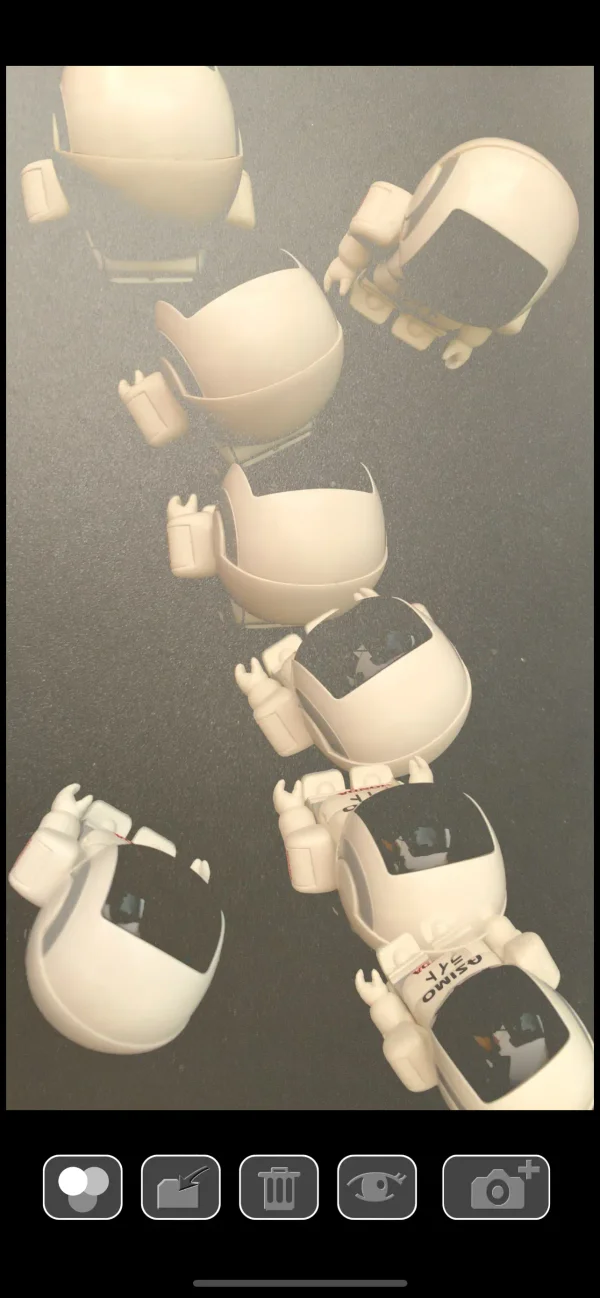
Do you know about multiple exposure in photography?
This is a technique that exposes a single photograph by releasing the shutter many times.
MultiPhoto is software that realizes multiple exposure with the iPhone camera.
Usage is simple.
1. Take a base photo.
2. I will make multiple exposures on the base photo.
3. Save the photo created by multiple exposure.
■ Base photo shoot ■
Press the camera+ mark on the right corner of the menu.
When you take a base photo, it will be displayed in halftone.
(It can be used as a reference for alignment when performing multiple exposures.)
■ Add multiple exposure photos ■
Press the camera+ mark on the right corner of the menu.
■ Saving photos ■
Press the second folder mark from the left of the menu.
Photos are saved to your camera roll.
■ Deleting an image currently being created ■
If you press the third trash can mark from the left of the menu, the data currently being shot will be deleted.
■ Checking the image currently being created ■
You can check the data currently being captured by pressing the second eye mark from the right of the menu.
■ Image composition mode switching ■
The button in the left corner toggles the blending mode.
B&W synthesizes the bright parts of the captured image.
For the three light colors, 90% of the bright areas are combined.
For the three skelton colors, 70% of the bright part is synthesized.
The three colors of the color background synthesize an image with changes. Keep your smartphone stationary.
In the compositing process, brighter parts are added to the photo.
Challenge yourself to take some fun pictures.
Novedades
Versión 1.5 · 5/6/2026
Security Update
Privacidad de la aplicación
Lo que Atsushi Yamada declara en App Store sobre cómo esta aplicación gestiona los datos.
-
No se recopilan datos
El desarrollador no recopila ningún dato de esta aplicación.
Las prácticas de privacidad pueden variar, por ejemplo, según las funciones que uses o tu edad.
Información
- Vendedor
- Atsushi Yamada
- Categoría
- Foto y vídeo
- Versión
- 1.5
- Actualizado
- 5/6/2026
- Publicado
- 30/10/2022
- Tamaño
- 1,9 MB
- Requiere
- iOS 15.5 o posterior
- Clasificación por edad
- 4+
- Precio
- Gratis
- Idiomas
- Inglés
- Copyright
- © 2022-2026 ayama