
MWeb - Markdown Writing, Notes
Let's Simple,Focused,Efficient
Diseñada para iPhone, iPad, Mac, iPod touch
Gratis · Compras en la aplicación
- Clasificación por edad4+
- CategoríaProductividad
- Desarrollador禄海 区
- IdiomasInglés+ 2 más
- Tamaño67,7 MB
Enlaza a la página oficial de App Store
Download.org no aloja ningún archivo de MWeb - Markdown Writing, Notes. El botón abre la página de la aplicación en App Store, donde la publica 禄海 区. Ficha comprobada por última vez el 24/11/2026.
Capturas de pantalla

Acerca de
El desarrollador no ha proporcionado este texto en tu idioma.
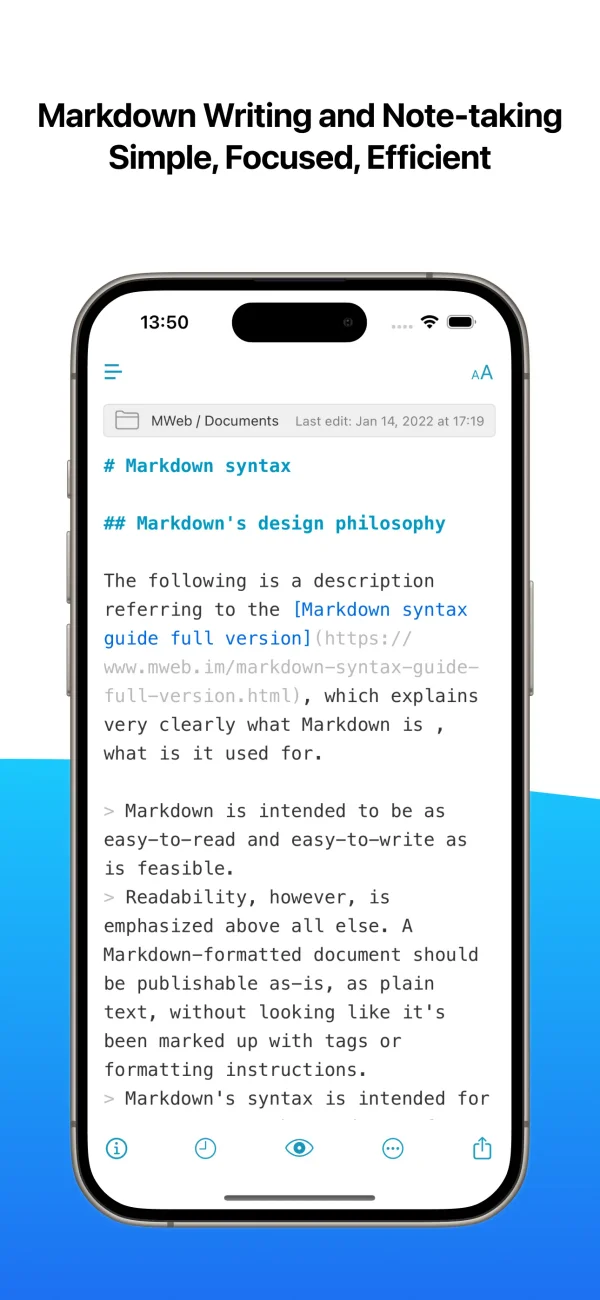
MWeb was born in 2015. It is a writing, note-taking and publishing app focusing on Markdown. If you like Markdown or text writing, We highly recommend you try MWeb.
MWeb is composed of a complete and stable editor, a Folders mode for managing documents, a Library mode specifically for notes, and a document publishing and sharing function set, with a total of four modules. The feature of MWeb's software is that it chooses platform-native technology for each platform. It is built using AppKit on macOS and UIKit on iOS/iPadOS. The following is a brief introduction to these four modules. If you are interested, you can continue reading.
## Editor features
Here are some of the key features of an editor:
* Base on CommonMark syntax and GitHub Flavored Markdown (GFM) extended syntax, supporting TOC, tables, code blocks, math formulas, task lists, footnotes, etc.
* Display the text of the Markdown document completely without any deletion.
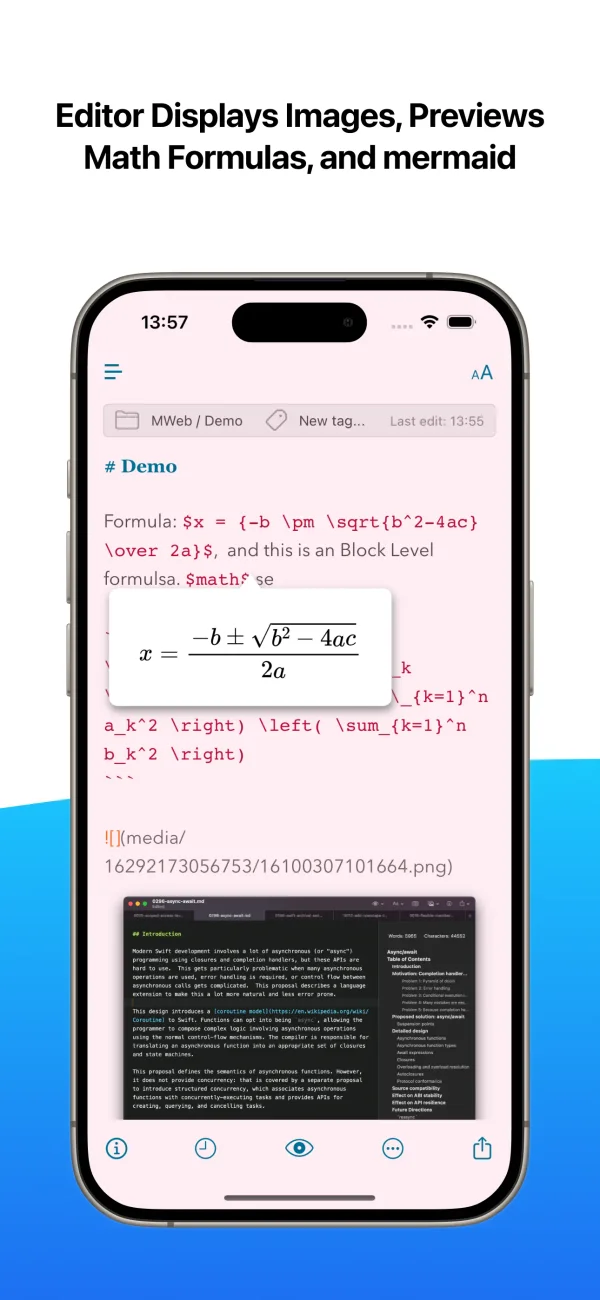
* Images can be displayed directly in the Editor, supporting jpg, png, gif, webP, HEIC and etc.
* Math formulas, mermaid and Echarts drawings can be previewed in the editor.
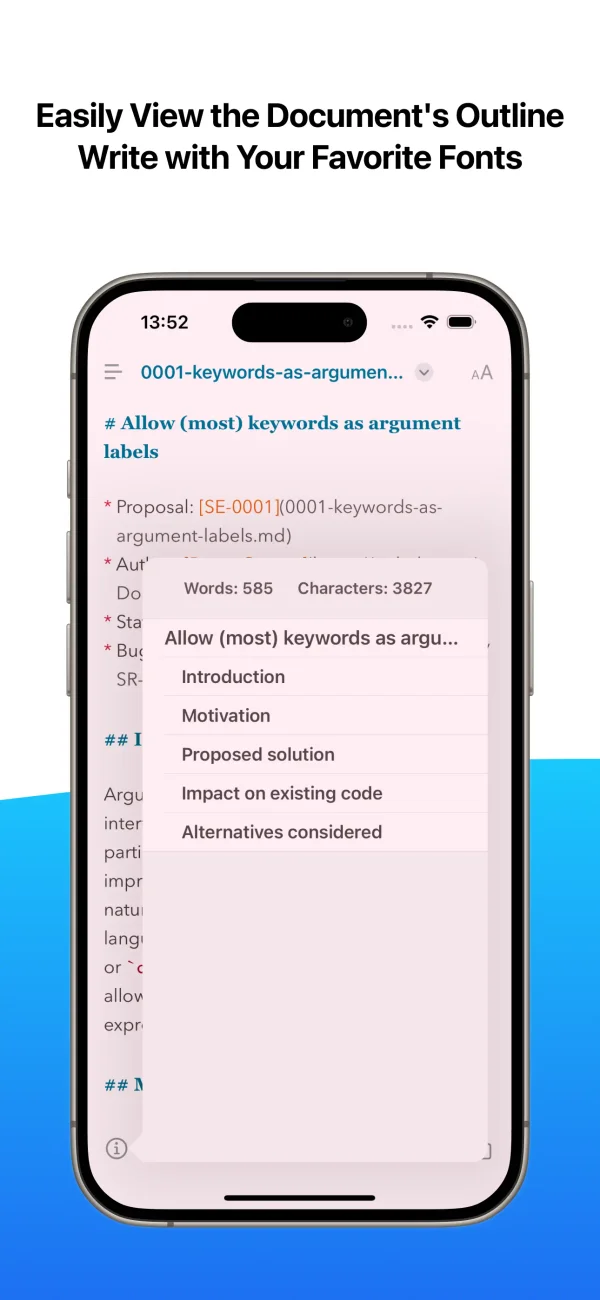
* You can set your favorite font or multiple fonts for writing.
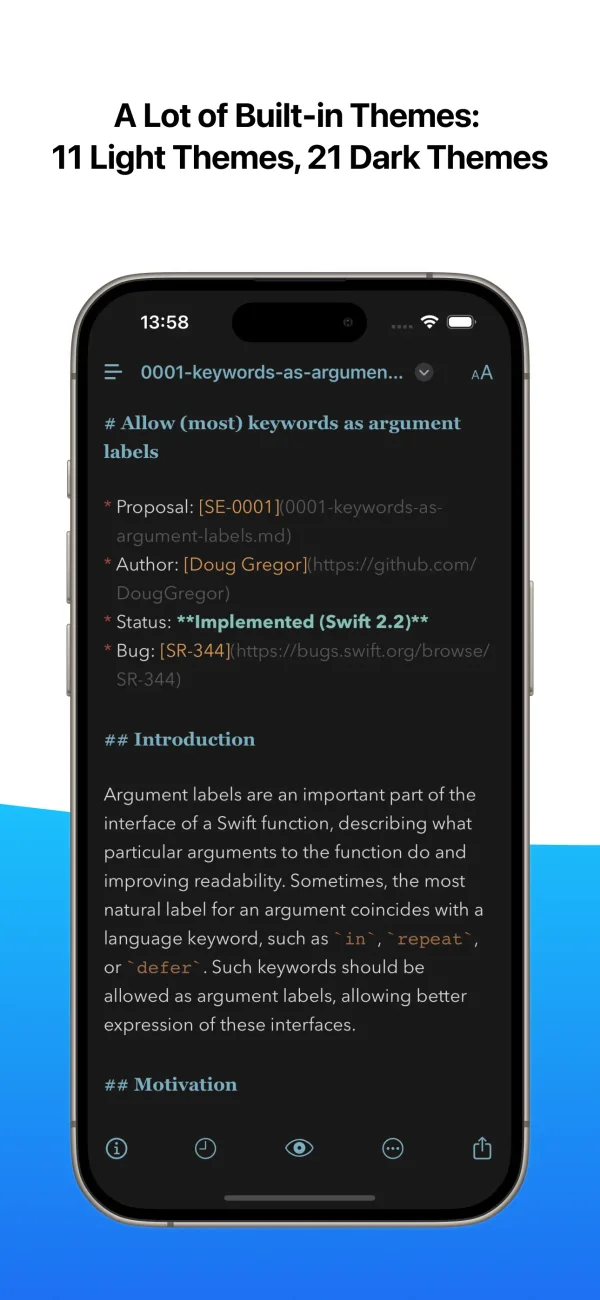
* You can choose from 11 light themes and 21 dark themes, and also support custom themes.
* There is a menu to facilitate the input of Markdown syntax, and a special Markdown syntax keyboard is also provided in iOS.
* Convenient tools for generating and formatting Markdown table syntax.
* You can view the outline and word count of Markdown documents.
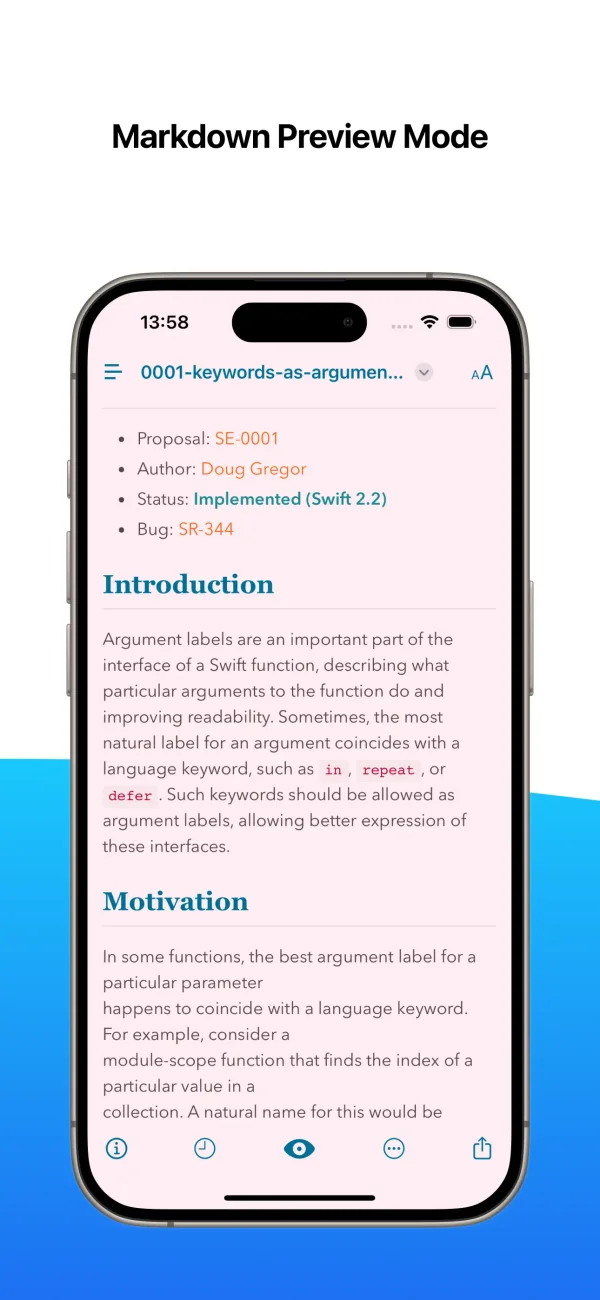
* Markdown documents can be previewed and support Editor & Preview mode.
## Folders mode
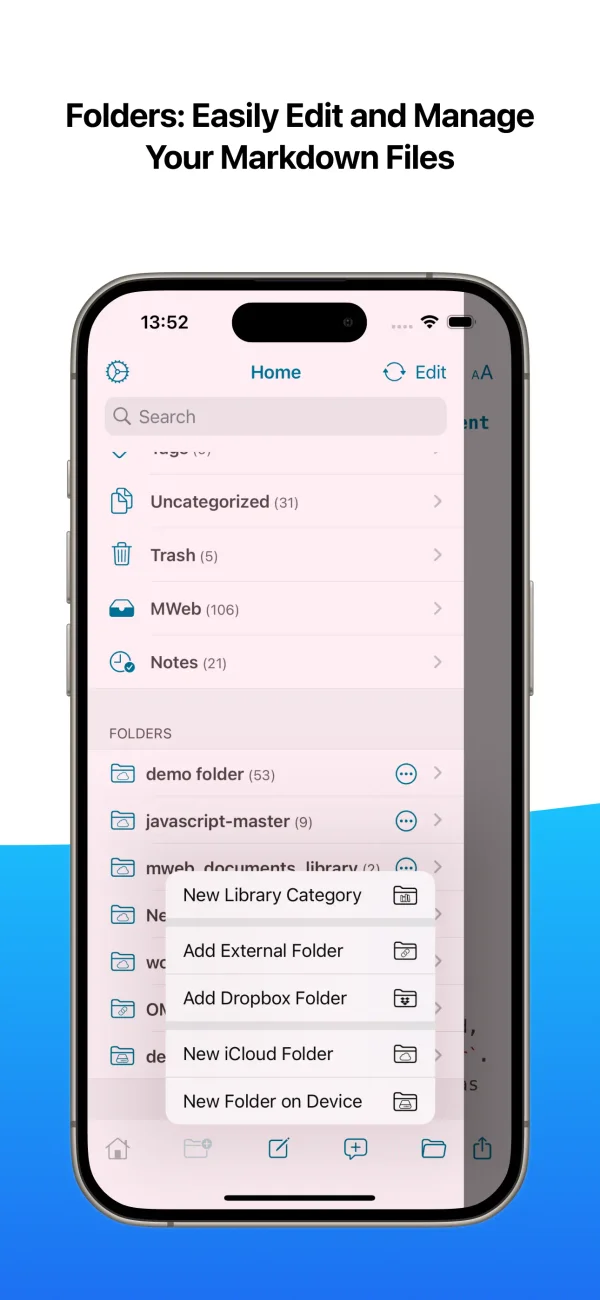
The first requirement of Markdown is to create and edit Markdown documents, and MWeb's Folders mode does this. It supports the following features:
* Create Markdown, Textbundle documents, or simply open them for editing.
* Introduce a folder with Markdown documents into the Folders mode of MWeb. MWeb will provide practical functions such as management of Markdown documents, full-text search, copy and paste to insert images, and unified storage of referenced images.
* iPadOS/iOS version supports Dropbox folders.
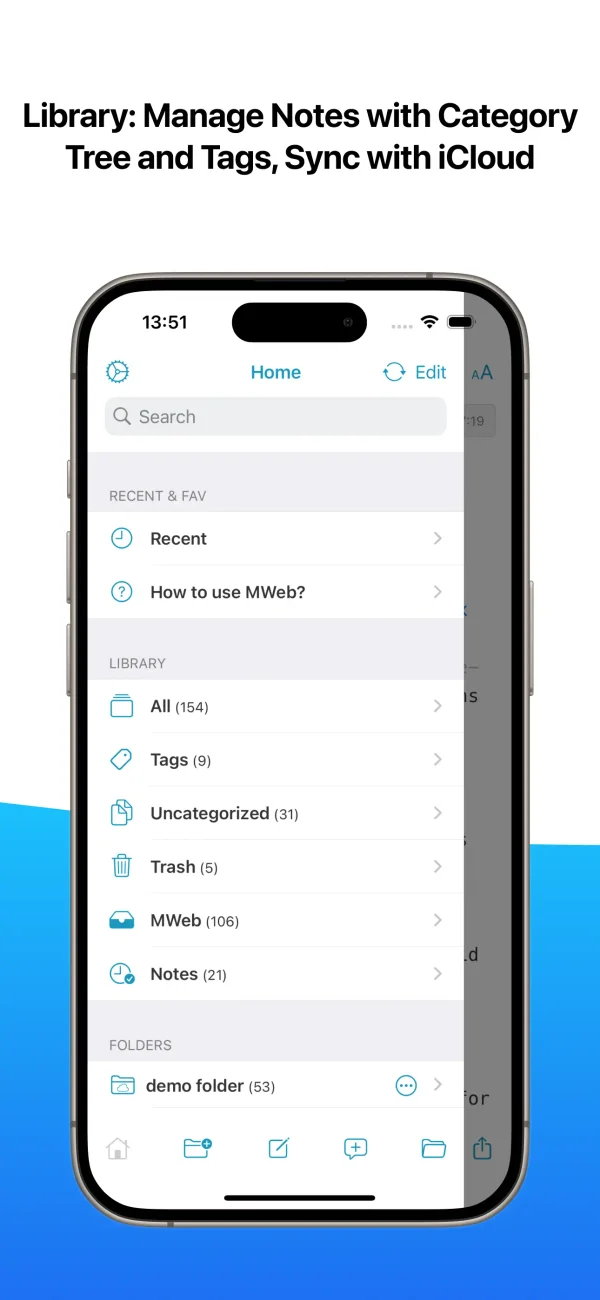
## Library mode
Markdown is so easy to use, so taking notes is also in great demand. Of course, you can use Folders mode and introduce a folder to take notes, which is also very nice and easy to share. So why do we still create a separate Library mode? Mainly, the Library mode has the following features:
* There is no need to consider the file name, title and storage location, Just create note and writing.
* Use category trees and tags to manage notes. A single note can be classified into multiple categories, making it easier to set categories for notes.
* Organizing notes is more convenient. When moving categories and notes, renaming categories will not affect each other. You don't need to worry about incorrect associations between notes, incorrect reference location of images and attachments in notes, etc.
* Complete cross-device synchronization using iCloud CloudKit technology.
* The Library follows the "local first" principle and is stored in a folder, very easy for backup. Even if you use iCloud sync, your Library can be completely backed up locally.
* Export the entire category of notes to PDF or Epub e-book.
* The macOS version of MWeb Pro also supports generating static blogs from categories. The generated blog fully supports math formulas, mermaid, echarts etc. Allows you to create your own blog in a very simple way.
## More features...
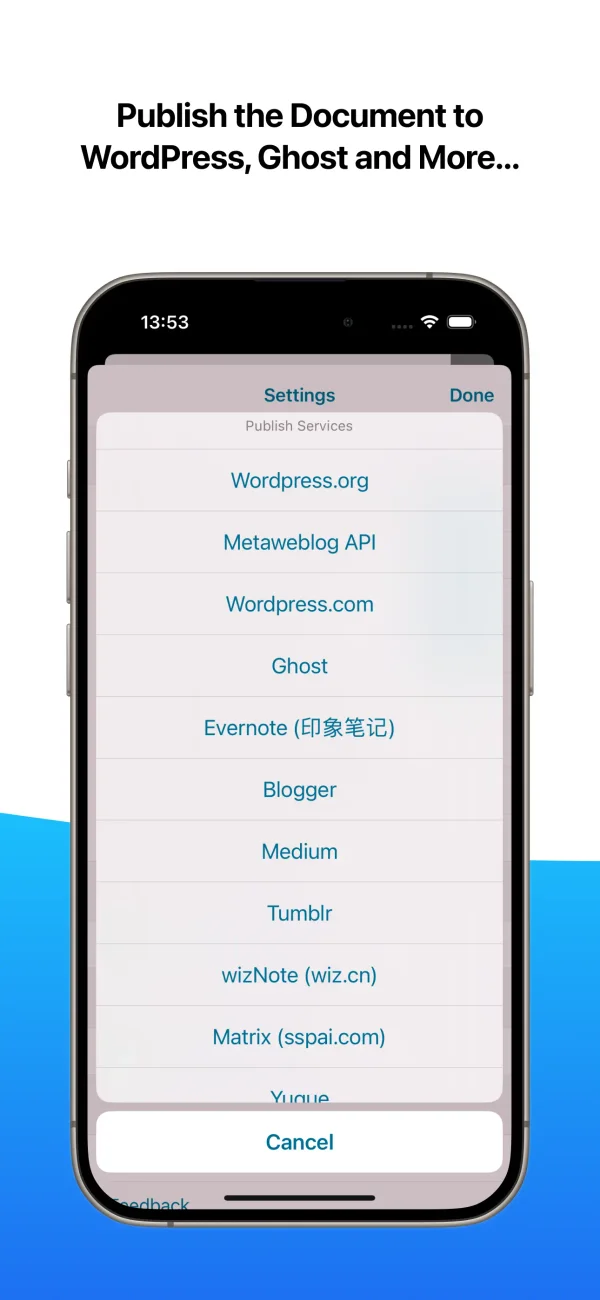
* Publish documents or notes to Wordpress, Metaweblog API, Evernote, Blogger, Tumblr, Yuque, sspai Matrix, Ghost and Medium.
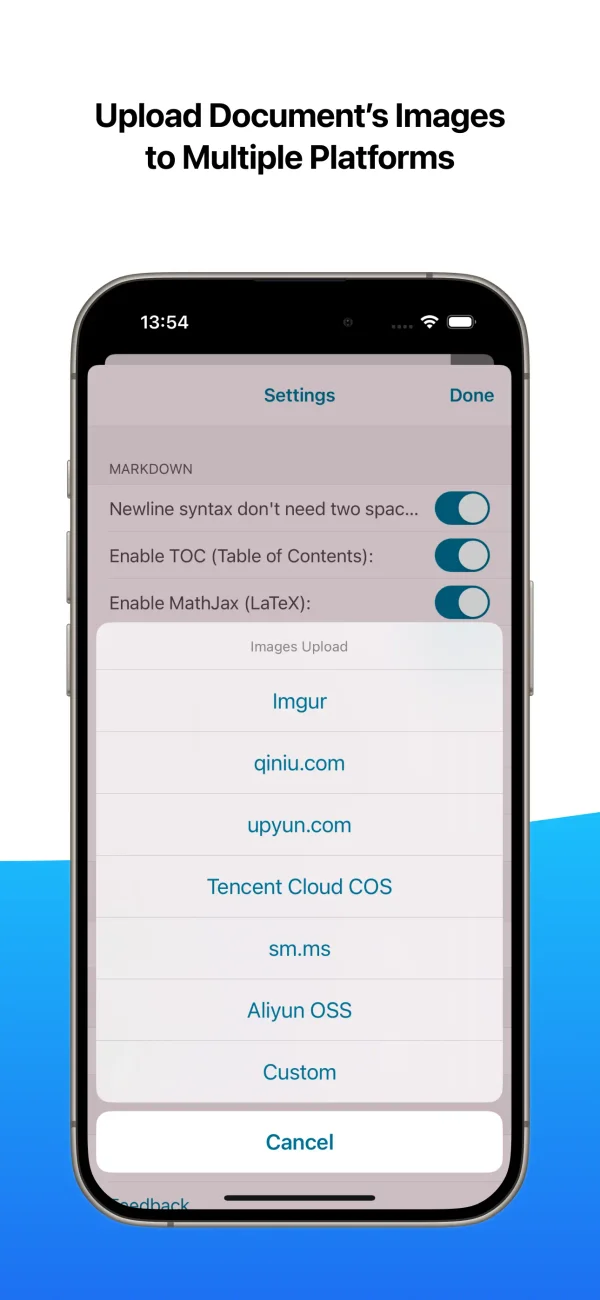
* Upload images in documents or notes to imgur, Qiniu, SM.MS, Tencent COS, Youpai, Alibaba OSS, custom API, etc.
* Export documents or notes to PDF (with Table of Contents in macOS version).
* Export documents or notes to Epub or image.
Privacy Policy: https://www.mweb.im/policy.html
Terms of Use: https://www.mweb.im/terms.html
Hope you enjoy MWeb!
Novedades
Versión 4.8.5 · 12/11/2026
Bug fixes and improvements.
Privacidad de la aplicación
Lo que 禄海 区 declara en App Store sobre cómo esta aplicación gestiona los datos.
-
No se recopilan datos
El desarrollador no recopila ningún dato de esta aplicación.
Las prácticas de privacidad pueden variar, por ejemplo, según las funciones que uses o tu edad.
Información
- Vendedor
- 禄海 区
- Categoría
- Productividad
- Versión
- 4.8.5
- Actualizado
- 12/11/2026
- Publicado
- 4/1/2017
- Tamaño
- 67,7 MB
- Requiere
- iOS 15.0 o posterior
- Clasificación por edad
- 4+
- Precio
- Gratis
- Compras en la aplicación
- Sí
- Idiomas
- Inglés, Chino simplificado, Chino tradicional
- Copyright
- © 2026 CoderForArt Inc
Quizá también te guste
-
 Metion:Markdown Notas en iPadLa escritura es importante
-
 Markdown゜Notas, Diario y Apuntes
-
 Inkdrop - Markdown NotesProductividad
-
 Markdown Editor y LectorEscribe notas con vista previa
-
 1Writer - Markdown Text EditorProductividad
-
 SiYuanProductividad
-
 Metaslip: Note & ZettelkastenProductividad
-
 Bloc de Notas: Quick DraftUn bloc de notas markdown
-
 iNote - ideas Note & NotebookEl Arte de Recoger Ideas
-
 Noto: notas, listas y diarioNotas bonitas y sencillas