
negotimer: Presentation Timer
Talk, Q&A & changeover timer
Diseñada para iPhone, iPod touch
Gratis · Compras en la aplicación
- Clasificación por edad4+
- CategoríaEconomía y empresa
- Desarrollador合同会社シクミル
- IdiomasJaponés+ 1 más
- Tamaño25,8 MB
Enlaza a la página oficial de App Store
Download.org no aloja ningún archivo de negotimer: Presentation Timer. El botón abre la página de la aplicación en App Store, donde la publica 合同会社シクミル. Ficha comprobada por última vez el 14/11/2026.
Capturas de pantalla
Acerca de
El desarrollador no ha proporcionado este texto en tu idioma.
Short pitches almost always run long.
You asked for three minutes each. Five minutes in, the next speaker is getting nervous, the Q&A gets cut, and the last few presenters end up rushing. Meanwhile the host keeps resetting a phone stopwatch and trying to catch someone's eye. negotimer takes that job off your hands.
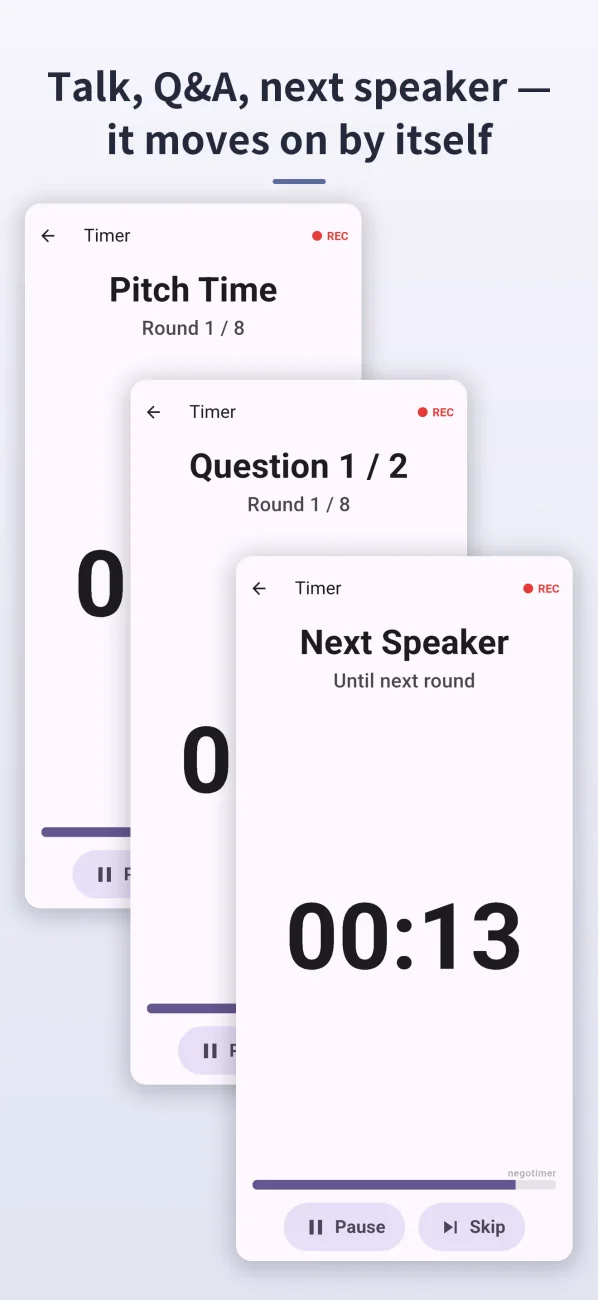
■ Pitch, questions, and changeover — as one flow
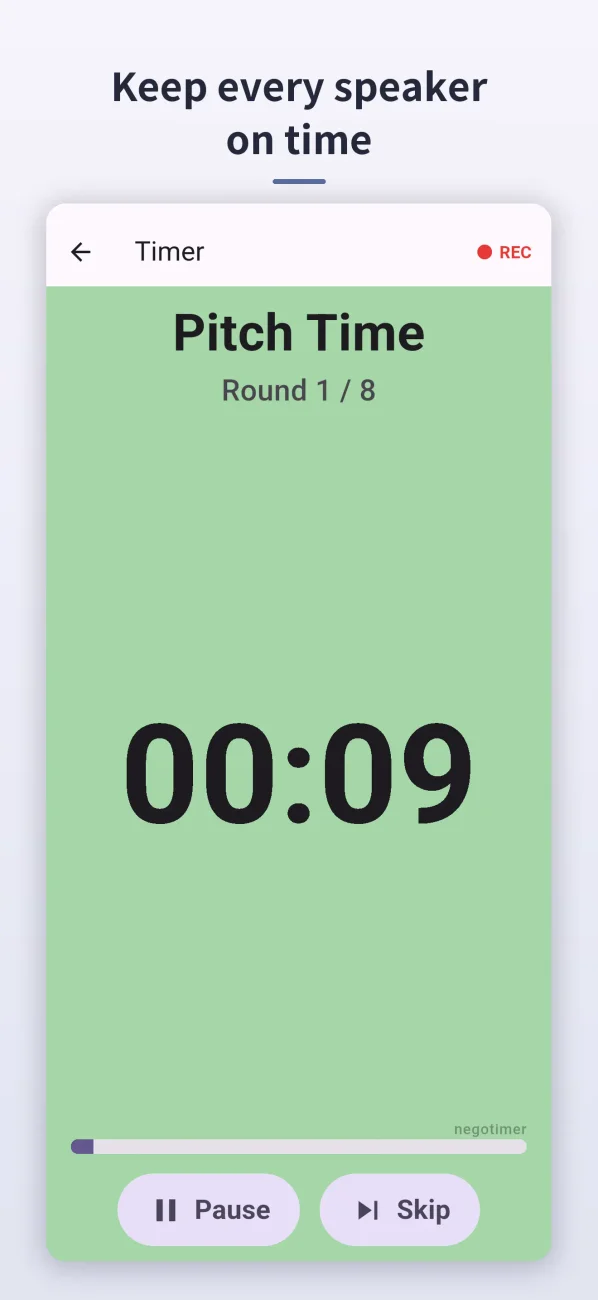
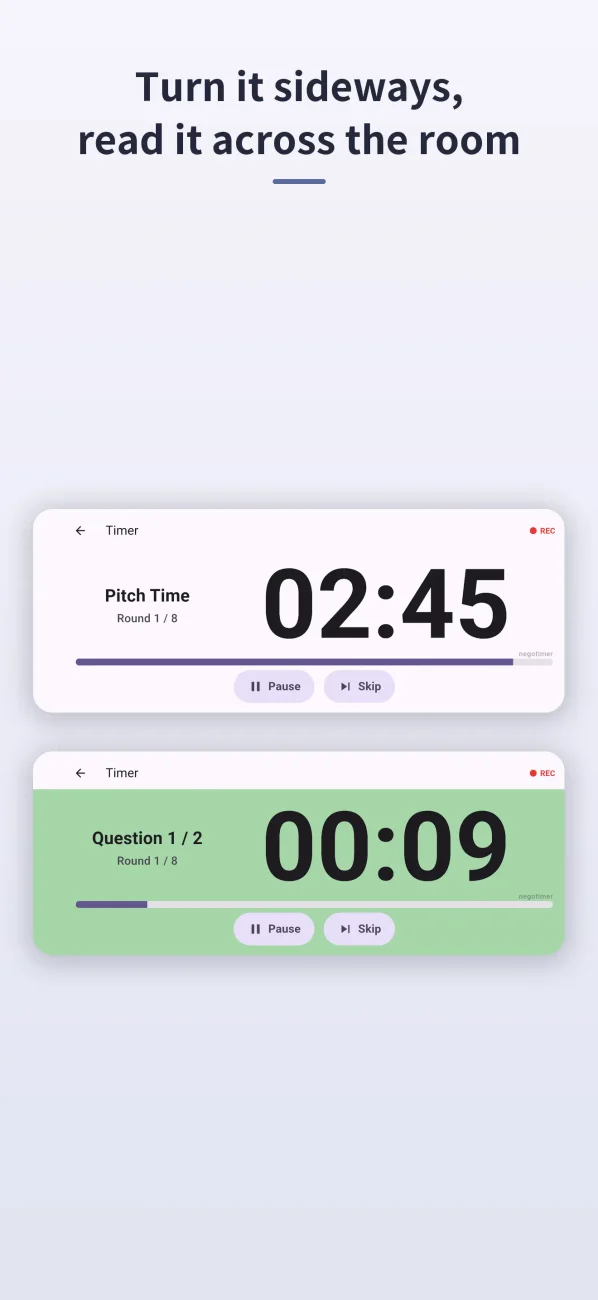
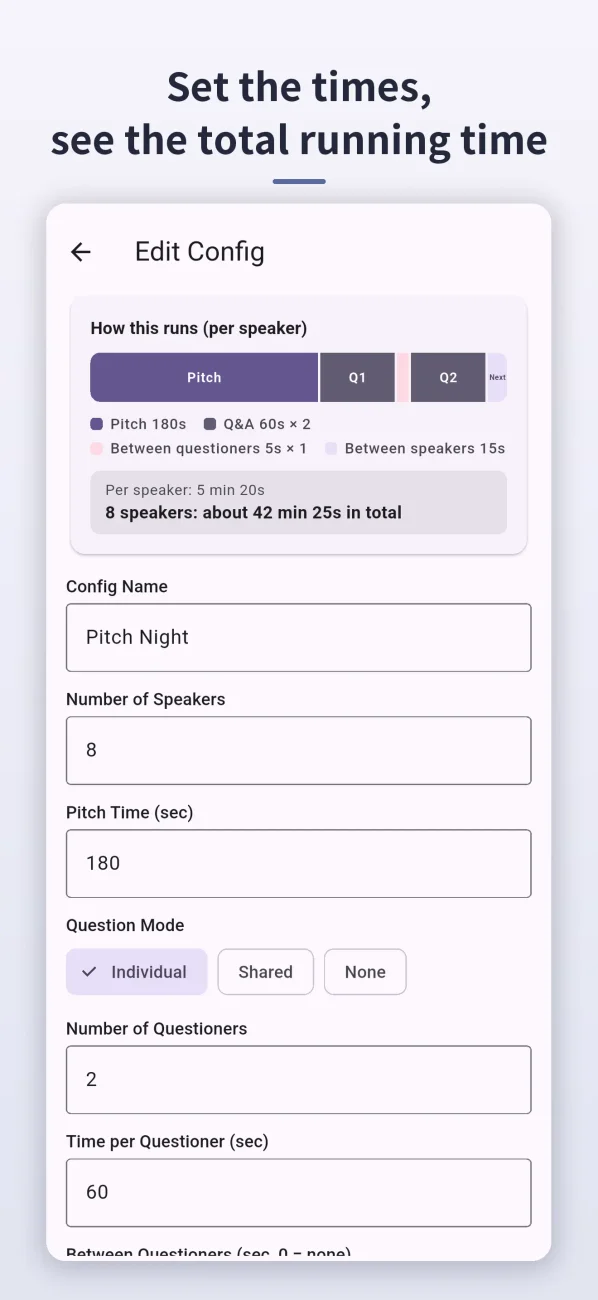
Set the pitch time, the question time, and the gaps you want between speakers and between questioners once, then just press start. negotimer moves through the phases on its own and repeats them for everyone in the room. A beep at ten seconds left, a 3-2-1 countdown, an end alarm. The background colour shifts as time runs down, so a speaker only has to glance at the screen. No one has to interrupt to announce the time.
Question time works three ways: Individual, giving each questioner their own slot; Shared, one block of time for the group; or None, to skip Q&A entirely. Pick whichever matches your format.
In Individual mode you can leave a few seconds between questioners, so handing over the microphone doesn't eat into the next person's slot. The gap between speakers is set separately.
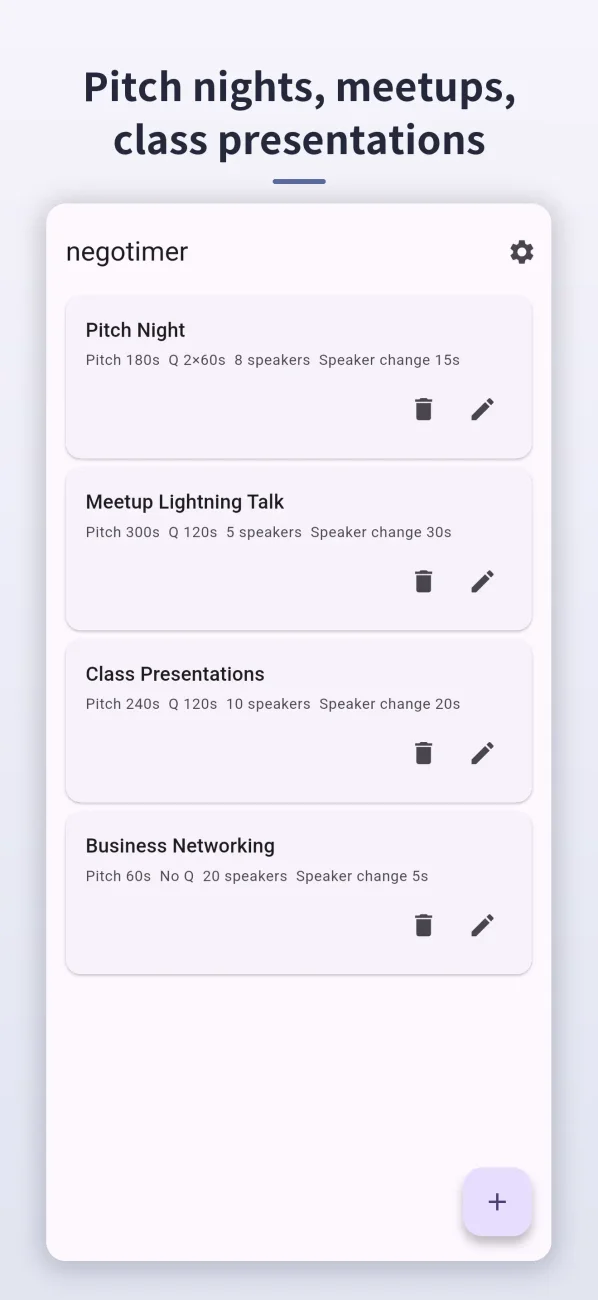
You can save as many run sheets as you like. Name them — "Networking: 3-min pitch", "Meetup: lightning talk" — and call one up with a single tap on the day.
■ Recordings arrive already split by speaker (Pro)
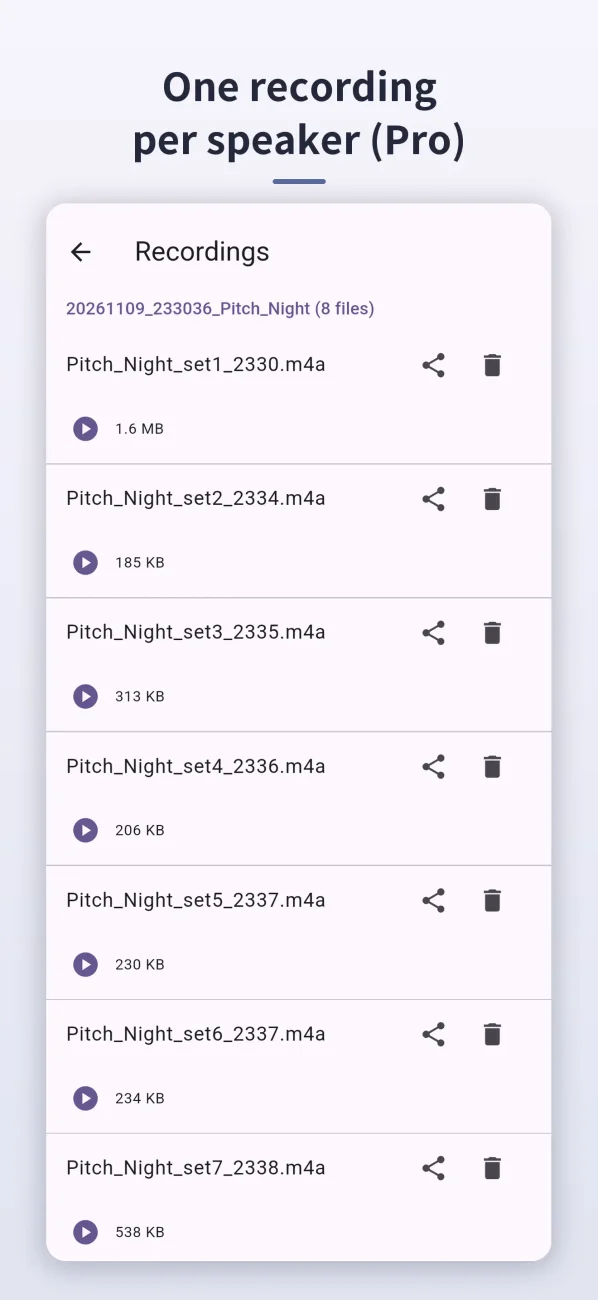
Record in sync with the timer and you get one audio file per speaker, covering their pitch and their Q&A, split automatically. No scrubbing through a single long recording looking for where each talk began.
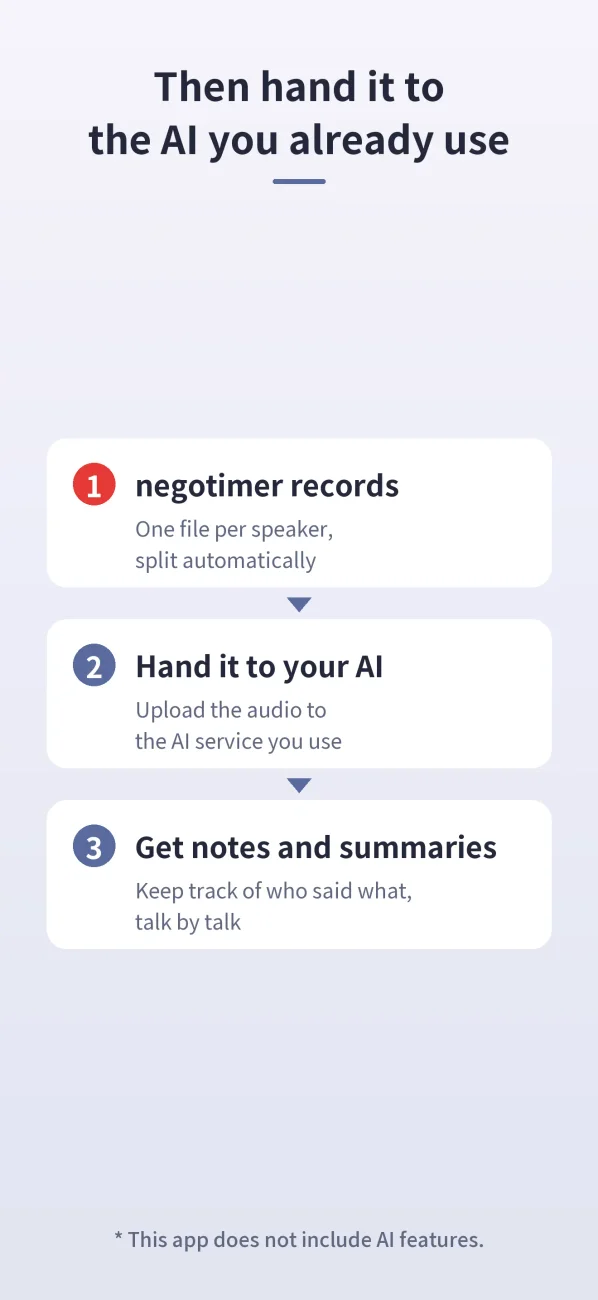
Hand those files to the AI service you already use, and you can turn them into minutes or summaries for each talk — ready not long after the event ends.
Please note: negotimer does not include AI features. For transcription and summarisation, use the generative AI service you subscribe to. This app's job is to hand you audio in a shape that's easy to pass along.
While recording, "REC" shows on screen. Recording continues when you switch apps or turn the screen off.
Recordings are stored only on your device and are never sent to our servers. Sharing and deleting are entirely up to you. Please tell participants when you are recording.
■ Pricing
· Free: shows ads. Every timer feature is available.
· Pro (one-time purchase): removes ads and unlocks recording. No subscription.
■ Made for
· Short pitches at business networking events
· Meetups and internal lightning talks
· Negotiation and debate practice, simulation games
· Interview and presentation rehearsal
· Meetings where everyone gets a fixed turn to speak
Use it as a presentation timer, speech timer or meeting timer wherever people take turns to speak in the same room.
So you can stop watching the clock and listen to what's being said.
Novedades
Versión 1.5.8 · 10/11/2026
- "Appeal Time" is now "Pitch Time", and "Number of Tables" is now "Number of Speakers".
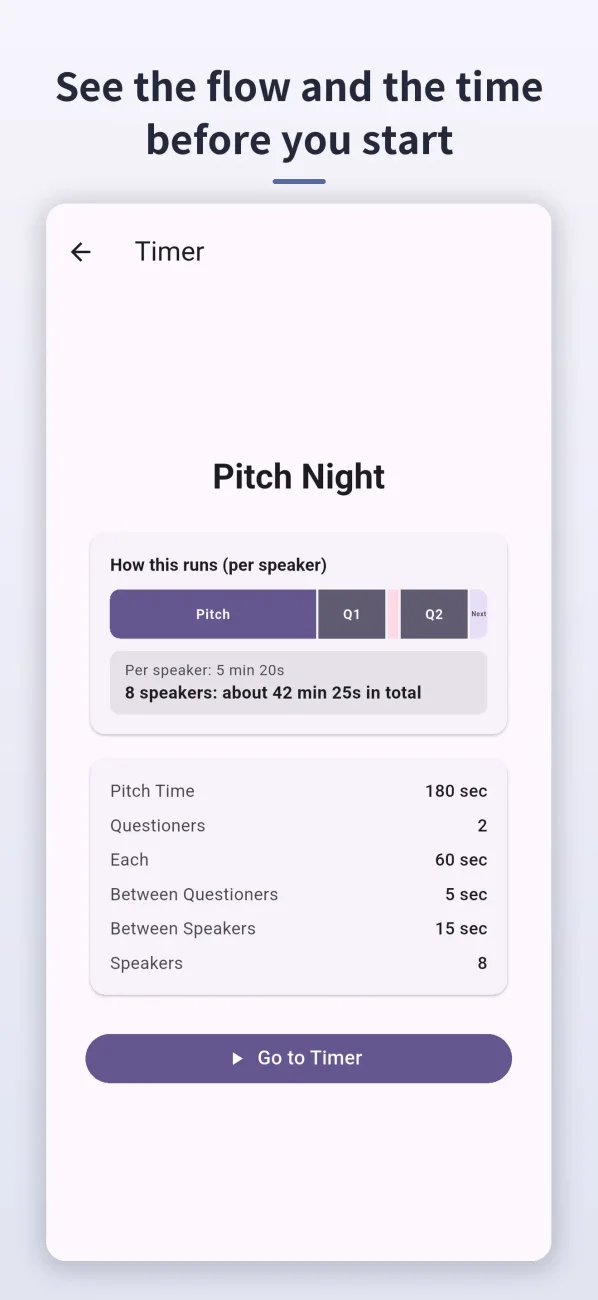
- The edit screen and the screen before you start now show one speaker's flow (pitch, questions, changeover) as a bar, with the total running time. On the edit screen it updates as you type.
- The Pro screen now shows how recordings are split into one file per speaker.
- The "Between Questioners" break now also comes between the pitch and the first questioner (set it to 0 to turn it off).
Privacidad de la aplicación
Lo que 合同会社シクミル declara en App Store sobre cómo esta aplicación gestiona los datos.
-
Datos usados para rastrearte
Pueden usarse para rastrearte en aplicaciones y sitios web propiedad de otras empresas.
- Identificadores
- Datos de uso
-
Datos no vinculados a ti
Pueden recopilarse, pero no se vinculan a tu identidad.
- Ubicación
- Identificadores
- Datos de uso
- Diagnóstico
Las prácticas de privacidad pueden variar, por ejemplo, según las funciones que uses o tu edad.
Información
- Vendedor
- SHIKUMILL, LIMITED LIABILITY COMPANY
- Categoría
- Economía y empresa
- Versión
- 1.5.8
- Actualizado
- 10/11/2026
- Publicado
- 8/9/2026
- Tamaño
- 25,8 MB
- Requiere
- iOS 15.0 o posterior
- Clasificación por edad
- 4+
- Precio
- Gratis
- Compras en la aplicación
- Sí
- Idiomas
- Japonés, Inglés
- Copyright
- © 2026 合同会社シクミル
Quizá también te guste
-
 Voice Recorder Live TranscriptProductividad
-
 Temporizador Dora-GongTemporizador con gong
-
 Presentempo: Timer de ponentesTemporizador de presentaciones
-
 Cue Clock - Presentation AppProductividad
-
 MMEETT: AI Business CardProductividad
-
 バンバンサーチ(BANBANサーチ)Economía y empresa
-
 Target Setting MachineProductividad
-
 CueBell: Presentation TimerProductividad
-
 YEG CoCo MapEconomía y empresa
-
 A-GELショップEconomía y empresa