
negotimer: Presentation Timer
Talk, Q&A & changeover timer
Projetado para iPhone, iPod touch
Grátis · Compras no app
- Classificação etária4+
- CategoriaNegócios
- Desenvolvedor合同会社シクミル
- IdiomasJaponêse mais 1
- Tamanho25,8 MB
Leva à página oficial na App Store
O Download.org não hospeda nenhum arquivo de negotimer: Presentation Timer. O botão abre a página do app na App Store, onde 合同会社シクミル o publica. Página verificada pela última vez em 14/11/2026.
Capturas de tela
Sobre
O desenvolvedor não forneceu este texto no seu idioma.
Short pitches almost always run long.
You asked for three minutes each. Five minutes in, the next speaker is getting nervous, the Q&A gets cut, and the last few presenters end up rushing. Meanwhile the host keeps resetting a phone stopwatch and trying to catch someone's eye. negotimer takes that job off your hands.
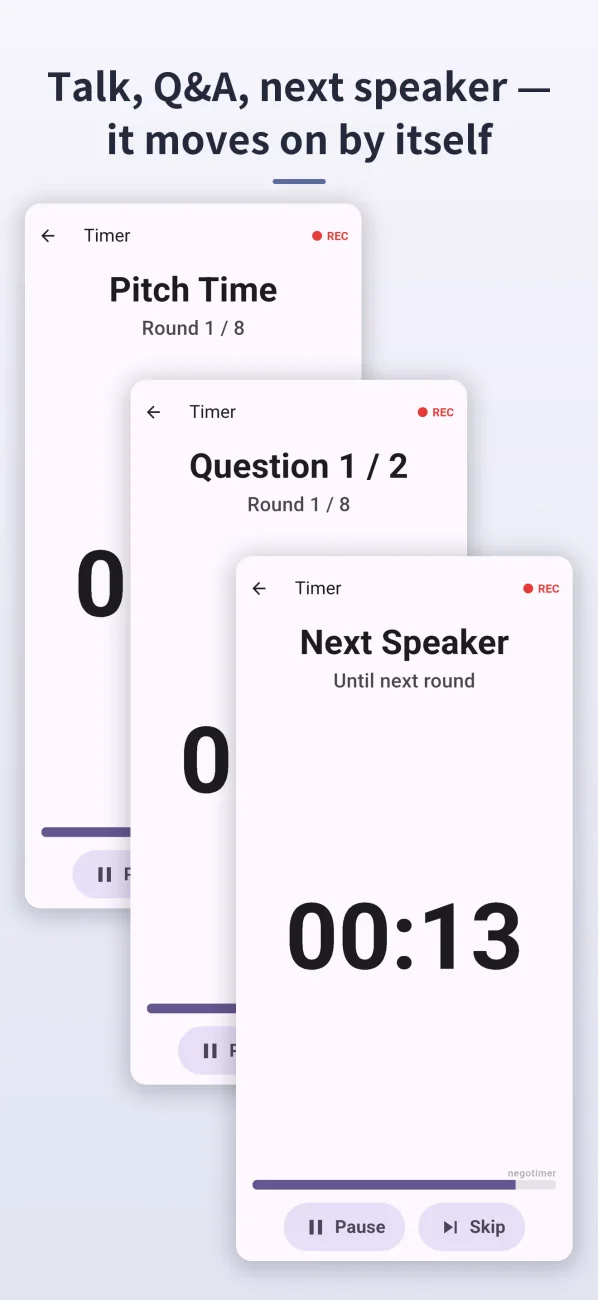
■ Pitch, questions, and changeover — as one flow
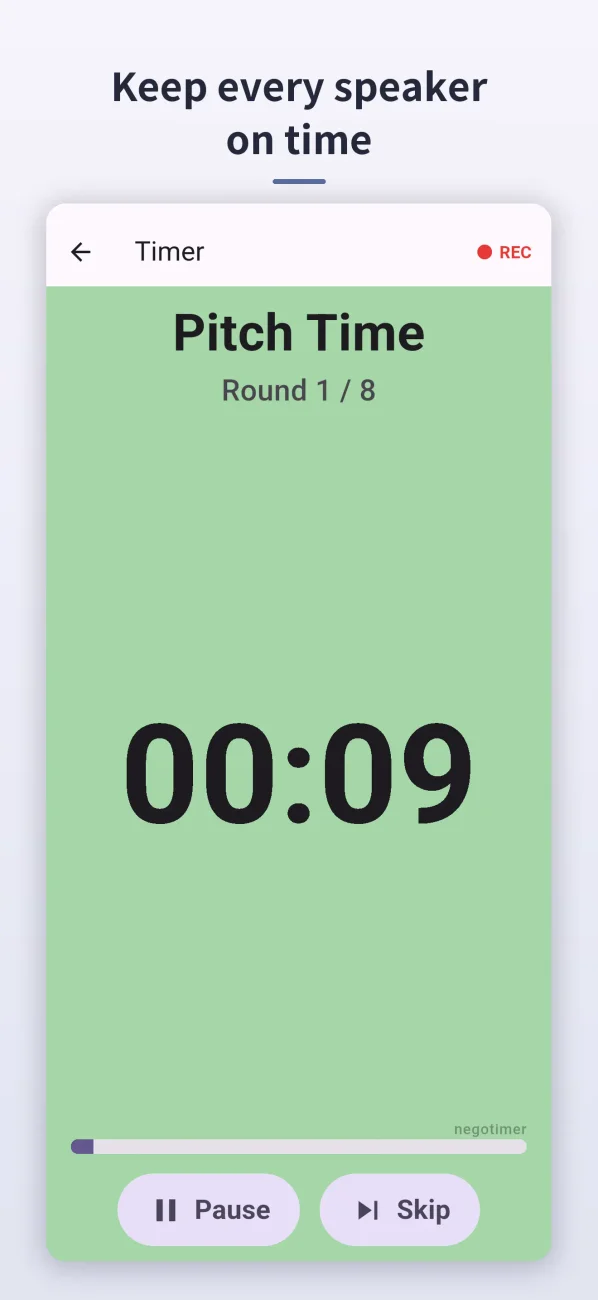
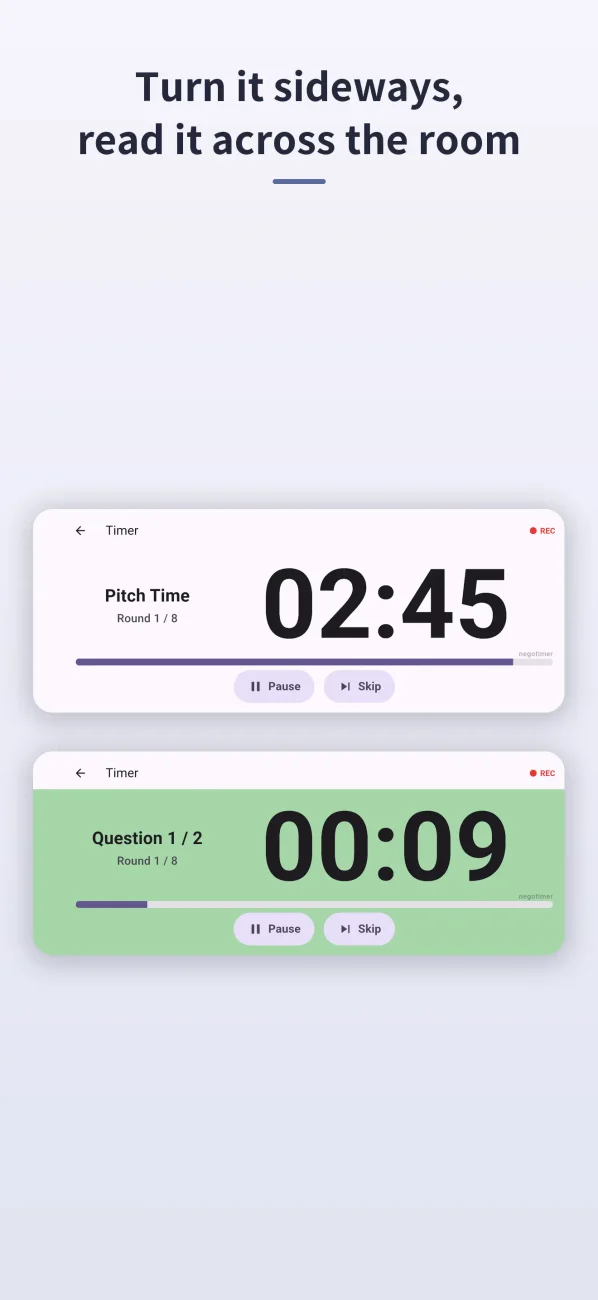
Set the pitch time, the question time, and the gaps you want between speakers and between questioners once, then just press start. negotimer moves through the phases on its own and repeats them for everyone in the room. A beep at ten seconds left, a 3-2-1 countdown, an end alarm. The background colour shifts as time runs down, so a speaker only has to glance at the screen. No one has to interrupt to announce the time.
Question time works three ways: Individual, giving each questioner their own slot; Shared, one block of time for the group; or None, to skip Q&A entirely. Pick whichever matches your format.
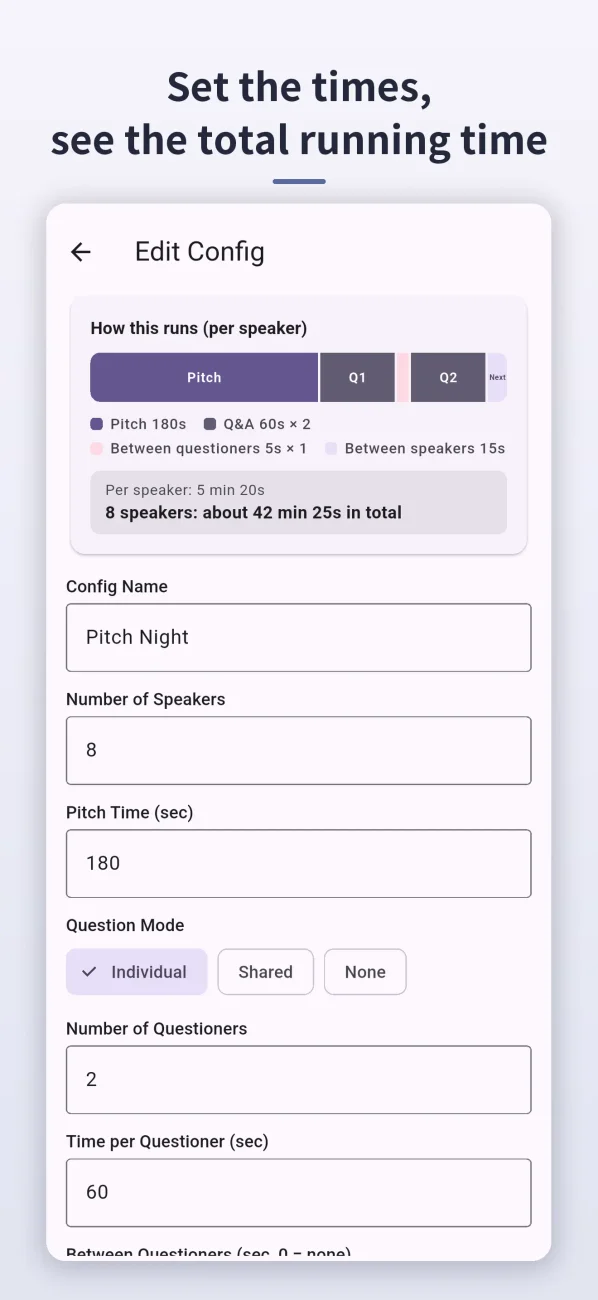
In Individual mode you can leave a few seconds between questioners, so handing over the microphone doesn't eat into the next person's slot. The gap between speakers is set separately.
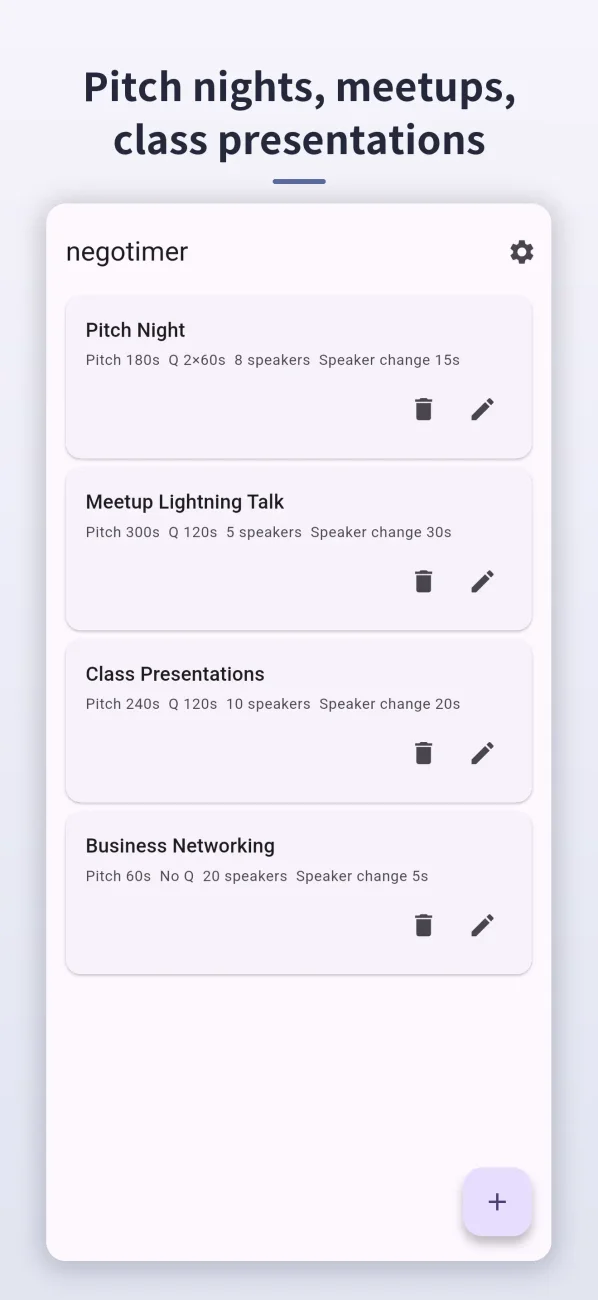
You can save as many run sheets as you like. Name them — "Networking: 3-min pitch", "Meetup: lightning talk" — and call one up with a single tap on the day.
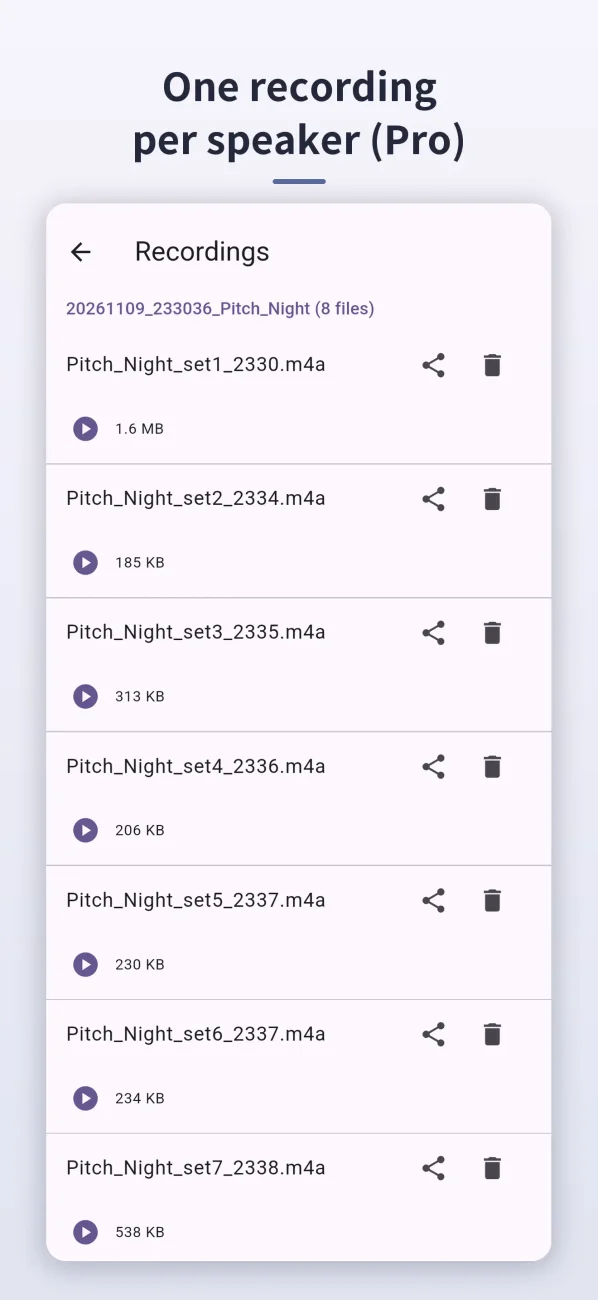
■ Recordings arrive already split by speaker (Pro)
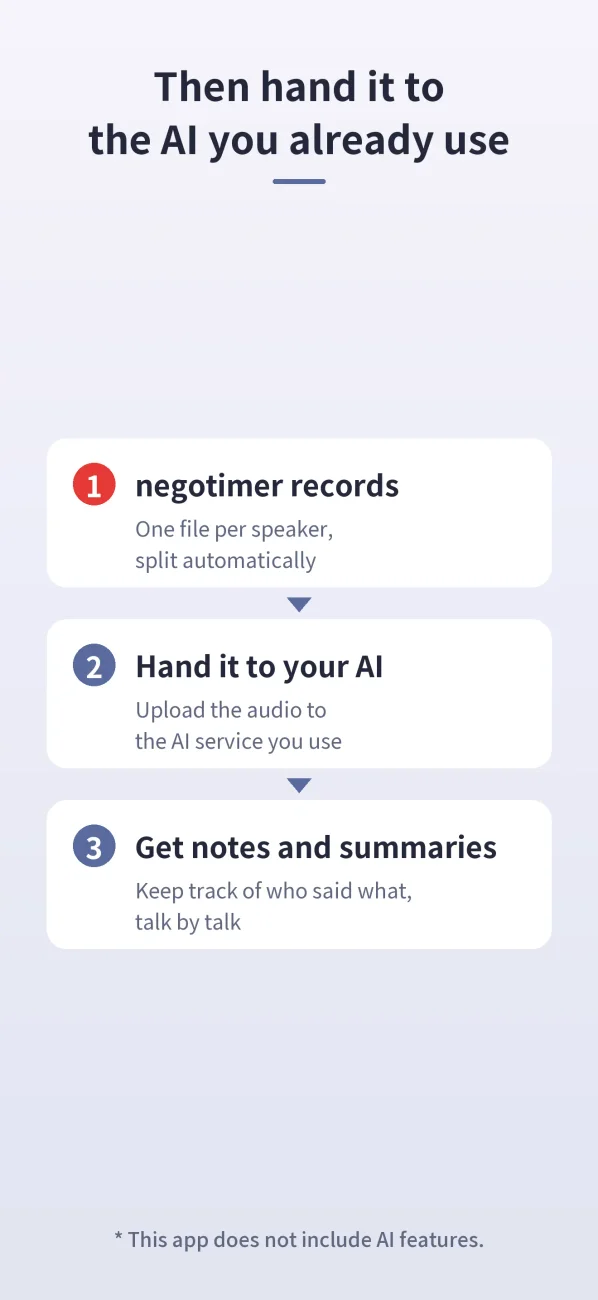
Record in sync with the timer and you get one audio file per speaker, covering their pitch and their Q&A, split automatically. No scrubbing through a single long recording looking for where each talk began.
Hand those files to the AI service you already use, and you can turn them into minutes or summaries for each talk — ready not long after the event ends.
Please note: negotimer does not include AI features. For transcription and summarisation, use the generative AI service you subscribe to. This app's job is to hand you audio in a shape that's easy to pass along.
While recording, "REC" shows on screen. Recording continues when you switch apps or turn the screen off.
Recordings are stored only on your device and are never sent to our servers. Sharing and deleting are entirely up to you. Please tell participants when you are recording.
■ Pricing
· Free: shows ads. Every timer feature is available.
· Pro (one-time purchase): removes ads and unlocks recording. No subscription.
■ Made for
· Short pitches at business networking events
· Meetups and internal lightning talks
· Negotiation and debate practice, simulation games
· Interview and presentation rehearsal
· Meetings where everyone gets a fixed turn to speak
Use it as a presentation timer, speech timer or meeting timer wherever people take turns to speak in the same room.
So you can stop watching the clock and listen to what's being said.
Novidades
Versão 1.5.8 · 10/11/2026
- "Appeal Time" is now "Pitch Time", and "Number of Tables" is now "Number of Speakers".
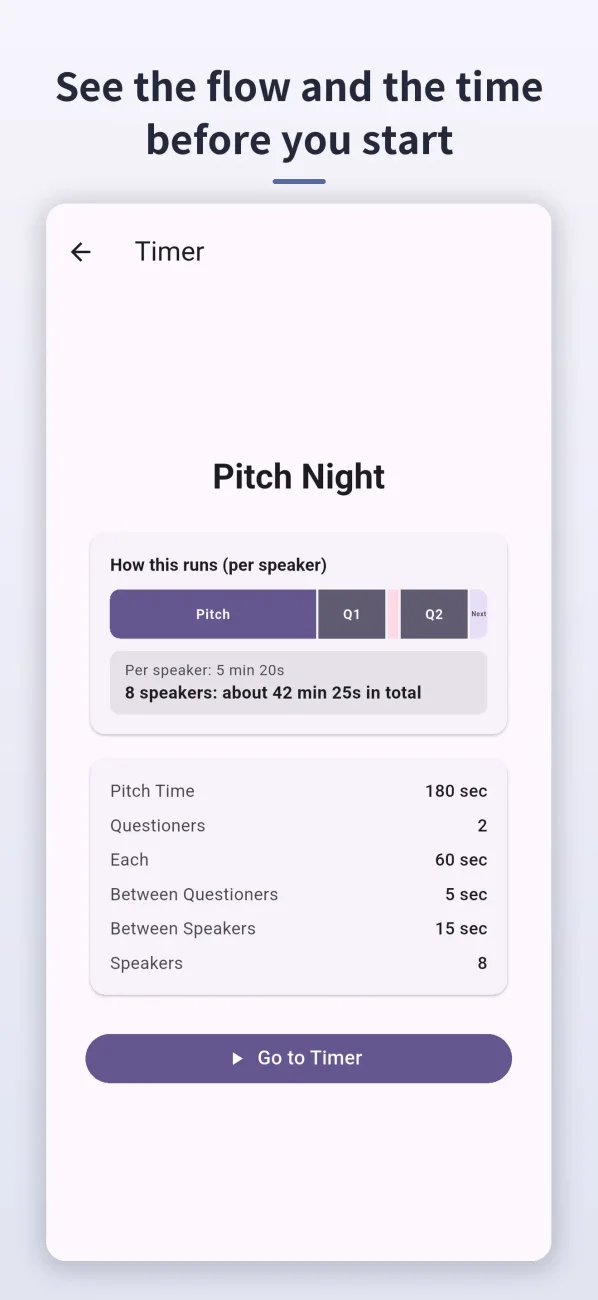
- The edit screen and the screen before you start now show one speaker's flow (pitch, questions, changeover) as a bar, with the total running time. On the edit screen it updates as you type.
- The Pro screen now shows how recordings are split into one file per speaker.
- The "Between Questioners" break now also comes between the pitch and the first questioner (set it to 0 to turn it off).
Privacidade do app
O que 合同会社シクミル declara na App Store sobre como este app lida com os dados.
-
Dados usados para rastrear você
Podem ser usados para rastrear você em apps e sites de outras empresas.
- Identificadores
- Dados de uso
-
Dados não vinculados a você
Podem ser coletados, mas não são vinculados à sua identidade.
- Localização
- Identificadores
- Dados de uso
- Diagnóstico
As práticas de privacidade podem variar, por exemplo, com base nos recursos que você usa ou na sua idade.
Informações
- Vendedor
- SHIKUMILL, LIMITED LIABILITY COMPANY
- Categoria
- Negócios
- Versão
- 1.5.8
- Atualizado
- 10/11/2026
- Lançamento
- 08/09/2026
- Tamanho
- 25,8 MB
- Requer
- iOS 15.0 ou posterior
- Classificação etária
- 4+
- Preço
- Grátis
- Compras no app
- Sim
- Idiomas
- Japonês, Inglês
- Copyright
- © 2026 合同会社シクミル
Você também pode gostar
-
 Voice Recorder Live TranscriptProdutividade
-
 Dora-Gong Presentation TimerProdutividade
-
 Presentempo: Timer de palestraCronômetro para apresentações
-
 Cue Clock - Presentation AppProdutividade
-
 MMEETT: AI Business CardProdutividade
-
 バンバンサーチ(BANBANサーチ)Negócios
-
 Target Setting MachineProdutividade
-
 CueBell: Presentation TimerProdutividade
-
 YEG CoCo MapNegócios
-
 A-GELショップNegócios