Nib - Private Notes
Private, open-source writing
Diseñada para iPhone, iPad, Mac, iPod touch
Gratis · Compras en la aplicación
- Clasificación por edad4+
- CategoríaProductividad
- DesarrolladorAndrew Neitsch
- IdiomasInglés
- Tamaño22,0 MB
Enlaza a la página oficial de App Store
Download.org no aloja ningún archivo de Nib - Private Notes. El botón abre la página de la aplicación en App Store, donde la publica Andrew Neitsch. Ficha comprobada por última vez el 25/11/2026.
Capturas de pantalla


Acerca de
El desarrollador no ha proporcionado este texto en tu idioma.
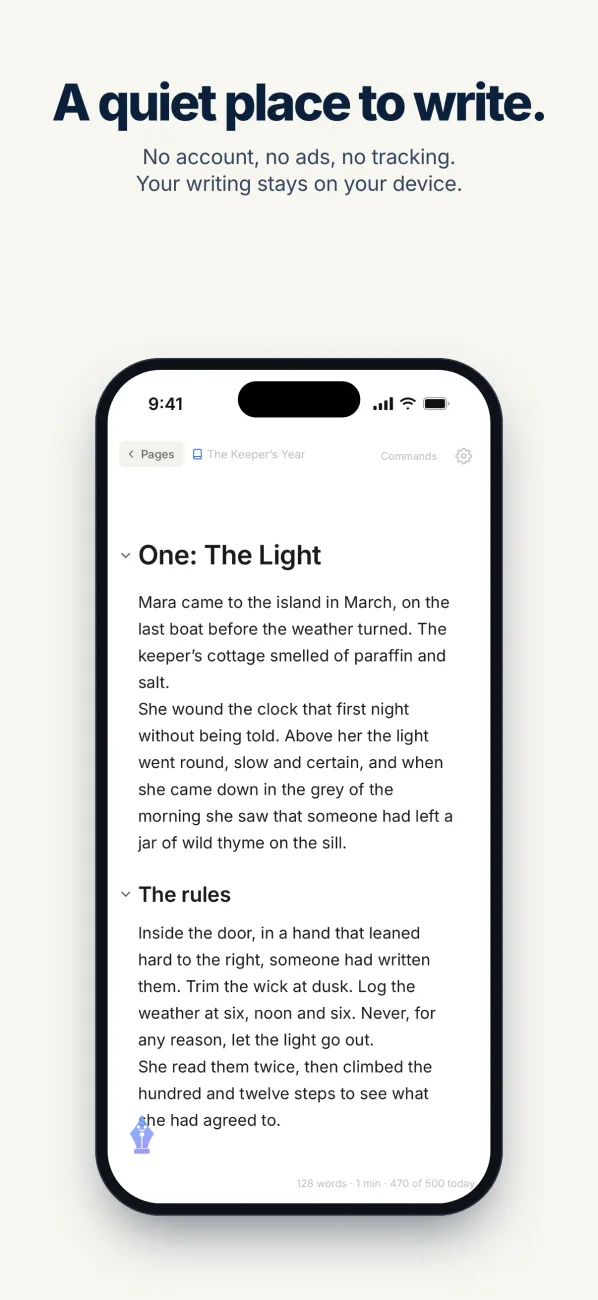
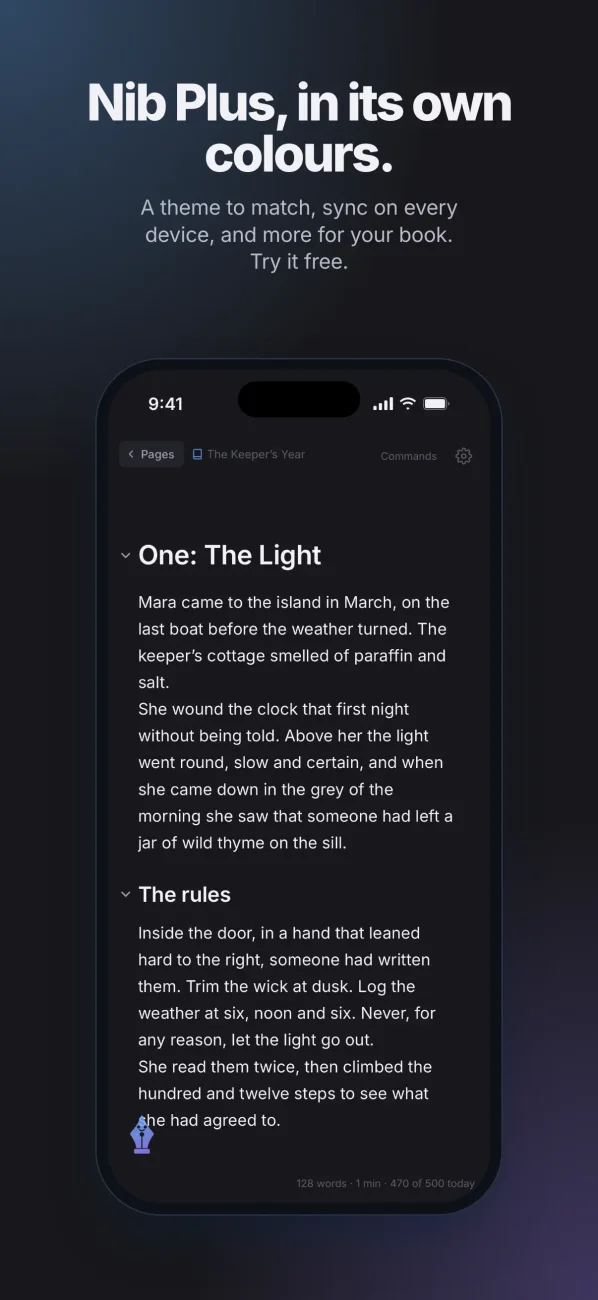
Nib is a quiet place to write, on your iPhone and iPad. No account, no ads, no tracking: your writing stays on your device.
WRITE
• Notes for catching a thought, and pages for real writing: headings, an outline, pictures, tables, callouts, code and formulas.
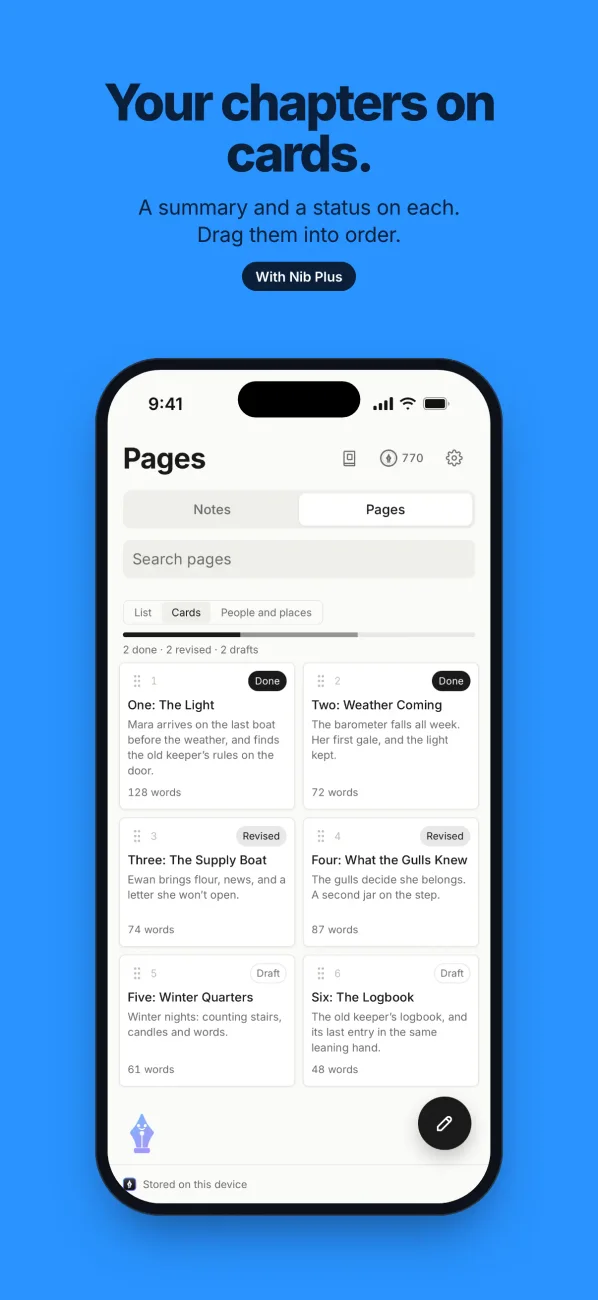
• Write a book: a folder's pages become a manuscript, with parts and chapters you drag into order.
• Fold a section away, link to any note or heading with [[, and leave notes to self and TKs as you go.
• Find and replace in any note, by whole words, capitals or a pattern.
• Set a daily word goal, and let the style check count filler, clichés and long sentences.
MEET INKWELL
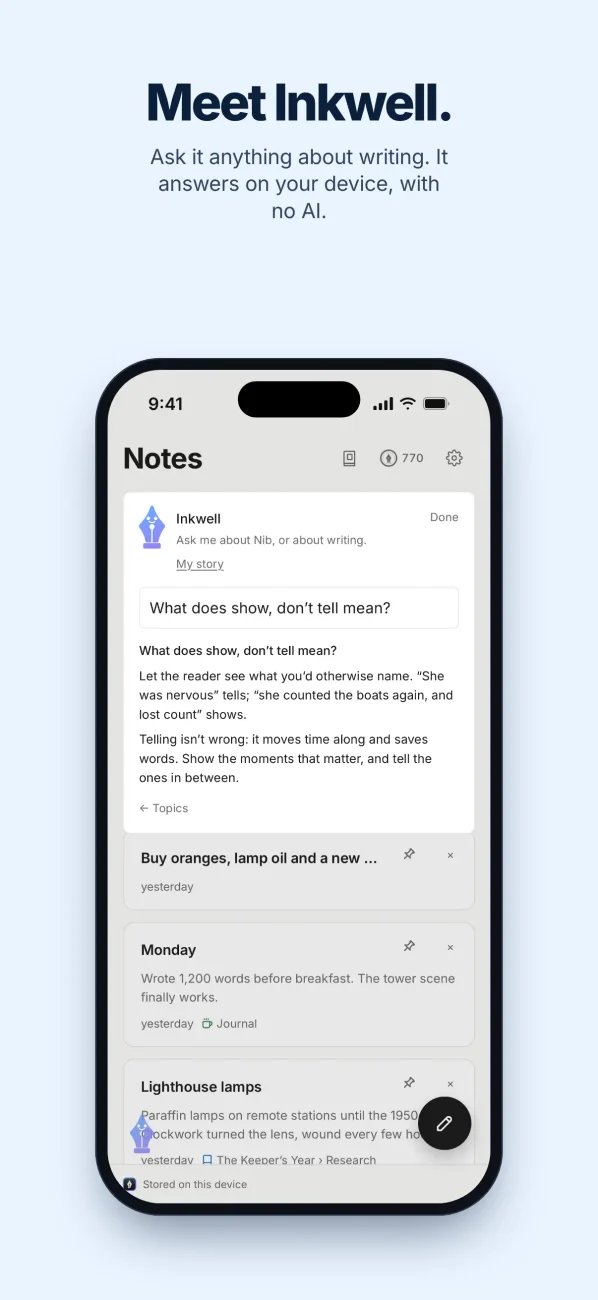
• A small nib in the corner that answers nearly 1,900 questions about Nib and about writing, on your device, with no AI.
KEEP IT IN ORDER
• Your notes and pages as cards. Pin them, archive them, or select several at once.
• Folders inside folders, in your own order, and categories in a colour. Three of each are free, and so is a template.
• 30 days of version history, to look back through and restore.
• A reminder on any note.
CATCH A THOUGHT
• Share to Nib from any app, add a note with Shortcuts, or start one from a widget.
• Paste a screenshot, and its words come in as text (iOS 26 and later).
BRING IT IN, TAKE IT OUT
• Import from Apple Notes, Google Keep, Obsidian, Evernote, Bear, Simplenote, Joplin, UpNote, Notesnook, Zoho Notebook, FuseBase, ColorNote, Markdown or Word.
• Export as Markdown, and back up your whole library, free forever.
• Share a draft by link, read-only, for a week.
PRIVATE BY DESIGN
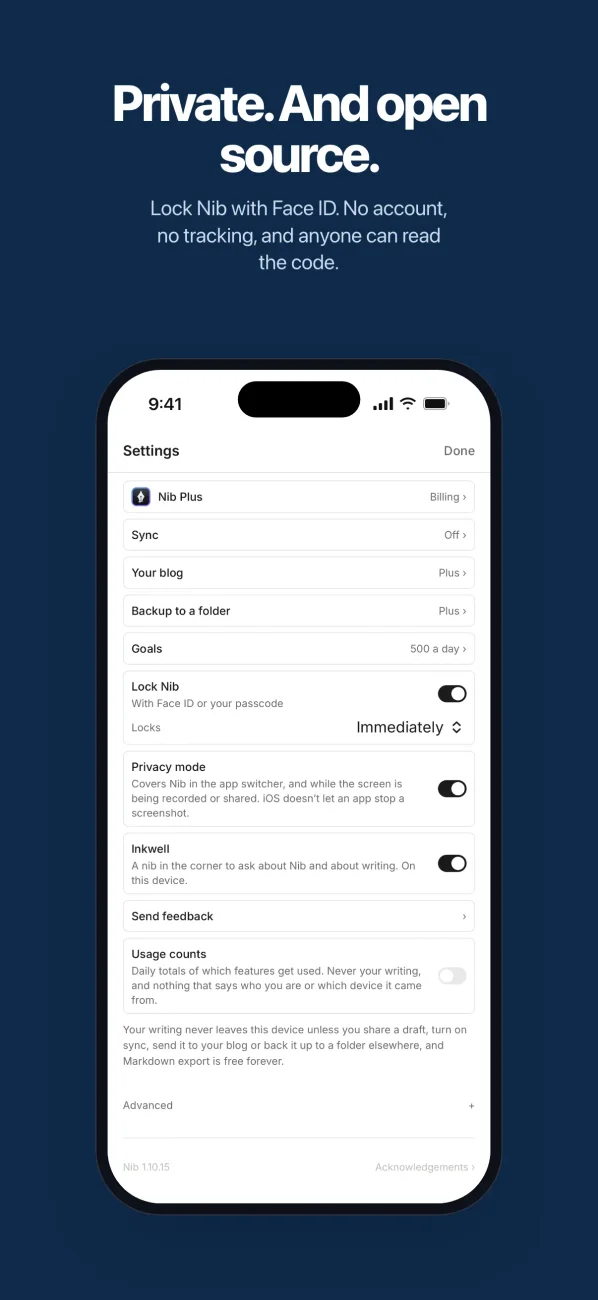
• Everything stays on your device unless you share a draft or turn on sync.
• Lock Nib with Face ID, Touch ID or your passcode, and hide it in the app switcher.
• Open source: the code of Nib and its server is public at nibprivacy.com/source.
STAMPS
• A free pack of stamps every day, and coins for coming back. Collect all 300 in the Stampbook.
• In December, a door of a Christmas calendar each day.
MAKE IT YOURS
• Light, dark or three more themes, and your text's size, width, spacing and typeface.
NIB PLUS
• Your library on iPhone, iPad and Mac, synced encrypted with a code only you hold: the server can't read it.
• An encrypted backup off your device, and a daily Markdown backup to a folder you choose.
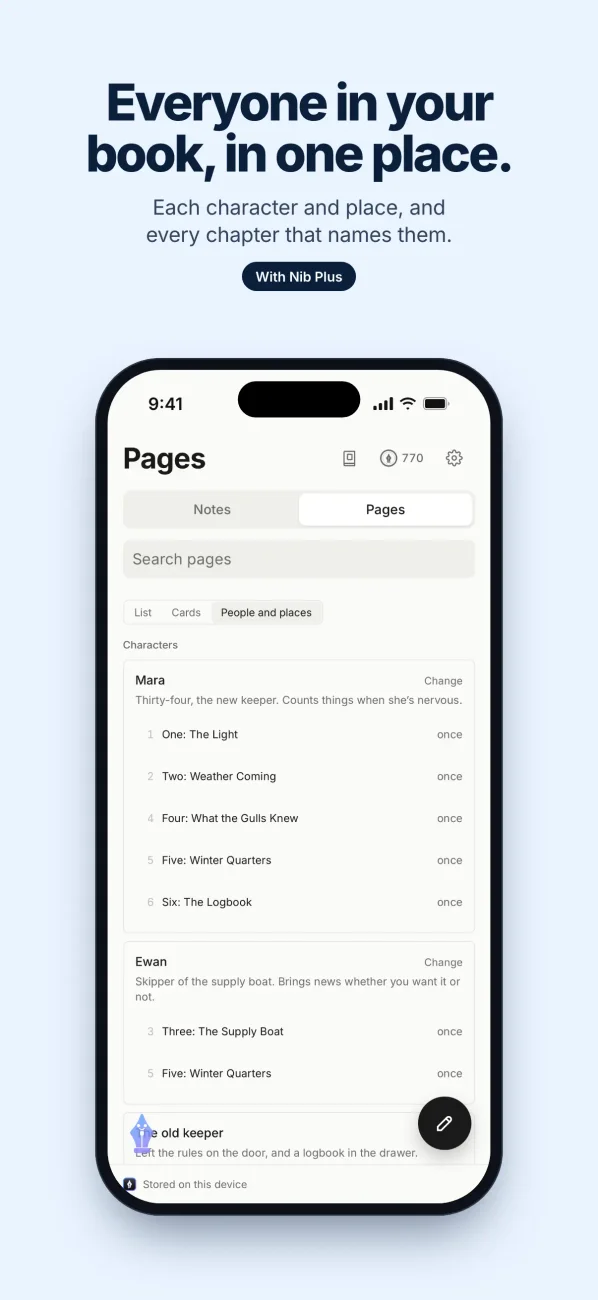
• For your book: chapters on index cards, characters and places, a submission tracker, find and replace across it, and a word goal with a deadline.
• Your book as Word, PDF or EPUB in standard manuscript format, as a print-ready PDF for KDP or IngramSpark, or audio.
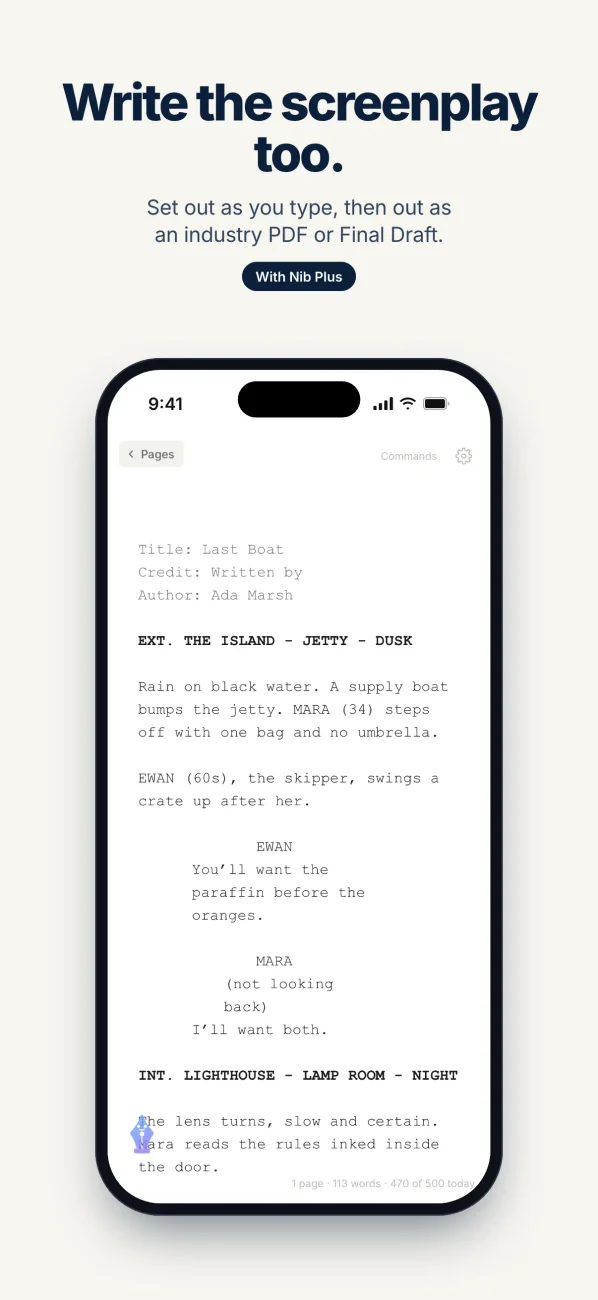
• Screenplays, set out as you type, with industry-format PDF and Final Draft.
• Posts sent to your own WordPress, Ghost or Micro.blog blog.
• Export to Word, PDF and HTML. Attach any file, keep pictures at full quality, and save web pages from Safari.
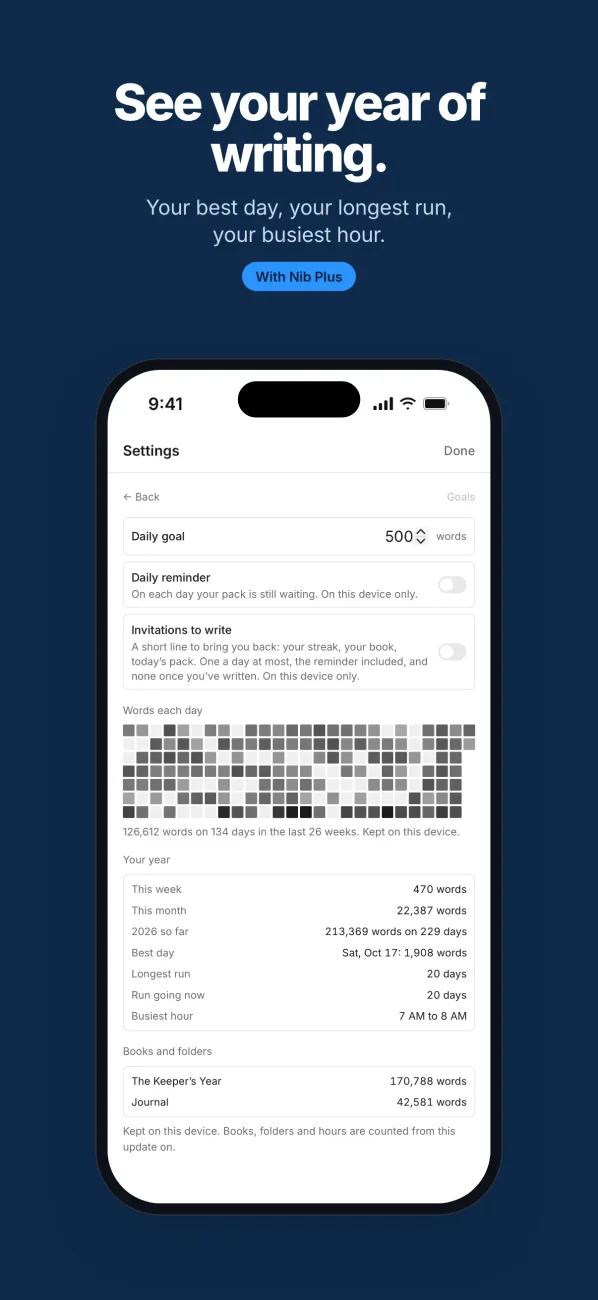
• Read aloud, sounds to write to, sprints, deadlines, and your year's writing stats.
• Widgets for your goal, streak, a book and a pinned note, and more Shortcuts.
• Side by side, and tabs, on iPad.
• Shared drafts for up to 90 days, with a password and readers' notes.
• All your version history, compared with now, and reminders that repeat.
• An inbox address for other apps, notes that expire on a day you choose, and a vault for chosen notes.
• Fourteen more themes, eight more app icons, saved looks on all your devices, a colour and icon for each folder, and no limit on folders, categories or templates.
One subscription covers Nib on your iPhone, iPad and Mac when you use the same Apple Account.
Nib Plus is an auto-renewing subscription, monthly or yearly, with a free trial for new subscribers. Payment is charged to your Apple Account at confirmation of purchase or at the end of the trial. The subscription renews automatically unless cancelled at least 24 hours before the end of the current period. Manage or cancel it in your App Store account settings.
Terms of Use: https://www.apple.com/legal/internet-services/itunes/dev/stdeula/
Privacy Policy: https://nibprivacy.com/privacy/
Novedades
Versión 1.10.15 · 24/11/2026
What's New in Nib 1.10.15?
FOR YOUR BOOK (NIB PLUS)
• Chapters on index cards: in a book's Manuscript, each chapter with a one-line summary and a status, to drag into order.
• Characters and places: a card for each, with its other names, and every chapter that names it.
• A print-ready PDF of your book's inside, for Amazon KDP or IngramSpark: three trim sizes, running heads, page numbers, and chapters opening on the right.
• Your book as audio: a note, a page or a whole book saved as one audio file, to proofread by ear.
• A submission tracker: where each piece went, what came back, and a reminder to follow up.
SCREENPLAYS (NIB PLUS)
• Write a screenplay, set out as you type: scene headings, action, characters and dialogue, with Tab to move between them.
• Take it out as an industry-format PDF, Final Draft, Word or Fountain, and bring Final Draft and Fountain files in.
YOUR BLOG, AND A BACKUP FOLDER (NIB PLUS)
• Send a note or page to your own WordPress, Ghost or Micro.blog blog as a draft, pictures and all. Send it again and the same post is changed.
• Backup to a folder: once a day, your library as Markdown files in a folder you choose, on iCloud Drive, Dropbox or a drive, with a full backup beside them.
WHILE YOU WRITE
• Sounds to write to, with Nib Plus: rain, a café and a fire, each at its own volume, and a typewriter's keys as you type.
• Your year's stats, with Nib Plus: your best day, your longest run, your busiest hour, and the books your words went into. In Settings → Goals.
• Each December, your year of writing as a card to keep or share. Free.
• Invitations to write: a short line now and then to bring you back to the page. One a day at most, and none once you've written. Free, off until you say yes, and made on your device.
ON YOUR HOME SCREEN (NIB PLUS)
• Widgets for your daily goal, your streak, a book and a pinned note. The goal and the streak go on the Lock Screen too.
• Shortcuts to append to a note, start a sprint, or hear today's words.
• Eight more app icons, and every icon now has dark and tinted versions.
NEW THEMES (NIB PLUS)
• Six of Nib's own: Vellum, Sage, Lilac, Ember, Tide and Merlot.
NOW PART OF NIB PLUS
From this version, some things that were free need Nib Plus. Nothing you've made is taken away.
• Comparing a version with now, and bringing back one paragraph. Seeing and restoring a whole version stays free, and every version you have is kept.
• Read aloud.
• Reminders that repeat. One-off reminders stay free, and repeats already set keep ringing.
• The list of every note to self and TK in a document. Adding them stays free, and yours stay where they are.
• Adding a picture from a link.
• Four themes: Gruvbox Dark, Gruvbox Light, Green Olive and Pastel Pink. If you use one, Nib follows your system's light or dark until you have Plus, and remembers your choice.
• Templates past the first: one is free, where three were. Yours are all kept and still work.
Writing, Markdown export, backups, importing, Lock Nib and your daily goal stay free.
SAFER SYNC AND SHARING
• A draft shared to be read once is kept for ten minutes after it's opened, so a reader whose connection drops can open it again with the same link. Then it's deleted.
• Wrong guesses at a read-once draft's password are limited.
• Changing your sync code first downloads any pictures and attached files this device doesn't have yet, so none is left behind.
• Our server deletes its record of a subscription 12 months after it was last paid for.
ALSO
• Nib tells you the day before free Nib Plus days end.
• Many small fixes.
Privacidad de la aplicación
Lo que Andrew Neitsch declara en App Store sobre cómo esta aplicación gestiona los datos.
-
Datos no vinculados a ti
Pueden recopilarse, pero no se vinculan a tu identidad.
- Compras
- Contenido del usuario
- Datos de uso
Las prácticas de privacidad pueden variar, por ejemplo, según las funciones que uses o tu edad.
Información
- Vendedor
- Andrew Neitsch
- Categoría
- Productividad
- Versión
- 1.10.15
- Actualizado
- 24/11/2026
- Publicado
- 1/10/2026
- Tamaño
- 22,0 MB
- Requiere
- iOS 15.4 o posterior
- Clasificación por edad
- 4+
- Precio
- Gratis
- Compras en la aplicación
- Sí
- Idiomas
- Inglés
- Copyright
- © 2026
Quizá también te guste
-
 Nivo - Life TrackerProductividad
-
 CoreNote: Notes & Todo StarProductividad
-
 Vanishing NotesNotas rápidas que se destruyen
-
 Type ShhhProductividad
-
 SlideJot - Lighter Than NotesProductividad
-
 Scribbl: Notes & PDF MarkupProductividad
-
 Daypen: Notas con IA y agendaToma apuntes y aprueba
-
 Focus mode for YouTubeProductividad
-
 RIFT Notes: Notas de vozVoz a texto, fotos y mapa
-
 Catch: Videos y enlacesEncontrar todo lo que guardas