
OfflineClipper: Video Clips
Choose subjects. Find clips.
Diseñada para iPhone, iPad
Gratis · Compras en la aplicación
- Clasificación por edad4+
- CategoríaUtilidades
- DesarrolladorTianle Chen
- IdiomasInglés+ 1 más
- Tamaño7,3 MB
Enlaza a la página oficial de App Store
Download.org no aloja ningún archivo de OfflineClipper: Video Clips. El botón abre la página de la aplicación en App Store, donde la publica Tianle Chen. Ficha comprobada por última vez el 24/11/2026.
Capturas de pantalla

Acerca de
El desarrollador no ha proporcionado este texto en tu idioma.
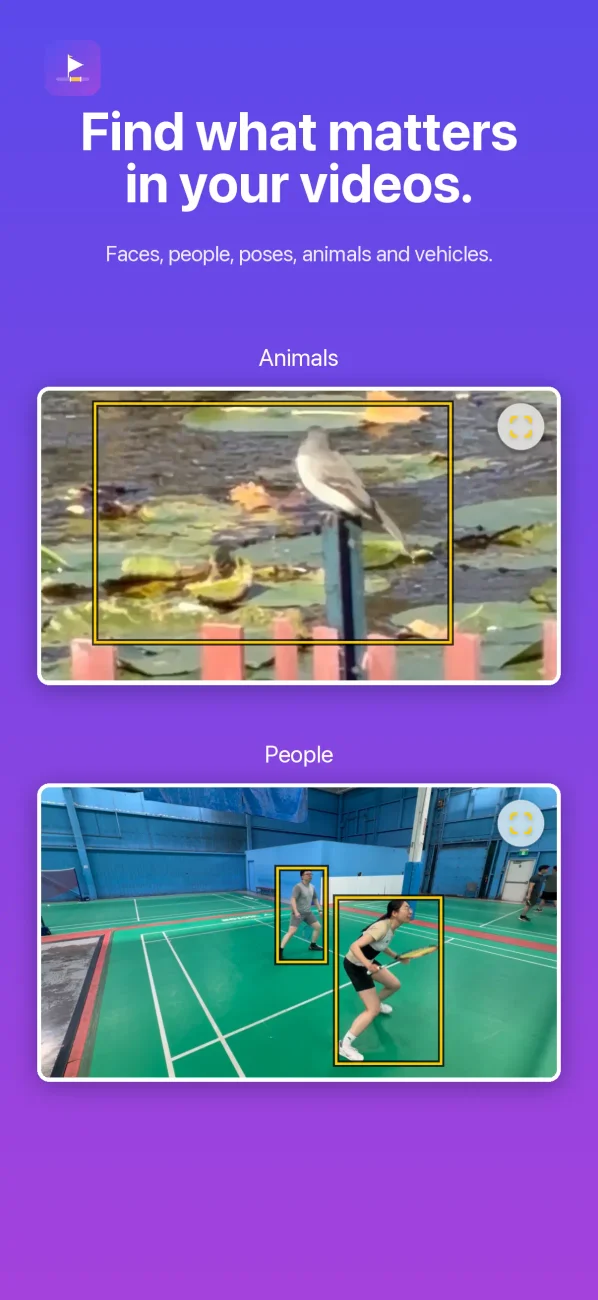
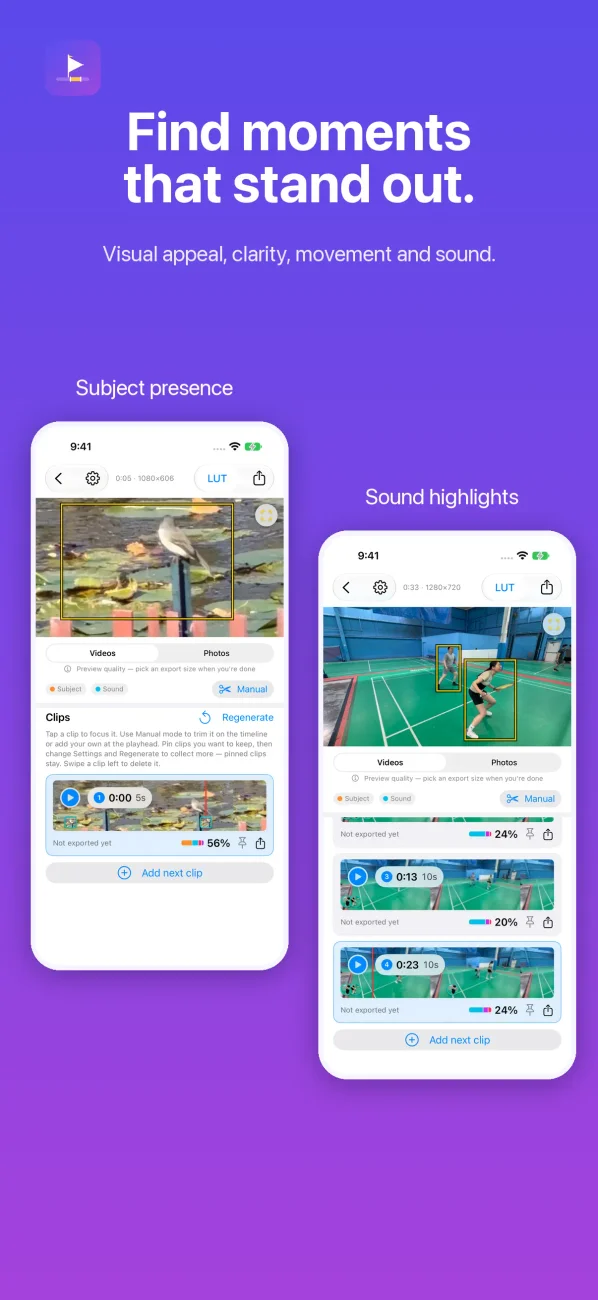
Find the moments that matter in long videos. Choose important subjects, then let OfflineClipper rank clips and full-resolution photos using visual appeal, clarity, motion and sound. Analysis and export run on your device.
CHOOSE YOUR SUBJECTS
- Prioritize detected faces, people, animals or vehicles
- Pick athletic poses to get a clip and a photo of the exact frame
- See selected subjects with bounding boxes in the preview and appearances on the timeline
- Tracking stays within each video and never identifies anyone
FIND INTERESTING MOMENTS
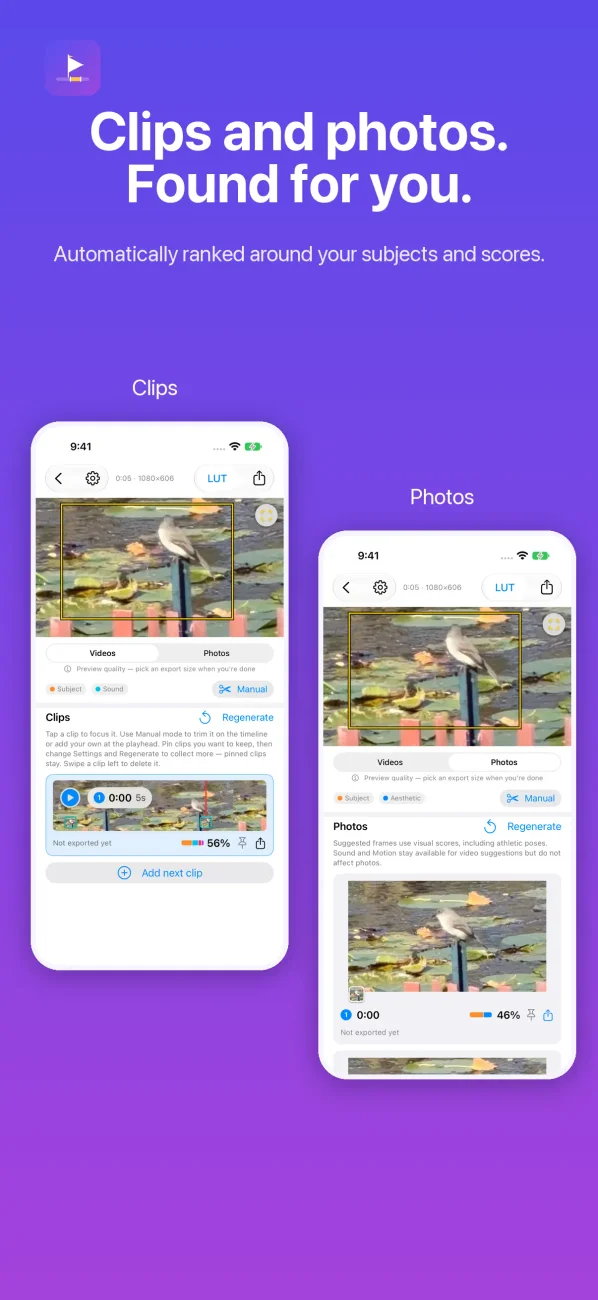
- Get automatic clip suggestions adapted to your video's length
- See each result's score and signal breakdown
- Adjust score weights, clip length, padding and photo density
- Rank photos from the same analysis, without scanning again
- Pin favorite clips and photos to keep them when regenerating results
- Save & close analysis and resume from Home; backgrounding saves progress too
SAVE AND ORGANIZE
- Export individual clips and photos or a selected batch to Photos
- Set a project crop for clips and photos with portrait, square and widescreen ratios
- Use the project crop for batch exports, or adjust the crop for one export
- Choose clip export sizes; photos retain source-video detail within the crop
- Choose clip export sizes; photos save at the source video's full resolution
- Keep the original date and location on clips, offset to each clip's moment
- Import multiple Photos videos, an album, or a video shared from another app
- Reference videos in Files, iCloud Drive or external drives without copying them into the app
- Relink moved files without losing analysis or clips
- Save .cube LUTs for video previews and clip exports
PRIVATE BY DESIGN
No account, developer cloud, analytics, ads or cross-app tracking. Videos, results and subject data stay on your device. iCloud videos may download for processing. Deleting a project or clearing analyses removes its cached results and subject data.
FREE TIER AND PRO
Analyze unlimited videos for free. Unlock 2 projects per calendar week and export unlimited clips and photos from each. Unlocks stay with the same video after removing and reanalyzing it.
Pro removes the weekly project limit with a monthly subscription or a one-time purchase. Eligible new subscribers can try the monthly plan free for one week. Subscriptions auto-renew until cancelled. Localized pricing appears before purchase; manage subscriptions in Apple Account settings.
Requires iOS 18 or later.
Terms of Use (EULA): https://www.apple.com/legal/internet-services/itunes/dev/stdeula/
Privacy Policy: https://tianle91.com/2026/07/05/OfflineClipper-Privacy-Policy.html
Novedades
Versión 8.22 · 23/11/2026
What's new since 8.20:
• Crop once for the whole project. Choose common formats such as 9:16, 1:1 and 16:9, then adjust zoom and position for clips and photos.
• Use the project crop for batch exports, or choose a one-off crop for an individual export.
• Save & close during analysis, then resume from Home—even after reopening the app. Moving the app to the background also saves progress.
• Resume reuses completed analysis and confirmed subject choices. Existing project results stay intact until the new analysis finishes.
Privacidad de la aplicación
Lo que Tianle Chen declara en App Store sobre cómo esta aplicación gestiona los datos.
-
No se recopilan datos
El desarrollador no recopila ningún dato de esta aplicación.
Las prácticas de privacidad pueden variar, por ejemplo, según las funciones que uses o tu edad.
Información
- Vendedor
- Tianle Chen
- Categoría
- Utilidades
- Versión
- 8.22
- Actualizado
- 23/11/2026
- Publicado
- 13/7/2026
- Tamaño
- 7,3 MB
- Requiere
- iOS 18.0 o posterior
- Clasificación por edad
- 4+
- Precio
- Gratis
- Compras en la aplicación
- Sí
- Idiomas
- Inglés, Chino simplificado
- Copyright
- © TCHEDEVS
Quizá también te guste
-
 MoFind- Movimiento vídeoEncuentra movimiento en vídeos
-
 DianYiTong - Marcado rápido T9Marcado T9 sin conexión
-
 Network Speed WindowUtilidades
-
 FocusIRUtilidades
-
 PinDial - 原生拨号盘T9拼音增强Utilidades
-
 Cinta Métrica y NivelEscáner de habitaciones AR
-
 LiveSubUtilidades
-
 UnblockPiP: Float Video PlayerPicture in Picture Extension
-
 Fanshu TranslatorUtilidades
-
 Playbar for SafariAsistente de vídeo web