
- 対象年齢4+
- カテゴリユーティリティ
- 開発元Tianle Chen
- 言語英語ほか1言語
- サイズ7.3 MB
App Storeの公式ページにリンクしています
Download.orgはOfflineClipper: Video Clipsのファイルを一切ホストしていません。ボタンを押すと、Tianle Chenが公開しているApp Storeのアプリページが開きます。ページの最終確認:2026/11/24。
スクリーンショット

概要
開発元はこのテキストをお使いの言語で提供していません。
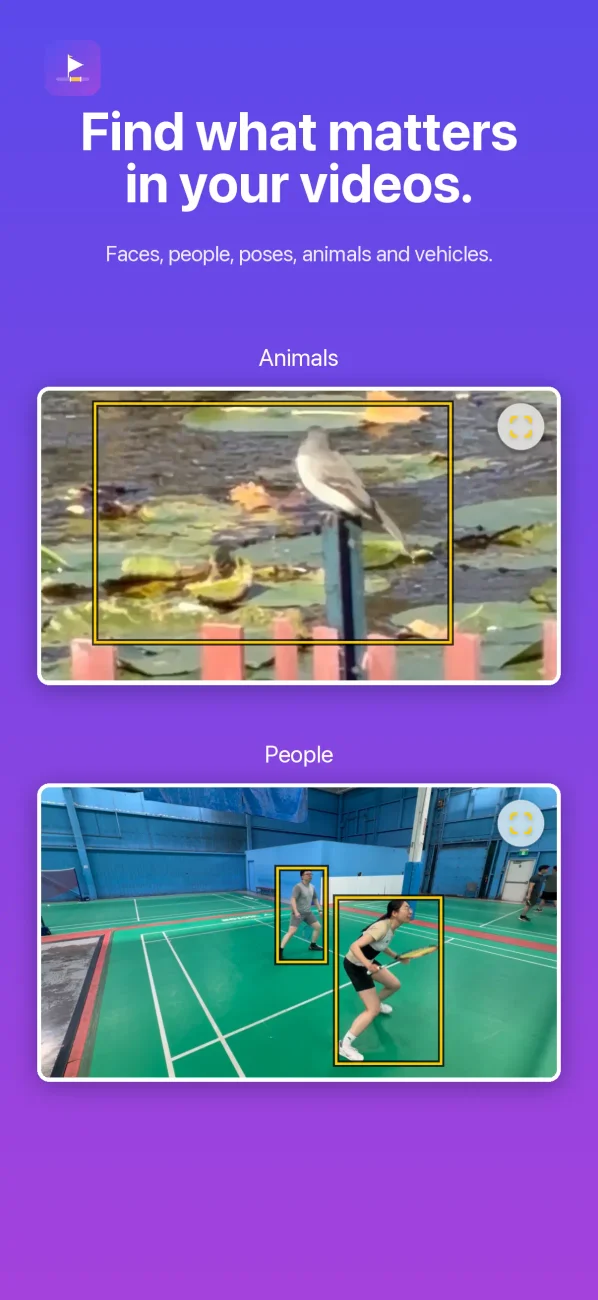
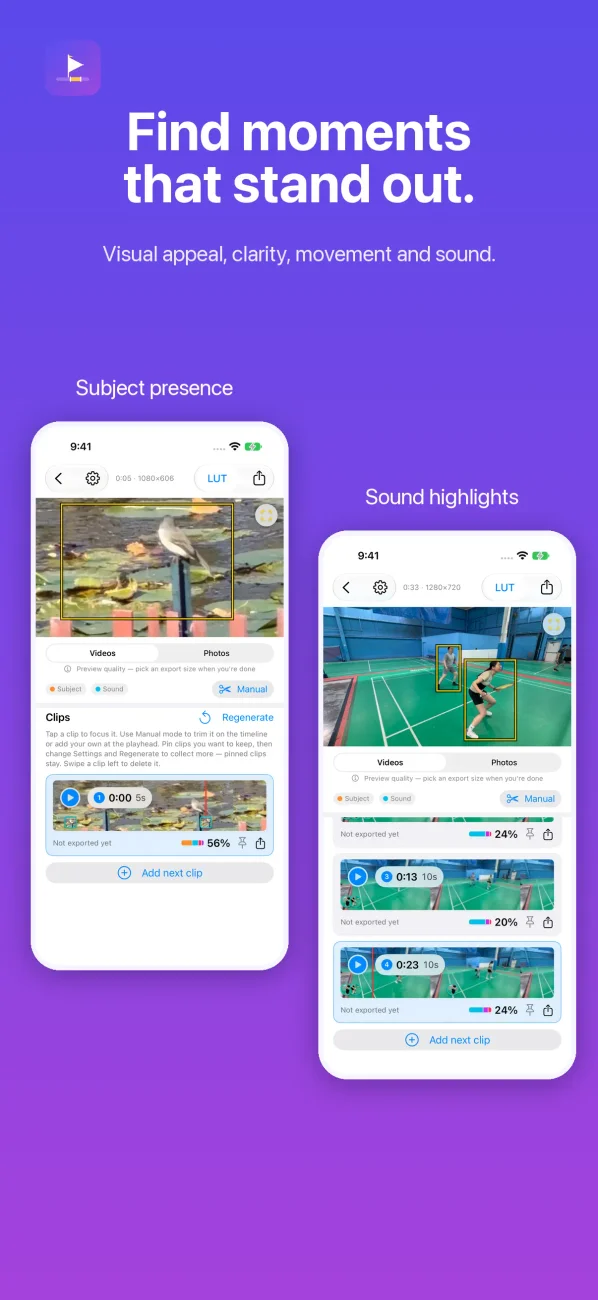
Find the moments that matter in long videos. Choose important subjects, then let OfflineClipper rank clips and full-resolution photos using visual appeal, clarity, motion and sound. Analysis and export run on your device.
CHOOSE YOUR SUBJECTS
- Prioritize detected faces, people, animals or vehicles
- Pick athletic poses to get a clip and a photo of the exact frame
- See selected subjects with bounding boxes in the preview and appearances on the timeline
- Tracking stays within each video and never identifies anyone
FIND INTERESTING MOMENTS
- Get automatic clip suggestions adapted to your video's length
- See each result's score and signal breakdown
- Adjust score weights, clip length, padding and photo density
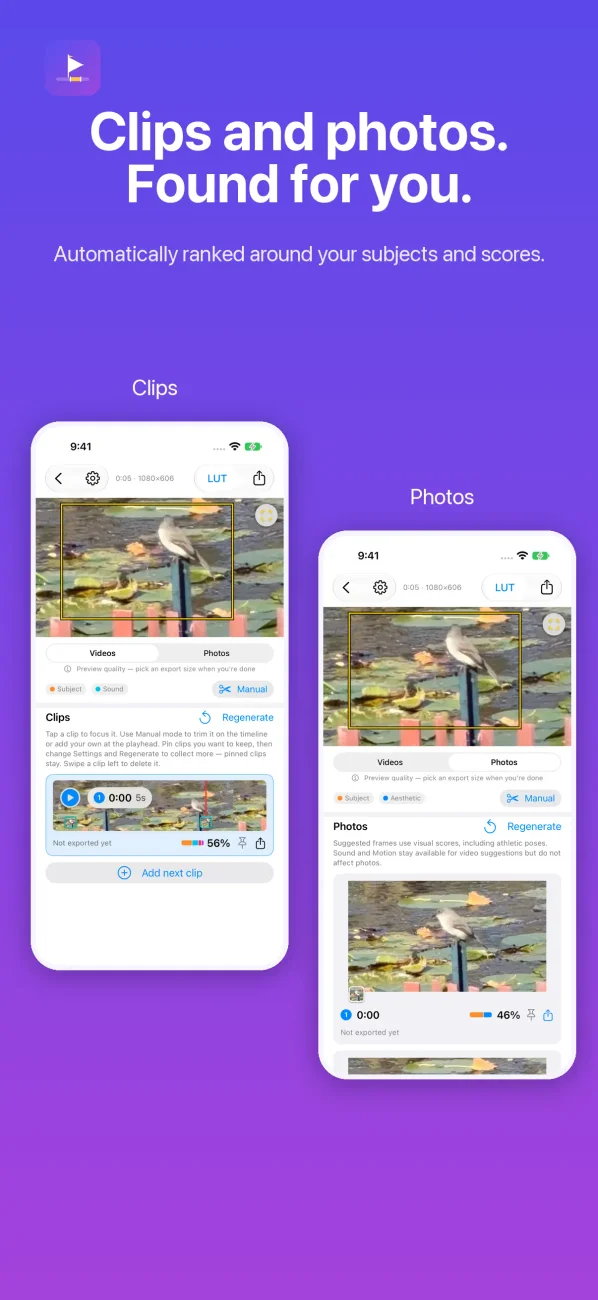
- Rank photos from the same analysis, without scanning again
- Pin favorite clips and photos to keep them when regenerating results
- Save & close analysis and resume from Home; backgrounding saves progress too
SAVE AND ORGANIZE
- Export individual clips and photos or a selected batch to Photos
- Set a project crop for clips and photos with portrait, square and widescreen ratios
- Use the project crop for batch exports, or adjust the crop for one export
- Choose clip export sizes; photos retain source-video detail within the crop
- Choose clip export sizes; photos save at the source video's full resolution
- Keep the original date and location on clips, offset to each clip's moment
- Import multiple Photos videos, an album, or a video shared from another app
- Reference videos in Files, iCloud Drive or external drives without copying them into the app
- Relink moved files without losing analysis or clips
- Save .cube LUTs for video previews and clip exports
PRIVATE BY DESIGN
No account, developer cloud, analytics, ads or cross-app tracking. Videos, results and subject data stay on your device. iCloud videos may download for processing. Deleting a project or clearing analyses removes its cached results and subject data.
FREE TIER AND PRO
Analyze unlimited videos for free. Unlock 2 projects per calendar week and export unlimited clips and photos from each. Unlocks stay with the same video after removing and reanalyzing it.
Pro removes the weekly project limit with a monthly subscription or a one-time purchase. Eligible new subscribers can try the monthly plan free for one week. Subscriptions auto-renew until cancelled. Localized pricing appears before purchase; manage subscriptions in Apple Account settings.
Requires iOS 18 or later.
Terms of Use (EULA): https://www.apple.com/legal/internet-services/itunes/dev/stdeula/
Privacy Policy: https://tianle91.com/2026/07/05/OfflineClipper-Privacy-Policy.html
新機能
バージョン 8.22 · 2026/11/23
What's new since 8.20:
• Crop once for the whole project. Choose common formats such as 9:16, 1:1 and 16:9, then adjust zoom and position for clips and photos.
• Use the project crop for batch exports, or choose a one-off crop for an individual export.
• Save & close during analysis, then resume from Home—even after reopening the app. Moving the app to the background also saves progress.
• Resume reuses completed analysis and confirmed subject choices. Existing project results stay intact until the new analysis finishes.
アプリのプライバシー
このアプリのデータの取り扱いについて、Tianle ChenがApp Storeで申告している内容です。
-
データの収集なし
開発元はこのアプリからデータを収集しません。
プライバシーの取り扱いは、ご利用の機能やお客様の年齢などに応じて異なる場合があります。
情報
- 販売元
- Tianle Chen
- カテゴリ
- ユーティリティ
- バージョン
- 8.22
- 更新日
- 2026/11/23
- リリース
- 2026/7/13
- サイズ
- 7.3 MB
- 必要条件
- iOS 18.0以降
- 対象年齢
- 4+
- 価格
- 無料
- アプリ内課金
- あり
- 言語
- 英語, 簡体字中国語
- 著作権
- © TCHEDEVS