
- Clasificación por edad4+
- CategoríaUtilidades
- DesarrolladorRyan Johns
- IdiomasInglés
- Tamaño306,0 KB
Enlaza a la página oficial de App Store
Download.org no aloja ningún archivo de Passmaster. El botón abre la página de la aplicación en App Store, donde la publica Ryan Johns. Ficha comprobada por última vez el 15/11/2026.
Capturas de pantalla
Acerca de
El desarrollador no ha proporcionado este texto en tu idioma.
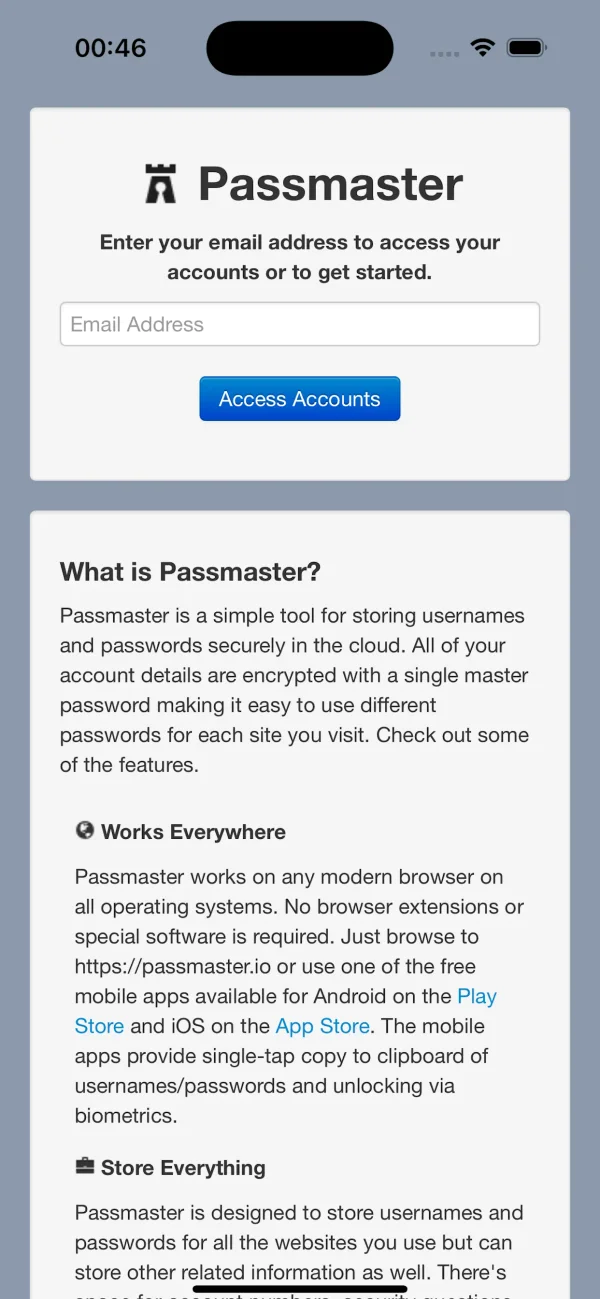
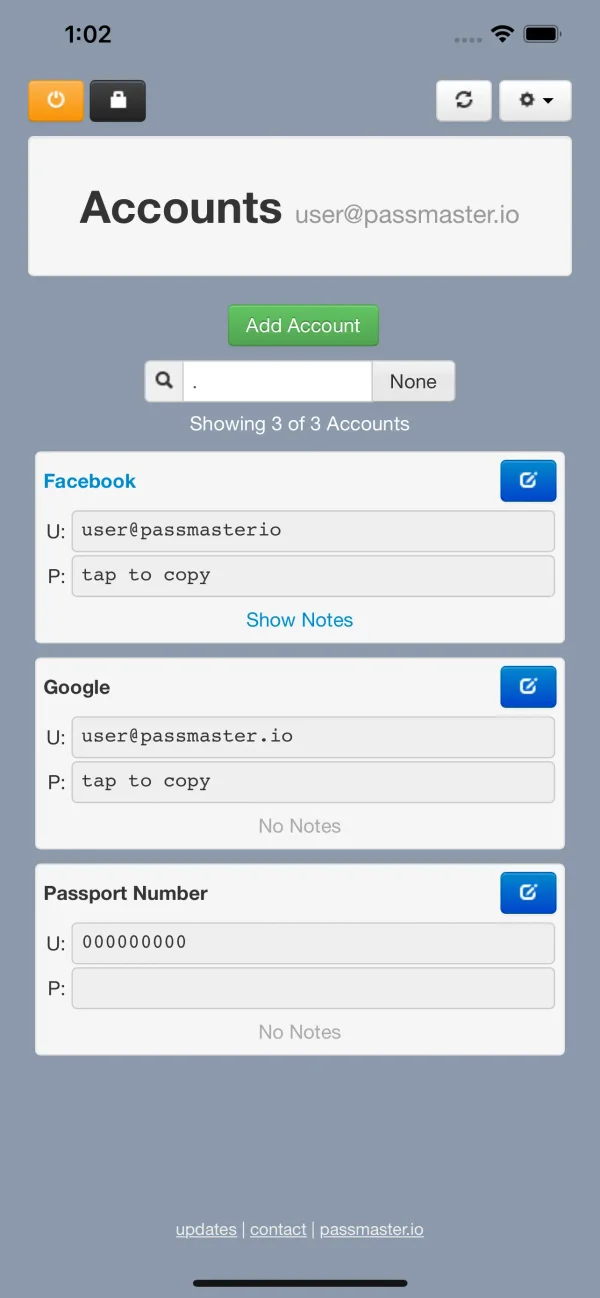
Passmaster is a simple tool for storing usernames and passwords securely in the cloud. All of your account details are encrypted with a single master password making it easy to use different passwords for each site you visit. This app provides single-tap copy to clipboard of usernames/passwords and unlocking via TouchID/FaceID. Check out the rest of the features.
WORKS EVERYWHERE
Passmaster works on any modern browser on all operating systems. No browser extensions or special software is required. Just browse to https://passmaster.io or use one of the free mobile apps.
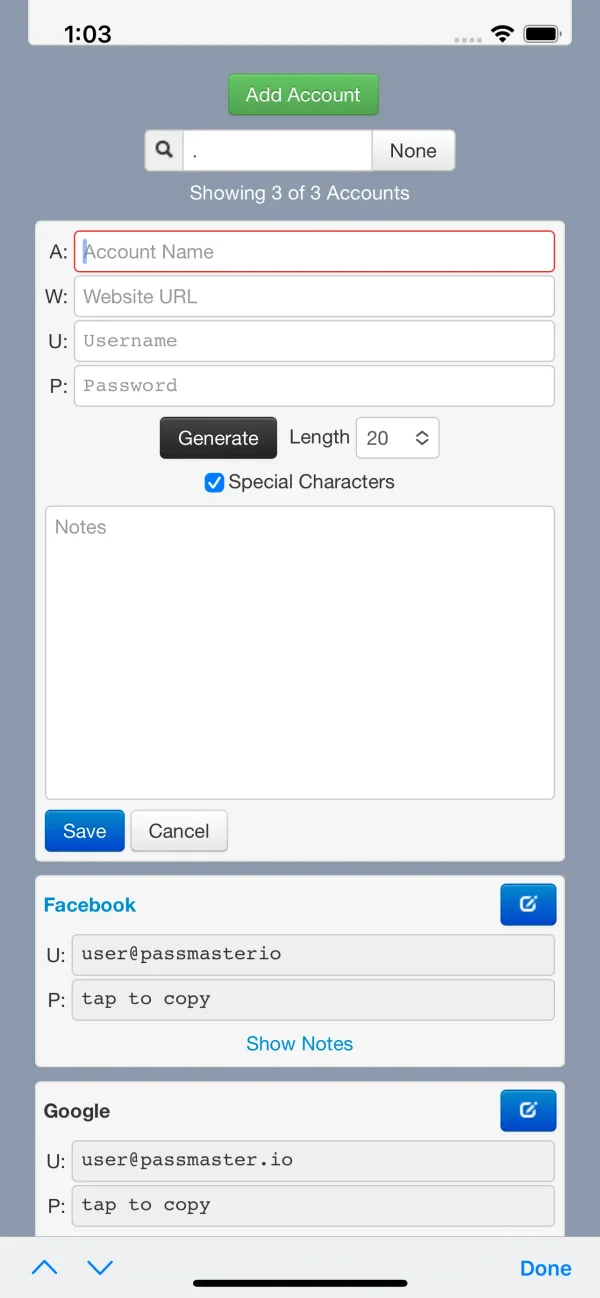
SECURE PASSWORD GENERATOR
Use the built-in generator to create cryptographically secure random passwords for all your accounts. If any one of your passwords is compromised you can easily generate a new one while the rest of your accounts remain safe. The length and character set is configurable to match each site's requirements.
STORE EVERYTHING
Passmaster is designed to store usernames and passwords for all the websites you use but can store other related information as well. There's space for account numbers, security questions, website URLs, or anything else you else you might need.
HOST-PROOF ENCRYPTION
Your account details are for your eyes only so everything is encrypted with javascript directly on your computer or mobile device before being saved to the cloud. Only you know the master password so no one, not even the server admins, can see anything about your account details.
AUTOMATIC BACKUPS
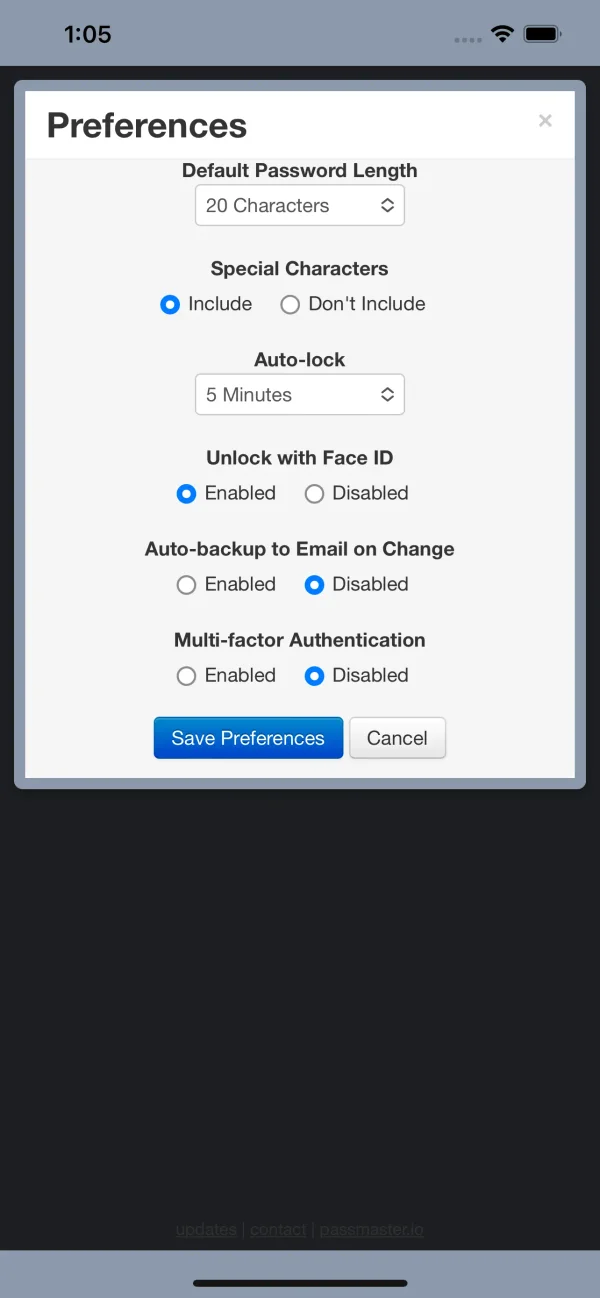
Enable automatic backups to receive an email with your encrypted account details each time you make a change. This is a great way to ensure you always have a backup of your data. You can also download a backup file to your computer at any time from your account settings.
OFFLINE ACCESS
Passmaster uses service workers and local storage to make your account details accessible even while you are offline. Your data is automatically synced each time you use Passmaster ensuring it is available whenever you need it.
PORTABLE AND DURABLE
Passmaster isn't going anywhere but in the event of an extended outage you will always be able to access your accounts details from a backup. Each Passmaster backup contains an "Account Viewer" HTML file which contains everything needed to view your account data. Just open the account viewer and use it to decrypt the backup.
MULTI-FACTOR AUTHENTICATION
Increase the security of your account by enabling multi-factor authentication. Accessing your accounts from a new device will require a randomly generated password in addition to your master password.
OPEN SOURCE
Passmaster server and the mobile apps are open source and all the code is available at https://github.com/ryanjohns/passmaster. Because everything is public, you can be certain that there is no tainted or malicious code. If you want to make an improvement, please feel free. Contributions are always welcome!
Novedades
Versión 1.10 · 10/4/2026
- iOS 26 compatibility
Privacidad de la aplicación
Lo que Ryan Johns declara en App Store sobre cómo esta aplicación gestiona los datos.
-
Datos vinculados a ti
Pueden recopilarse y vincularse a tu identidad.
- Información de contacto
- Identificadores
Las prácticas de privacidad pueden variar, por ejemplo, según las funciones que uses o tu edad.
Información
- Vendedor
- Ryan Johns
- Categoría
- Utilidades
- Versión
- 1.10
- Actualizado
- 10/4/2026
- Publicado
- 16/3/2013
- Tamaño
- 306,0 KB
- Requiere
- iOS 15.6 o posterior
- Clasificación por edad
- 4+
- Precio
- Gratis
- Idiomas
- Inglés
- Copyright
- © 2013 Ryan Johns
Quizá también te guste
-
 Passmaster Password ManagerUtilidades
-
 XPasswordSSUtilidades
-
 UserPassUtilidades
-
 Mata AraUtilidades
-
 Fullty - All In One ToolboxUtilidades
-
 CyberPrism: Threat TrackerUtilidades
-
 Reset ToolUtilidades
-
 TextUtil:Herramienta/GeneradorConvertir, extraer y generar
-
 RMPasswordUtilidades
-
 VisionTrack GPS MobileUtilidades