
Pitatto Video Compressor
Shrink, Resize & Convert MP4
Diseñada para iPhone
Compras en la aplicación
- Clasificación por edad4+
- CategoríaFoto y vídeo
- DesarrolladorNaoki Maeda
- IdiomasJaponés+ 1 más
- Tamaño6,0 MB
Es posible que Pitatto Video Compressor no esté disponible en App Store en este momento
No se pudo acceder a la ficha de la tienda en nuestra última comprobación. El enlace sigue llevando a la página oficial de App Store.
Capturas de pantalla
Acerca de
El desarrollador no ha proporcionado este texto en tu idioma.
Struggling with videos that are too big to attach to an email or upload?
Pitatto Video Compressor shrinks your videos to the right size for wherever you are sending them, while keeping the quality as high as possible. And it never interrupts you with ads. Even in the free version there are no interstitial (full-screen) ads at all — just a modest banner. It stays out of your way from start to finish.
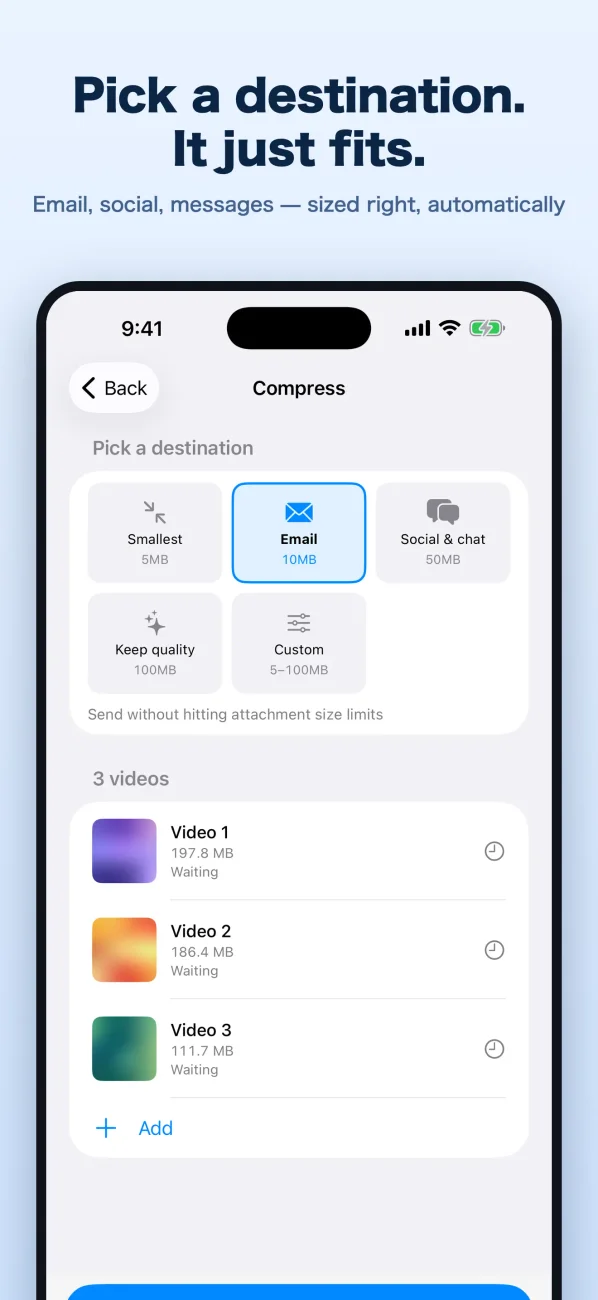
PICK YOUR DESTINATION, NO GUESSWORK
No need to learn about resolution or bitrate. Just choose how you want to use the video:
- Attach to an email (under 10MB)
- Share on messaging or social apps (under 50MB)
- Make it as small as possible (under 5MB)
- Keep the quality (under 100MB)
- Custom: set your own target from 5MB to 100MB with a slider
The app automatically fits your video to the right size for its destination.
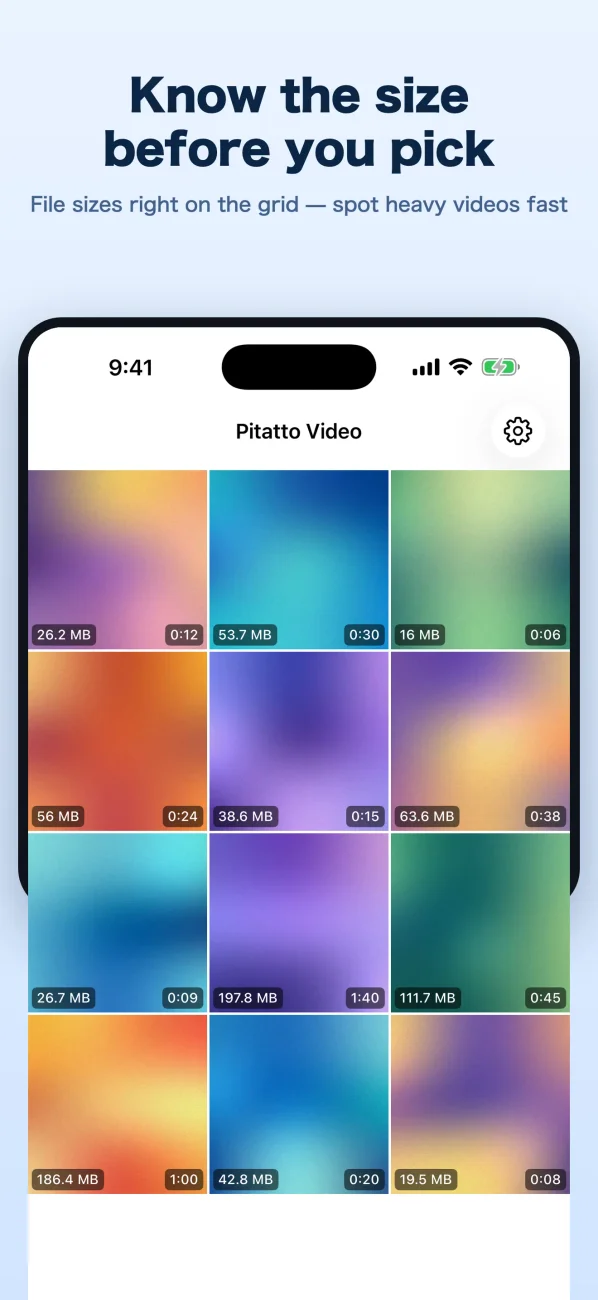
SEE THE SIZE BEFORE YOU PICK
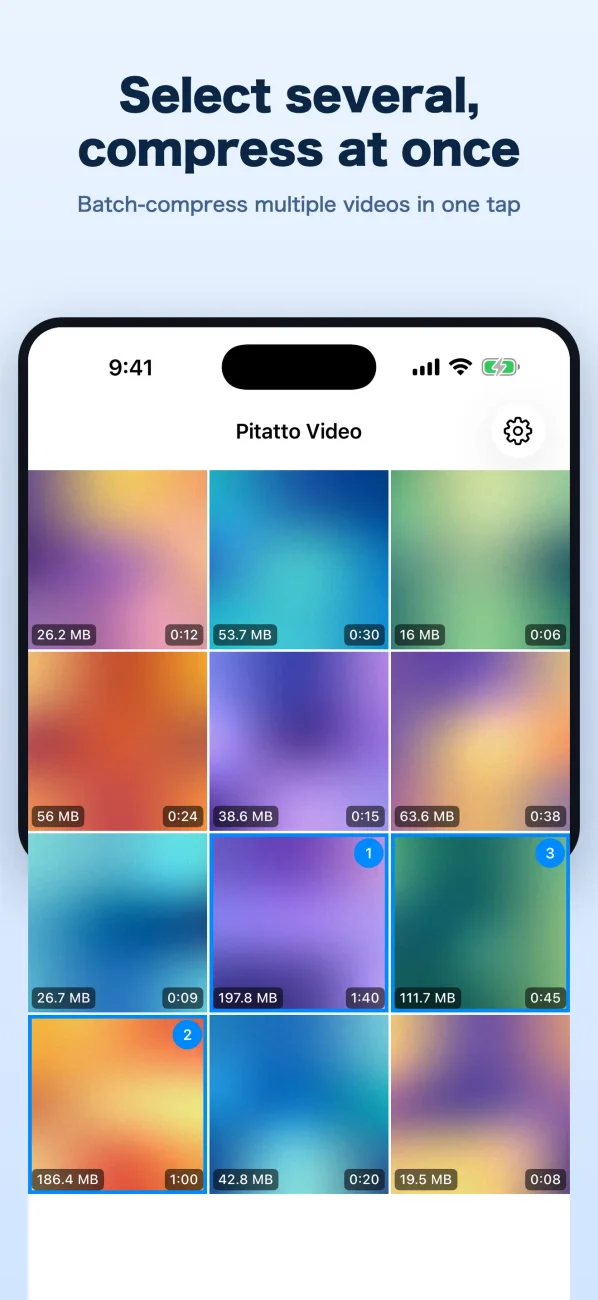
The video picker shows the current file size and length of every video, so you can tell at a glance which clips are eating up your storage and pick the ones you want to shrink.
ONE TAP FROM THE SHARE SHEET
Tap "Share" in Photos or another app, choose Pitatto Video Compressor, and the compression screen opens right away — no need to reopen the app and hunt for the video again.
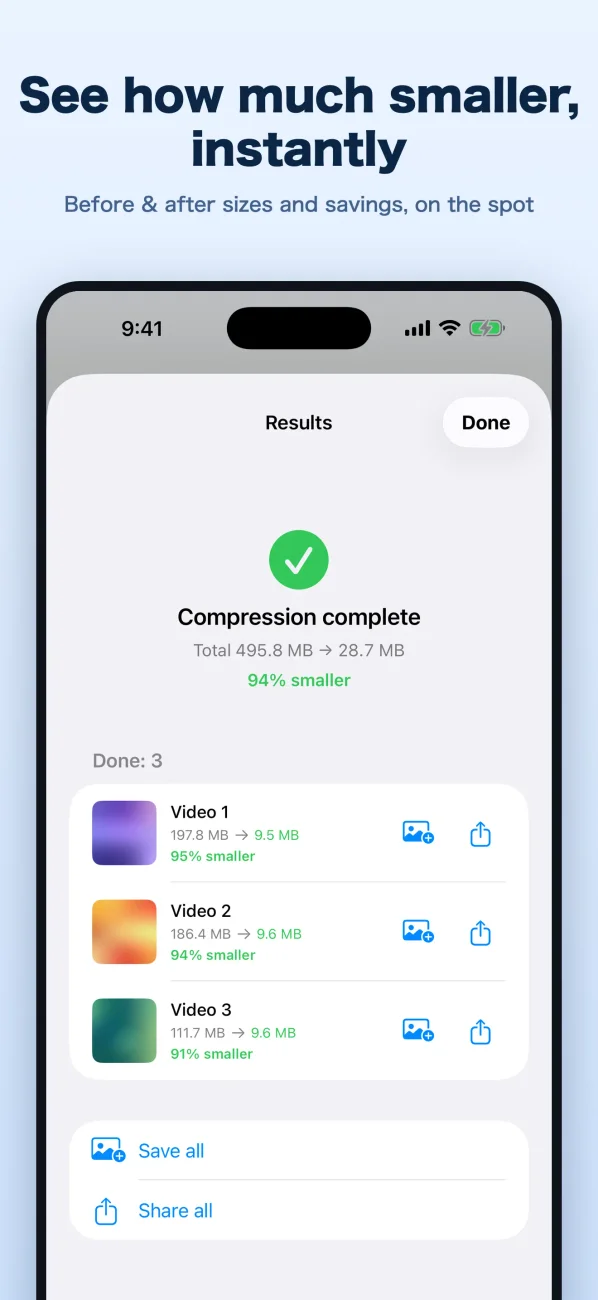
BEFORE AND AFTER AT A GLANCE
See the file size before and after, plus the reduction percentage, for each video. When you compress several at once, you also see the total space you saved. Happy with the result? Save them all to Photos, or share straight to your destination from the share sheet.
YOUR VIDEOS NEVER LEAVE YOUR DEVICE
All compression happens on your device. Your videos are never uploaded to any server, so even private videos stay private.
GREAT FOR
- When a video was too big to attach to an email
- Shrinking video size before sending on messaging or social apps
- Getting compression done fast without being interrupted by ads
- Compressing several videos at once
- Anyone who does not want to hand their videos to an outside server
FREE
- Compress videos (no limit on how many times)
- Batch up to 3 videos at once
- Simple destination presets
- Before/after size comparison, save all to Photos, one-tap share
- Banner only (never any full-screen ads)
PRO (ONE-TIME PURCHASE)
- Batch up to 20 videos at once
- Remove the banner
- Pay once — no add-ons, no monthly fees, yours to keep
Pro is currently offered at a special introductory price. As more people use the app and reviews come in, the price will gradually rise.
Stop letting video size slow you down. Download Pitatto Video Compressor and give it a try today.
Novedades
Versión 1.1.0 · 4/9/2026
Much better size accuracy.
• Videos now land inside the size you picked, like "under 10MB"
• Pick your destination from cards — all five options visible at once
• The starting mode is now "Messages & social (under 50MB)", so more videos actually get smaller
• Results explain themselves now, e.g. "Already under the target"
Videos that overshoot are re-compressed automatically, so some may take a little longer than before.
Privacidad de la aplicación
Lo que Naoki Maeda declara en App Store sobre cómo esta aplicación gestiona los datos.
-
Datos usados para rastrearte
Pueden usarse para rastrearte en aplicaciones y sitios web propiedad de otras empresas.
- Identificadores
-
Datos no vinculados a ti
Pueden recopilarse, pero no se vinculan a tu identidad.
- Identificadores
Las prácticas de privacidad pueden variar, por ejemplo, según las funciones que uses o tu edad.
Información
- Vendedor
- Naoki Maeda
- Categoría
- Foto y vídeo
- Versión
- 1.1.0
- Actualizado
- 4/9/2026
- Publicado
- 15/7/2026
- Tamaño
- 6,0 MB
- Requiere
- iOS 17.0 o posterior
- Clasificación por edad
- 4+
- Compras en la aplicación
- Sí
- Idiomas
- Japonés, Inglés
- Copyright
- © 2026 Naoki Maeda
Quizá también te guste
-
 GIF to Video - MP4 ConverterFoto y vídeo
-
 LAMUNE - Film Photo EditorFoto y vídeo
-
 Kiriwake: Split Photos for XFoto y vídeo
-
 SplitKit Video SplitterFoto y vídeo
-
 Slicer: dividir fotosCarrusel o rejilla de perfil
-
 Simple Video ConverterFoto y vídeo
-
 Compresión de vídeo - CompressRedimensionar una película &
-
 VidEncoBox - Editor de vídeoComprimir, editar y convertir
-
 Shrink: Comprimir Vídeo 4KReduce tamaño, libera espacio
-
 Grid Cuts - Photo SplitterFoto y vídeo