
Kiriwake: Split Photos for X
One wide photo, four big tiles
Diseñada para iPhone
Gratis · Compras en la aplicación
- Clasificación por edad4+
- CategoríaFoto y vídeo
- DesarrolladorMASATO MORITA
- IdiomasJaponés+ 1 más
- Tamaño37,3 MB
Enlaza a la página oficial de App Store
Download.org no aloja ningún archivo de Kiriwake: Split Photos for X. El botón abre la página de la aplicación en App Store, donde la publica MASATO MORITA. Ficha comprobada por última vez el 23/11/2026.
Capturas de pantalla

Acerca de
El desarrollador no ha proporcionado este texto en tu idioma.
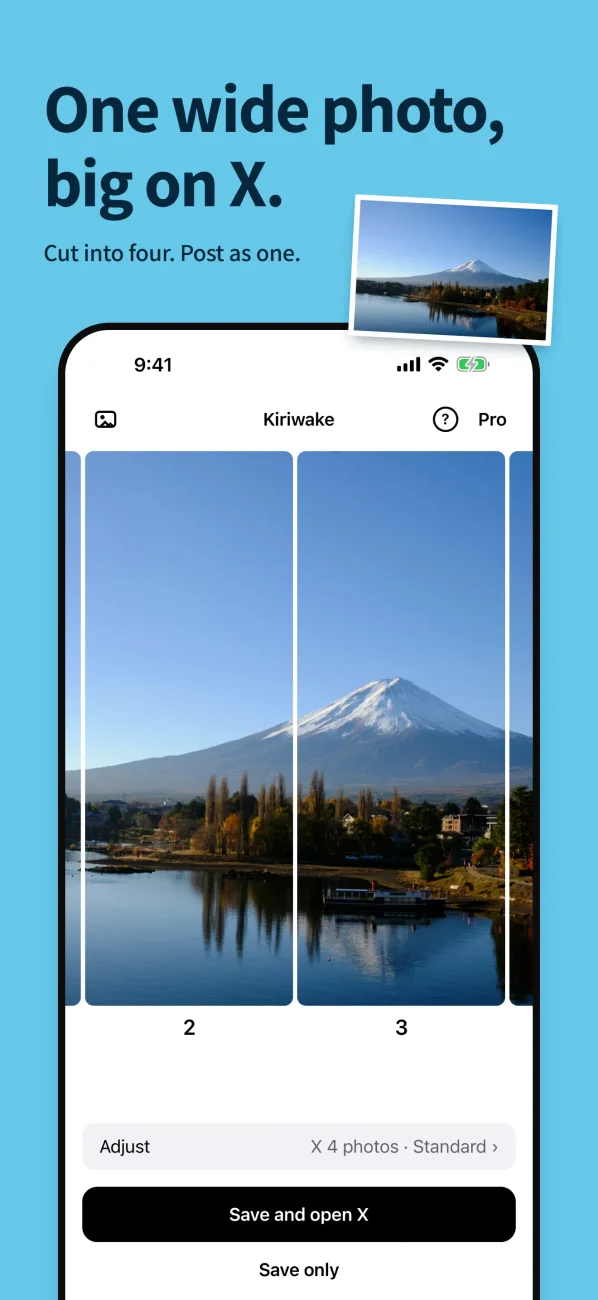
Kiriwake makes a wide photo show up big on X.
Posted as it is, a wide photo looks small in the timeline. Cut it into slender tiles with Kiriwake, attach them to one post, and X lines them up side by side as one large image you can swipe across. Choose anywhere from 2 to 20 tiles.
■ How it works
1. Pick one photo
2. Check the result at the size it will appear on X
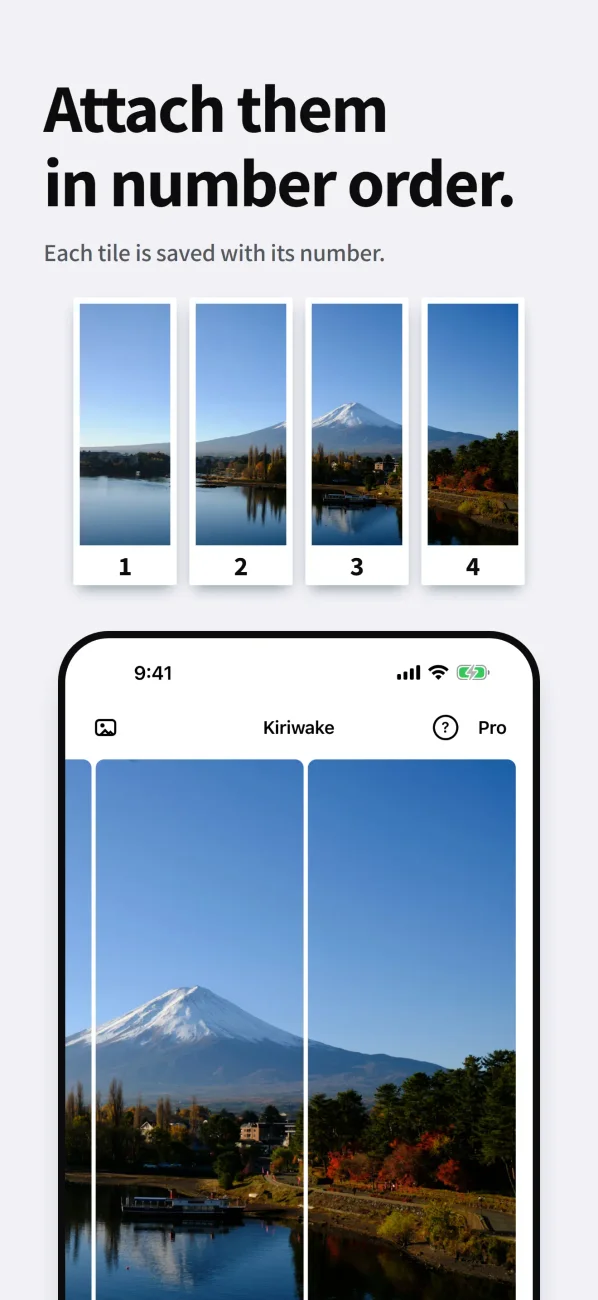
3. Tap "Save and open X". Attach the tiles in number order and the picture joins up
■ Line up separate photos too
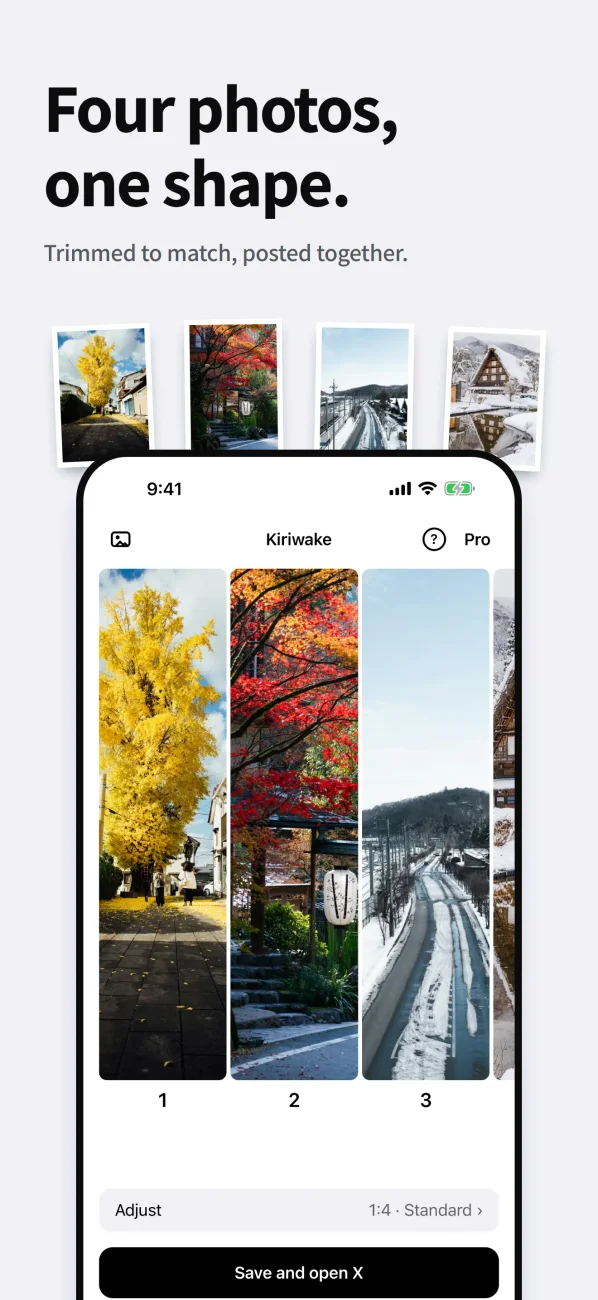
A full-length outfit shot, four cuts from an event, four favorites. Kiriwake trims 2 to 4 separate photos to the same slender shape so they sit together in one post.
■ Included
- Split one photo into 2 to 20 tiles (X allows up to 20 images in one post)
- Align separate photos to the same shape (1:4)
- Rotate, remove and add photos
- Save at standard quality (2048 px on the long edge) and share
- Layouts for Instagram (grid, carousel)
■ Pro (one-time purchase)
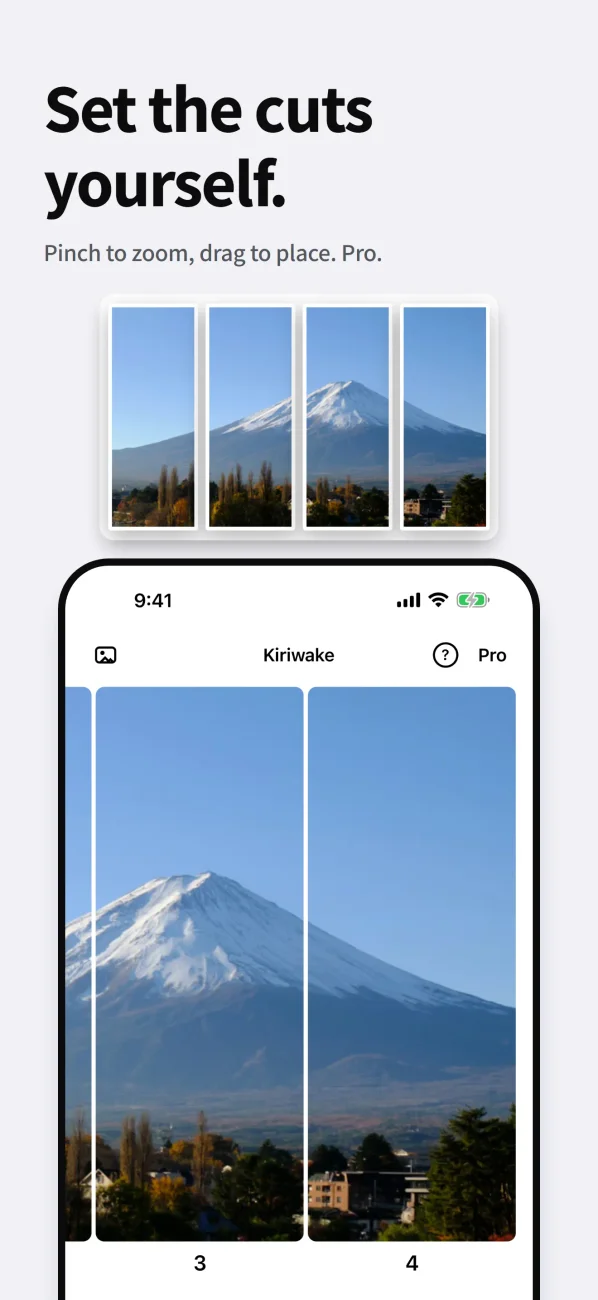
- Adjust position: pinch to zoom and decide where the cuts fall, or move the cuts one at a time
- Keep color: choose the tiles that stay in color, and the rest turn black and white
- Replace photos and change their order
- Change how slender each photo is (1:2 to 1:8)
- Save in full size
No monthly payments.
■ Private by design
- No ads, no watermark
- Photos are processed on your phone and never uploaded
- No account
- Location and other capture data are removed from saved images
How four-image posts look on X was checked on the iOS app and the web in November 2026; posts with five or more images were checked on the web. It may change with updates to X or with the viewer's device.
Novedades
Versión 1.7.1 · 19/11/2026
- You can now combine separate photos into one image. Pick photos with "Align four photos", then in Adjust choose "Combine into one" under Result. Up to 9 photos (16 with Pro)
- Choose from 6 background colors for combined images
- Choose from 7 colors for the start screen, including white and black (Pro)
Privacidad de la aplicación
Lo que MASATO MORITA declara en App Store sobre cómo esta aplicación gestiona los datos.
-
Datos no vinculados a ti
Pueden recopilarse, pero no se vinculan a tu identidad.
- Identificadores
- Datos de uso
Las prácticas de privacidad pueden variar, por ejemplo, según las funciones que uses o tu edad.
Información
- Vendedor
- MASATO MORITA
- Categoría
- Foto y vídeo
- Versión
- 1.7.1
- Actualizado
- 19/11/2026
- Publicado
- 7/9/2026
- Tamaño
- 37,3 MB
- Requiere
- iOS 16.4 o posterior
- Clasificación por edad
- 4+
- Precio
- Gratis
- Compras en la aplicación
- Sí
- Idiomas
- Japonés, Inglés
- Copyright
- © 2026 Masato Morita
Quizá también te guste
-
 PictOrb Movable Lens CameraFoto y vídeo
-
 LAMUNE - Film Photo EditorFoto y vídeo
-
 Slicer: dividir fotosCarrusel o rejilla de perfil
-
 PETZINE - ペット写真の雑誌風コラージュFoto y vídeo
-
 Photo Splitter for X TrendFoto y vídeo
-
 Swapscape: Photo ExchangeFoto y vídeo
-
 SNS Video Fixer - FPSuke -Foto y vídeo
-
 Pitatto Video CompressorFoto y vídeo
-
 Swipescape: Carrusel PanoramaCuadrícula y collage de fotos
-
 しゃしんシュレッダーFoto y vídeo