
Queue: Copy & Paste
Collect, Manage, and Paste
Diseñada para iPhone
Gratis · Compras en la aplicación
- Clasificación por edad4+
- CategoríaProductividad
- Desarrolladormasanao matsui
- IdiomasJaponés+ 1 más
- Tamaño17,2 MB
Enlaza a la página oficial de App Store
Download.org no aloja ningún archivo de Queue: Copy & Paste. El botón abre la página de la aplicación en App Store, donde la publica masanao matsui. Ficha comprobada por última vez el 12/11/2026.
Capturas de pantalla

Acerca de
El desarrollador no ha proporcionado este texto en tu idioma.
Queue is a minimal utility app that supercharges your clipboard with Dynamic Island and Live Activities.
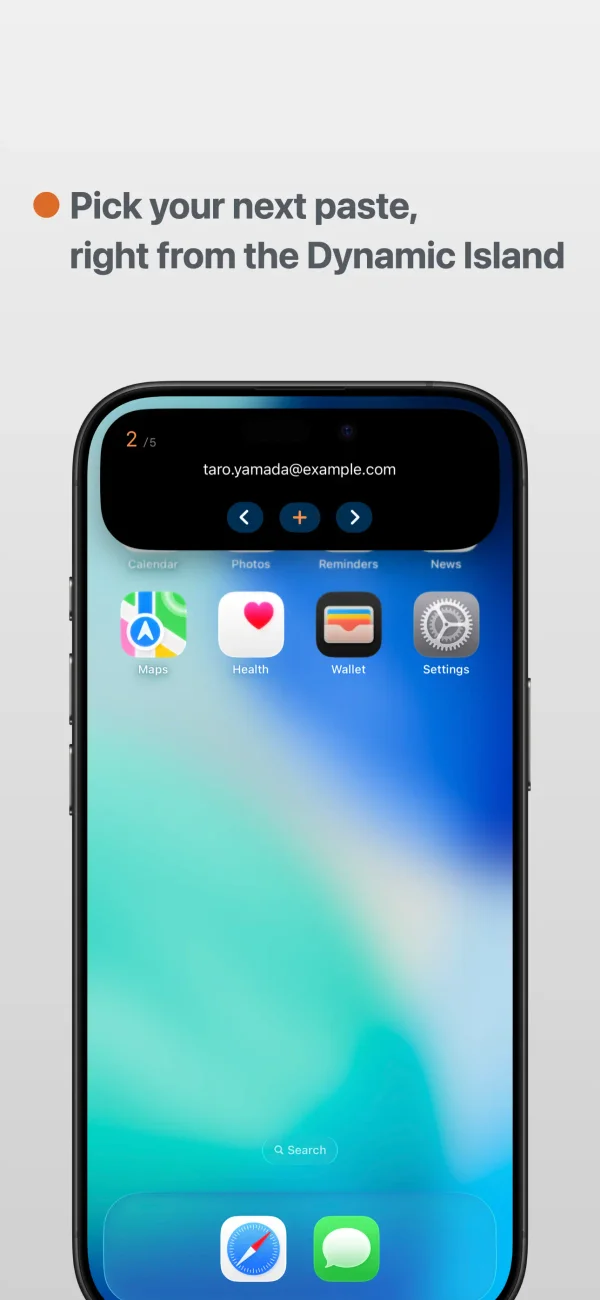
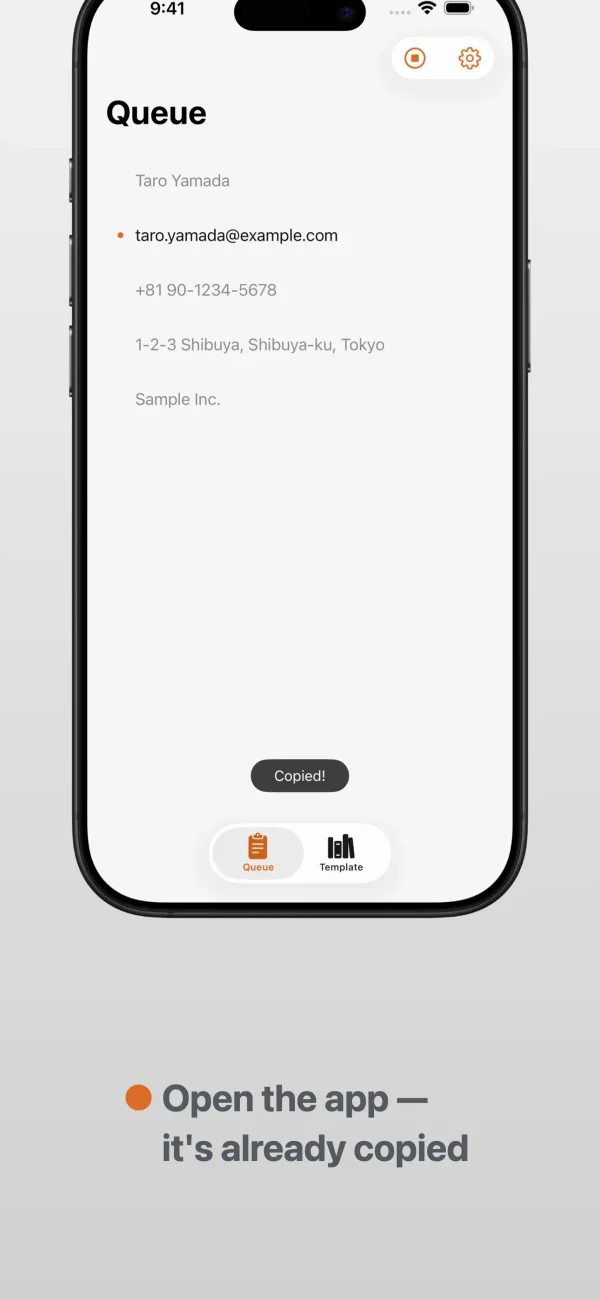
Everything you copy is kept as a chronological stack. Pick the text you need next right from the Dynamic Island — the moment you return to the app, it's automatically copied to your clipboard. Perfect for writing documents, filling out forms, translating, or any workflow that juggles multiple pieces of text.
* Clipboard updates occur when the app is opened (due to iOS specifications).
■ KEY FEATURES
◎ Live Activity & Dynamic Island
- Preview the currently stacked text at a glance
- "Next" / "Previous" switch the selection in your stack on the spot
- The selected text is copied to your clipboard automatically when you open the app
- "Add" captures your current clipboard into the stack with one tap
- Switch items right from the Lock Screen too
◎ Clipboard Queue
- Copied text is automatically organized in chronological order
- Duplicate entries are filtered out automatically
◎ Templates
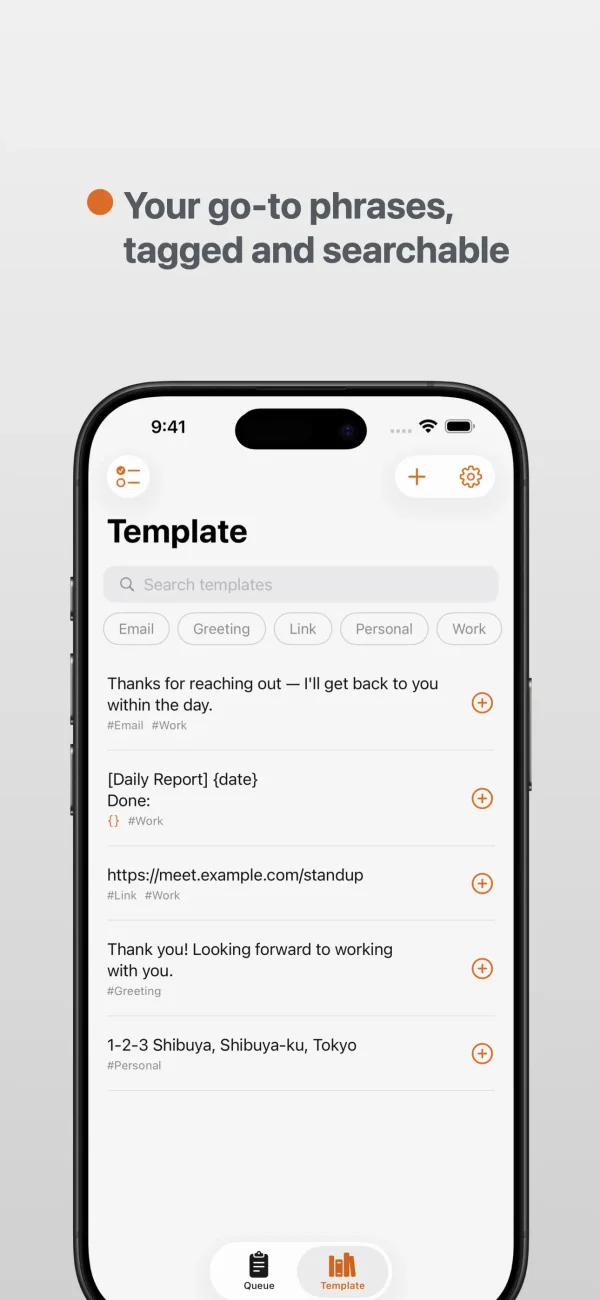
- Save frequently used text permanently
- Organize with tags (up to 3 per item), filter instantly via search or tag chips
- Add templates to your queue to access them from the Dynamic Island
- Register text from other apps via the Share Sheet
◎ Snippet Variables
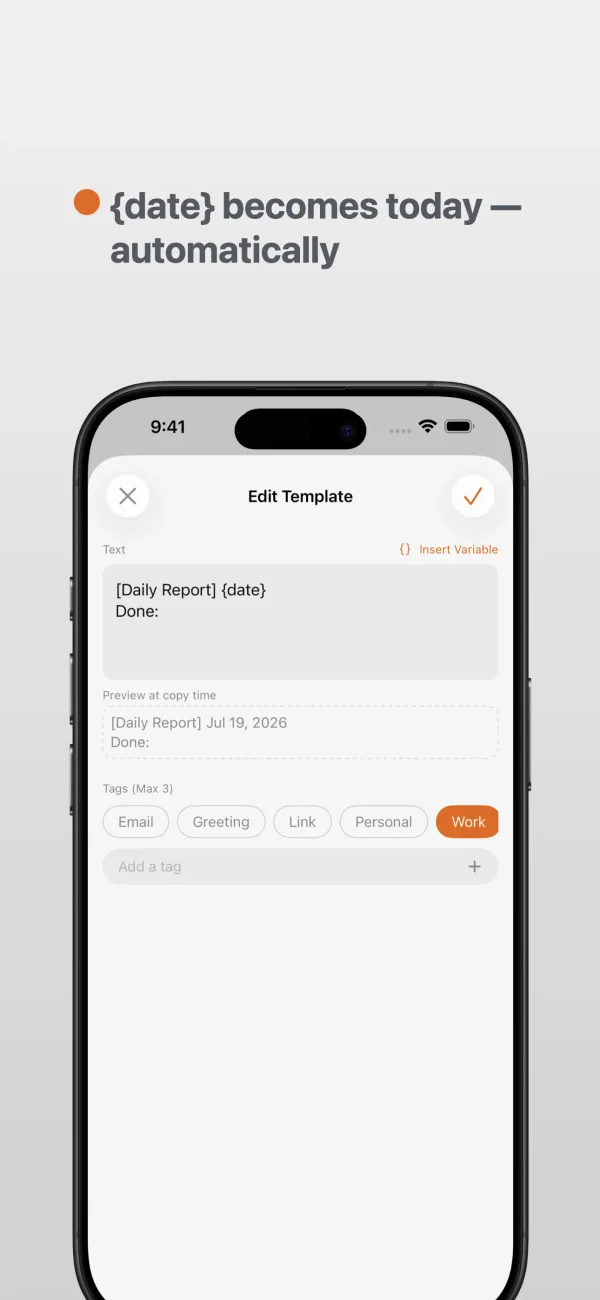
- Embed variables like {date}, {time}, and {clipboard} in templates — they expand to real values the moment you copy
- Custom date formats supported, e.g. {date:yyyy-MM-dd}
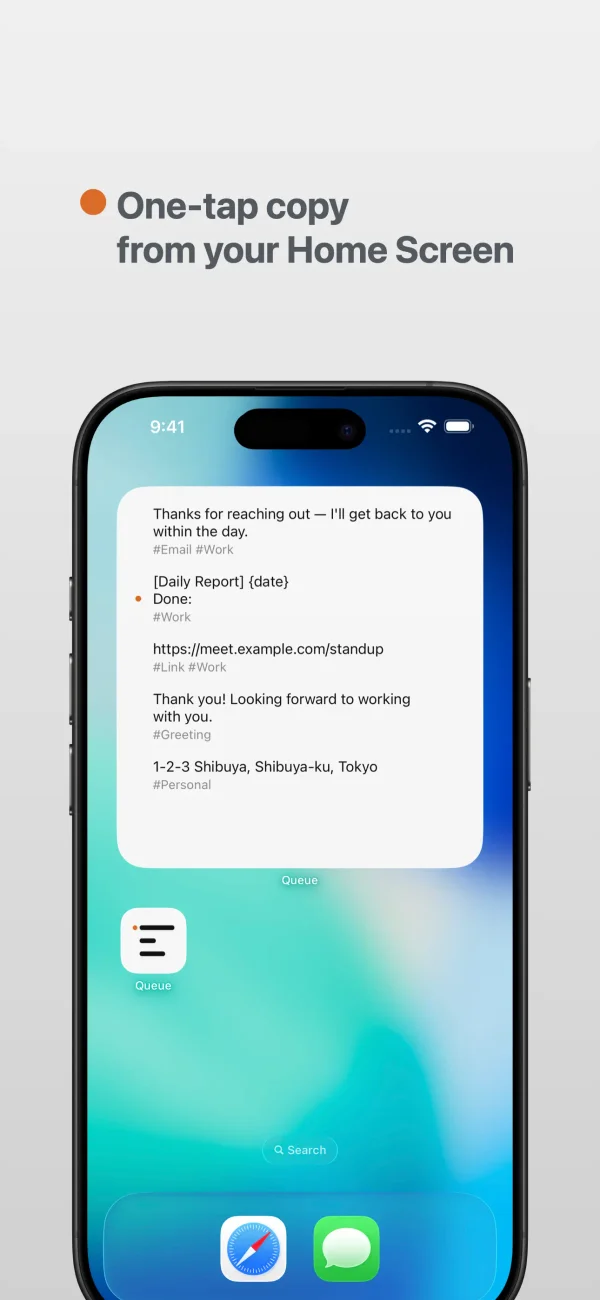
◎ Home Screen Widget
- Browse your templates by tag, right on your Home Screen
- Tap to copy — that's it
■ QUEUE PRO (ONE-TIME PURCHASE)
No subscription. Pay once, own it forever.
- Unlimited templates
- Export / Import
- Home Screen widgets
- Add templates from the Share Sheet
- Snippet variable expansion
Clean, minimal design with full Light / Dark Mode support. Queue makes every day with text a little bit faster.
----------------------------
https://mtimsno.github.io/apps/queue/privacy
https://mtimsno.github.io/apps/queue/terms
----------------------------
Novedades
Versión 1.0.1 · 23/7/2026
[New Features & Improvements]
- Control from the Lock Screen & Notification Center
Use Previous, Add, and Next from the Live Activity, even on devices without a Dynamic Island.
- Add-to-Queue Guide
When your queue is empty, the app now shows how to add text.
Thank you for using Queue!
If you have any feedback or questions, please reach out via [Settings > Contact Us] in the app.
Privacidad de la aplicación
Lo que masanao matsui declara en App Store sobre cómo esta aplicación gestiona los datos.
-
Datos no vinculados a ti
Pueden recopilarse, pero no se vinculan a tu identidad.
- Identificadores
- Datos de uso
- Diagnóstico
Las prácticas de privacidad pueden variar, por ejemplo, según las funciones que uses o tu edad.
Información
- Vendedor
- masanao matsui
- Categoría
- Productividad
- Versión
- 1.0.1
- Actualizado
- 23/7/2026
- Publicado
- 21/7/2026
- Tamaño
- 17,2 MB
- Requiere
- iOS 26.0 o posterior
- Clasificación por edad
- 4+
- Precio
- Gratis
- Compras en la aplicación
- Sí
- Idiomas
- Japonés, Inglés
- Copyright
- © 2026 Masanao Matsui
Quizá también te guste
-
 FlashNotion - Fast EntryProductividad
-
 Notas y Navegador - SproutNotas, Navegador y Widget
-
 LIFE/CTRL: Tareas y avisosArma tu día con piezas
-
 60d MemoProductividad
-
 MemoMail - Email Notes to SelfProductividad
-
 Source Browser for ResearchProductividad
-
 ClipKeyProductividad
-
 inokoriProductividad
-
 Ashiato - One-Tap LifelogProductividad
-
 Copin Notas de TextoChats con IA y textos largos