
Queue: Copy & Paste
Collect, Manage, and Paste
Designed for iPhone
In-app purchases
- Age rating4+
- CategoryProductivity
- Developermasanao matsui
- LanguagesJapanese+ 1 more
- Size17.2 MB
Links to the official App Store page
Download.org hosts no file of Queue: Copy & Paste. The button opens its official App Store page, published by masanao matsui. Listing last checked on Nov 12, 2026.
Screenshots

About
Queue is a minimal utility app that supercharges your clipboard with Dynamic Island and Live Activities.
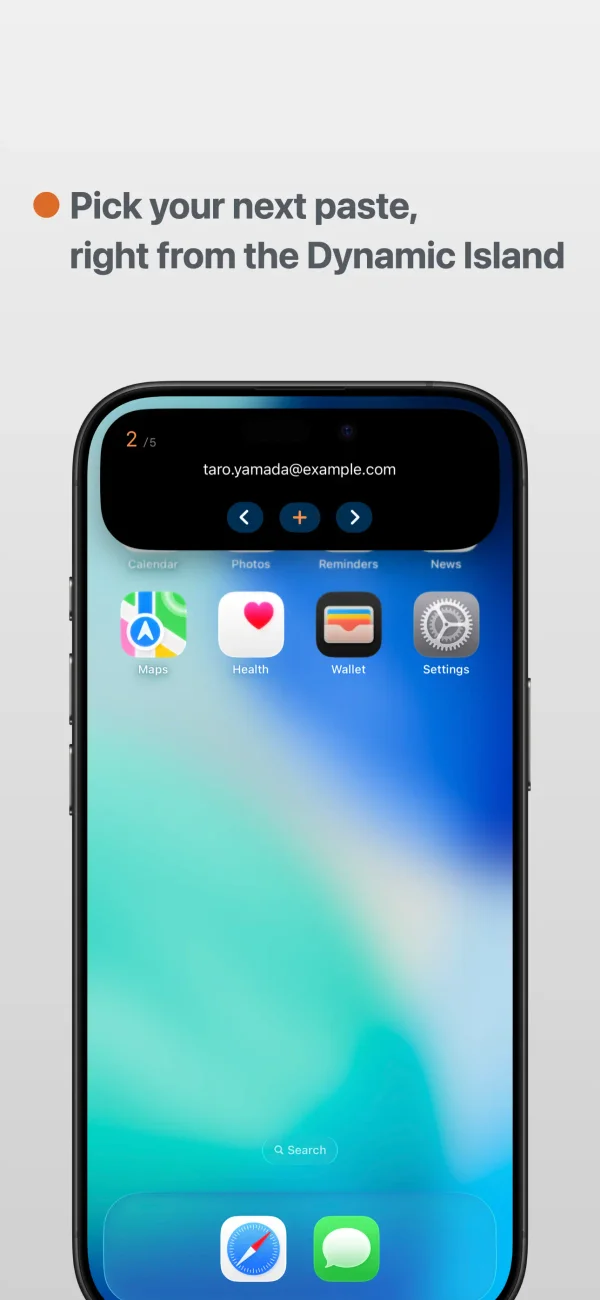
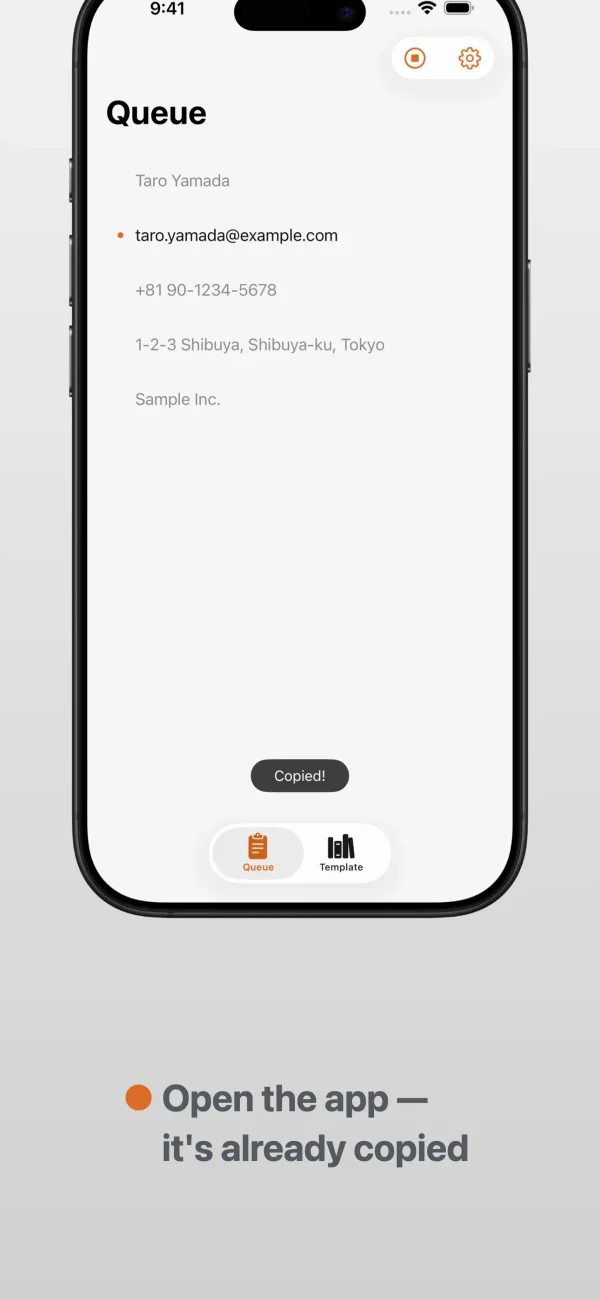
Everything you copy is kept as a chronological stack. Pick the text you need next right from the Dynamic Island — the moment you return to the app, it's automatically copied to your clipboard. Perfect for writing documents, filling out forms, translating, or any workflow that juggles multiple pieces of text.
* Clipboard updates occur when the app is opened (due to iOS specifications).
■ KEY FEATURES
◎ Live Activity & Dynamic Island
- Preview the currently stacked text at a glance
- "Next" / "Previous" switch the selection in your stack on the spot
- The selected text is copied to your clipboard automatically when you open the app
- "Add" captures your current clipboard into the stack with one tap
- Switch items right from the Lock Screen too
◎ Clipboard Queue
- Copied text is automatically organized in chronological order
- Duplicate entries are filtered out automatically
◎ Templates
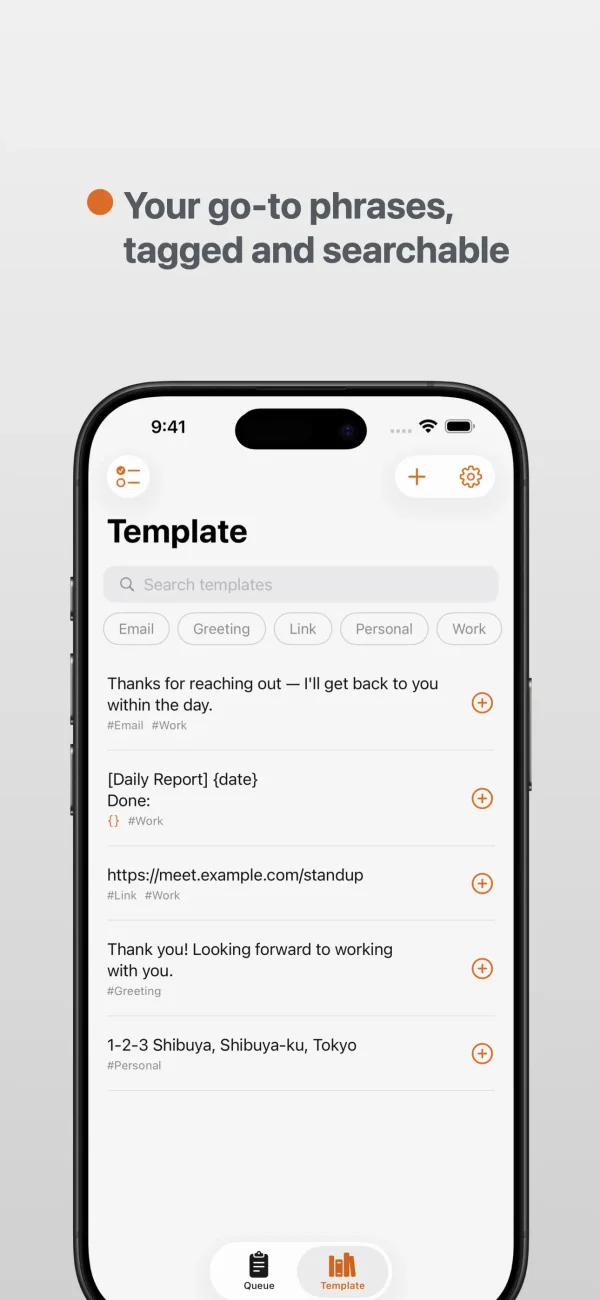
- Save frequently used text permanently
- Organize with tags (up to 3 per item), filter instantly via search or tag chips
- Add templates to your queue to access them from the Dynamic Island
- Register text from other apps via the Share Sheet
◎ Snippet Variables
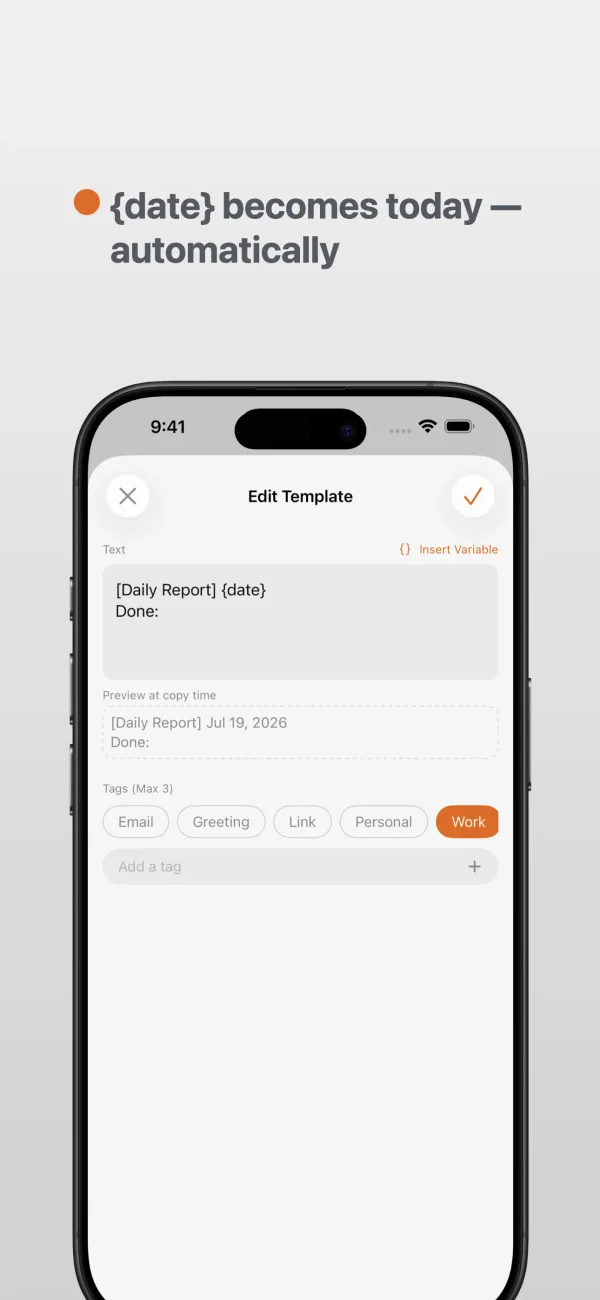
- Embed variables like {date}, {time}, and {clipboard} in templates — they expand to real values the moment you copy
- Custom date formats supported, e.g. {date:yyyy-MM-dd}
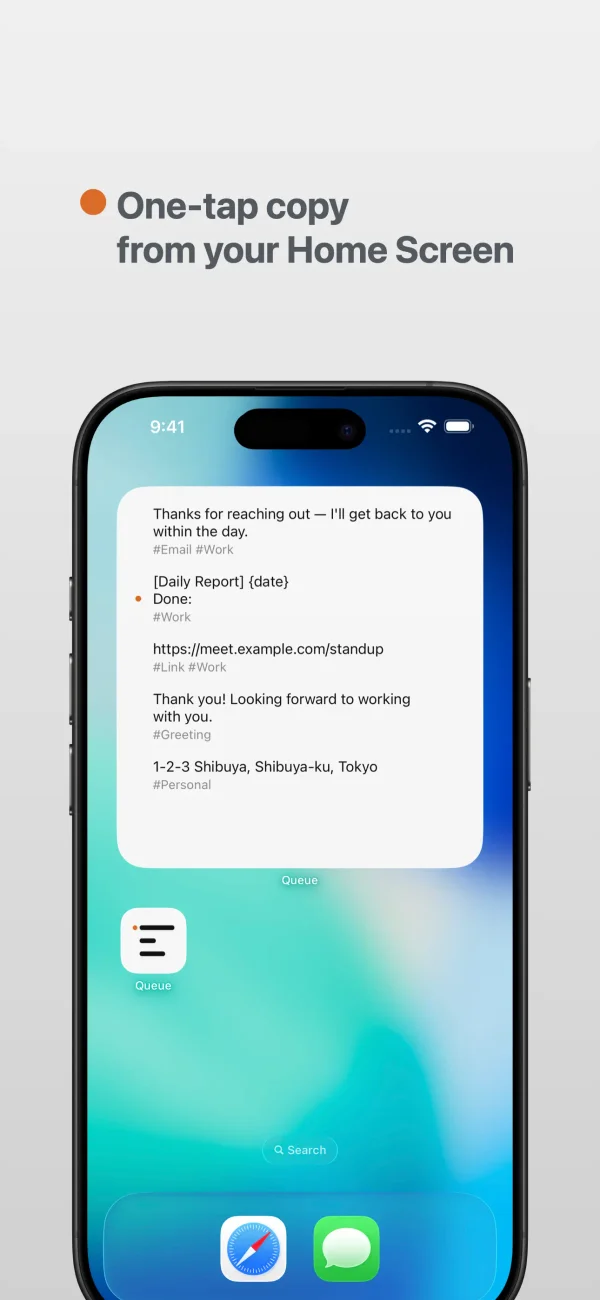
◎ Home Screen Widget
- Browse your templates by tag, right on your Home Screen
- Tap to copy — that's it
■ QUEUE PRO (ONE-TIME PURCHASE)
No subscription. Pay once, own it forever.
- Unlimited templates
- Export / Import
- Home Screen widgets
- Add templates from the Share Sheet
- Snippet variable expansion
Clean, minimal design with full Light / Dark Mode support. Queue makes every day with text a little bit faster.
----------------------------
https://mtimsno.github.io/apps/queue/privacy
https://mtimsno.github.io/apps/queue/terms
----------------------------
What’s new
Version 1.0.1 · Jul 23, 2026
[New Features & Improvements]
- Control from the Lock Screen & Notification Center
Use Previous, Add, and Next from the Live Activity, even on devices without a Dynamic Island.
- Add-to-Queue Guide
When your queue is empty, the app now shows how to add text.
Thank you for using Queue!
If you have any feedback or questions, please reach out via [Settings > Contact Us] in the app.
App privacy
What masanao matsui declares on the App Store about how this app handles data.
-
Data not linked to you
May be collected but is not linked to your identity.
- Identifiers
- Usage data
- Diagnostics
Privacy practices may vary, for example with the features you use or your age.
Information
- Seller
- masanao matsui
- Category
- Productivity
- Version
- 1.0.1
- Updated
- Jul 23, 2026
- Released
- Jul 21, 2026
- Size
- 17.2 MB
- Requires
- iOS 26.0 or later
- Age rating
- 4+
- In-app purchases
- Yes
- Languages
- Japanese, English
- Copyright
- © 2026 Masanao Matsui
You might also like
-
 FlashNotion - Fast EntryInstant Widget Entry · Notion
-
 Notepad with Browser - SproutNotes, Browser, Sync, Widget
-
 LIFE/CTRL: Reminders & TasksBuild your day from parts
-
 60d MemoYour data, your Google Drive
-
 MemoMail - Email Notes to SelfVoice memos straight to inbox
-
 Source Browser for ResearchSave screenshots with the URL
-
 ClipKeyProductivity
-
 inokoriFocus timer for study and work
-
 Ashiato - One-Tap LifelogTap once, append to Obsidian
-
 Copin Text Stock NotesAI chats & long text, in parts