- Clasificación por edad4+
- CategoríaUtilidades
- DesarrolladorJames Watts
- IdiomasInglés
- Tamaño1,7 MB
Es posible que Quick DA no esté disponible en App Store en este momento
No se pudo acceder a la ficha de la tienda en nuestra última comprobación. El enlace sigue llevando a la página oficial de App Store.
Capturas de pantalla

Acerca de
El desarrollador no ha proporcionado este texto en tu idioma.
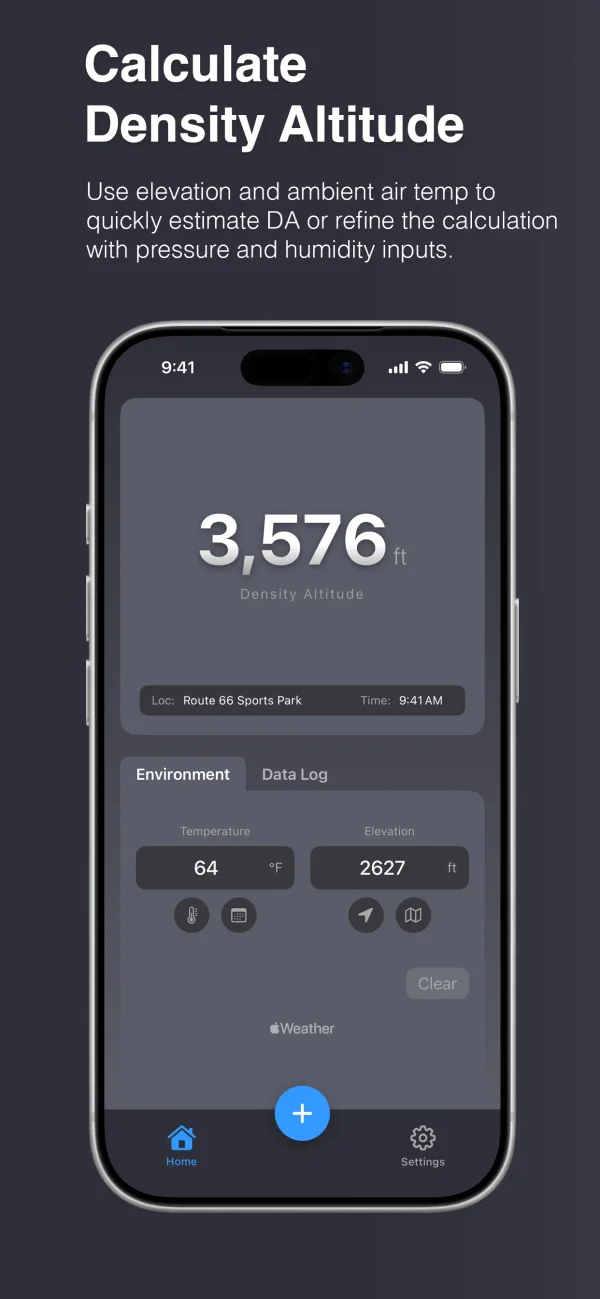
Quick DA uses your devices onboards sensors (GPS and Barometric Pressure Sensor) and user data inputs making it simple to calculate Density Altitude. Store your DA calculations into the Data Log for later reference, or load past Data Logs back into the Environment Tab to further edit your DA calculation.
Calculate Density Altitude using:
-Ambient Air Temperature + Elevation
-Ambient Air Temperature + Barometric Station Pressure
-Ambient Air Temperature + Barometric Station Pressure + Relative Humidity
Features and Functions:
DA calculation, Location and Time the calculation was created prominently displayed
Use the Environment input options that work for you
Get Ambient Air Temperature from the nearest weather station
Receive your current Field Elevation using the device’s GPS
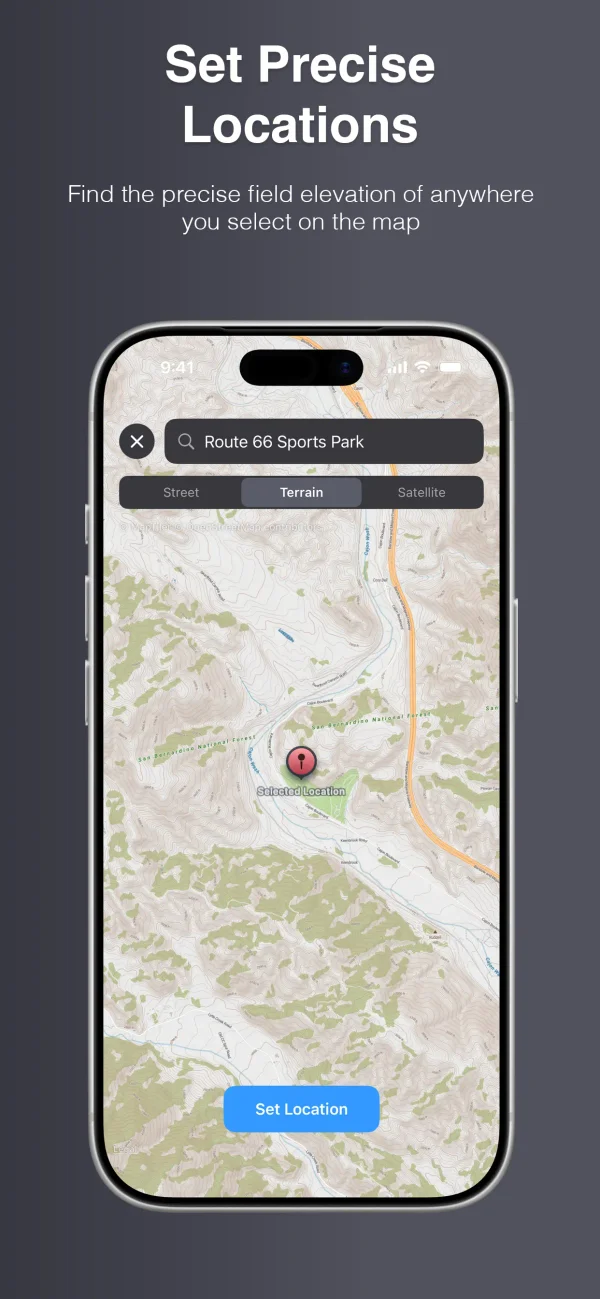
Use the Map Screen Feature to select a point on the map and receive its elevation
Select between Street, Terrain, and Satellite map options
Use your device’s Barometric Pressure Sensor for real-time pressure readings
Use the Advanced Pressure Input option for converting Sea Level Adjusted Pressure
Get your current Relative Humidity from the nearest weather station
Press the + action button to create a Data Log of your DA Calculation
Data Log entries display: location, date, time, DA, and input variables used to calculate DA
Use the arrow action button to load data back into Environment Tab
Use the Clear Button to clear all Environment Tab inputs
User selectable Dark, Color, and Light app themes
Use Feet or Meters and Fahrenheit or Celsius
Quick DA uses Apple MapKit for map interaction, search, road, and satellite imagery. Terrain tile overlays are powered by MapTiler OSM Contributors. Elevation data for selected locations is provided by the USGS Elevation Point Query Service.
This app does not have any in-app purchases
Novedades
Versión 1.1.3.9 · 7/7/2026
- New Temperature Forecast Feature. Get the hourly forecasted temperature for your selected location.
- Small bug fixes and UI improvements
Privacidad de la aplicación
Lo que James Watts declara en App Store sobre cómo esta aplicación gestiona los datos.
-
No se recopilan datos
El desarrollador no recopila ningún dato de esta aplicación.
Las prácticas de privacidad pueden variar, por ejemplo, según las funciones que uses o tu edad.
Información
- Vendedor
- James Watts
- Categoría
- Utilidades
- Versión
- 1.1.3.9
- Actualizado
- 7/7/2026
- Publicado
- 8/5/2026
- Tamaño
- 1,7 MB
- Requiere
- iOS 17.6 o posterior
- Clasificación por edad
- 4+
- Idiomas
- Inglés
- Copyright
- © 2026 James Watts