- Độ tuổi4+
- Danh mụcTiện Ích
- Nhà phát triểnJames Watts
- Ngôn ngữTiếng Anh
- Kích thước1,7 MB
Quick DA hiện có thể không có trên App Store
Ở lần kiểm tra gần nhất, chúng tôi không truy cập được trang trên cửa hàng. Liên kết vẫn dẫn đến trang App Store chính thức.
Ảnh chụp màn hình

Giới thiệu
Nhà phát triển chưa cung cấp nội dung này bằng ngôn ngữ của bạn.
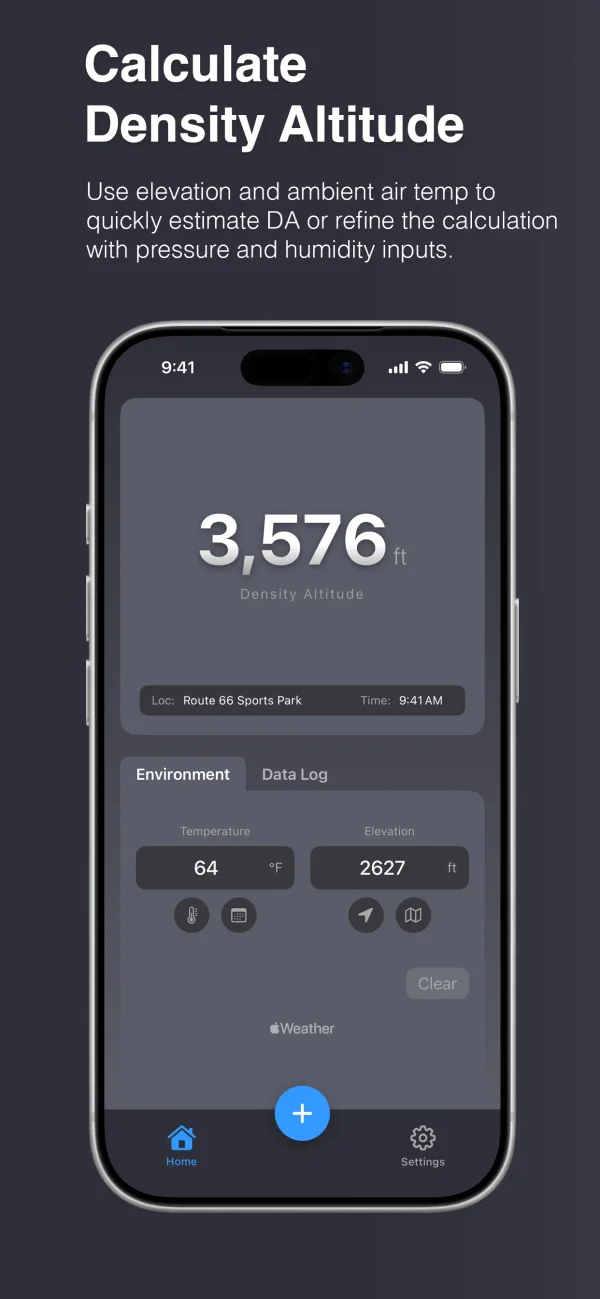
Quick DA uses your devices onboards sensors (GPS and Barometric Pressure Sensor) and user data inputs making it simple to calculate Density Altitude. Store your DA calculations into the Data Log for later reference, or load past Data Logs back into the Environment Tab to further edit your DA calculation.
Calculate Density Altitude using:
-Ambient Air Temperature + Elevation
-Ambient Air Temperature + Barometric Station Pressure
-Ambient Air Temperature + Barometric Station Pressure + Relative Humidity
Features and Functions:
DA calculation, Location and Time the calculation was created prominently displayed
Use the Environment input options that work for you
Get Ambient Air Temperature from the nearest weather station
Receive your current Field Elevation using the device’s GPS
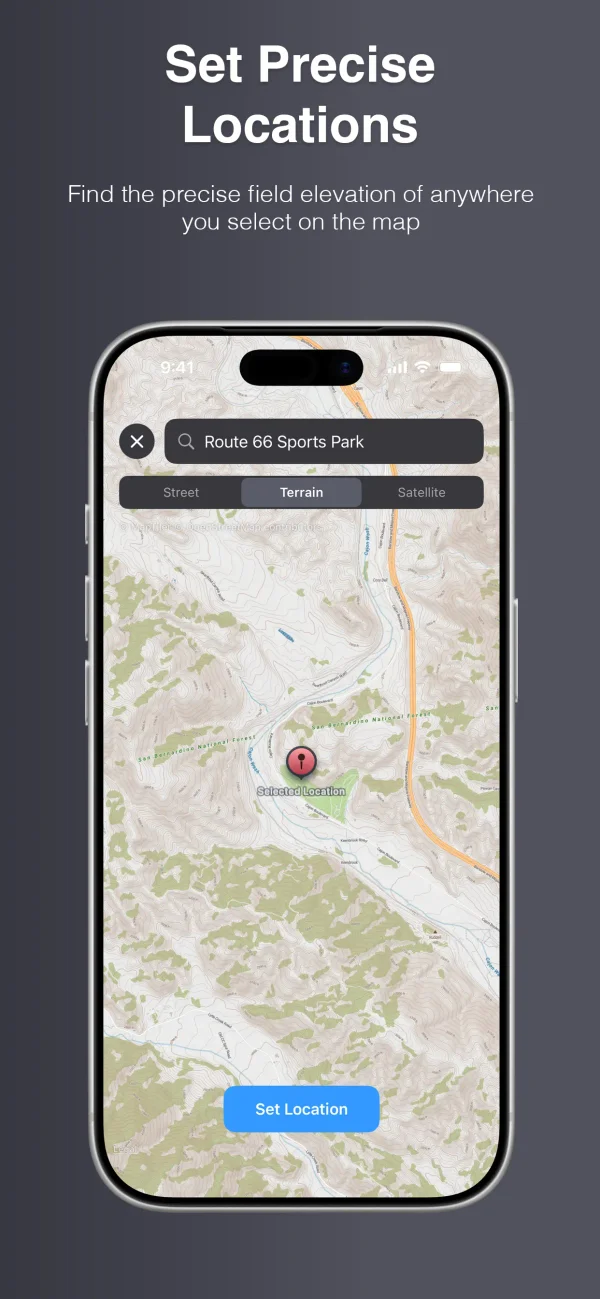
Use the Map Screen Feature to select a point on the map and receive its elevation
Select between Street, Terrain, and Satellite map options
Use your device’s Barometric Pressure Sensor for real-time pressure readings
Use the Advanced Pressure Input option for converting Sea Level Adjusted Pressure
Get your current Relative Humidity from the nearest weather station
Press the + action button to create a Data Log of your DA Calculation
Data Log entries display: location, date, time, DA, and input variables used to calculate DA
Use the arrow action button to load data back into Environment Tab
Use the Clear Button to clear all Environment Tab inputs
User selectable Dark, Color, and Light app themes
Use Feet or Meters and Fahrenheit or Celsius
Quick DA uses Apple MapKit for map interaction, search, road, and satellite imagery. Terrain tile overlays are powered by MapTiler OSM Contributors. Elevation data for selected locations is provided by the USGS Elevation Point Query Service.
This app does not have any in-app purchases
Có gì mới
Phiên bản 1.1.3.9 · 07/07/2026
- New Temperature Forecast Feature. Get the hourly forecasted temperature for your selected location.
- Small bug fixes and UI improvements
Quyền riêng tư của ứng dụng
Những gì James Watts khai báo trên App Store về cách ứng dụng này xử lý dữ liệu.
-
Dữ liệu không được thu thập
Nhà phát triển không thu thập bất kỳ dữ liệu nào từ ứng dụng này.
Phương thức đảm bảo quyền riêng tư có thể khác nhau, chẳng hạn như tuỳ theo các tính năng bạn sử dụng hoặc độ tuổi của bạn.
Thông tin
- Người bán
- James Watts
- Danh mục
- Tiện Ích
- Phiên bản
- 1.1.3.9
- Cập nhật
- 07/07/2026
- Phát hành
- 08/05/2026
- Kích thước
- 1,7 MB
- Yêu cầu
- iOS 17.6 trở lên
- Độ tuổi
- 4+
- Ngôn ngữ
- Tiếng Anh
- Bản quyền
- © 2026 James Watts