
Quick share : Fast sharing
Share Files & Cast to TV
Diseñada para iPhone, iPad
Gratis
- Clasificación por edad4+
- CategoríaFoto y vídeo
- DesarrolladorHarsh Patel
- IdiomasInglés
- Tamaño80,5 MB
Enlaza a la página oficial de App Store
Download.org no aloja ningún archivo de Quick share : Fast sharing. El botón abre la página de la aplicación en App Store, donde la publica Harsh Patel. Ficha comprobada por última vez el 12/11/2026.
Capturas de pantalla

Acerca de
El desarrollador no ha proporcionado este texto en tu idioma.
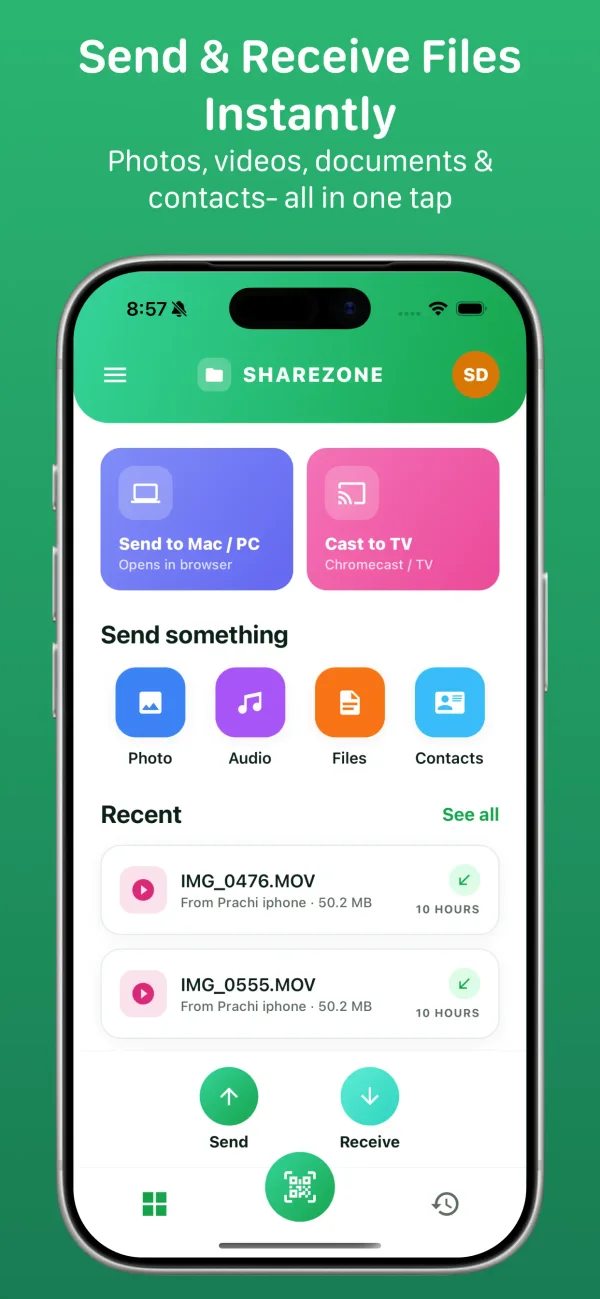
ShareZone is the fastest, simplest way to move files between devices — and put them on the big screen.
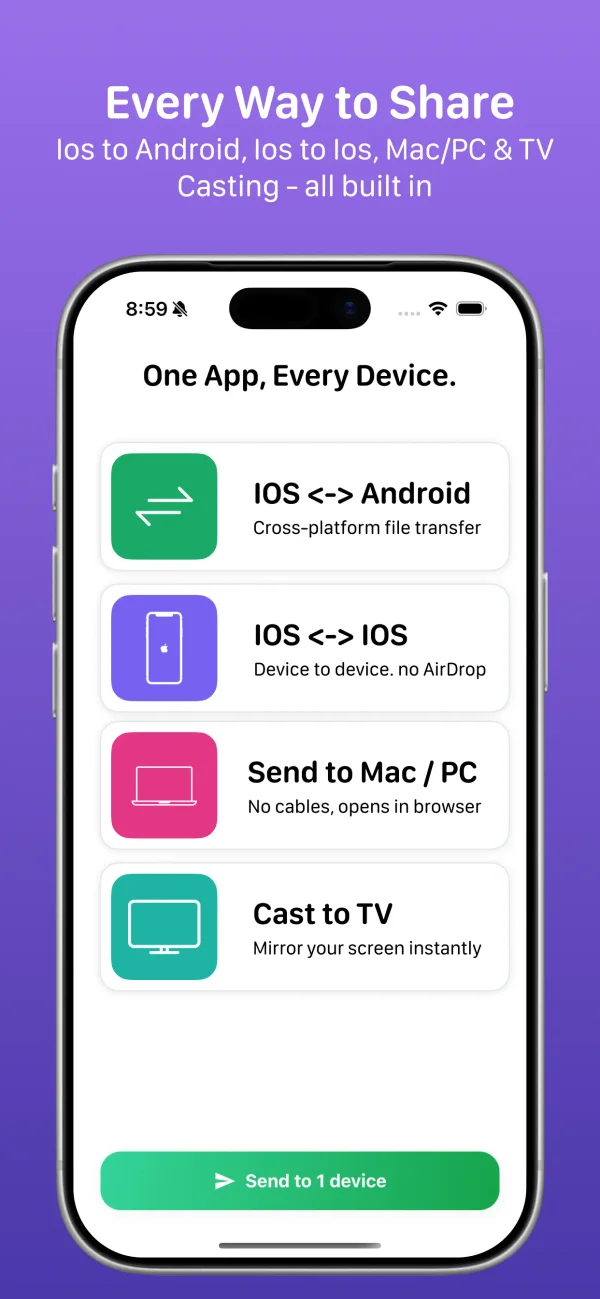
Transfer photos, videos, documents, and any other file directly from one device to another over your local Wi-Fi network. Files never touch a server and never leave your network. No uploads, no waiting, no monthly limits.
Then, when you want everyone to see it, cast that same photo or video to a compatible streaming device.
DIRECT DEVICE-TO-DEVICE TRANSFER
• Send files between devices over Wi-Fi at local network speed
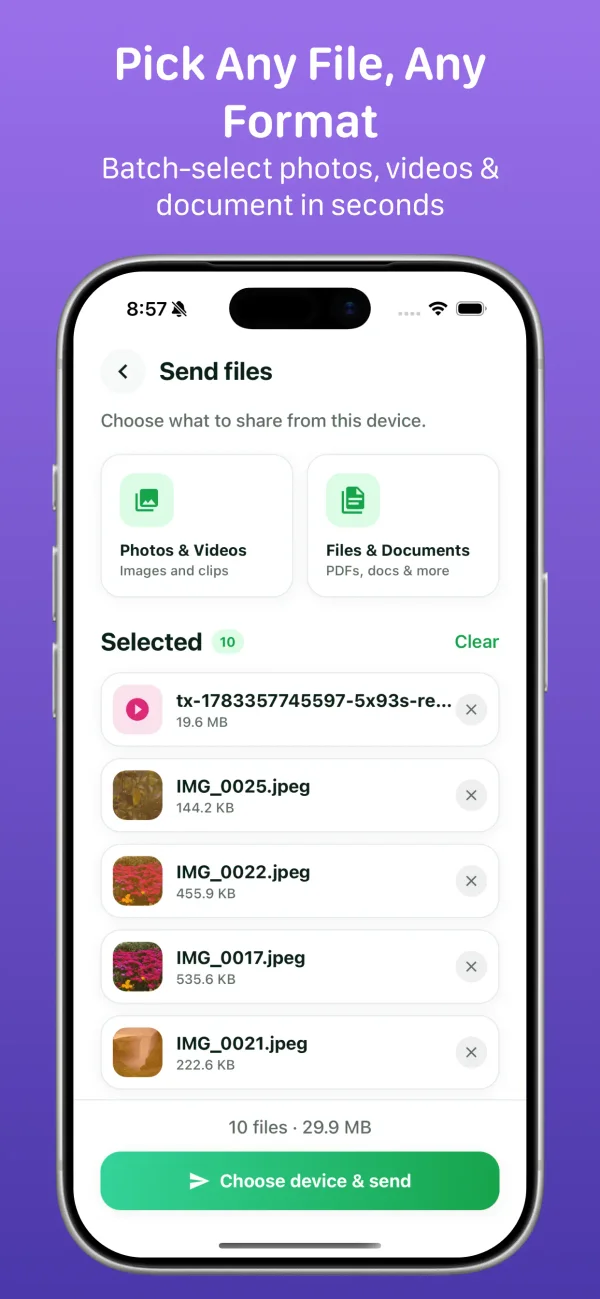
• Works with photos, videos, PDFs, music, archives, and many other file types
• No file size limits and no daily transfer caps
• Send multiple files at once in a single batch
• Real-time progress with speed and time remaining
PAIR IN SECONDS
• Automatically discover nearby devices on the same Wi-Fi network
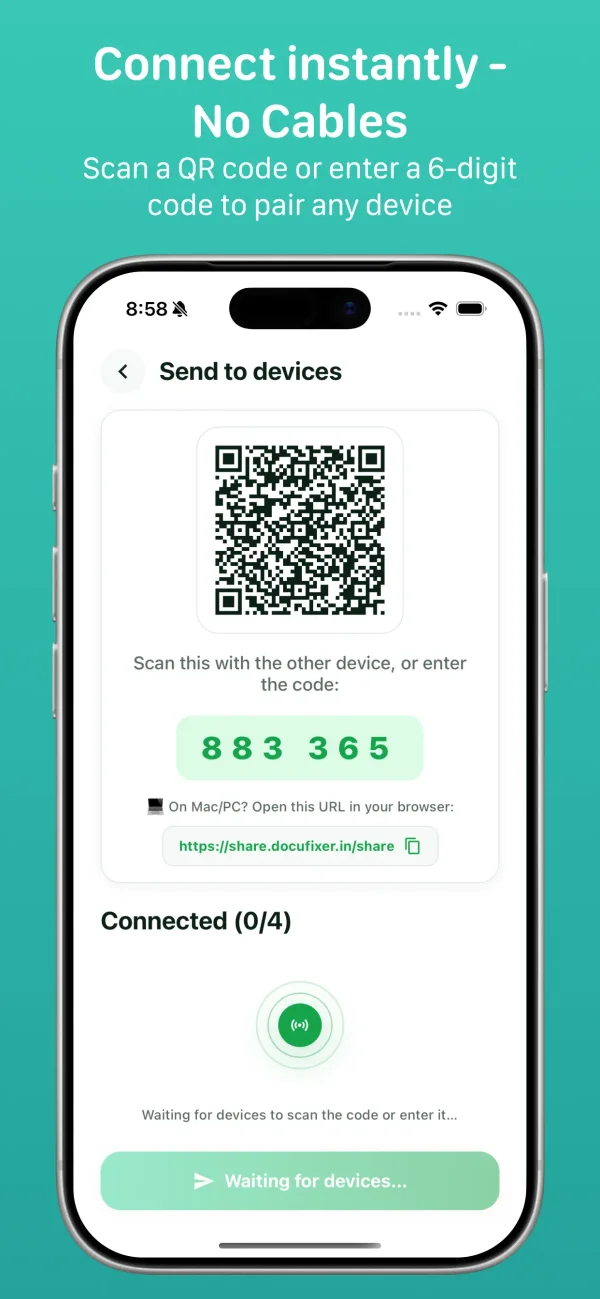
• Or scan a QR code to pair instantly
• No account required. No sign-up. No email.
CAST TO TV
• Cast photos and videos to compatible streaming devices
• Build a queue and play through it, reorder or remove items anytime
• Auto-advancing photo slideshow
• Video playback with a progress bar and tap-to-seek
• Simple on-screen controls for previous, next, and play
PRIVATE BY DESIGN
• Everything transfers peer-to-peer across your own Wi-Fi network
• Your files are never uploaded to the cloud or stored on any server
• No account, no tracking of your file contents, and no data mining
• ShareZone only saves the files you receive and never browses your library
TRANSFER HISTORY
• See everything you have sent and received at a glance
• Quickly find and reopen recently received files
BUILT TO BE SIMPLE
• Clean, uncluttered interface
• Light and dark mode support
• Works offline. You only need a shared Wi-Fi network, not internet access
WHY SHAREZONE?
Emailing yourself a file, waiting on a cloud upload, or hunting for a cable is slow. ShareZone connects your devices directly, so large files move in seconds instead of minutes. It works even when your internet is unavailable, as long as both devices are connected to the same Wi-Fi network.
Whether you are moving vacation photos to a family member's device, handing off a presentation before a meeting, backing up a video to another device, or showing photos on a TV, ShareZone gets it done in just a few taps.
PERFECT FOR
• Sharing photos and videos after an event or trip
• Moving large video files without compression
• Transferring documents between your devices
• Sending files when you have no mobile data or internet access
• Showing photos and home videos on a TV
• Sharing files with friends and family in seconds
GETTING STARTED
1. Open ShareZone on both devices connected to the same Wi-Fi network
2. Tap Send on one device and choose your files
3. Select the nearby device or scan its QR code
4. Watch your files transfer instantly
To cast, tap Cast, select a compatible streaming device, and add photos or videos to the queue.
REQUIREMENTS
• Both devices must be connected to the same Wi-Fi network
• Casting requires a compatible streaming device on the same network
• Local Network permission is required so ShareZone can discover nearby devices
Download ShareZone and stop waiting on uploads.
Privacy Policy and Terms of Use are available in the app under Settings.
Novedades
Versión 1.1 · 12/8/2026
Performance Improvements.
Privacidad de la aplicación
Lo que Harsh Patel declara en App Store sobre cómo esta aplicación gestiona los datos.
-
Datos usados para rastrearte
Pueden usarse para rastrearte en aplicaciones y sitios web propiedad de otras empresas.
- Datos de uso
-
Datos no vinculados a ti
Pueden recopilarse, pero no se vinculan a tu identidad.
- Datos de uso
Las prácticas de privacidad pueden variar, por ejemplo, según las funciones que uses o tu edad.
Información
- Vendedor
- Harsh Patel
- Categoría
- Foto y vídeo
- Versión
- 1.1
- Actualizado
- 12/8/2026
- Publicado
- 19/7/2026
- Tamaño
- 80,5 MB
- Requiere
- iOS 16.4 o posterior
- Clasificación por edad
- 4+
- Precio
- Gratis
- Idiomas
- Inglés
- Copyright
- © harsh229@
Quizá también te guste
-
 Digital Zoom CameraFoto y vídeo
-
 Travel ExifFoto y vídeo
-
 PhotoGem - Photo ExplorerFoto y vídeo
-
 BabyTime - Baby Photo AlbumFoto y vídeo
-
 Status Video MakerFoto y vídeo
-
 Collage Maker: Photo Grid AIFoto y vídeo
-
 VidGen: Generador Video IAFoto a Vídeo, Cambio de Cara
-
 Photo Blender : Image EditorFoto y vídeo
-
 Zoom Cámara: Lupa y TelescopioVisión nocturna y prismáticos
-
 Games Wallpapers 4KFondos de Pantalla Neon Miami