
Quick share : Fast sharing
Share Files & Cast to TV
Conçue pour iPhone, iPad
Gratuit
- Classification d’âge4+
- CatégoriePhoto et vidéo
- DéveloppeurHarsh Patel
- LanguesAnglais
- Taille80,5 Mo
Renvoie vers la page App Store officielle
Download.org n’héberge aucun fichier de Quick share : Fast sharing. Le bouton ouvre la page de l’application sur App Store, où Harsh Patel la publie. Fiche vérifiée pour la dernière fois le 12/11/2026.
Captures d’écran

À propos
Le développeur n’a pas fourni ce texte dans votre langue.
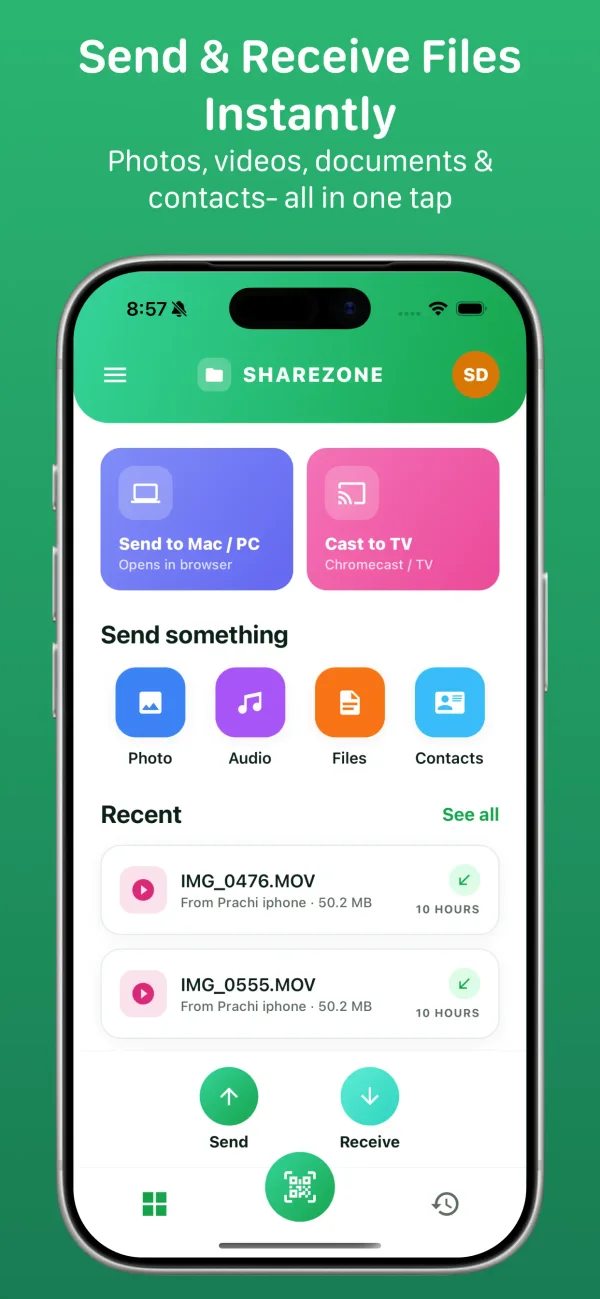
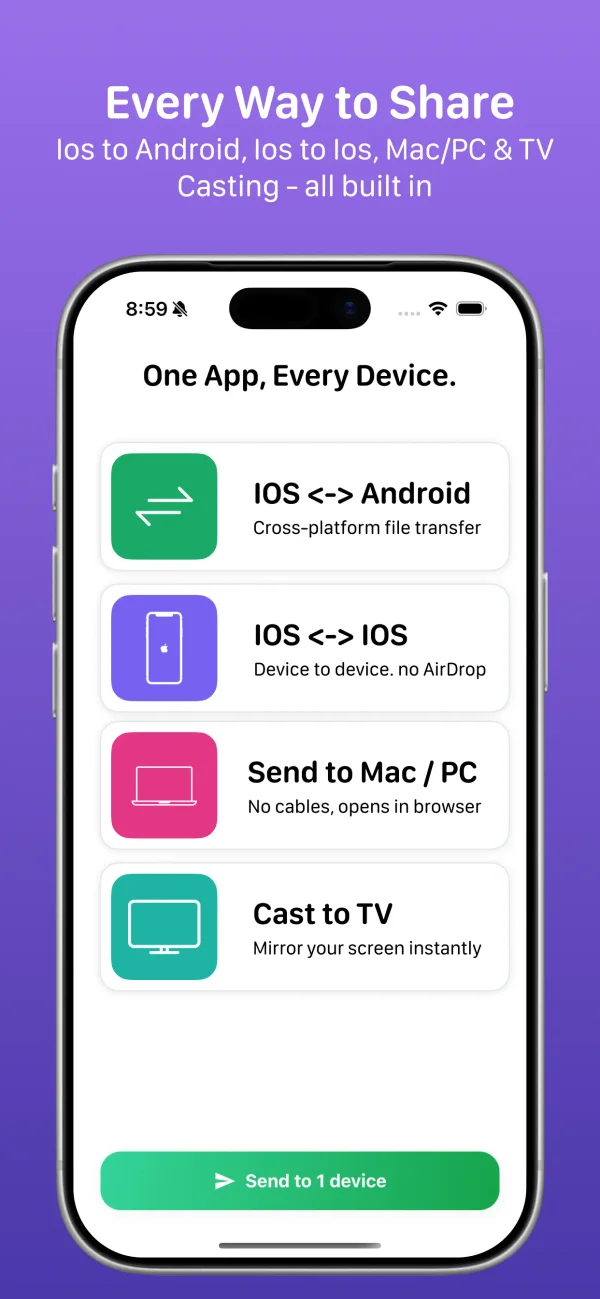
ShareZone is the fastest, simplest way to move files between devices — and put them on the big screen.
Transfer photos, videos, documents, and any other file directly from one device to another over your local Wi-Fi network. Files never touch a server and never leave your network. No uploads, no waiting, no monthly limits.
Then, when you want everyone to see it, cast that same photo or video to a compatible streaming device.
DIRECT DEVICE-TO-DEVICE TRANSFER
• Send files between devices over Wi-Fi at local network speed
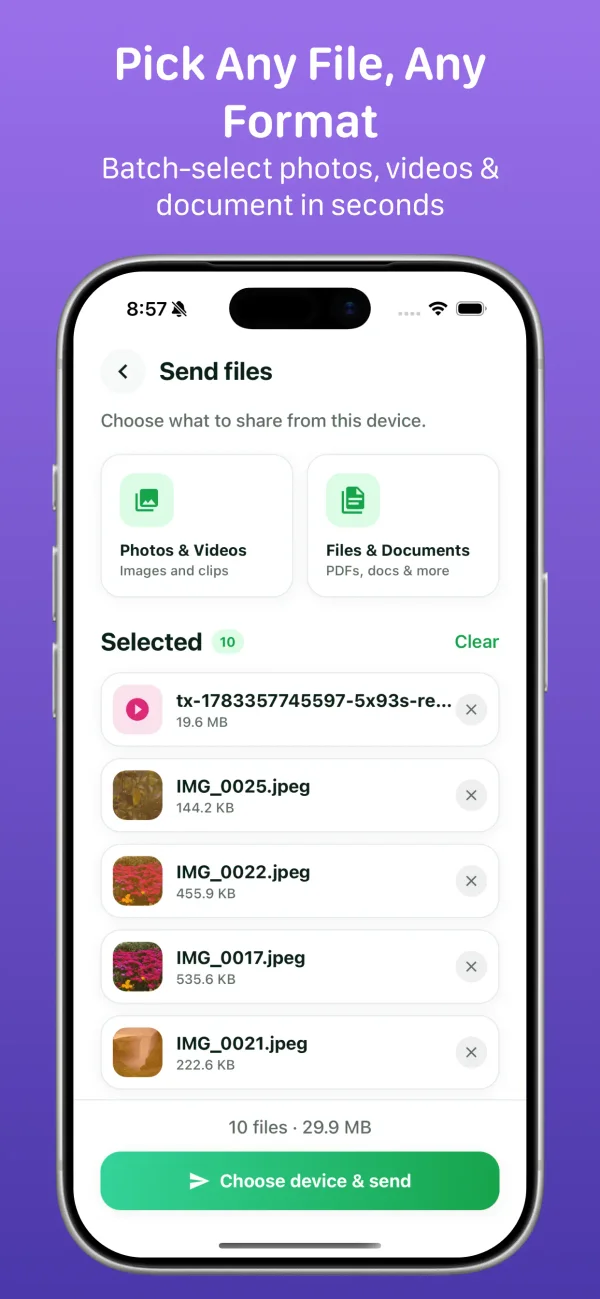
• Works with photos, videos, PDFs, music, archives, and many other file types
• No file size limits and no daily transfer caps
• Send multiple files at once in a single batch
• Real-time progress with speed and time remaining
PAIR IN SECONDS
• Automatically discover nearby devices on the same Wi-Fi network
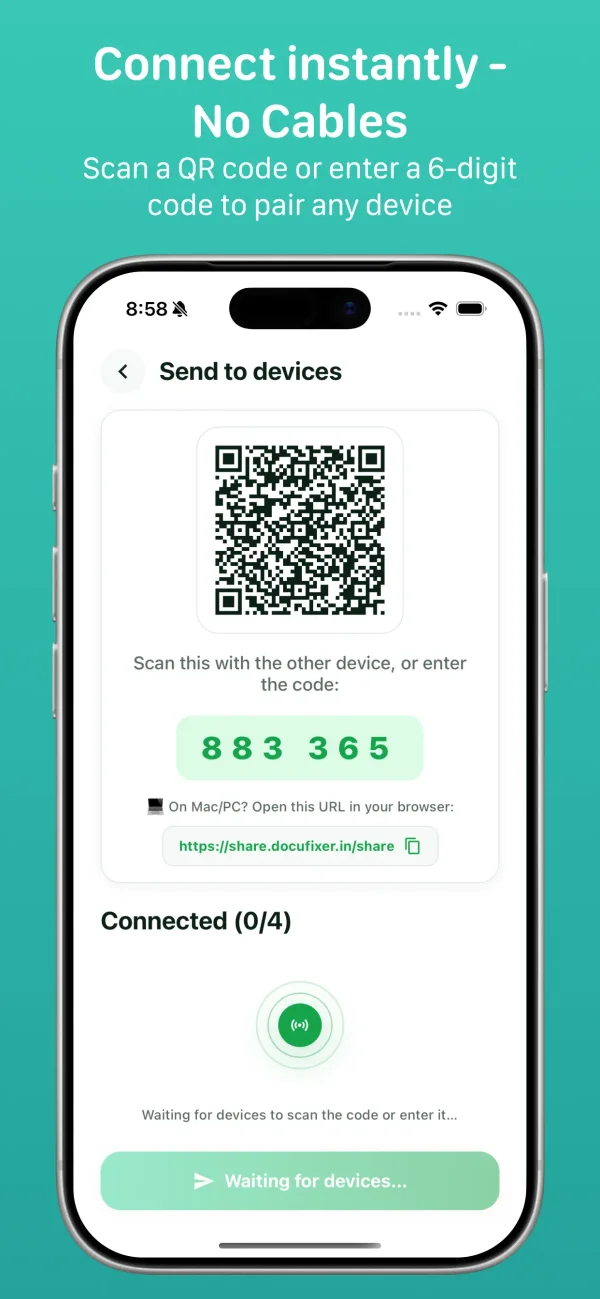
• Or scan a QR code to pair instantly
• No account required. No sign-up. No email.
CAST TO TV
• Cast photos and videos to compatible streaming devices
• Build a queue and play through it, reorder or remove items anytime
• Auto-advancing photo slideshow
• Video playback with a progress bar and tap-to-seek
• Simple on-screen controls for previous, next, and play
PRIVATE BY DESIGN
• Everything transfers peer-to-peer across your own Wi-Fi network
• Your files are never uploaded to the cloud or stored on any server
• No account, no tracking of your file contents, and no data mining
• ShareZone only saves the files you receive and never browses your library
TRANSFER HISTORY
• See everything you have sent and received at a glance
• Quickly find and reopen recently received files
BUILT TO BE SIMPLE
• Clean, uncluttered interface
• Light and dark mode support
• Works offline. You only need a shared Wi-Fi network, not internet access
WHY SHAREZONE?
Emailing yourself a file, waiting on a cloud upload, or hunting for a cable is slow. ShareZone connects your devices directly, so large files move in seconds instead of minutes. It works even when your internet is unavailable, as long as both devices are connected to the same Wi-Fi network.
Whether you are moving vacation photos to a family member's device, handing off a presentation before a meeting, backing up a video to another device, or showing photos on a TV, ShareZone gets it done in just a few taps.
PERFECT FOR
• Sharing photos and videos after an event or trip
• Moving large video files without compression
• Transferring documents between your devices
• Sending files when you have no mobile data or internet access
• Showing photos and home videos on a TV
• Sharing files with friends and family in seconds
GETTING STARTED
1. Open ShareZone on both devices connected to the same Wi-Fi network
2. Tap Send on one device and choose your files
3. Select the nearby device or scan its QR code
4. Watch your files transfer instantly
To cast, tap Cast, select a compatible streaming device, and add photos or videos to the queue.
REQUIREMENTS
• Both devices must be connected to the same Wi-Fi network
• Casting requires a compatible streaming device on the same network
• Local Network permission is required so ShareZone can discover nearby devices
Download ShareZone and stop waiting on uploads.
Privacy Policy and Terms of Use are available in the app under Settings.
Nouveautés
Version 1.1 · 12/08/2026
Performance Improvements.
Confidentialité de l’application
Ce que Harsh Patel déclare sur l’App Store au sujet du traitement des données par cette application.
-
Données utilisées pour vous suivre
Peuvent être utilisées pour vous suivre sur des applications et des sites web appartenant à d’autres sociétés.
- Données d’utilisation
-
Données n’établissant aucun lien avec vous
Peuvent être collectées, mais ne sont pas liées à votre identité.
- Données d’utilisation
Les pratiques en matière de confidentialité peuvent varier, notamment en fonction des fonctionnalités que vous utilisez ou de votre âge.
Informations
- Vendeur
- Harsh Patel
- Catégorie
- Photo et vidéo
- Version
- 1.1
- Mis à jour
- 12/08/2026
- Publié
- 19/07/2026
- Taille
- 80,5 Mo
- Nécessite
- iOS 16.4 ou version ultérieure
- Classification d’âge
- 4+
- Prix
- Gratuit
- Langues
- Anglais
- Copyright
- © harsh229@
Vous aimerez peut-être aussi
-
 Digital Zoom CameraPhoto et vidéo
-
 Travel ExifLocalisation rapide des photos
-
 PhotoGem - Photo ExplorerPhoto et vidéo
-
 BabyTime - Baby Photo AlbumPhoto et vidéo
-
 Status Video MakerPhoto et vidéo
-
 Collage Maker: Photo Grid AIPhoto et vidéo
-
 VidGen: Générateur Vidéo IAPhoto en Vidéo, Échange Visage
-
 Photo Blender : Image EditorPhoto et vidéo
-
 Zoom Appareil Photo & LoupeVision nocturne, jumelles HD
-
 Games Wallpapers 4KFonds d'écran Néon Miami