
Reference Board: Mood Board
Infinite Canvas for Creatives
Diseñada para iPhone, iPad, Mac
6,99 € · Compras en la aplicación
- Clasificación por edad4+
- CategoríaDiseño gráfico
- DesarrolladorJordan Ruchtie
- IdiomasInglés+ 7 más
- Tamaño24,1 MB
Enlaza a la página oficial de App Store
Download.org no aloja ningún archivo de Reference Board: Mood Board. El botón abre la página de la aplicación en App Store, donde la publica Jordan Ruchtie. Ficha comprobada por última vez el 26/11/2026.
Capturas de pantalla

Acerca de
El desarrollador no ha proporcionado este texto en tu idioma.
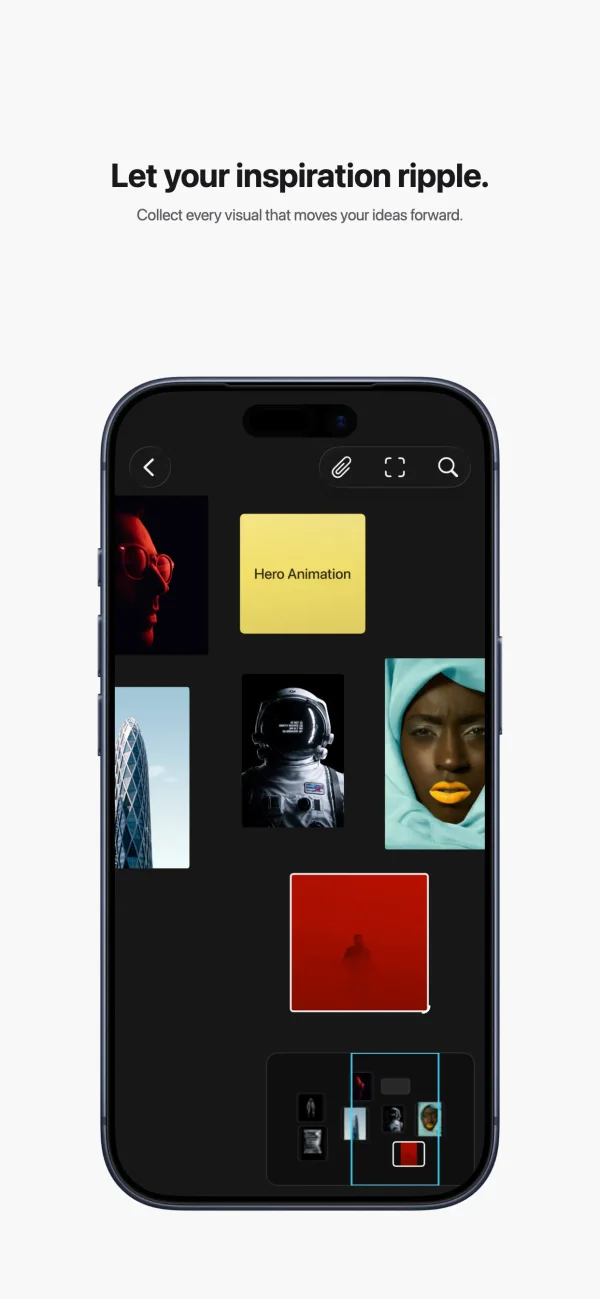
Reference Board is a private visual workspace for collecting inspiration, developing ideas, and keeping creative research close at hand on Mac, iPhone, and iPad.
BUILD VISUAL BOARDS
• Collect images, videos, links, text, colors, and PDFs in one place.
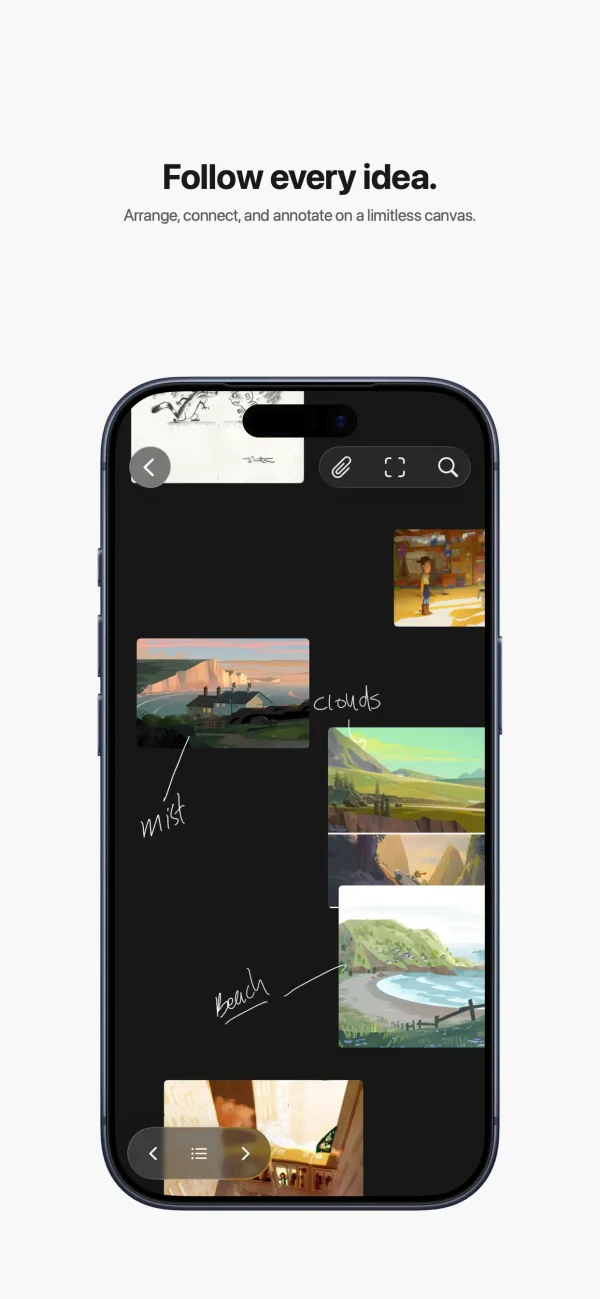
• Arrange references freely on an infinite canvas or switch to an organized grid.
• Move, resize, group, stack, crop, flip, and annotate without changing your original media.
• Use the loupe to inspect fine details in images and videos.
FIND WHAT YOU NEED
• Search across boards and references.
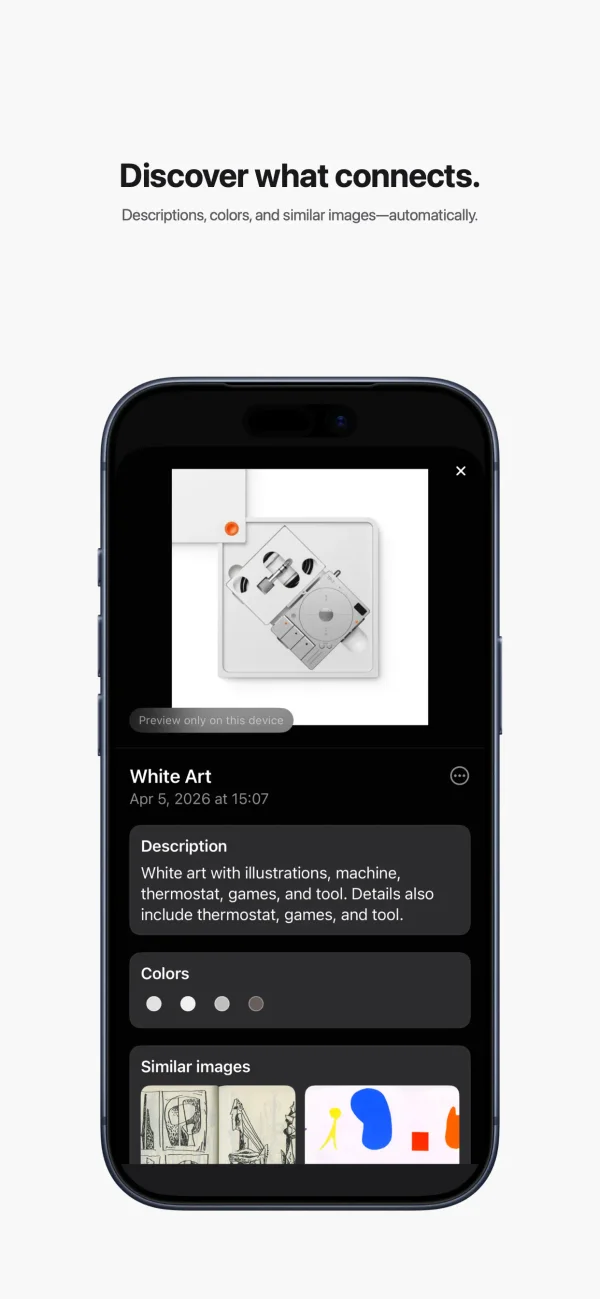
• Use on-device analysis, OCR, colors, metadata, and visual similarity to rediscover material quickly.
• Keep notes and details attached to the work they describe.
SYNC, COLLABORATE, AND SHARE
• Keep your library in sync across Mac, iPhone, and iPad with iCloud.
• Invite others to collaborate on shared boards.
• Publish a separate public, view-only webpage when you want to present your work more widely.
• Update or unpublish a published board whenever you like.
WORK YOUR WAY
• Import from Photos, Files, Safari, drag and drop, or the Share Sheet.
• Export boards as images, PDFs, or Reference Board archives.
• Use widgets, Shortcuts, the screen saver, and optional MCP automation to connect Reference Board to your workflow.
ONE PURCHASE. NO SUBSCRIPTION.
New customers receive Reference Pro with their App Store purchase, including unlimited private boards and items, Publish to Web, AI metadata and visual discovery, new collaborations, PDF export, and MCP automation.
People who acquired Reference while it was free keep their existing Free plan with one private board and up to 20 items. They can unlock lifetime Reference Pro with a one-time in-app purchase. Reaching a Free limit never deletes or hides existing work.
Original paid-app customers and people who already purchased lifetime Reference Pro keep permanent Pro access automatically.
Novedades
Versión 1.6.4 · 25/11/2026
Sketches you save on your Mac with Reference Board 1.6.4 can appear on your iCloud boards. Open one on iPad to keep editing its strokes with Apple Pencil.
Privacidad de la aplicación
Lo que Jordan Ruchtie declara en App Store sobre cómo esta aplicación gestiona los datos.
-
Datos vinculados a ti
Pueden recopilarse y vincularse a tu identidad.
- Contactos
-
Datos no vinculados a ti
Pueden recopilarse, pero no se vinculan a tu identidad.
- Historial de búsqueda
- Identificadores
- Datos de uso
- Diagnóstico
Las prácticas de privacidad pueden variar, por ejemplo, según las funciones que uses o tu edad.
Información
- Vendedor
- Jordan Ruchtie
- Categoría
- Diseño gráfico
- Versión
- 1.6.4
- Actualizado
- 25/11/2026
- Publicado
- 19/3/2026
- Tamaño
- 24,1 MB
- Requiere
- iOS 26.0 o posterior
- Clasificación por edad
- 4+
- Precio
- 6,99 €
- Compras en la aplicación
- Sí
- Idiomas
- Inglés, Neerlandés, Francés, Alemán, Japonés, Portugués, Chino simplificado, Español
- Copyright
- © Jordan Ruchtie
Quizá también te guste
-
 ArtDeck: Tablero de referenciaMoodboard de arte y análisis
-
 DarkRef - Art Reference BoardDiseño gráfico
-
 Refbox MobileTablero de referencias de arte
-
 ImgRefTablero ref., escáner OCR
-
 CMSHTDiseño gráfico
-
 HEAVYPAINTDiseño gráfico
-
 Feather: Dibuja en 3DBosqueja, pinta en todo ángulo
-
 RoughAnimator - animation appDiseño gráfico
-
 Affinity by CanvaDiseño, foto y maquetación pro
-
 Savee — Inspiration for youDiseño gráfico