
Reference Board: Mood Board
Infinite Canvas for Creatives
Designed for iPhone, iPad, Mac
$5.99 · In-app purchases
- Age rating4+
- CategoryGraphics & Design
- DeveloperJordan Ruchtie
- LanguagesEnglish+ 7 more
- Size24.1 MB
Links to the official App Store page
Download.org hosts no file of Reference Board: Mood Board. The button opens its official App Store page, published by Jordan Ruchtie. Listing last checked on Nov 26, 2026.
Screenshots

About
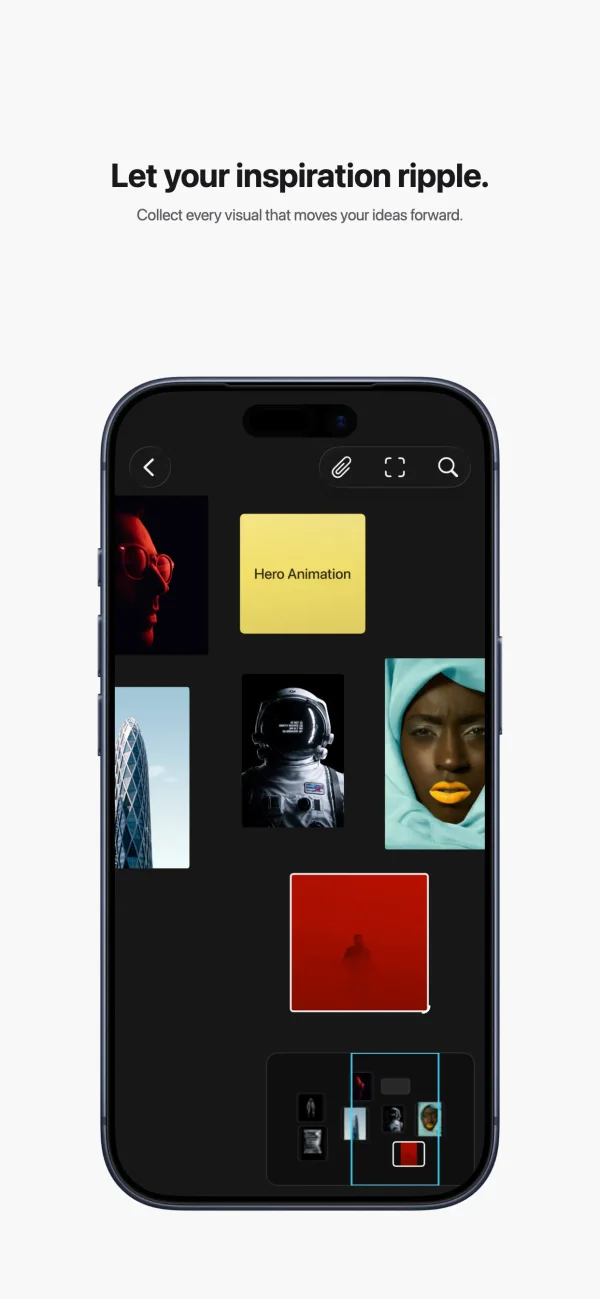
Reference Board is a private visual workspace for collecting inspiration, developing ideas, and keeping creative research close at hand on Mac, iPhone, and iPad.
BUILD VISUAL BOARDS
• Collect images, videos, links, text, colors, and PDFs in one place.
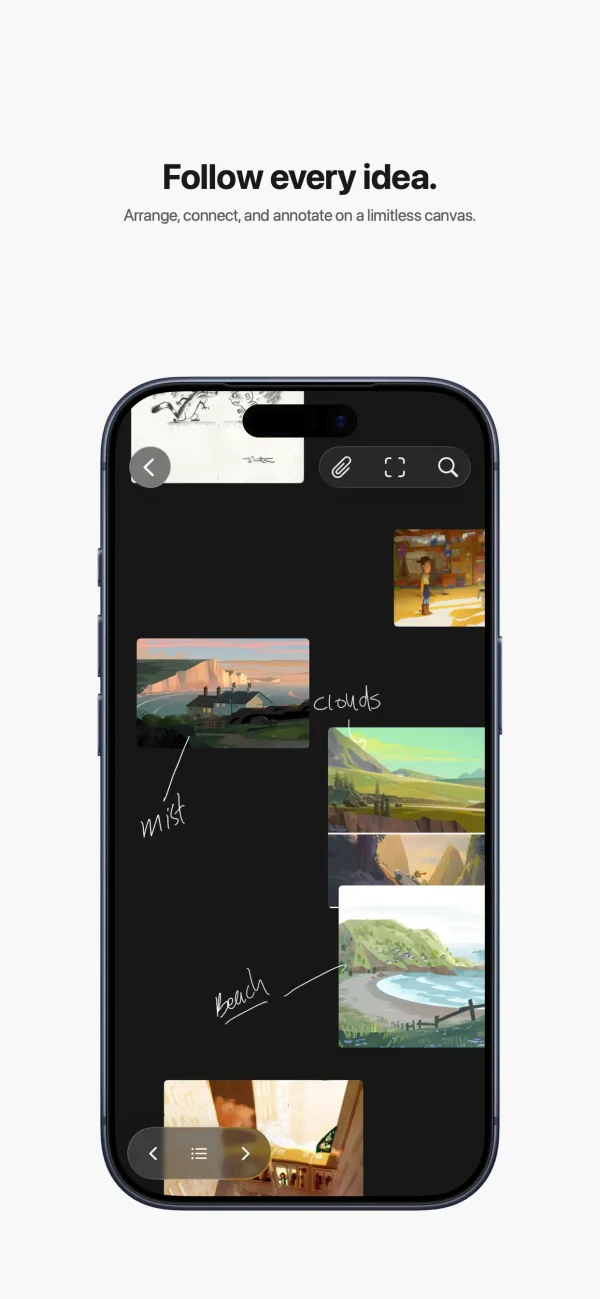
• Arrange references freely on an infinite canvas or switch to an organized grid.
• Move, resize, group, stack, crop, flip, and annotate without changing your original media.
• Use the loupe to inspect fine details in images and videos.
FIND WHAT YOU NEED
• Search across boards and references.
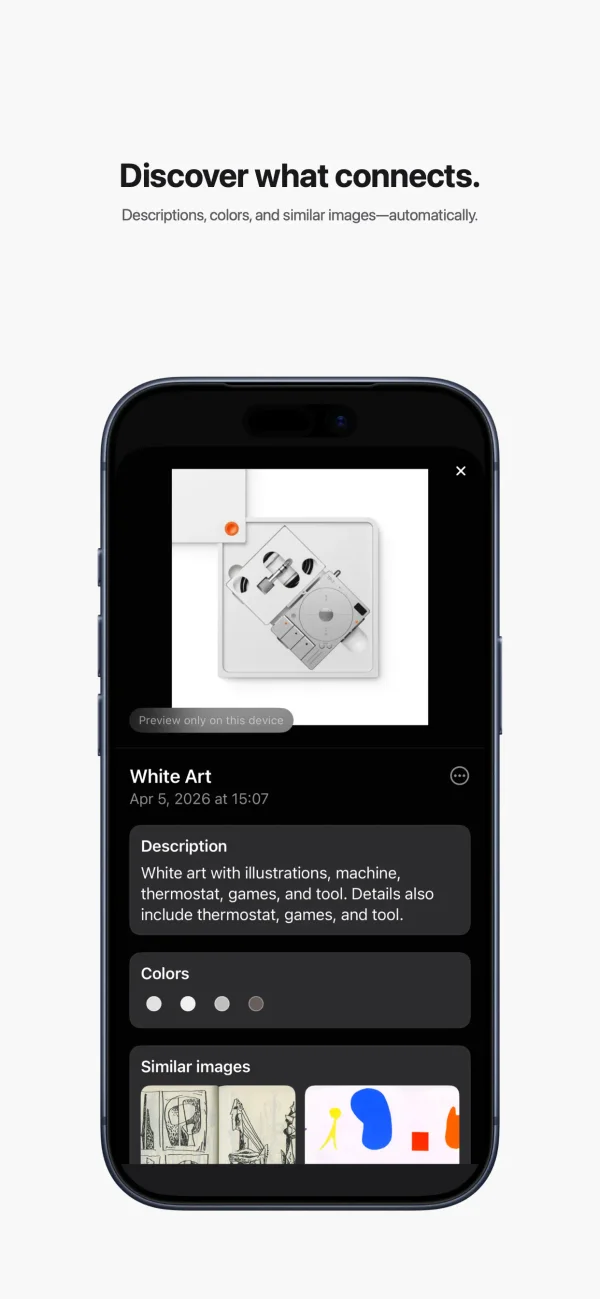
• Use on-device analysis, OCR, colors, metadata, and visual similarity to rediscover material quickly.
• Keep notes and details attached to the work they describe.
SYNC, COLLABORATE, AND SHARE
• Keep your library in sync across Mac, iPhone, and iPad with iCloud.
• Invite others to collaborate on shared boards.
• Publish a separate public, view-only webpage when you want to present your work more widely.
• Update or unpublish a published board whenever you like.
WORK YOUR WAY
• Import from Photos, Files, Safari, drag and drop, or the Share Sheet.
• Export boards as images, PDFs, or Reference Board archives.
• Use widgets, Shortcuts, the screen saver, and optional MCP automation to connect Reference Board to your workflow.
ONE PURCHASE. NO SUBSCRIPTION.
New customers receive Reference Pro with their App Store purchase, including unlimited private boards and items, Publish to Web, AI metadata and visual discovery, new collaborations, PDF export, and MCP automation.
People who acquired Reference while it was free keep their existing Free plan with one private board and up to 20 items. They can unlock lifetime Reference Pro with a one-time in-app purchase. Reaching a Free limit never deletes or hides existing work.
Original paid-app customers and people who already purchased lifetime Reference Pro keep permanent Pro access automatically.
What’s new
Version 1.6.4 · Nov 25, 2026
Sketches you save on your Mac with Reference Board 1.6.4 can appear on your iCloud boards. Open one on iPad to keep editing its strokes with Apple Pencil.
App privacy
What Jordan Ruchtie declares on the App Store about how this app handles data.
-
Data linked to you
May be collected and linked to your identity.
- Contacts
-
Data not linked to you
May be collected but is not linked to your identity.
- Search history
- Identifiers
- Usage data
- Diagnostics
Privacy practices may vary, for example with the features you use or your age.
Information
- Seller
- Jordan Ruchtie
- Category
- Graphics & Design
- Version
- 1.6.4
- Updated
- Nov 25, 2026
- Released
- Mar 19, 2026
- Size
- 24.1 MB
- Requires
- iOS 26.0 or later
- Age rating
- 4+
- Price
- $5.99
- In-app purchases
- Yes
- Languages
- English, Dutch, French, German, Japanese, Portuguese, Simplified Chinese, Spanish
- Copyright
- © Jordan Ruchtie
You might also like
-
 ArtDeck: Art Reference BoardMoodboard, value & color study
-
 DarkRef - Art Reference BoardReference board for artists
-
 Refbox MobileThe Ultimate Reference Board
-
 ImgRefReference board, OCR Scanner
-
 CMSHTA pocket graphics playground
-
 HEAVYPAINTRaw Digital Painting
-
 Feather: Draw in 3DSketch & paint from any angle
-
 RoughAnimator - animation appDraw frame-by-frame animation
-
 Affinity by CanvaPro design, photo & layout
-
 Savee — Inspiration for youFind and save what you love