RPI SSH Pro - for Linux/Debian
Run SSH commands faster
Diseñada para iPhone, iPad, iPod touch
Gratis · Compras en la aplicación
- Clasificación por edad12+
- CategoríaUtilidades
- DesarrolladorAlbert Parti
- IdiomasInglés+ 5 más
- Tamaño42,4 MB
Enlaza a la página oficial de App Store
Download.org no aloja ningún archivo de RPI SSH Pro - for Linux/Debian. El botón abre la página de la aplicación en App Store, donde la publica Albert Parti. Ficha comprobada por última vez el 15/11/2026.
Capturas de pantalla

Acerca de
El desarrollador no ha proporcionado este texto en tu idioma.
RPI SSH PRO – fast SSH-based server management
RPI SSH PRO is a modern, fast, and intuitive SSH client that lets you manage your servers easily from your mobile device.
It supports Raspberry Pi, Linux, Debian, Synology (Linux-based) systems, and Windows servers with OpenSSH, providing quick access to system status, maintenance tasks, and command execution.
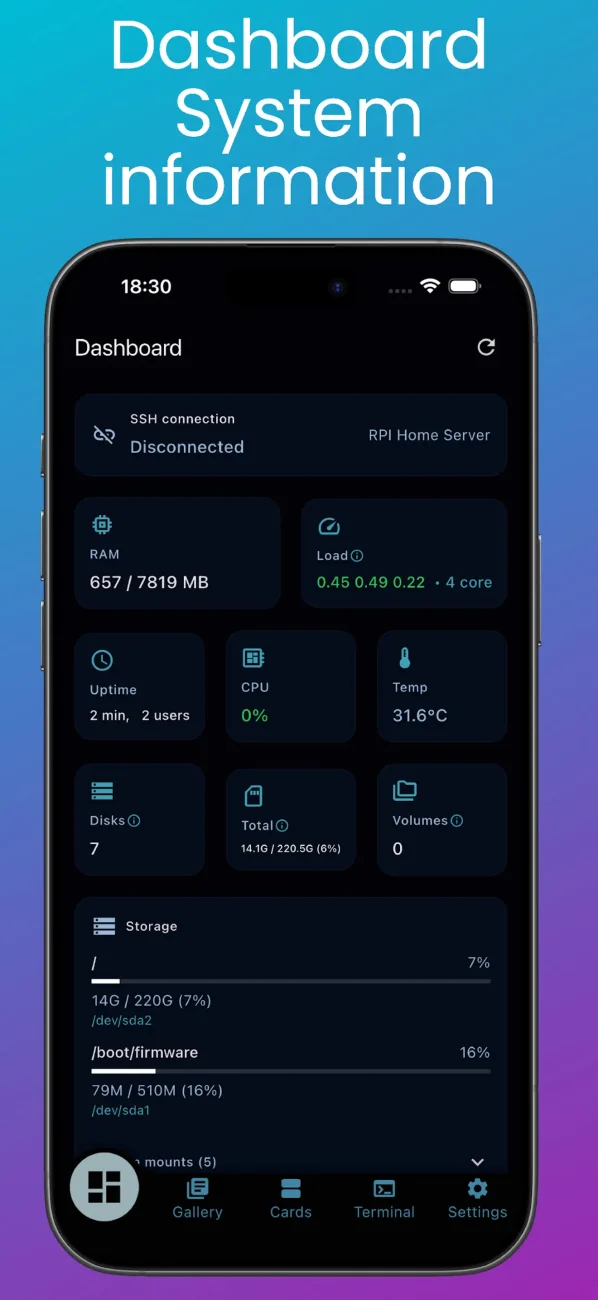
System Overview (Dashboard)
View the most important system information at a glance:
• Uptime
• CPU usage
• Temperature
• Disks and total storage
• Mounted file systems
• Number of connected drives
Designed for fast diagnostics and everyday server monitoring.
Command Gallery (Samples)
A wide range of prebuilt command templates:
• can be quickly added to your own Command Cards
• perfect for maintenance, diagnostics, and administration tasks
• works across Linux-based systems and Windows PowerShell environments
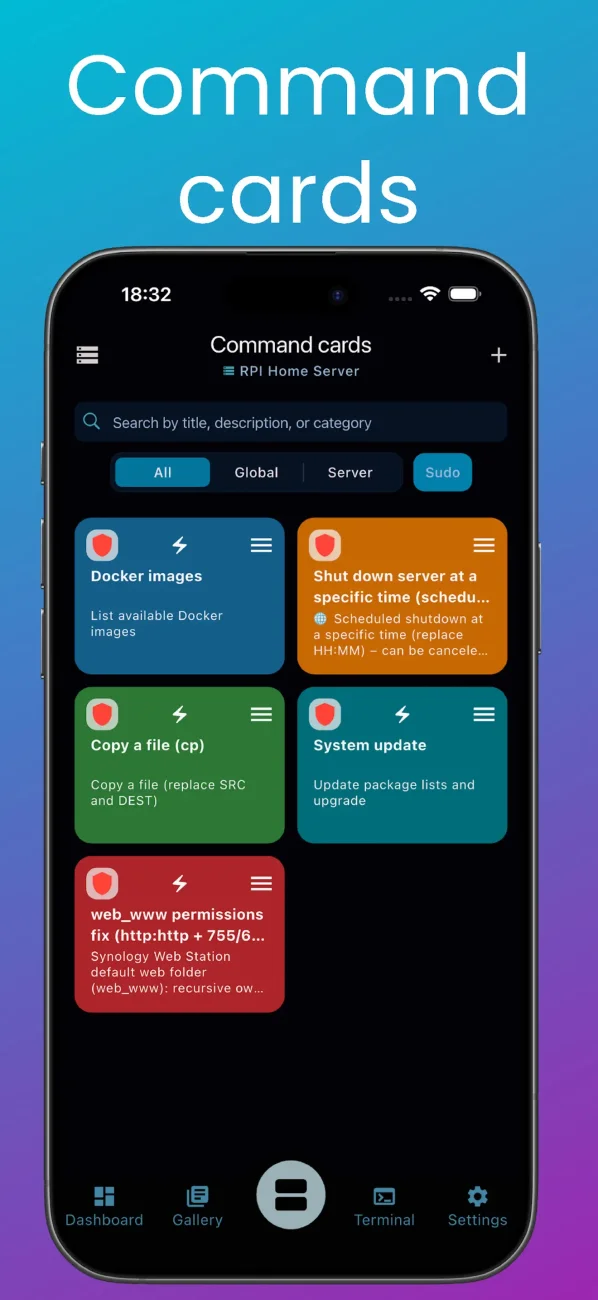
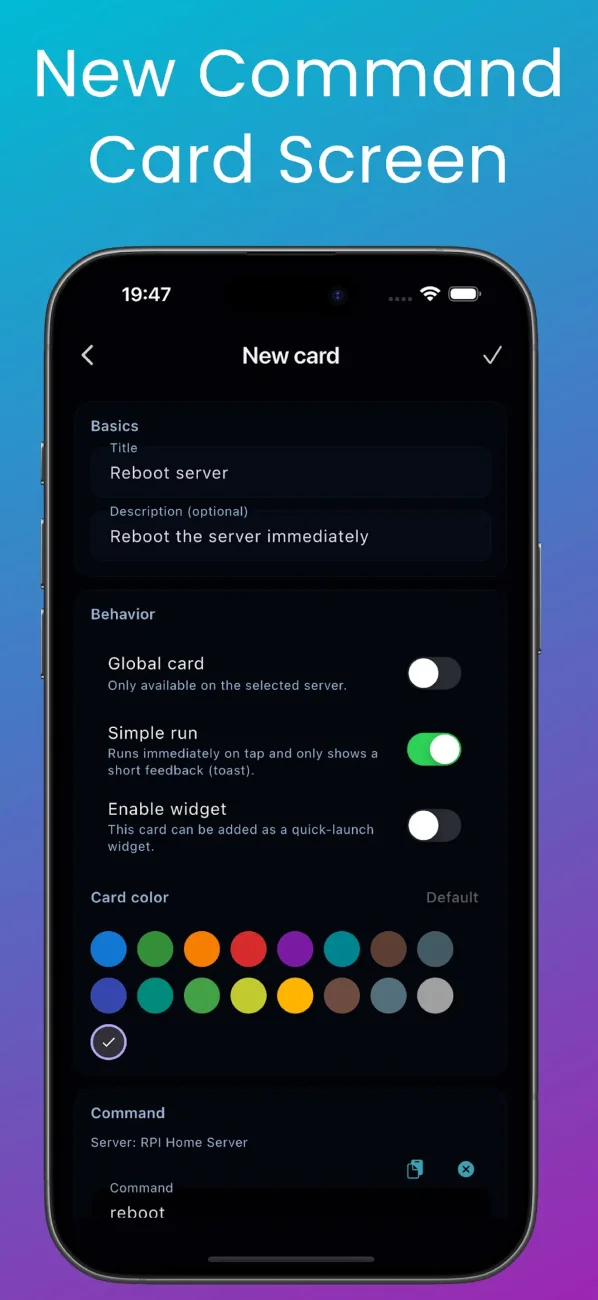
Command Cards
Manage your custom commands using cards:
• add, edit, and search command cards
• drag & drop reordering
• Quick Run mode for one-tap execution
• global cards or server-specific cards
• reusable commands across multiple servers and platforms
Widget Quick Launch
Your most important command cards can be added as widgets:
• run commands without opening the app
• ideal for frequently used maintenance and monitoring tasks
• instant access to your most important server actions
Multi-server support
• add and edit multiple servers
• switch between servers quickly
• secure connections using SSH host key verification
• manage mixed environments (Linux + Windows) from one app
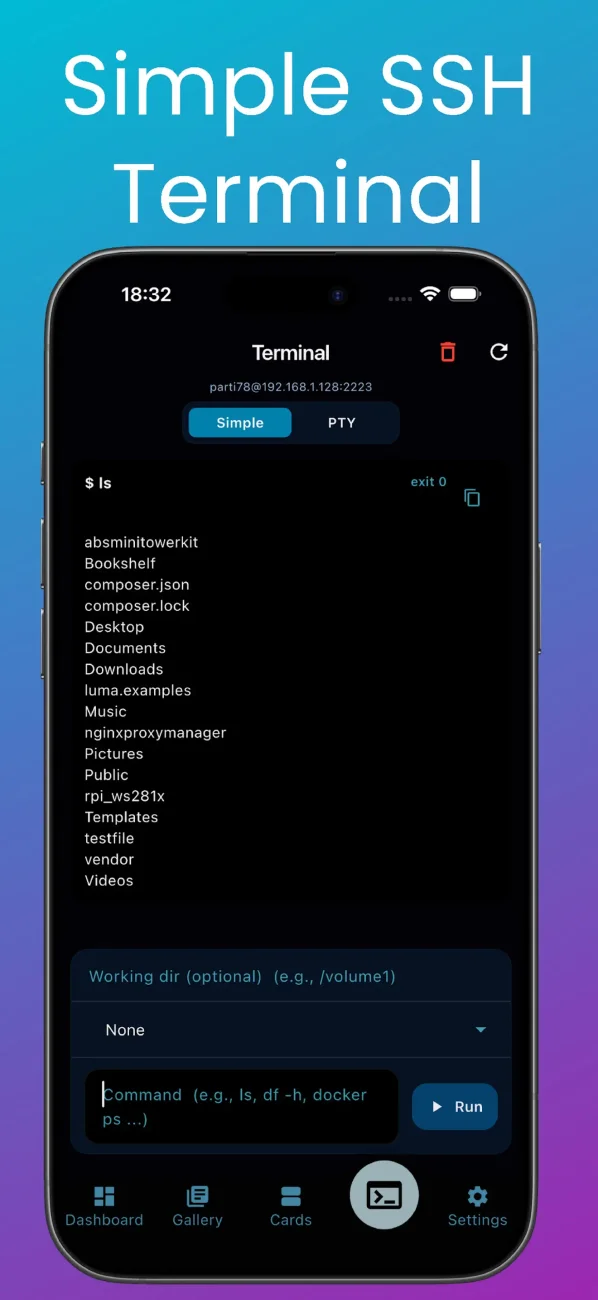
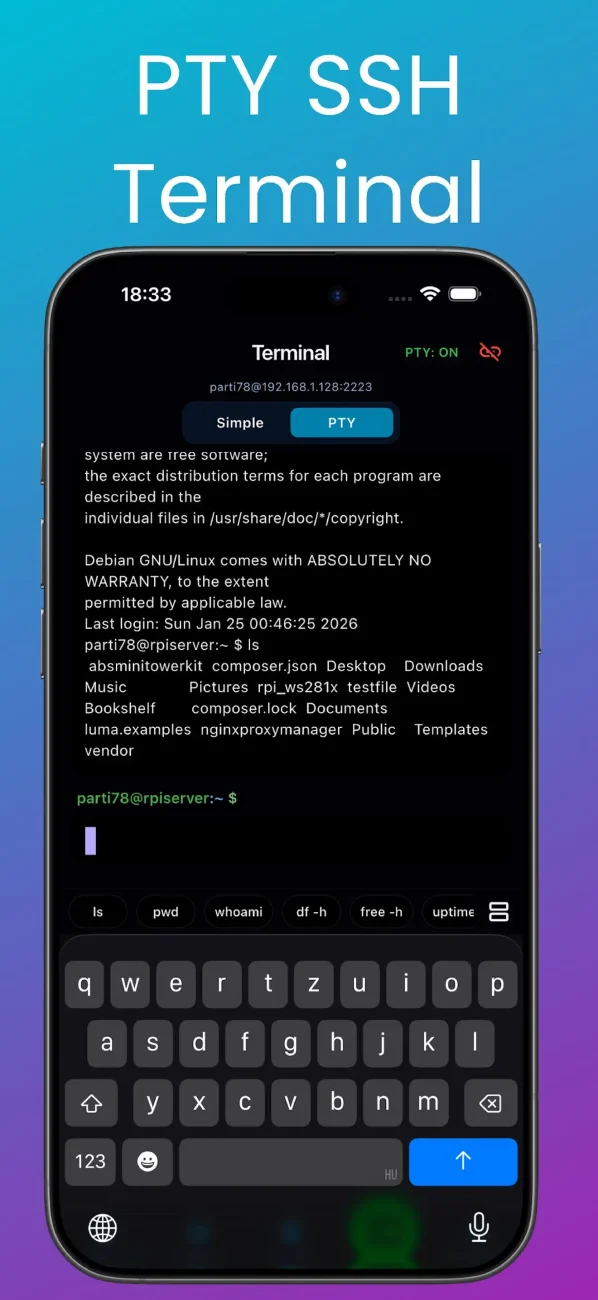
Terminal Modes
Choose the terminal experience that best fits your workflow:
• Simple terminal for basic commands and quick actions
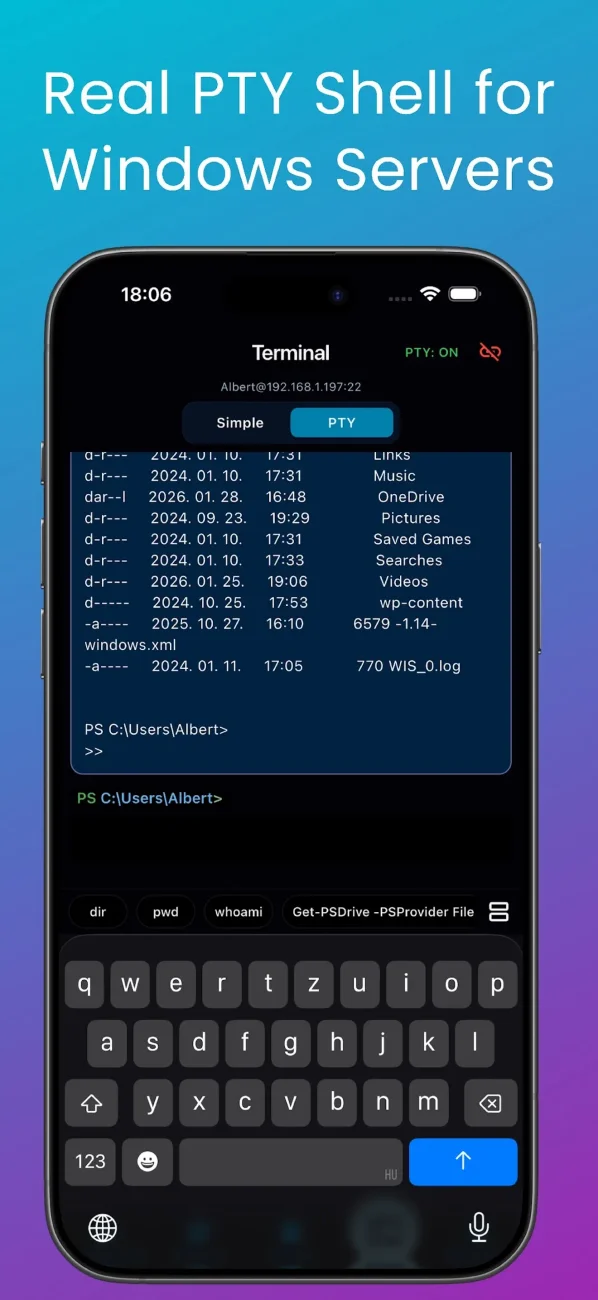
• Full PTY terminal for interactive shell usage
The Ping screen is also directly accessible from the terminal view, allowing you to:
• quickly check network connectivity
• test latency and host availability
• perform targeted ping tests toward the selected server
Ideal for troubleshooting and network diagnostics directly within the SSH workflow.
Windows PTY Support
• Full PTY SSH terminal for Windows servers
• Supports PowerShell and interactive commands
• Proper handling of interactive tools, prompts, and real shell behavior
• Ideal for Windows Server administration over SSH
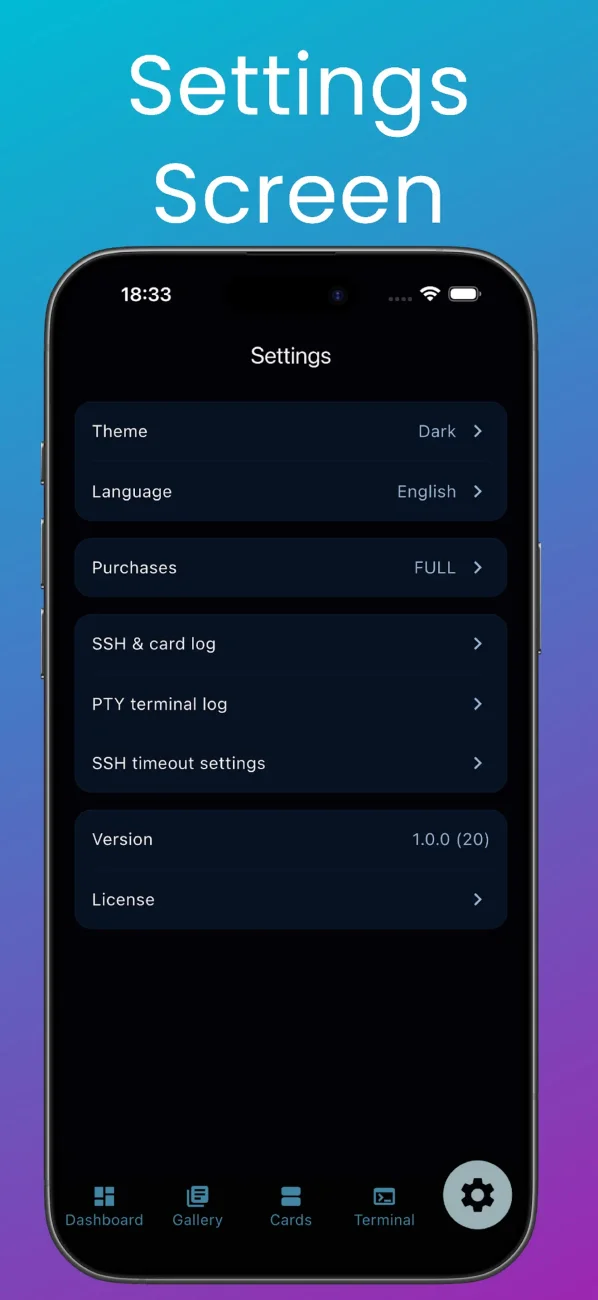
Settings & Customization
The application is fully customizable:
• dark / light / colorful / system default themes
• language selection
• command card size adjustment (compact or large card layout)
• SSH and PTY terminal logging
• Ping feature settings and configuration
• configurable SSH timeout settings
• optimized for touch interaction and extended terminal usage
Tools section in Settings
• Ping – TCP/ICMP network test
• LAN Scan – Discover devices on your local network
• Port Scan – Scan common ports or custom ranges
Full Version
All features of the application are available with the Full version purchase.
The purchase is one-time only, no subscription required, and helps support further development.
Novedades
Versión 1.3.1 · 16/10/2026
New: Connect to servers using an SSH private key. Import your key into the app and use it with an optional passphrase. Password sign-in remains available.
Privacidad de la aplicación
Lo que Albert Parti declara en App Store sobre cómo esta aplicación gestiona los datos.
-
Datos no vinculados a ti
Pueden recopilarse, pero no se vinculan a tu identidad.
- Datos de uso
- Diagnóstico
Las prácticas de privacidad pueden variar, por ejemplo, según las funciones que uses o tu edad.
Información
- Vendedor
- Albert Parti
- Categoría
- Utilidades
- Versión
- 1.3.1
- Actualizado
- 16/10/2026
- Publicado
- 1/2/2026
- Tamaño
- 42,4 MB
- Requiere
- iOS 15.6 o posterior
- Clasificación por edad
- 12+
- Precio
- Gratis
- Compras en la aplicación
- Sí
- Idiomas
- Inglés, Francés, Alemán, Húngaro, Ruso, Español
- Copyright
- © Albert Parti
Quizá también te guste
-
 CHMOD Lab: Linux PermissionsUtilidades
-
 Pi SSH – Raspberry Pi ControlTerminal SSH para Raspberry Pi
-
 Open Pi - Raspberry Pi ManagerUtilidades
-
 Tether - Linux CompanionUtilidades
-
 Terminal Emulator PlusUtilidades
-
 SimplePi for Raspberry PiUtilidades
-
 RaspControllerRaspberry Pi: SSH y GPIO
-
 Pi-hole RemoteBloquea anuncios, privacidad
-
 AppChoicesUtilidades