RX79 Chord Loop
Feel chords, no keyboard
Diseñada para iPhone, iPad, iPod touch
Gratis · Compras en la aplicación
- Clasificación por edad4+
- CategoríaMúsica
- Desarrolladorsung ju KIM
- IdiomasInglés
- Tamaño6,7 MB
Enlaza a la página oficial de App Store
Download.org no aloja ningún archivo de RX79 Chord Loop. El botón abre la página de la aplicación en App Store, donde la publica sung ju KIM. Ficha comprobada por última vez el 14/11/2026.
Capturas de pantalla
Acerca de
El desarrollador no ha proporcionado este texto en tu idioma.
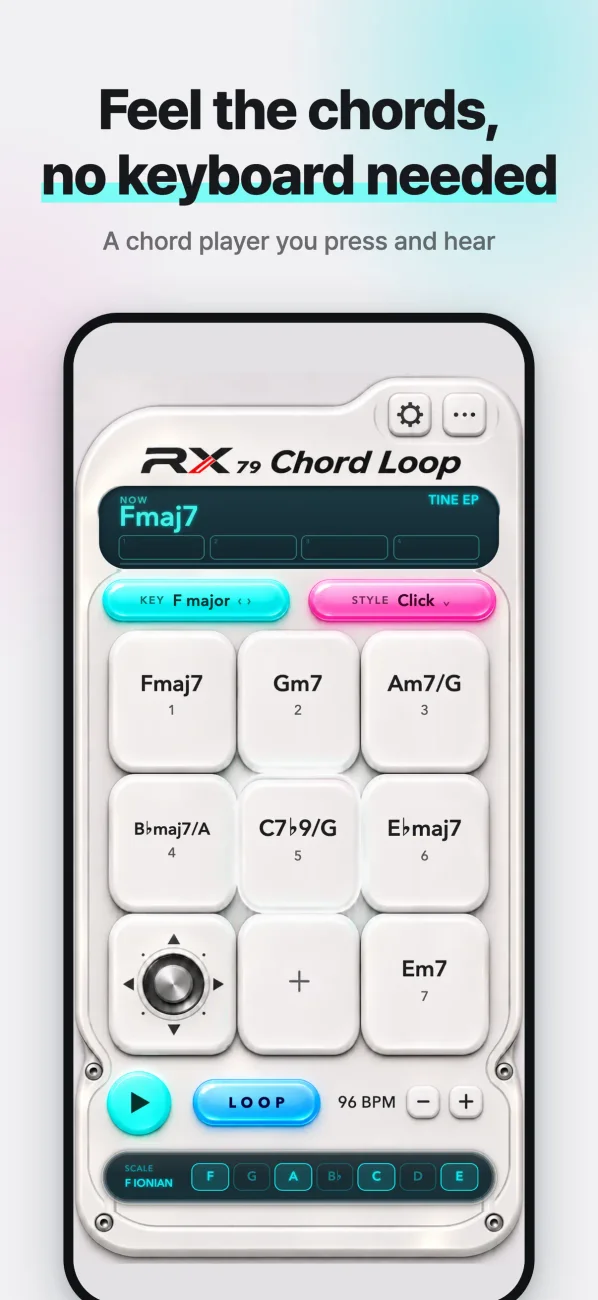
Get a feel for chords, no keyboard needed.
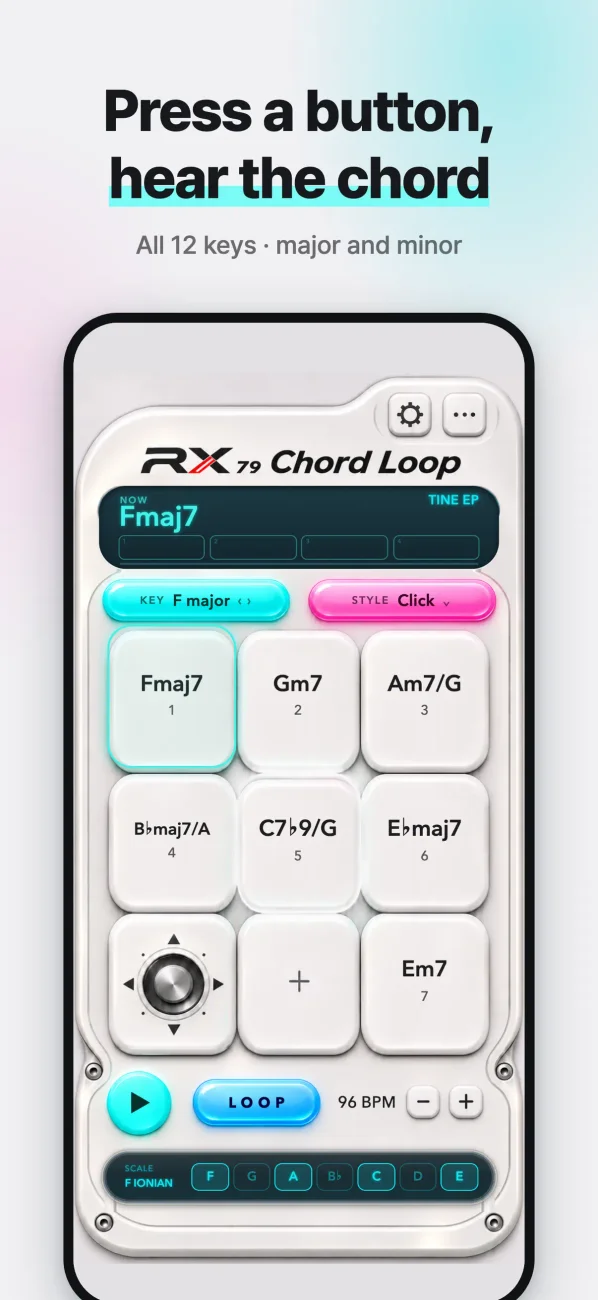
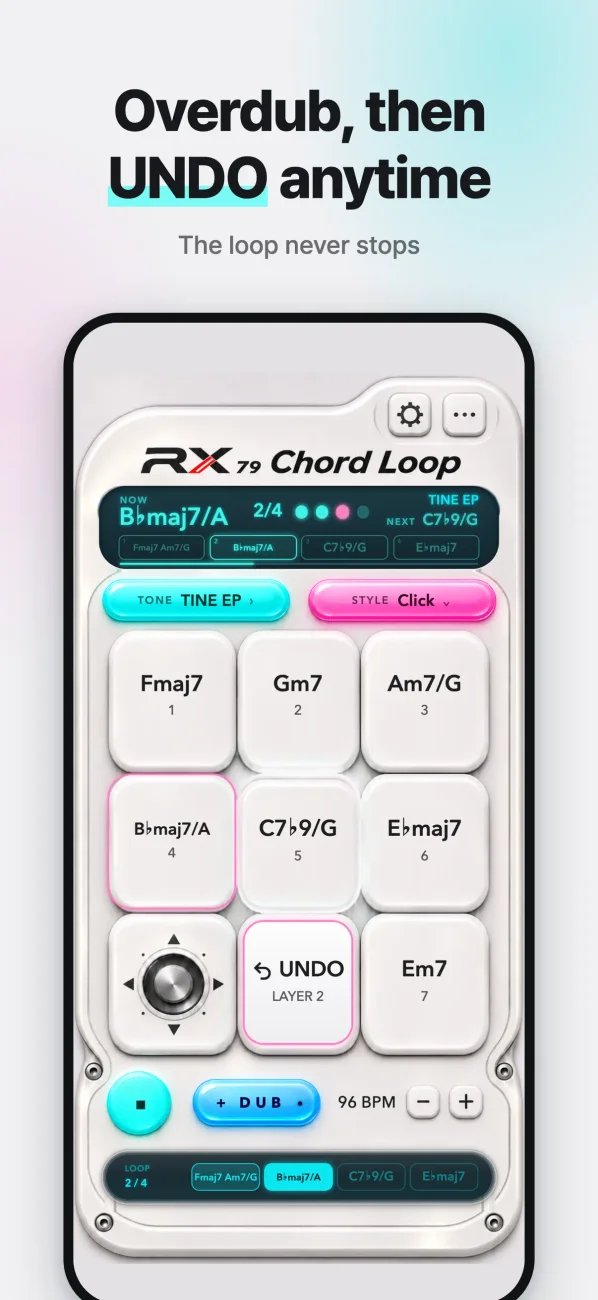
Never started because you don't know chords? You don't need to play piano. RX79 Chord Loop is a chord player: press a button to hear a chord, then loop your progression and listen. The more you play, the more your ears know.
Use it when you
- Transcribe a song: put the chord you heard on a button and play it along with the record.
- Write a song: hear a progression the moment it comes to you.
- Study chords: pick a key and its seven chords are loaded for you.
What it does
- Seven chord buttons in all twelve keys, major and minor
- Joystick: hold a direction and the same chord takes on a different color
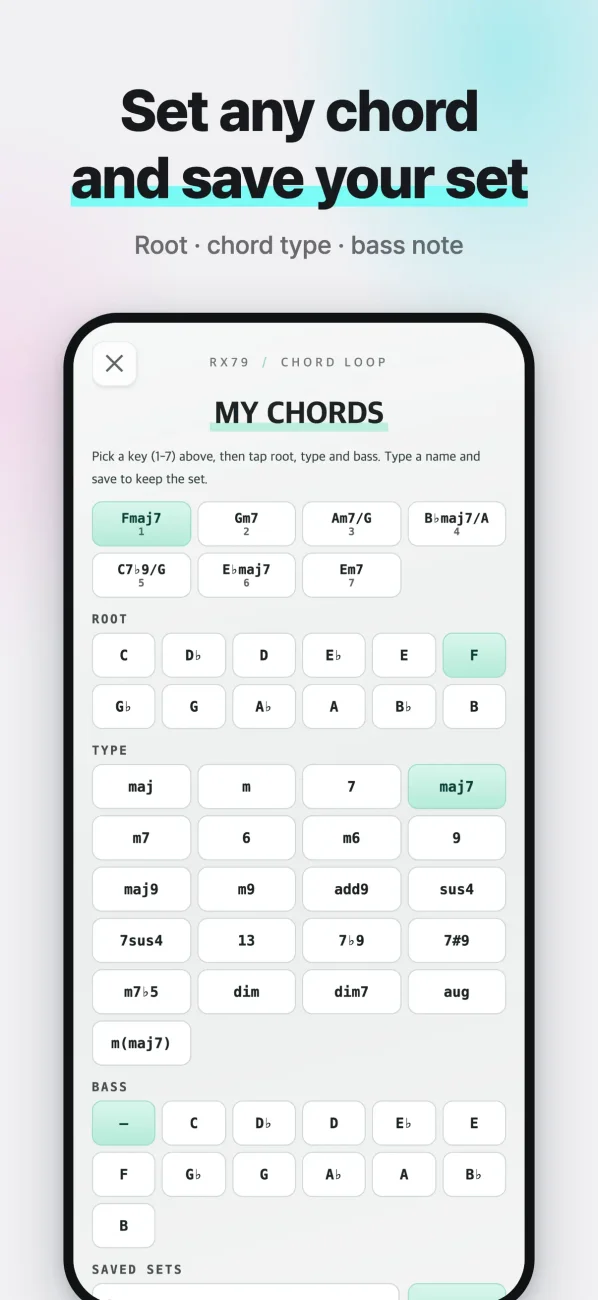
- Your own chords: set root, chord type, and bass note per button and save sets
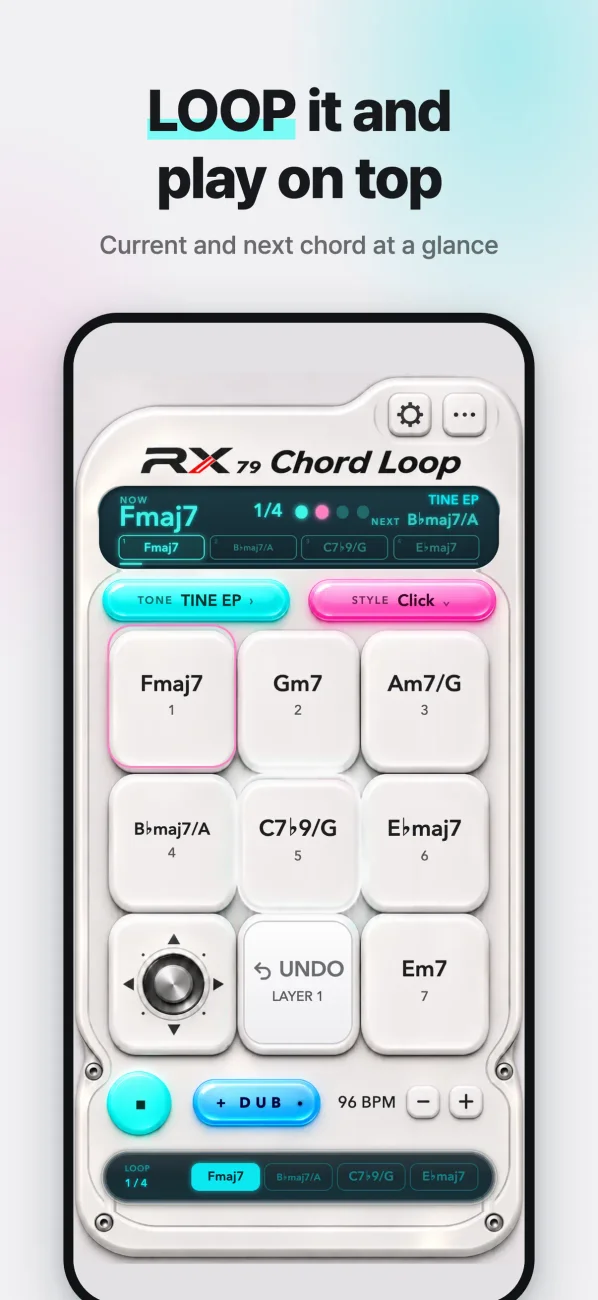
- LOOP: the progression you just played keeps going as a backing track
- Overdub, UNDO, REDO without stopping the loop
- Notes to play: a scale that fits the current chord, with chord tones lit up
- Six sounds, six rhythms, tap tempo, touch velocity
- See it in your key: C, Bb, Eb, and F instruments
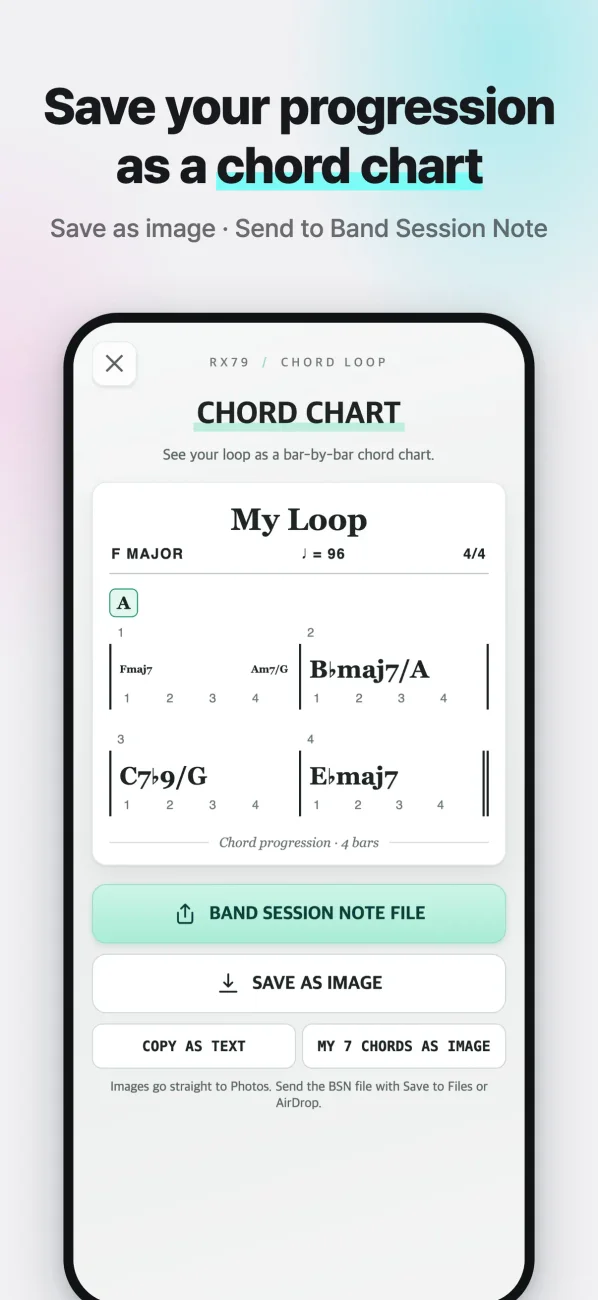
Save chord charts
Your loop becomes a bar-by-bar chart. Save it as an image or copy it as text. Export a Band Session Note (BSN) file to add notes and lyrics and finish a proper score.
iPad
In landscape, the chord editor sits right beside the instrument.
Try it free
Use every feature free for the first 3 days. After the trial, the 7 chord buttons in F major (with sounds, rhythms and tempo) stay free; changing keys, major/minor, joystick variations, My Chords, LOOP and chord charts are unlocked with a one-time Full Version purchase. No subscription.
No account and no internet required. Chord sets and settings stay on your device.
Made by a saxophonist for his own practice.
Bass samples: FluidR3_GM by Frank Wen, CC BY 3.0
Privacidad de la aplicación
Lo que sung ju KIM declara en App Store sobre cómo esta aplicación gestiona los datos.
-
No se recopilan datos
El desarrollador no recopila ningún dato de esta aplicación.
Las prácticas de privacidad pueden variar, por ejemplo, según las funciones que uses o tu edad.
Información
- Vendedor
- sung ju KIM
- Categoría
- Música
- Versión
- 1.0
- Actualizado
- 13/11/2026
- Publicado
- 13/11/2026
- Tamaño
- 6,7 MB
- Requiere
- iOS 15.0 o posterior
- Clasificación por edad
- 4+
- Precio
- Gratis
- Compras en la aplicación
- Sí
- Idiomas
- Inglés
- Copyright
- © 2026 New Vibez