RX79 Chord Loop
Feel chords, no keyboard
Conçue pour iPhone, iPad, iPod touch
Gratuit · Achats intégrés
- Classification d’âge4+
- CatégorieMusique
- Développeursung ju KIM
- LanguesAnglais
- Taille6,7 Mo
Renvoie vers la page App Store officielle
Download.org n’héberge aucun fichier de RX79 Chord Loop. Le bouton ouvre la page de l’application sur App Store, où sung ju KIM la publie. Fiche vérifiée pour la dernière fois le 14/11/2026.
Captures d’écran
À propos
Le développeur n’a pas fourni ce texte dans votre langue.
Get a feel for chords, no keyboard needed.
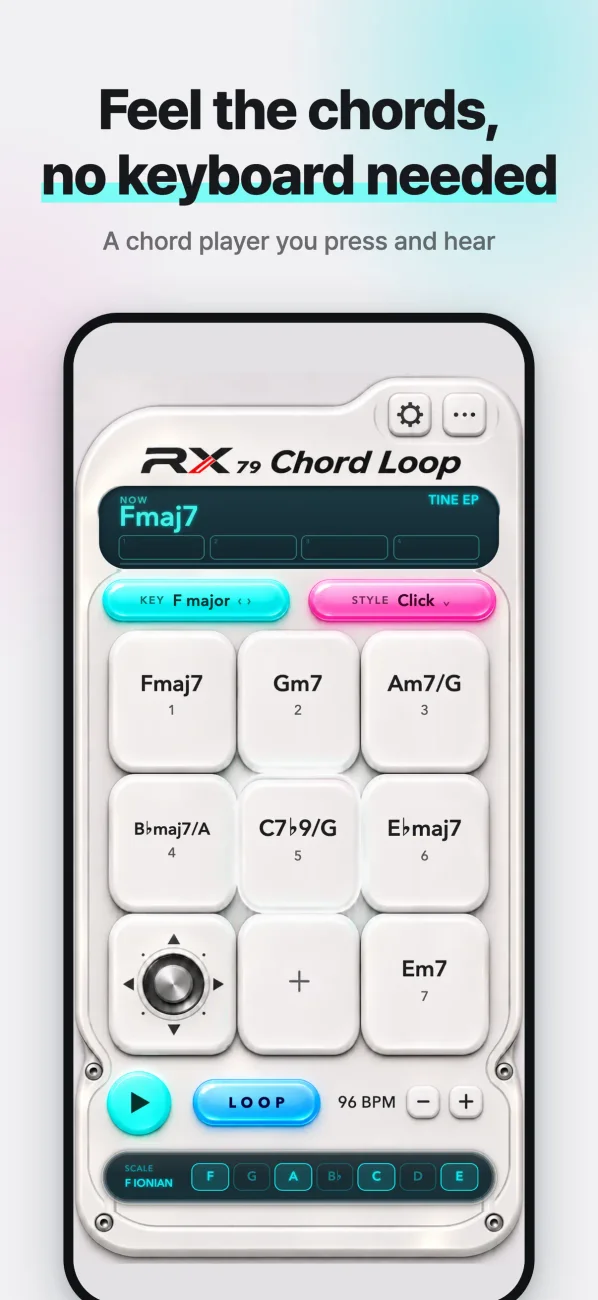
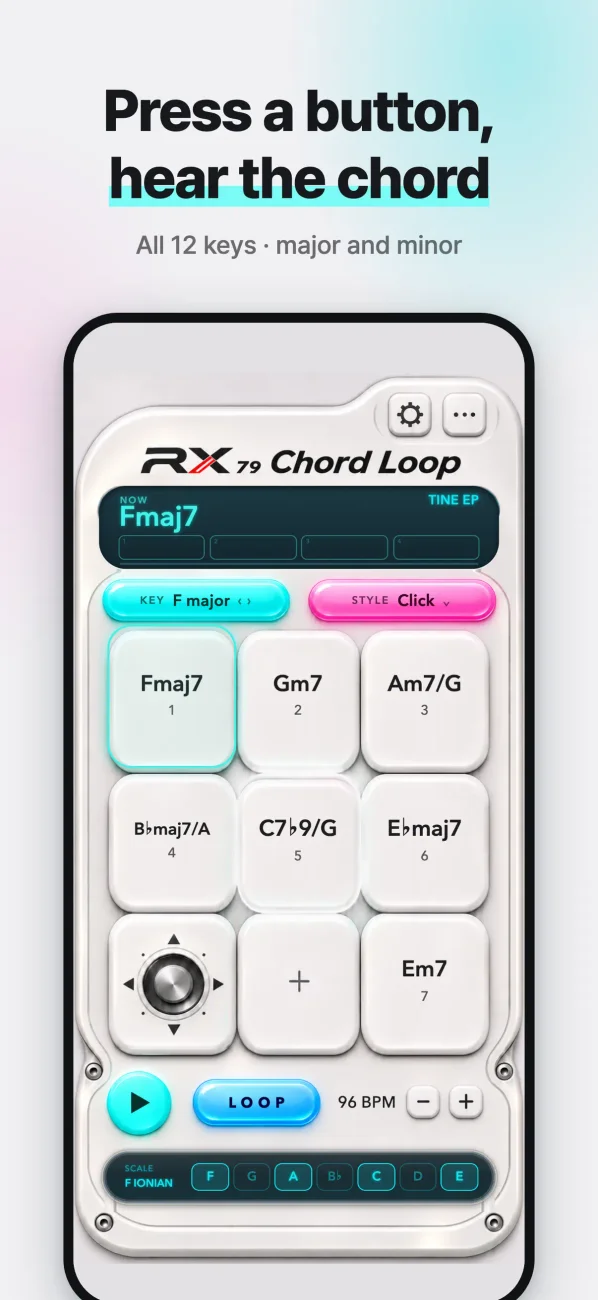
Never started because you don't know chords? You don't need to play piano. RX79 Chord Loop is a chord player: press a button to hear a chord, then loop your progression and listen. The more you play, the more your ears know.
Use it when you
- Transcribe a song: put the chord you heard on a button and play it along with the record.
- Write a song: hear a progression the moment it comes to you.
- Study chords: pick a key and its seven chords are loaded for you.
What it does
- Seven chord buttons in all twelve keys, major and minor
- Joystick: hold a direction and the same chord takes on a different color
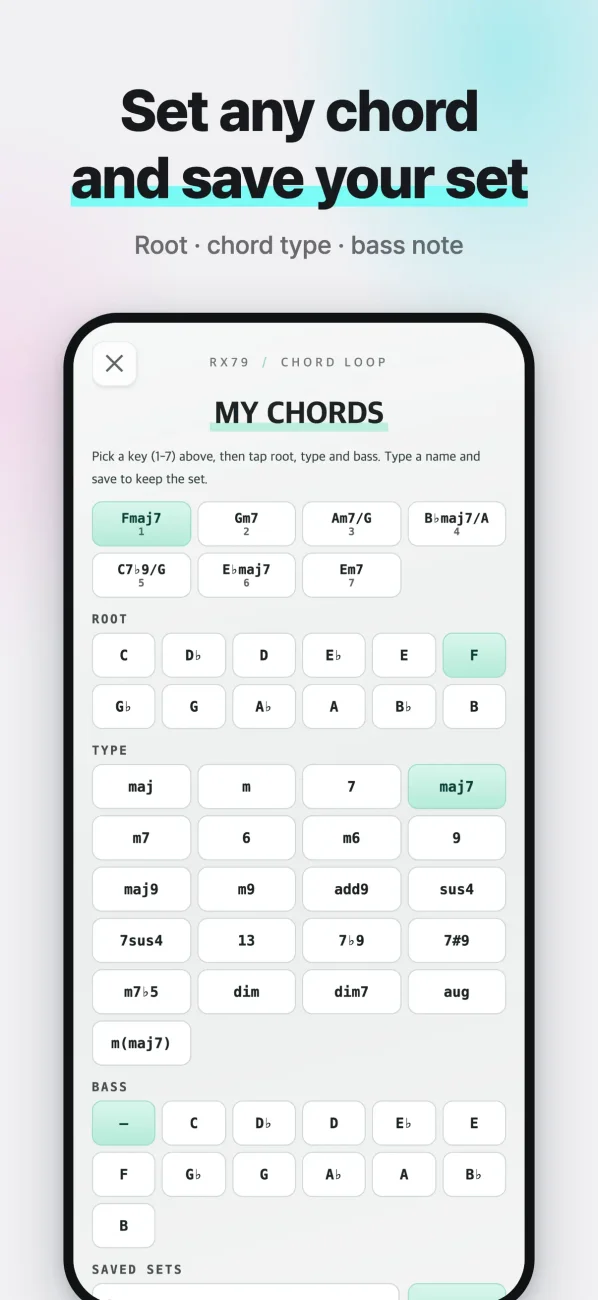
- Your own chords: set root, chord type, and bass note per button and save sets
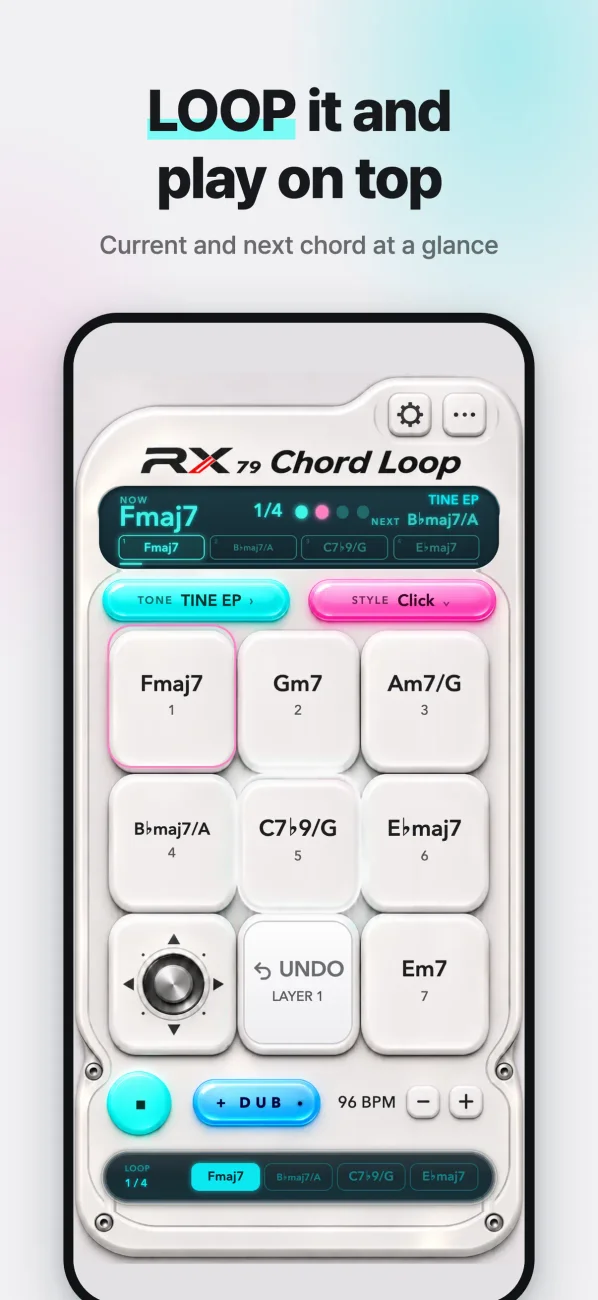
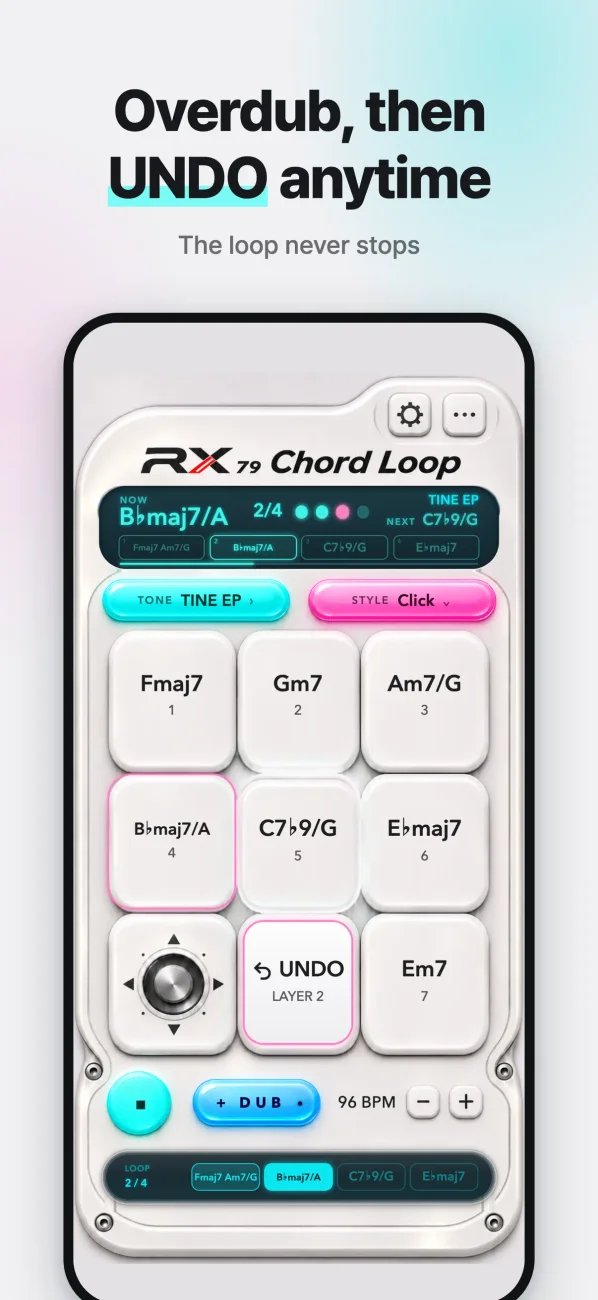
- LOOP: the progression you just played keeps going as a backing track
- Overdub, UNDO, REDO without stopping the loop
- Notes to play: a scale that fits the current chord, with chord tones lit up
- Six sounds, six rhythms, tap tempo, touch velocity
- See it in your key: C, Bb, Eb, and F instruments
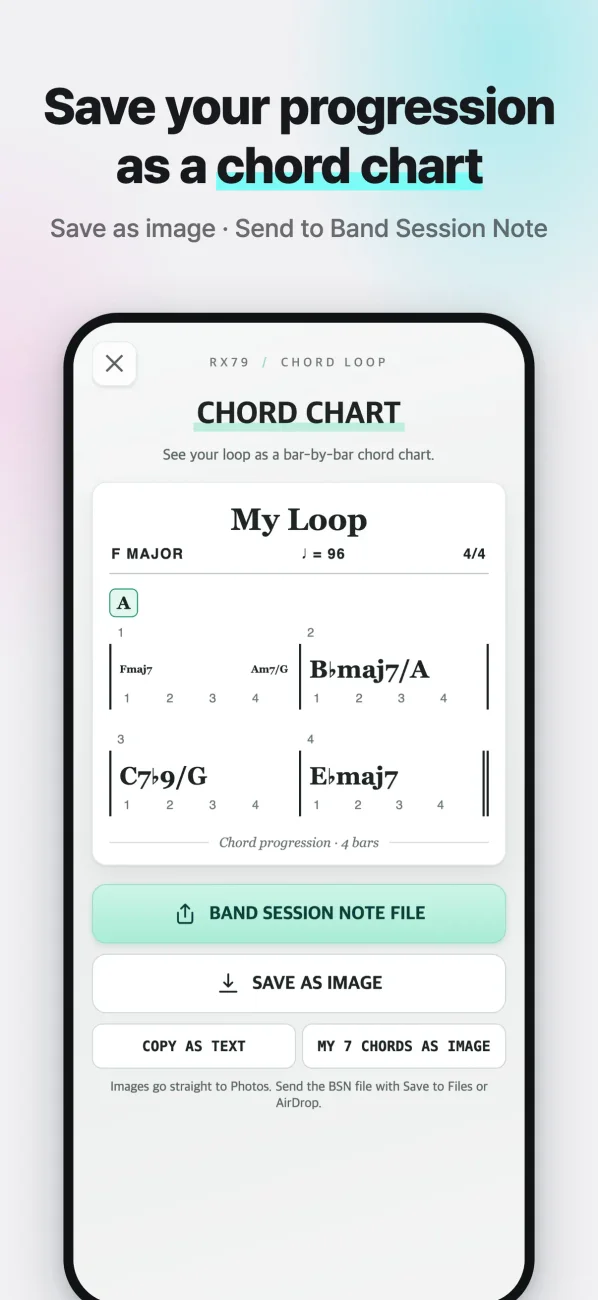
Save chord charts
Your loop becomes a bar-by-bar chart. Save it as an image or copy it as text. Export a Band Session Note (BSN) file to add notes and lyrics and finish a proper score.
iPad
In landscape, the chord editor sits right beside the instrument.
Try it free
Use every feature free for the first 3 days. After the trial, the 7 chord buttons in F major (with sounds, rhythms and tempo) stay free; changing keys, major/minor, joystick variations, My Chords, LOOP and chord charts are unlocked with a one-time Full Version purchase. No subscription.
No account and no internet required. Chord sets and settings stay on your device.
Made by a saxophonist for his own practice.
Bass samples: FluidR3_GM by Frank Wen, CC BY 3.0
Confidentialité de l’application
Ce que sung ju KIM déclare sur l’App Store au sujet du traitement des données par cette application.
-
Données non collectées
Le développeur ne collecte aucune donnée à partir de cette application.
Les pratiques en matière de confidentialité peuvent varier, notamment en fonction des fonctionnalités que vous utilisez ou de votre âge.
Informations
- Vendeur
- sung ju KIM
- Catégorie
- Musique
- Version
- 1.0
- Mis à jour
- 13/11/2026
- Publié
- 13/11/2026
- Taille
- 6,7 Mo
- Nécessite
- iOS 15.0 ou version ultérieure
- Classification d’âge
- 4+
- Prix
- Gratuit
- Achats intégrés
- Oui
- Langues
- Anglais
- Copyright
- © 2026 New Vibez