- Clasificación por edad4+
- CategoríaUtilidades
- DesarrolladorGilesWang
- IdiomasInglés+ 21 más
- Tamaño10,0 MB
Enlaza a la página oficial de App Store
Download.org no aloja ningún archivo de Screen_Mirroring. El botón abre la página de la aplicación en App Store, donde la publica GilesWang. Ficha comprobada por última vez el 19/11/2026.
Capturas de pantalla


Acerca de
El desarrollador no ha proporcionado este texto en tu idioma.
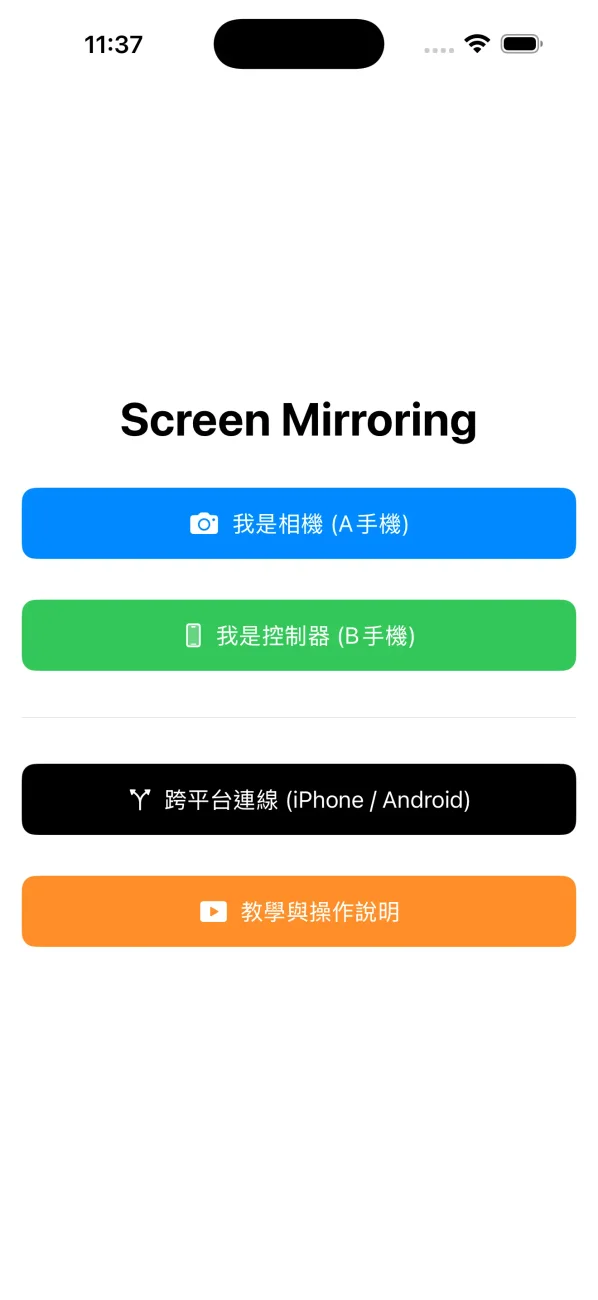
Screen Mirroring helps two phones work together: one as the camera and the other as the controller. View the camera feed from the controller phone, capture photos, start recording, switch cameras, and adjust zoom remotely.
It is useful for solo travel, vlogging, group photos, product shots, and any situation where you want to frame the shot from another device.
Key Features:
Live camera monitoring between two phones
Remote photo and video controls
Zoom control and camera switching
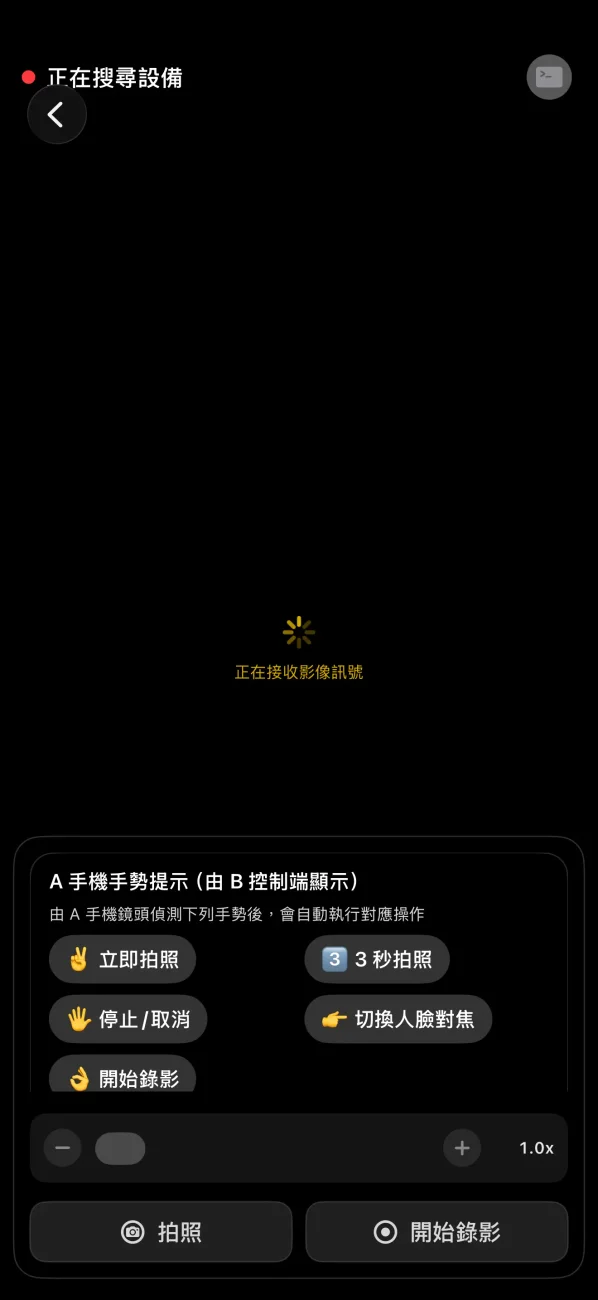
Gesture guidance for assisted shooting
iPhone-to-iPhone connection support
Cross-platform hotspot / same-network setup
QRCode and IP-assisted cross-platform connection
Controller audio support during recording
How to Use:
Open camera mode on one phone.
Open controller mode on the other phone.
Follow the guide to join the same hotspot or local network.
Enter the IP shown on the camera phone, or scan the camera QRCode.
Start monitoring, capturing photos, and recording remotely.
Novedades
Versión 2.0.4 · 18/11/2026
1.Take photos while recording on supported cameras without stopping the video. Remote zoom now follows the active camera lens’s available range.
2.Pause and resume the same recording from the controller or a paired Apple Watch when supported. The live preview stays visible while recording is paused.
3.If a call or other system event interrupts recording, the app attempts to save playable footage and can notify the connected controller and paired Apple Watch.
4.Hide or show the gesture guide on the controller. Use the top-left Back button to leave the camera or controller screen without accidentally swiping back.
5.Updated in-app instructions make recording and cross-platform setup easier to follow.
Privacidad de la aplicación
Lo que GilesWang declara en App Store sobre cómo esta aplicación gestiona los datos.
-
No se recopilan datos
El desarrollador no recopila ningún dato de esta aplicación.
Las prácticas de privacidad pueden variar, por ejemplo, según las funciones que uses o tu edad.
Información
- Vendedor
- Peng-Shiang Wang
- Categoría
- Utilidades
- Versión
- 2.0.4
- Actualizado
- 18/11/2026
- Publicado
- 1/3/2026
- Tamaño
- 10,0 MB
- Requiere
- iOS 18.0 o posterior
- Clasificación por edad
- 4+
- Precio
- 0,99 €
- Idiomas
- Inglés, Árabe, Camboyano, Neerlandés, Filipino, Francés, Alemán, Griego, Hindi, Indonesio, Italiano, Japonés + 10 más
- Copyright
- Screen Mirroring © 2026 Giles
Quizá también te guste
-
 Screen Mirroring ®Utilidades
-
 Screen Mirroring - Smart TV+Utilidades
-
 Screen Mirroring・ for Smart TVDuplicar Pantalla Móvil en TV
-
 Screen Mirroring : MiracastUtilidades
-
 Duplicar pantalla: IPTV playerVideo Caster: Air Screen Pro
-
 Duplicar Pantalla · Smart TVConectar movil a tv
-
 Screen Mirroring + Cast To TVUtilidades
-
 Duplicar Pantalla móvil en TV!Compartir Vídeo・Air Cast
-
 AirDroid Cast-screen mirroringUtilidades
-
 Reflejar pantalla a TV/PCTransmitir pantalla y archivos