
ScriptCam
Notch Teleprompter with AI
Diseñada para iPhone, iPad, Mac
Gratis · Compras en la aplicación
- Clasificación por edad4+
- CategoríaFoto y vídeo
- DesarrolladorBlock Browser
- IdiomasInglés+ 32 más
- Tamaño88,3 MB
Enlaza a la página oficial de App Store
Download.org no aloja ningún archivo de ScriptCam. El botón abre la página de la aplicación en App Store, donde la publica Block Browser. Ficha comprobada por última vez el 21/11/2026.
Capturas de pantalla

Acerca de
El desarrollador no ha proporcionado este texto en tu idioma.
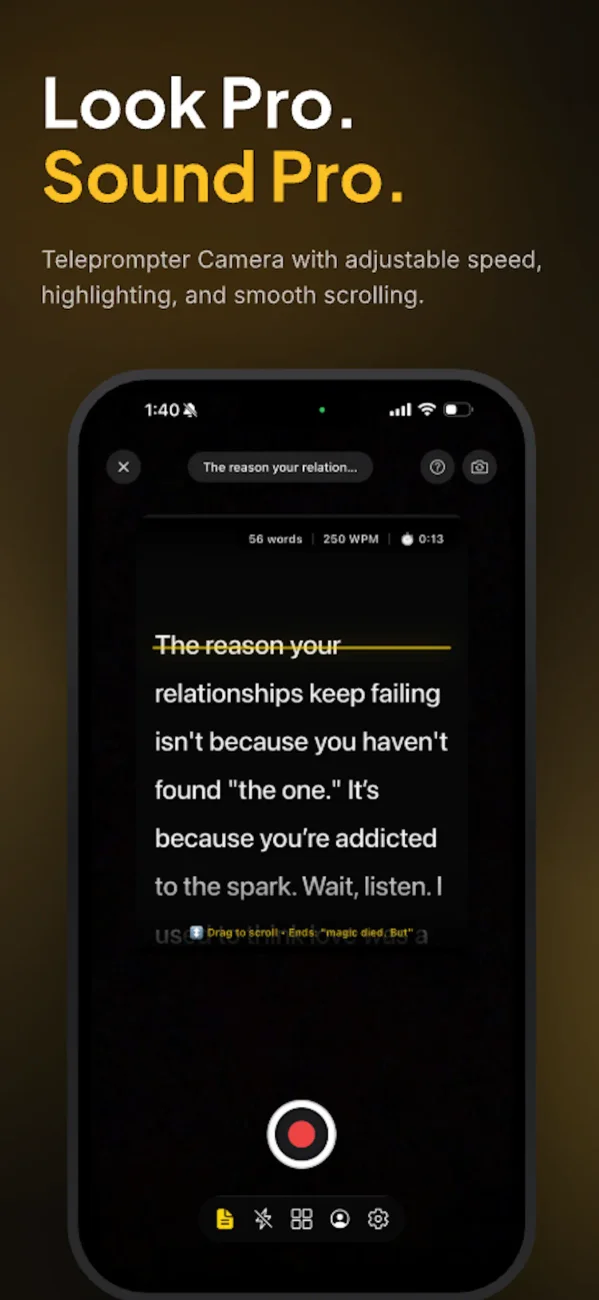
ScriptCam puts your script on screen, right under the camera, while you record. Look at the lens as you read your lines and get the take. Skip the memorizing.
WRITE THE SCRIPT
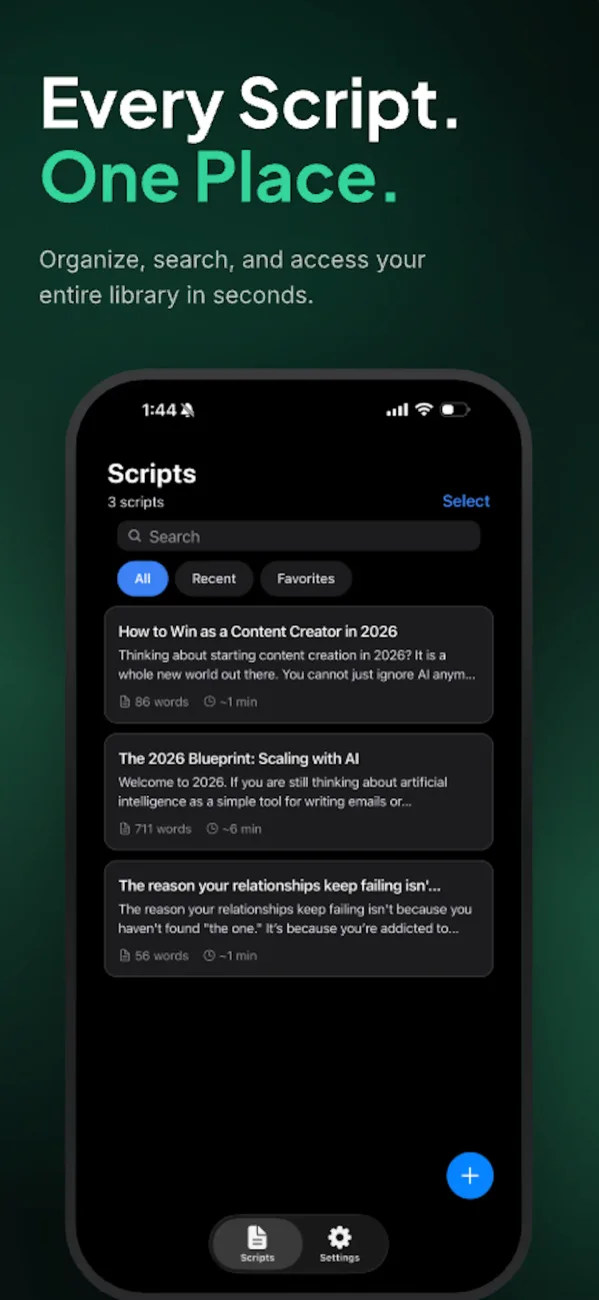
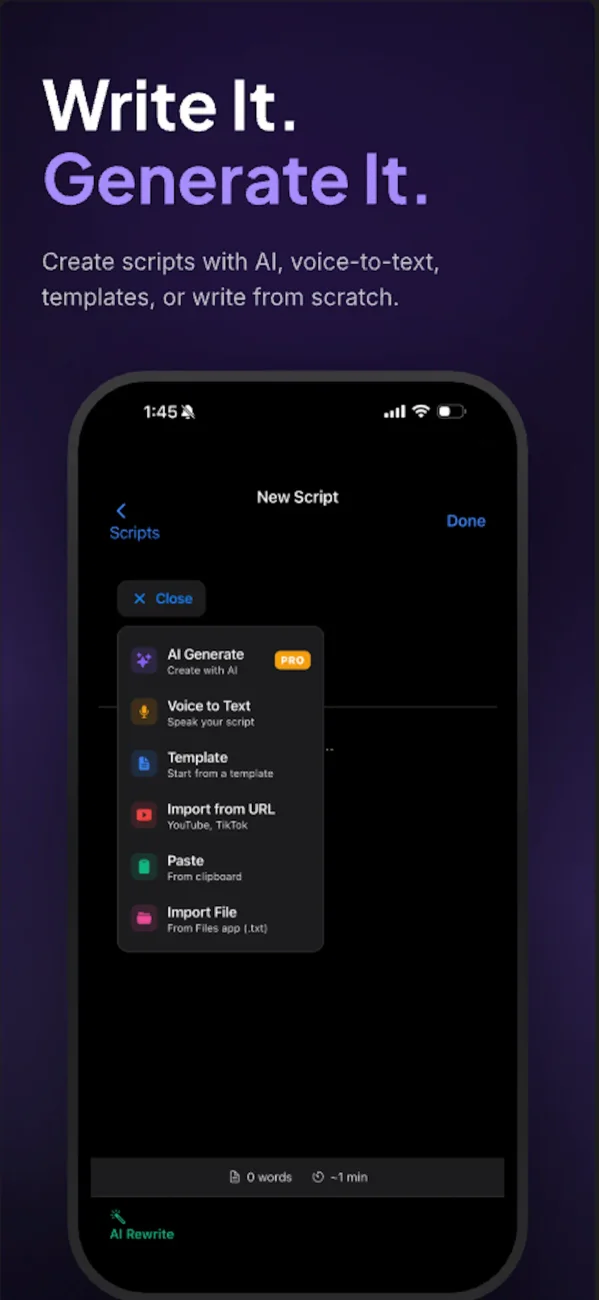
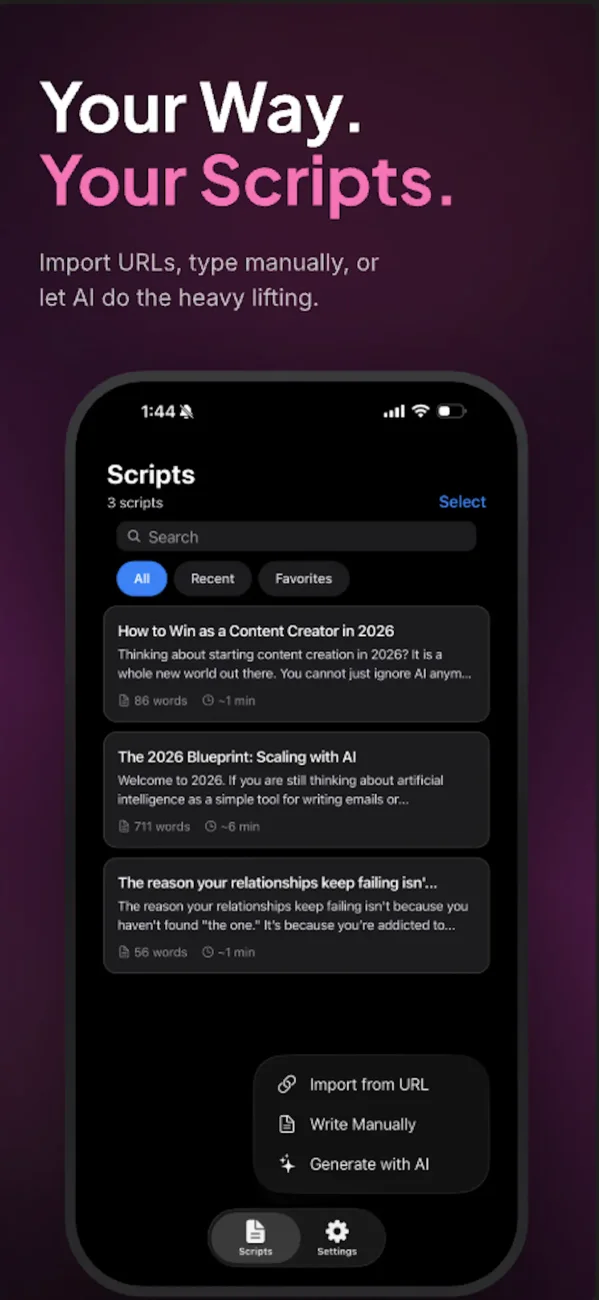
• Type it, paste it, dictate it, or start from a template
• Give the AI writer a topic and it drafts a script. Pick a tone (Conversational, Professional, Friendly or Bold) and a length from 30 seconds to 5 minutes
• Pro: paste a YouTube or TikTok link to get the transcript, then rewrite it in your own words
• Every script shows its word count and how long it takes to read
READ IT WHILE YOU RECORD
• Auto-scroll at five speeds
• Five text positions, including just below the camera to keep your eyes near the lens
• Adjust the font size, width and opacity
• Mirror mode for beam-splitter teleprompter rigs
• Practice mode: find your pace before you film
• Pro: voice tracking scrolls the script as you talk
RECORD AND COMPARE TAKES
• Front or rear camera, grid overlay and countdown timer
• Record at 720p or 1080p, or at 4K with Pro on iPhones that support it
• Mark your best take, or play two takes side by side
• Deleted scripts stay in Recently Deleted for 30 days
YOUR ACCOUNT
• Sign in with Apple, Google or email, or try ScriptCam without an account
• Pro keeps your scripts in sync across your devices
• Delete your account any time from Settings
FREE AND PRO
The free plan includes 5 scripts, 3 takes per script, recordings up to 3 minutes, 3 AI scripts a day and video up to 1080p.
ScriptCam Pro removes those limits and adds 4K recording, voice tracking, cloud sync and link import. Choose an auto-renewing subscription or a one-time lifetime purchase.
A subscription renews unless you cancel at least 24 hours before the period ends. You can manage or cancel it in your Apple Account settings.
ScriptCam is available in 36 languages.
Requires iOS 16.4 or later. The AI writer and link import need an internet connection.
Terms of Use: https://www.apple.com/legal/internet-services/itunes/dev/stdeula/
Privacy Policy: https://scriptcam.app/privacy
Novedades
Versión 1.2 · 17/10/2026
Sign-in works again.
We moved accounts to a new system, so the first time you open this version you'll need to create a new account or sign in with Apple or Google. Scripts saved on your phone stay put and move into your new account.
Also fixed: the Settings tab showing up blank on iOS 27, the editor toolbar hiding behind the keyboard, the delete confirmation that never appeared, and a batch of smaller layout and VoiceOver problems.
Privacidad de la aplicación
Lo que Block Browser declara en App Store sobre cómo esta aplicación gestiona los datos.
-
Datos no vinculados a ti
Pueden recopilarse, pero no se vinculan a tu identidad.
- Información de contacto
- Contenido del usuario
Las prácticas de privacidad pueden variar, por ejemplo, según las funciones que uses o tu edad.
Información
- Vendedor
- Block Browser INC
- Categoría
- Foto y vídeo
- Versión
- 1.2
- Actualizado
- 17/10/2026
- Publicado
- 10/2/2026
- Tamaño
- 88,3 MB
- Requiere
- iOS 16.4 o posterior
- Clasificación por edad
- 4+
- Precio
- Gratis
- Compras en la aplicación
- Sí
- Idiomas
- Inglés, Árabe, Catalán, Croata, Checo, Danés, Neerlandés, Finés, Francés, Alemán, Griego, Hebreo + 21 más
- Copyright
- © 2026 ScriptCam
Quizá también te guste
-
 video2mp3 - video 2 mp3Foto y vídeo
-
 Photo CamAI:Editor de Fotos IAFiltros de FotosIA en un toque
-
 MemoClean - Limpiar FotosMira fotos como videos cortos
-
 NeatPixLimpia fotos duplicadas
-
 Photos Slim: Limpia tu galeriaMapa, album privado y limpieza
-
 SubStamp –Transcribe&TranslateFoto y vídeo
-
 F-captions: auto subtitlesFoto y vídeo
-
 Retroto: Álbum de Vida y FotosOrdena recuerdos por edad &año
-
 Then & Now: Antes y DespuésComparar fotos de progreso
-
 SlidePhoto-Swipe,Clean,DeleterFoto y vídeo