
- 対象年齢4+
- カテゴリ写真/ビデオ
- 開発元Block Browser
- 言語英語ほか32言語
- サイズ88.3 MB
App Storeの公式ページにリンクしています
Download.orgはScriptCamのファイルを一切ホストしていません。ボタンを押すと、Block Browserが公開しているApp Storeのアプリページが開きます。ページの最終確認:2026/11/21。
スクリーンショット

概要
開発元はこのテキストをお使いの言語で提供していません。
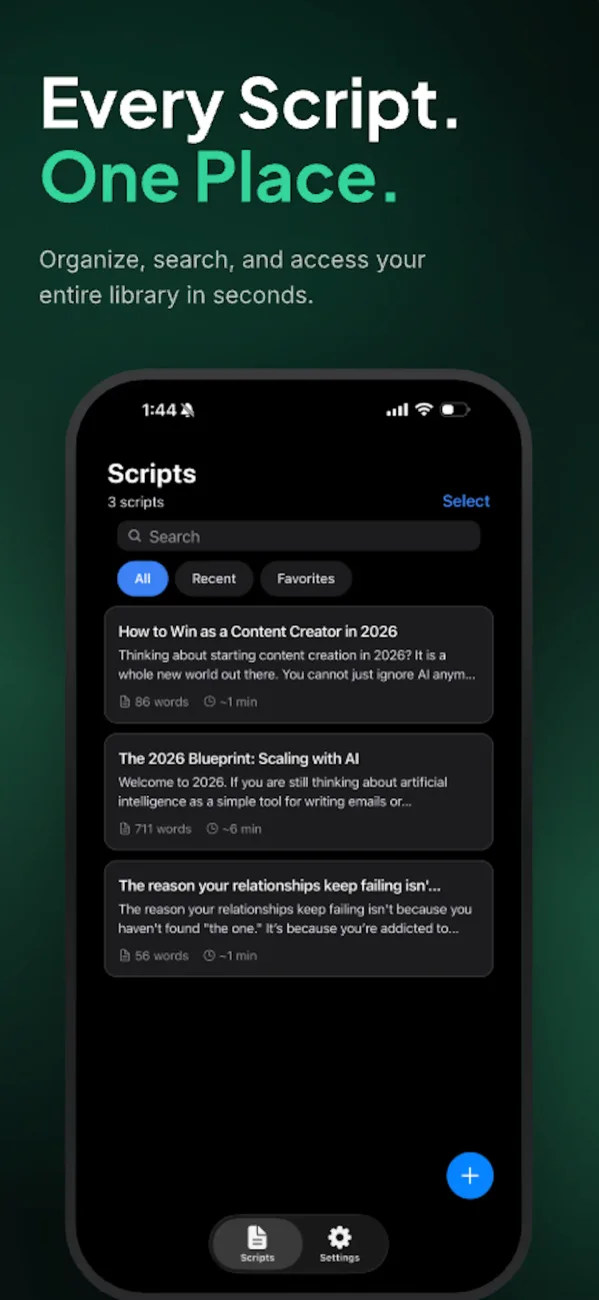
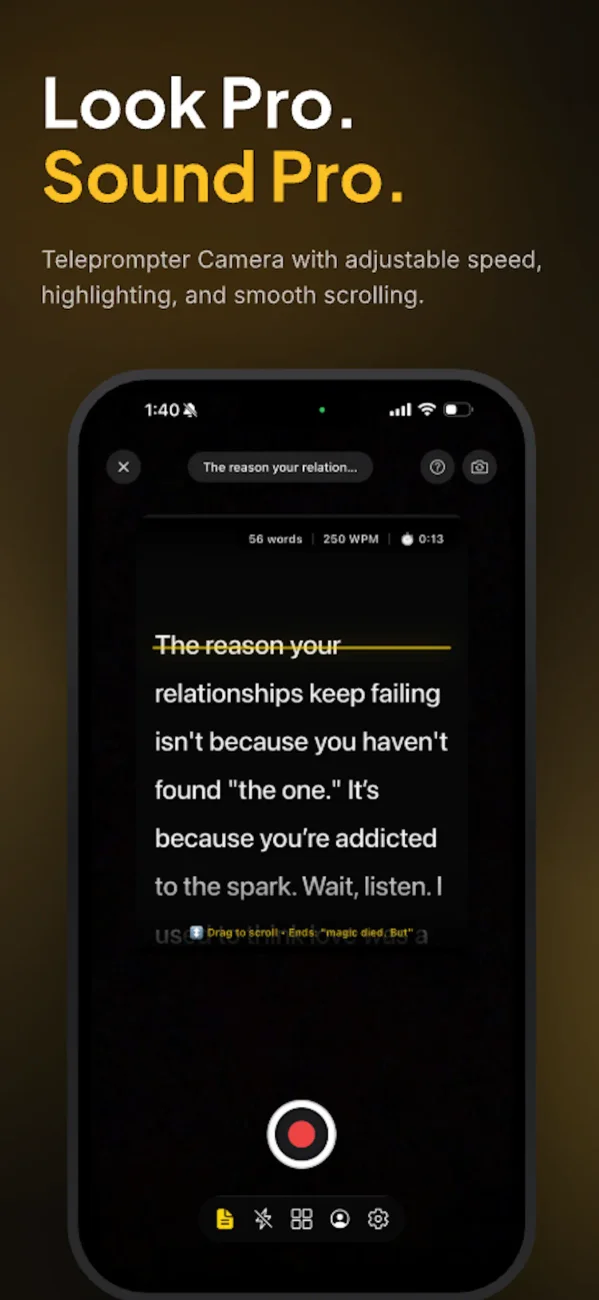
ScriptCam puts your script on screen, right under the camera, while you record. Look at the lens as you read your lines and get the take. Skip the memorizing.
WRITE THE SCRIPT
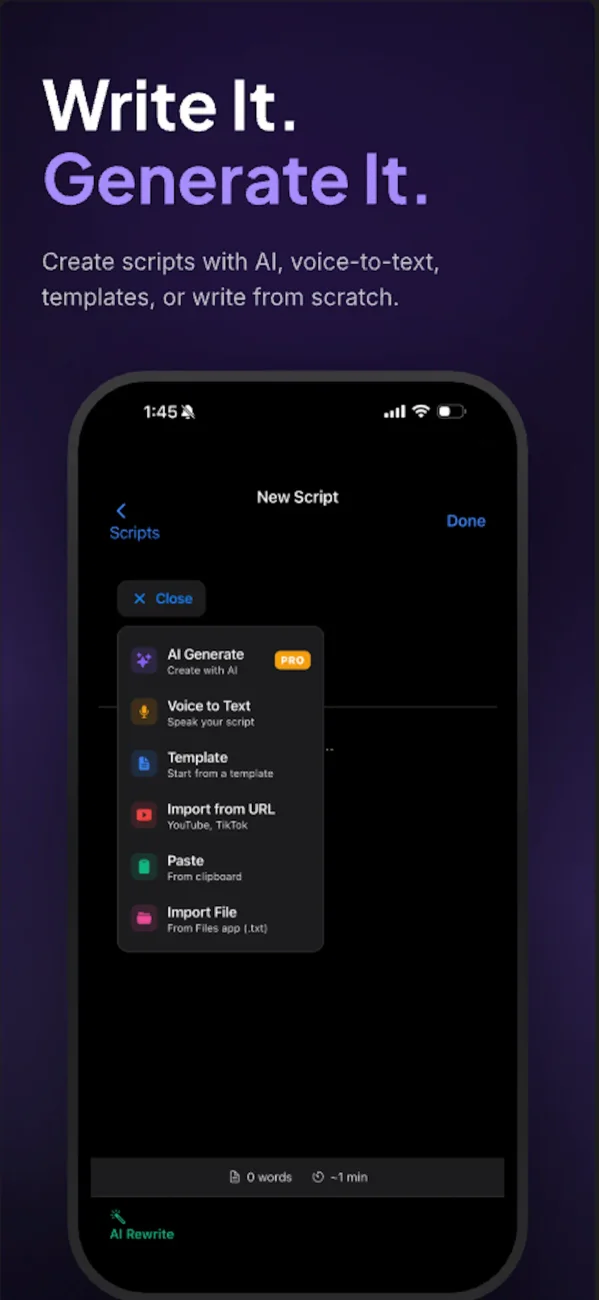
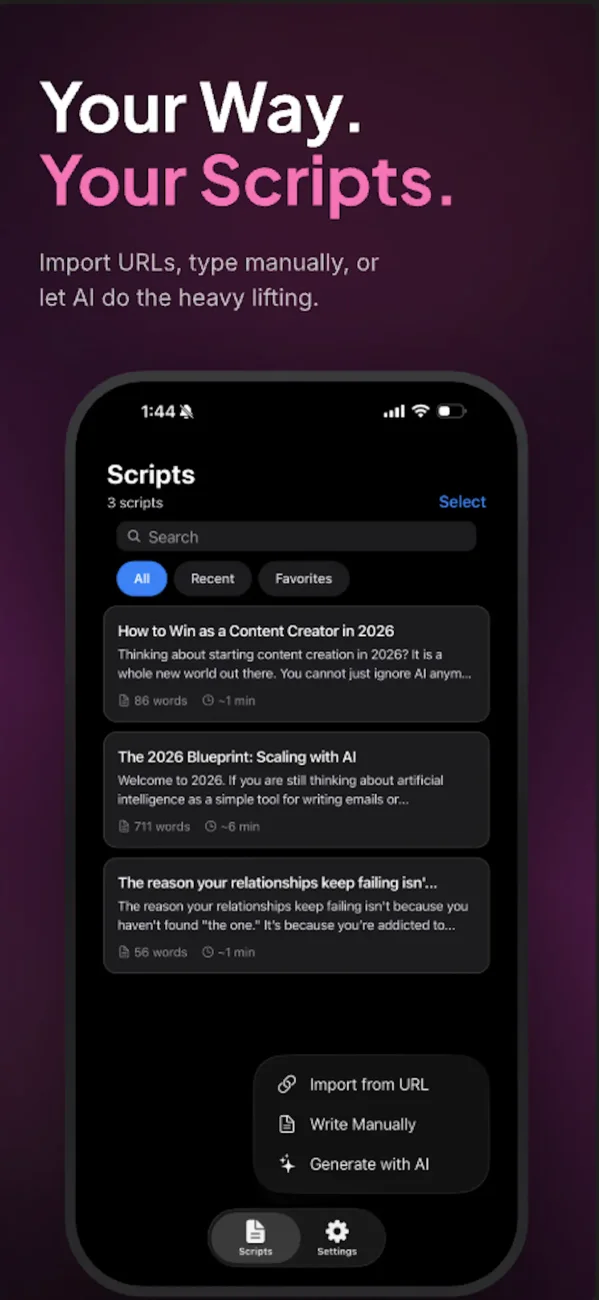
• Type it, paste it, dictate it, or start from a template
• Give the AI writer a topic and it drafts a script. Pick a tone (Conversational, Professional, Friendly or Bold) and a length from 30 seconds to 5 minutes
• Pro: paste a YouTube or TikTok link to get the transcript, then rewrite it in your own words
• Every script shows its word count and how long it takes to read
READ IT WHILE YOU RECORD
• Auto-scroll at five speeds
• Five text positions, including just below the camera to keep your eyes near the lens
• Adjust the font size, width and opacity
• Mirror mode for beam-splitter teleprompter rigs
• Practice mode: find your pace before you film
• Pro: voice tracking scrolls the script as you talk
RECORD AND COMPARE TAKES
• Front or rear camera, grid overlay and countdown timer
• Record at 720p or 1080p, or at 4K with Pro on iPhones that support it
• Mark your best take, or play two takes side by side
• Deleted scripts stay in Recently Deleted for 30 days
YOUR ACCOUNT
• Sign in with Apple, Google or email, or try ScriptCam without an account
• Pro keeps your scripts in sync across your devices
• Delete your account any time from Settings
FREE AND PRO
The free plan includes 5 scripts, 3 takes per script, recordings up to 3 minutes, 3 AI scripts a day and video up to 1080p.
ScriptCam Pro removes those limits and adds 4K recording, voice tracking, cloud sync and link import. Choose an auto-renewing subscription or a one-time lifetime purchase.
A subscription renews unless you cancel at least 24 hours before the period ends. You can manage or cancel it in your Apple Account settings.
ScriptCam is available in 36 languages.
Requires iOS 16.4 or later. The AI writer and link import need an internet connection.
Terms of Use: https://www.apple.com/legal/internet-services/itunes/dev/stdeula/
Privacy Policy: https://scriptcam.app/privacy
新機能
バージョン 1.2 · 2026/10/17
Sign-in works again.
We moved accounts to a new system, so the first time you open this version you'll need to create a new account or sign in with Apple or Google. Scripts saved on your phone stay put and move into your new account.
Also fixed: the Settings tab showing up blank on iOS 27, the editor toolbar hiding behind the keyboard, the delete confirmation that never appeared, and a batch of smaller layout and VoiceOver problems.
アプリのプライバシー
このアプリのデータの取り扱いについて、Block BrowserがApp Storeで申告している内容です。
-
ユーザーに関連付けられないデータ
収集される場合がありますが、ユーザーの識別情報には関連付けられません。
- 連絡先情報
- ユーザーコンテンツ
プライバシーの取り扱いは、ご利用の機能やお客様の年齢などに応じて異なる場合があります。
情報
- 販売元
- Block Browser INC
- カテゴリ
- 写真/ビデオ
- バージョン
- 1.2
- 更新日
- 2026/10/17
- リリース
- 2026/2/10
- サイズ
- 88.3 MB
- 必要条件
- iOS 16.4以降
- 対象年齢
- 4+
- 価格
- 無料
- アプリ内課金
- あり
- 言語
- 英語, アラビア語, カタロニア語, クロアチア語, チェコ語, デンマーク語, オランダ語, フィンランド語, フランス語, ドイツ語, ギリシャ語, ヘブライ ほか21言語
- 著作権
- © 2026 ScriptCam
こちらもおすすめ
-
 video2mp3 - video 2 mp3写真/ビデオ
-
 Photo CamAI:AI写真編集ワンタップAI写真フィルター
-
 MemoClean : Photo Cleaner写真/ビデオ
-
 NeatPix重複した写真を整理
-
 Photos Slim-写真整理・写真管理・位置情報・ロック動画圧縮・旅行記録・スクリーンショット・バックアップ
-
 SubStamp –Transcribe&Translate写真/ビデオ
-
 F-captions: auto subtitles写真/ビデオ
-
 Retroto - 人生と成長のアルバム写真で綴るライフストーリーと整理アプリ
-
 Then & Now: ビフォーアフター写真体型記録・経過写真・タイムラプス
-
 SlidePhoto-Swipe,Clean,Deleter写真/ビデオ