SecureShot: Encrypted Files
Encrypted files, not vaults
Diseñada para iPhone
Compras en la aplicación
- Clasificación por edad4+
- CategoríaFoto y vídeo
- DesarrolladorJoseph Daryl Locsin
- IdiomasInglés+ 9 más
- Tamaño28,0 MB
Es posible que SecureShot: Encrypted Files no esté disponible en App Store en este momento
No se pudo acceder a la ficha de la tienda en nuestra última comprobación. El enlace sigue llevando a la página oficial de App Store.
Capturas de pantalla
Acerca de
El desarrollador no ha proporcionado este texto en tu idioma.
YOUR FILES. YOUR CONTROL.
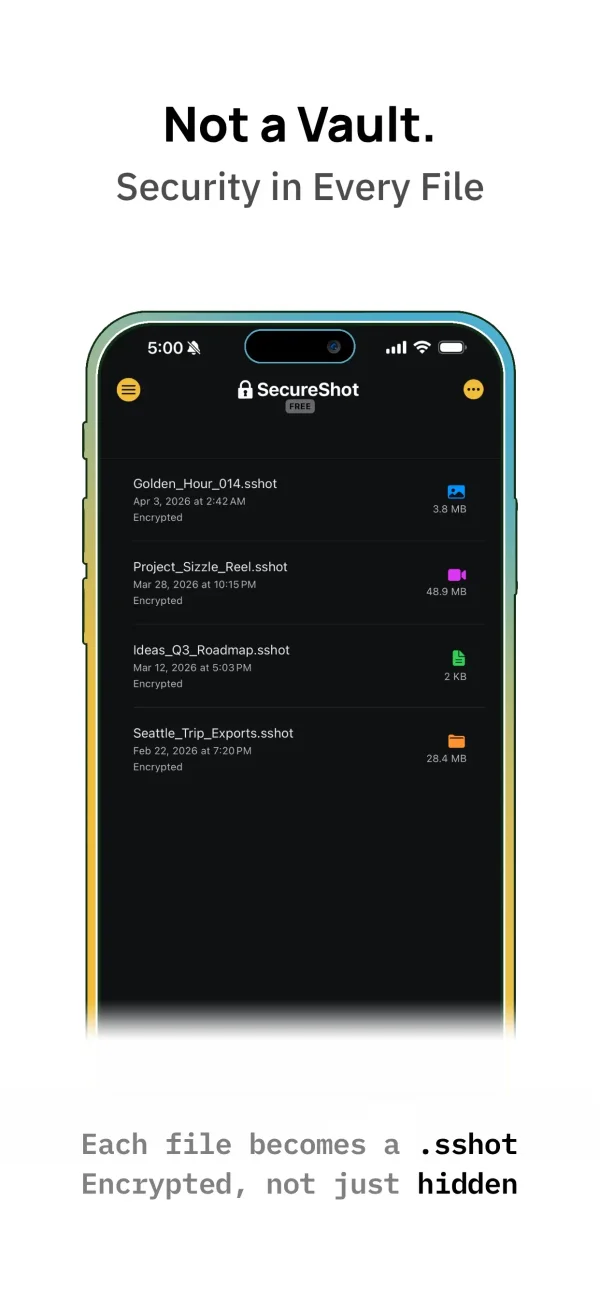
SecureShot protects photos, videos, and notes as encrypted files — not as rows inside a locked gallery.
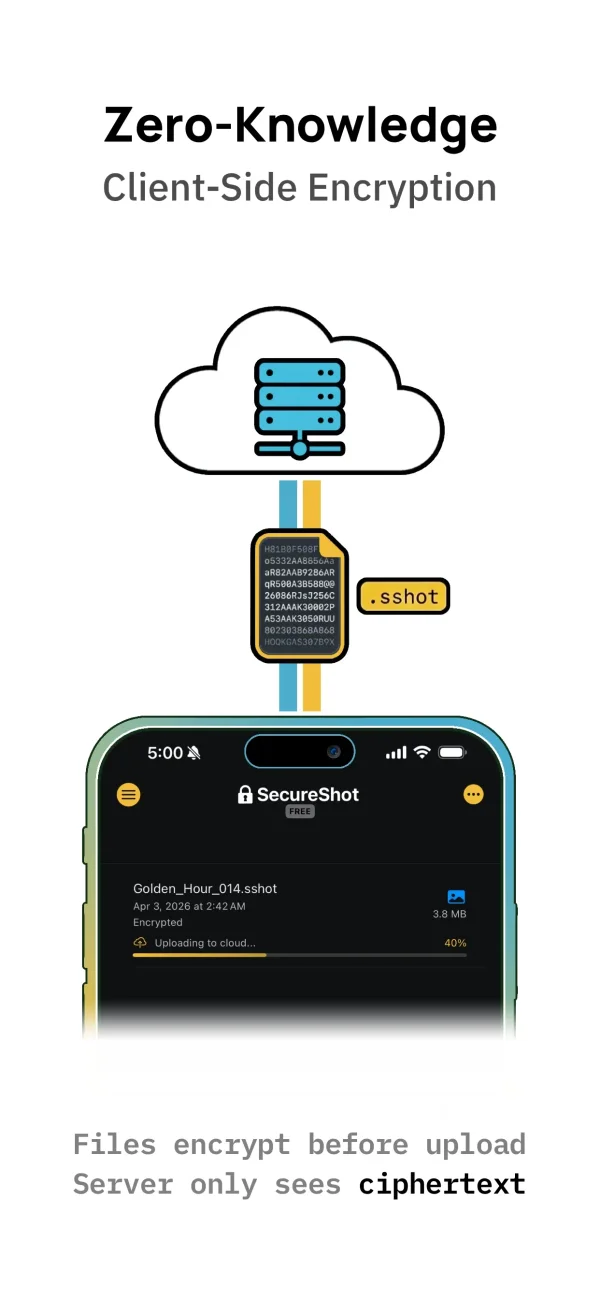
Each item becomes a portable .sshot file, encrypted on your device before upload. Security lives in the file itself, so protection stays with your data wherever it goes.
No exposure. No gimmicks. No fake vaults.
ZERO-KNOWLEDGE BY DESIGN
SecureShot is designed so the service does not need plaintext access to your protected files.
• Encryption happens on your device
• Files encrypt before upload
• The service stores ciphertext, not readable media
• Decryption secrets are not available to the service
• Lost passwords mean even we cannot recover protected content
This is not just policy — it is part of the architecture.
SECURITY IN EVERY FILE
SecureShot does not secure one big container.
Each file protects itself.
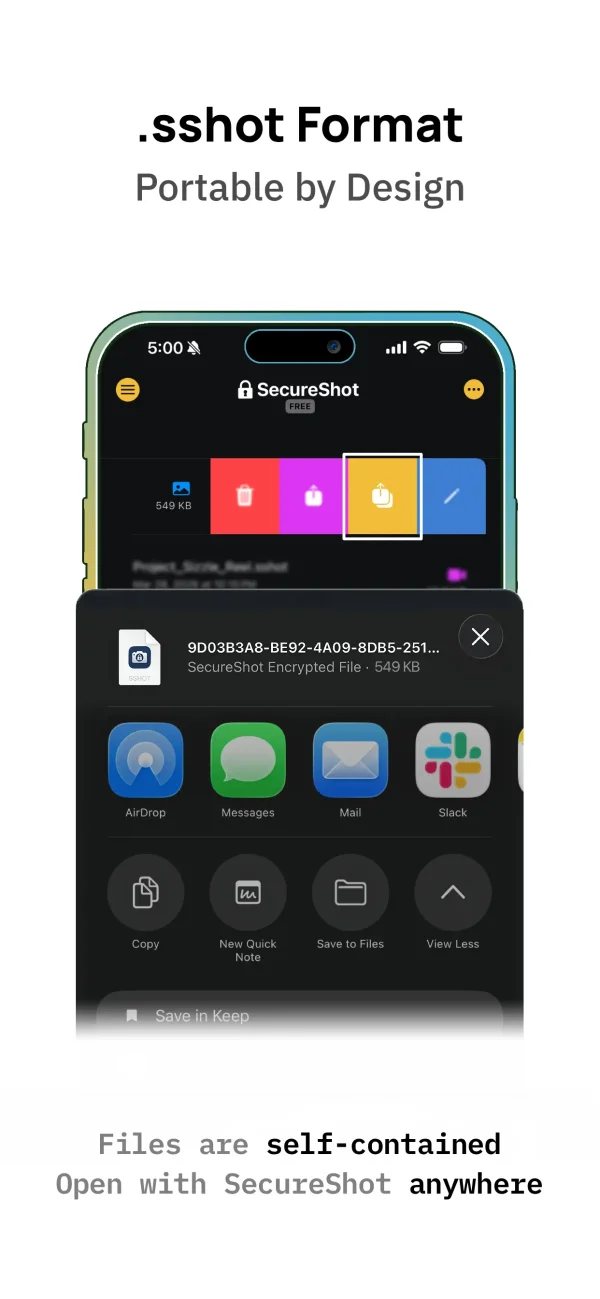
• Every item becomes an encrypted .sshot
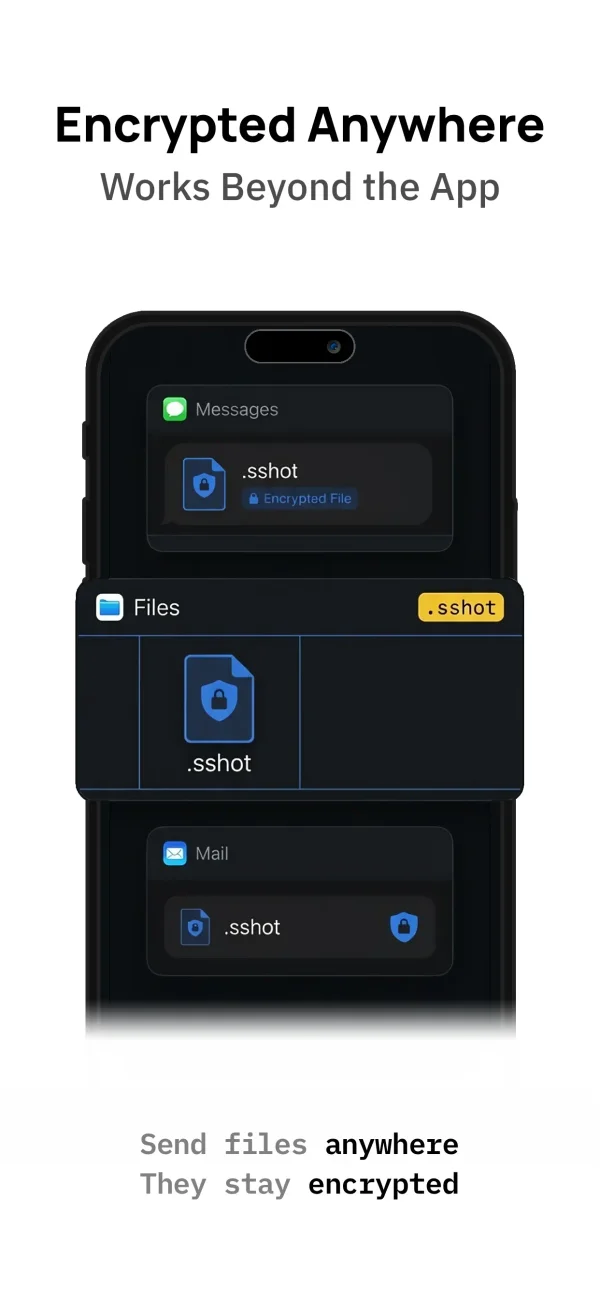
• Files are self-contained and portable
• Export them anywhere and reopen them with SecureShot
• Opening one file does not expose the rest of your library
Your data stays protected outside the app, not just inside it.
SECURE SHARING — NO PASSWORD PASSING
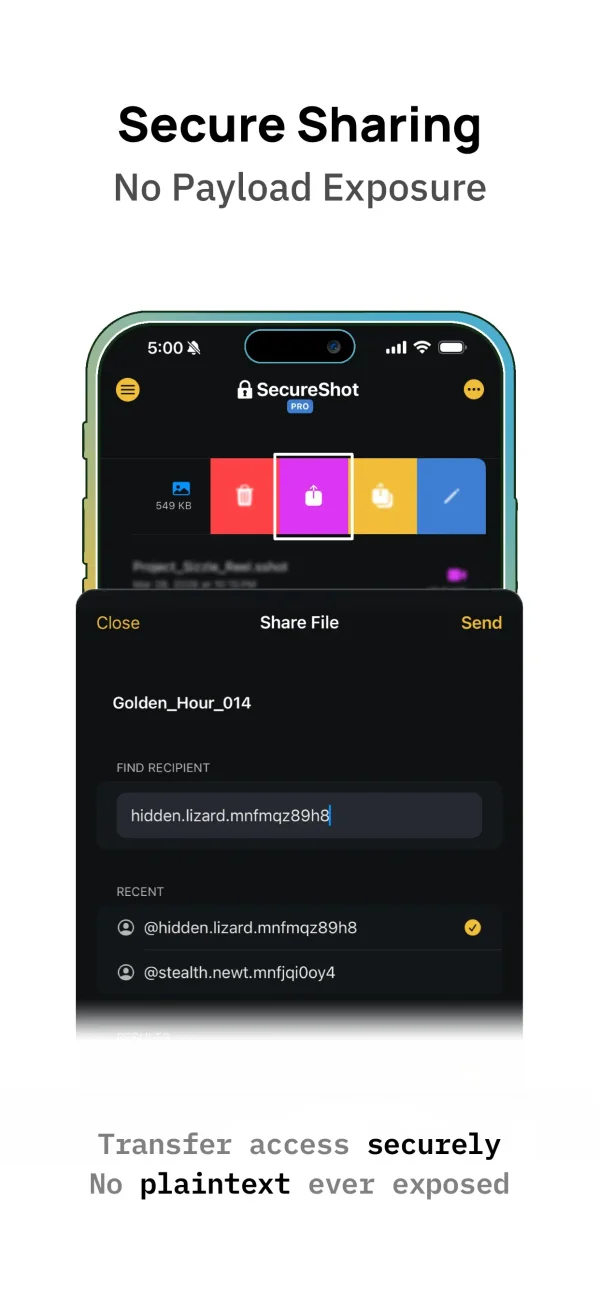
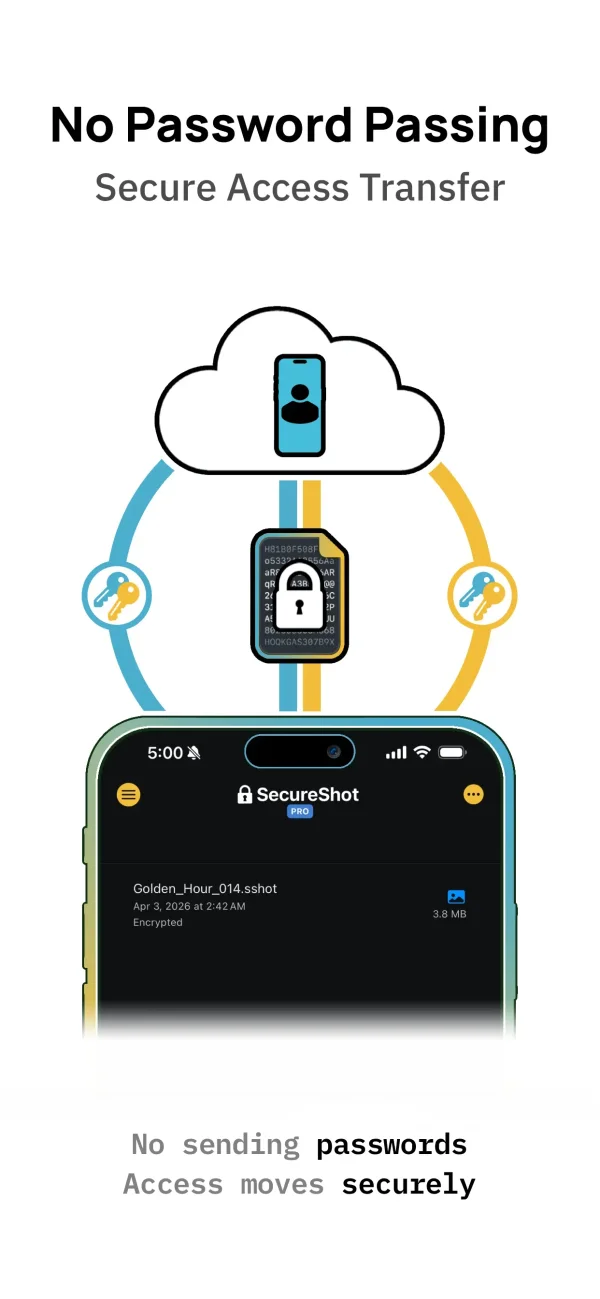
SecureShot Pro adds secure sharing designed to move access without sending passwords through chat or email.
• No sending passwords
• No plaintext exposure in transit
• Access moves securely between users
• Built for protected file handoff without the usual friction
PER-FILE ACCESS CONTROL
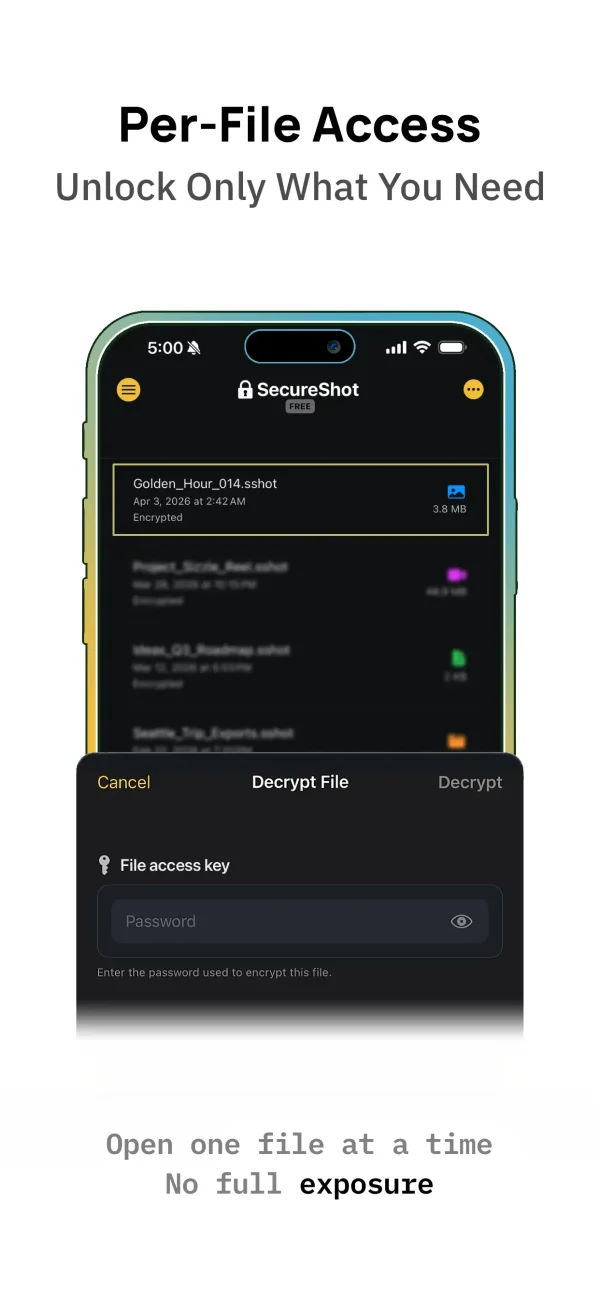
Unlock only what you need.
• Open files individually
• No full-library exposure
• Keep the rest of your files protected
• Fine-grained access instead of one vault unlock
Security stays precise and contained.
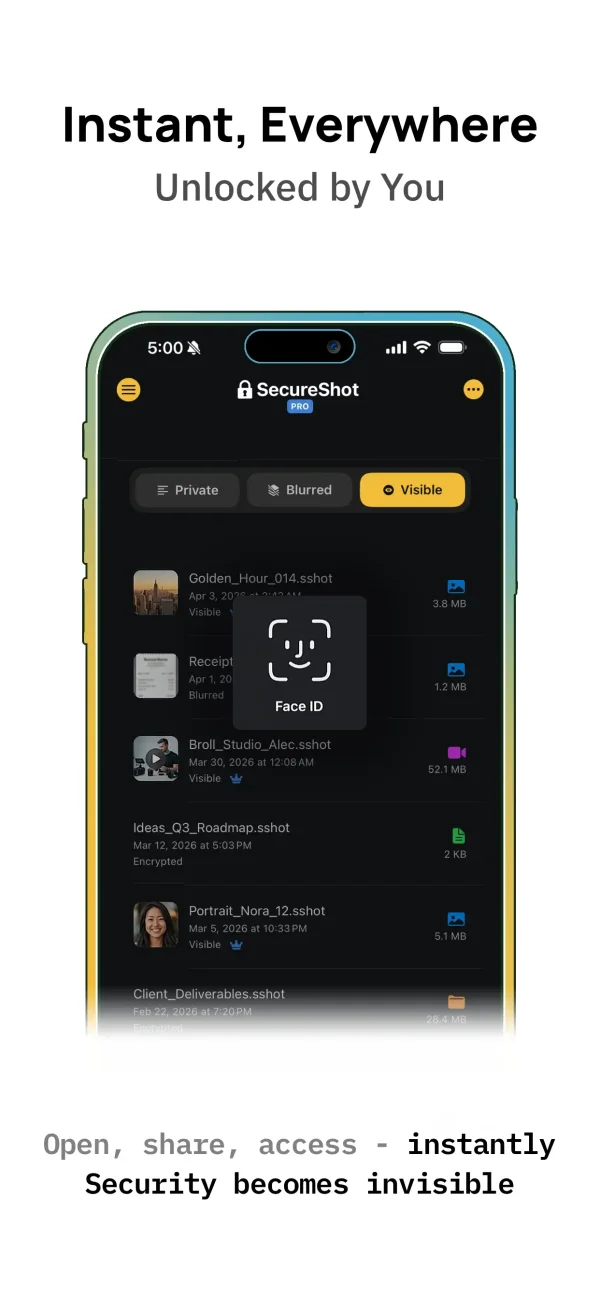
INSTANT WITH BIOMETRICS
SecureShot Pro removes repeated friction.
• Unlock with Face ID or biometrics
• Open, share, and access faster
• Master Key workflows reduce repeated password entry
• Only you can unlock protected files on your device
Fast, seamless, and still intentional.
WHAT YOU CAN SECURE
• Photos & Screenshots
• Videos
• Notes
• Multiple items at once from your library
If it matters to you, it belongs in SecureShot.
BUILT WITH MODERN CRYPTOGRAPHY
SecureShot uses modern, industry-standard cryptography to protect content on device and transfer access safely.
• XChaCha20-Poly1305 for core payload protection
• AES-GCM for fast structured container sections
• Argon2id for passphrase-based key derivation
• Curve25519-based secure sharing
• Authenticated container components to help detect tampering
Designed for real-world security, not buzzwords.
PRIVATE BY DESIGN
• We never see your files
• We do not track your content
• We do not collect decryption secrets
• No hidden data harvesting of private media
Your protected content stays yours.
BUILT FOR EVERYWHERE
SecureShot is designed for global use.
• Fully localized interface
• Consistent privacy model across languages
• The same file-native security, wherever you are
IMPORTANT: YOU CONTROL ACCESS
SecureShot cannot recover lost passwords or keys.
That is intentional.
True privacy means only you can unlock protected files.
A DIFFERENT APPROACH TO PRIVACY
Most apps protect access to a vault.
SecureShot protects the file itself.
Your data stays encrypted on your device, in the cloud, and in transit.
YOUR DATA, YOUR RULES
SecureShot is built on a simple idea:
Privacy should not depend on trust.
It should be guaranteed by design.
Download SecureShot and use privacy that travels with your files.
Privacy Policy: https://secureshotapp.com/privacy
Terms of Service: https://secureshotapp.com/terms
Support: support@secureshotapp.com
Novedades
Versión 1.1.0 · 25/5/2026
• Encrypted records — store Logins, Credit Cards, Identities, Crypto Wallets, Secure Notes, and Software Licenses, all protected by SecureShot's same zero-knowledge encryption.
• Custom fields on any record — choose from 12 input types (text, password, masked secret, date, card number, TOTP, email, URL, phone, and more).
• Copy All — grab every field on a record in one tap, neatly formatted as Label: value.
• Folders — organize your library by creating folders and moving files into them.
• Search — find any file or record by name from the home list.
• Quick actions on record fields — tap to copy, call, email, or open URLs.
Same promise: everything is encrypted on your device before
anything leaves your phone.
Privacidad de la aplicación
Lo que Joseph Daryl Locsin declara en App Store sobre cómo esta aplicación gestiona los datos.
-
Datos no vinculados a ti
Pueden recopilarse, pero no se vinculan a tu identidad.
- Diagnóstico
Las prácticas de privacidad pueden variar, por ejemplo, según las funciones que uses o tu edad.
Información
- Vendedor
- Joseph Daryl Locsin
- Categoría
- Foto y vídeo
- Versión
- 1.1.0
- Actualizado
- 25/5/2026
- Publicado
- 21/5/2026
- Tamaño
- 28,0 MB
- Requiere
- iOS 18.4 o posterior
- Clasificación por edad
- 4+
- Compras en la aplicación
- Sí
- Idiomas
- Inglés, Árabe, Filipino, Francés, Alemán, Hindi, Japonés, Portugués, Chino simplificado, Español
- Copyright
- © 2026 Joseph Daryl Locsin. All rights reserved.
Quizá también te guste
-
 Live GIFFoto y vídeo
-
 ScrubPony: Borra metadatosQuita el GPS de JPEG y HEIC
-
 Obscura: Bóveda PrivadaOcultar fotos y vídeos
-
 Low Light Video EnhancerFoto y vídeo
-
 Encamera Fotos CifradasCifra y oculta fotos/videos
-
 Calculadora: Ocultar FotosBóveda secreta de vídeos
-
 Car Rim Photo EditorEditor de fotos de llanta de c
-
 Filtros fotos cara FluoMaskCámara de efectos video y voce
-
 Photo Vault: OrNET Lock itFoto y vídeo
-
 UpRes: AI Photo EnhancerEnhance HD, Instrument Remover