Shift Rail: Shift Calendar
Rotation roster & shift alarms
Diseñada para iPhone
Gratis · Compras en la aplicación
- Clasificación por edad4+
- CategoríaUtilidades
- DesarrolladorYEONWOO KIM
- IdiomasCoreano+ 1 más
- Tamaño4,4 MB
Enlaza a la página oficial de App Store
Download.org no aloja ningún archivo de Shift Rail: Shift Calendar. El botón abre la página de la aplicación en App Store, donde la publica YEONWOO KIM. Ficha comprobada por última vez el 12/11/2026.
Capturas de pantalla
Acerca de
El desarrollador no ha proporcionado este texto en tu idioma.
An ad-free shift calendar that shows today's shift the moment you open it.
ROSTER
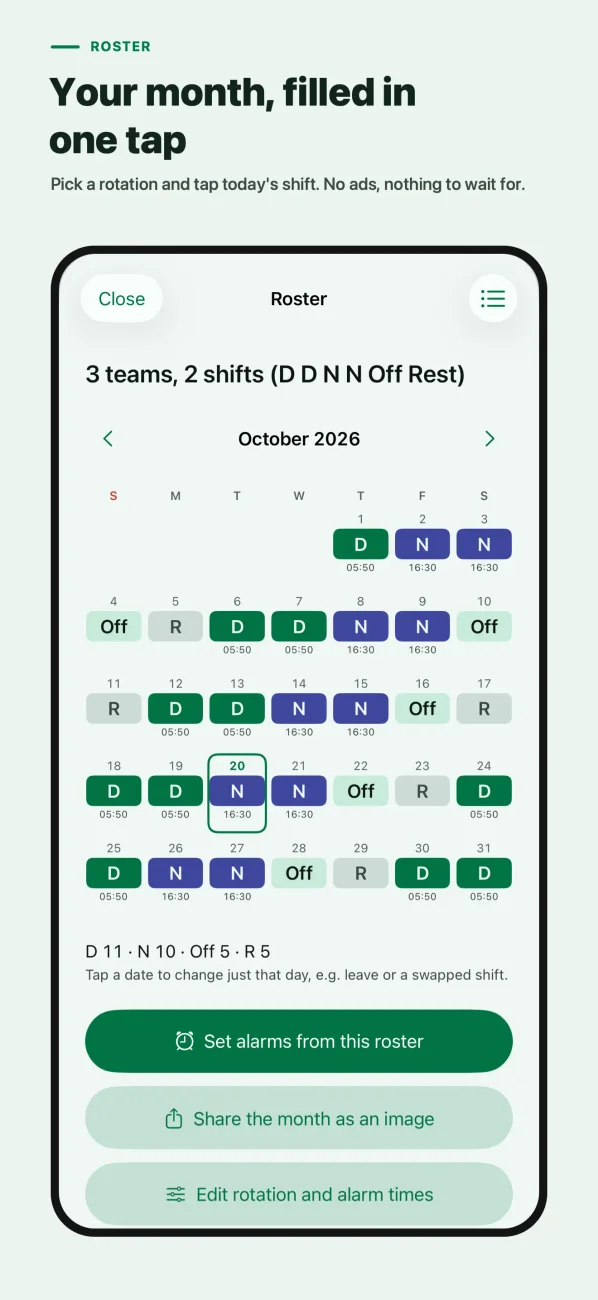
Pick your rotation and tap which shift today is — the whole month fills in, no start date to work out. Start from 2-shift, 3-shift, day–night–off–rest, 24-hour duty or weekday presets, or build your own rotation of 2 to 28 days.
• A month calendar with day, evening, night, duty, off and rest days in their own colors, starting on your device's first weekday
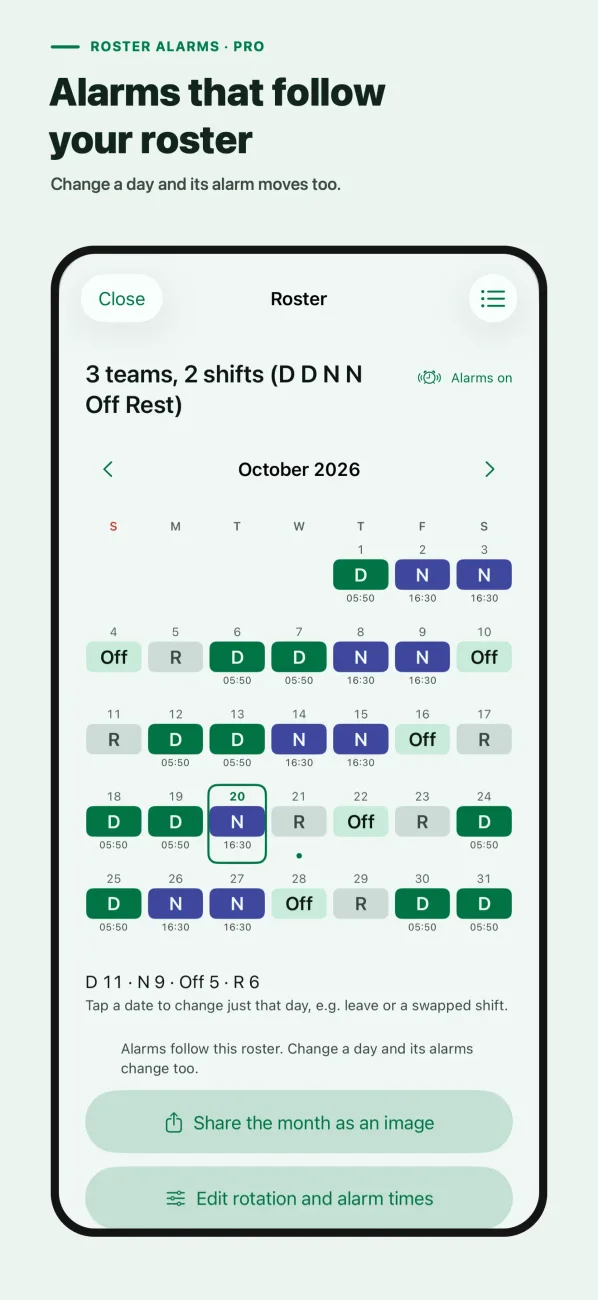
• Tap a date to change just that day: leave, a swapped shift, cover
• Monthly totals, such as D 10 · N 10 · Off 5 · R 6
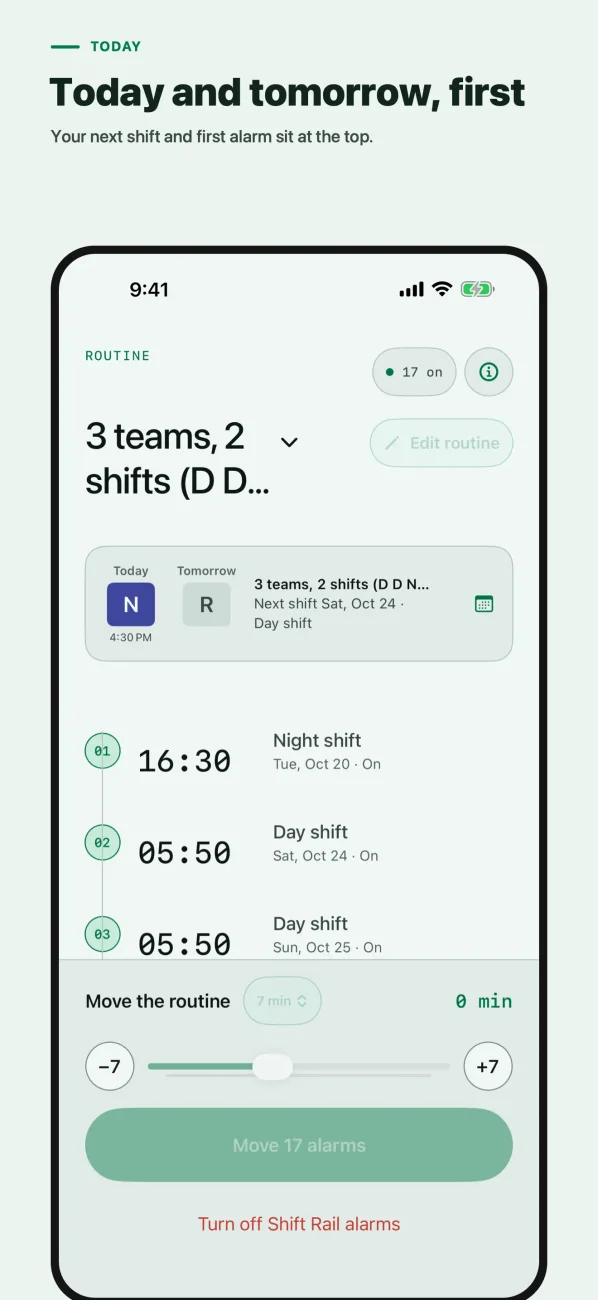
• Today, tomorrow and your next shift at the top of the app
Saving, viewing and changing days in a roster works without Pro.
ALARMS FROM YOUR ROSTER (PRO, FIRST 7 DAYS FREE TO TRY)
Tap "Set alarms from this roster" and Shift Rail sets each date's alarms for that day's shift, 28 days ahead. The first time, you can try them for 7 days without Pro: the days left show on the first screen, and the alarms stop when the trial ends. The roster is the source: change a day and that day's alarms change too. When fewer than seven days are left, opening the app quietly tops them up.
SHARE THE MONTH OR EXPORT A CALENDAR FILE (PRO)
Send an image with the roster's name, month, calendar and totals through Messages, Photos and more, or export three months as a calendar file (.ics) for other calendar apps. Try each three times without Pro.
ALARM ROUTINES FOR A SHIFTED DAY
• Save separate routines for workdays, workouts, weekends, or shifts
• Move a routine from 60 minutes earlier to 90 minutes later, comparing every time before applying
• Set one alarm to a target time and preview the whole routine moving with it
• Choose the system sound or one of four original Shift Rail sounds
CAREFUL BY DESIGN
Shift Rail uses Apple's AlarmKit framework to schedule its alarms. It checks the resulting schedule after a change. If the schedule needs attention, the app shows a repair state instead of claiming that everything worked.
OPTIONAL PRO
A one-time Pro purchase sets alarms from your roster, shares the month as an image, and saves named target-time plans such as Early shift or School run. There is no subscription. All original alarm features and rosters work without Pro, and rosters with alarms set and saved plans stay readable, usable and deletable if Pro access ends.
IMPORTANT
No ads, no sign-in, no server. Shift Rail manages only alarms created inside Shift Rail; it does not change alarms in Apple's Clock app. Alarm access is required. Roster alarms are scheduled up to 80 at a time, so a roster with many alarms covers fewer days. Vibration and volume follow iPhone system settings, and delivery remains subject to iOS and device settings. Rosters and routines stay on this iPhone.
English and Korean are included.
Novedades
Versión 1.5.0 · 1/11/2026
• Try roster alarms free for 7 days: hear your roster's alarms actually ring first. The days left show on the first screen.
• Export your roster as a calendar file (.ics) for other calendar apps (Pro, 3 tries).
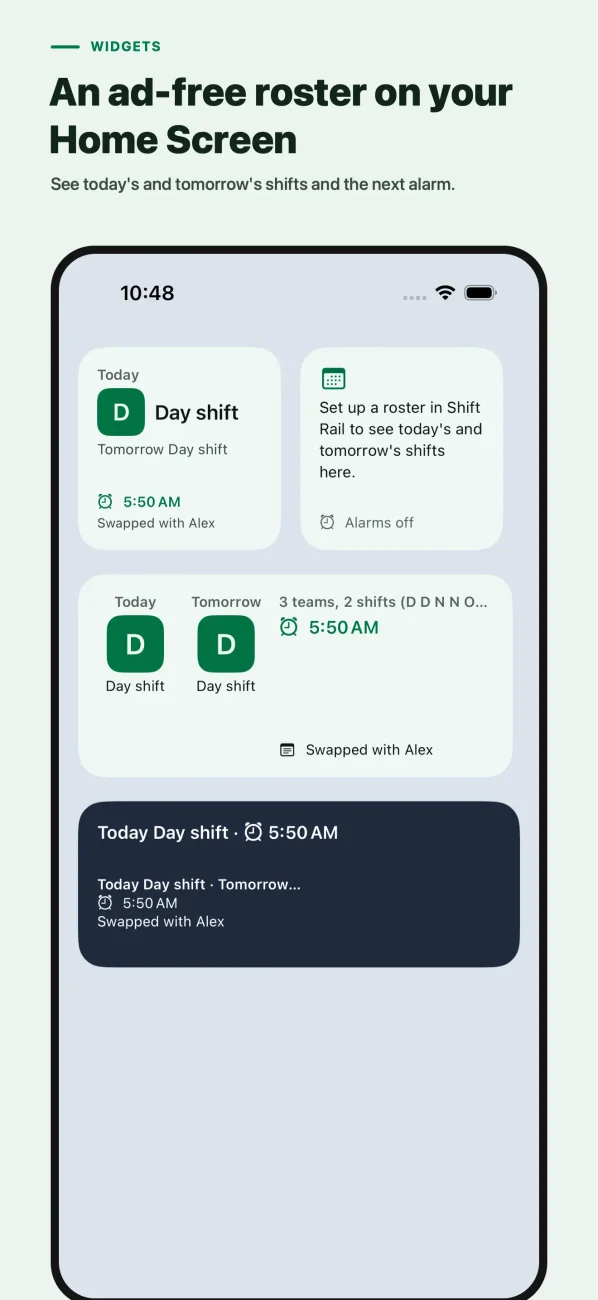
• Saturdays in blue, Sundays and holidays in red in the calendar and widgets.
• Reorder a routine's alarms by long-pressing and dragging. New alarms are added only when you tap Add.
Privacidad de la aplicación
Lo que YEONWOO KIM declara en App Store sobre cómo esta aplicación gestiona los datos.
-
No se recopilan datos
El desarrollador no recopila ningún dato de esta aplicación.
Las prácticas de privacidad pueden variar, por ejemplo, según las funciones que uses o tu edad.
Información
- Vendedor
- YEONWOO KIM
- Categoría
- Utilidades
- Versión
- 1.5.0
- Actualizado
- 1/11/2026
- Publicado
- 10/9/2026
- Tamaño
- 4,4 MB
- Requiere
- iOS 26.0 o posterior
- Clasificación por edad
- 4+
- Precio
- Gratis
- Compras en la aplicación
- Sí
- Idiomas
- Coreano, Inglés
- Copyright
- © 2026 ONGSIM