Shortcuts Library
2500+ Ready-Made Shortcuts
Diseñada para iPhone, iPad
Gratis · Compras en la aplicación
- Clasificación por edad4+
- CategoríaProductividad
- DesarrolladorGREENLOGIC INNOVATIONS LTD
- IdiomasInglés+ 3 más
- Tamaño60,1 MB
Enlaza a la página oficial de App Store
Download.org no aloja ningún archivo de Shortcuts Library. El botón abre la página de la aplicación en App Store, donde la publica GREENLOGIC INNOVATIONS LTD. Ficha comprobada por última vez el 22/11/2026.
Capturas de pantalla


Acerca de
El desarrollador no ha proporcionado este texto en tu idioma.
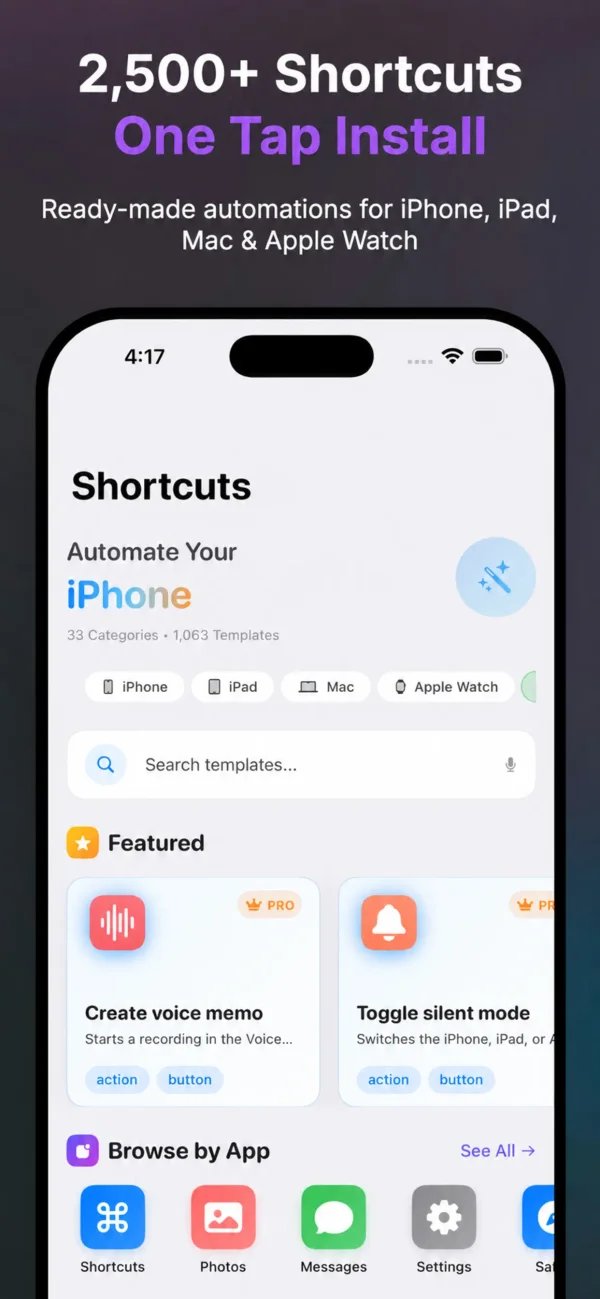
Shortcuts Library makes Apple Shortcuts easier to discover, install, and use. Explore 2,500+ ready-made shortcut templates, find shortcuts with private on-device AI, use 100+ focused tools, and organize favorites and workflows in one place.
SHORTCUTS FOR EVERYONE
Whether you're new to Apple Shortcuts or an experienced builder, find automations for productivity, photos, health, smart home, travel, communication, music, documents, social media, AI, and everyday tasks.
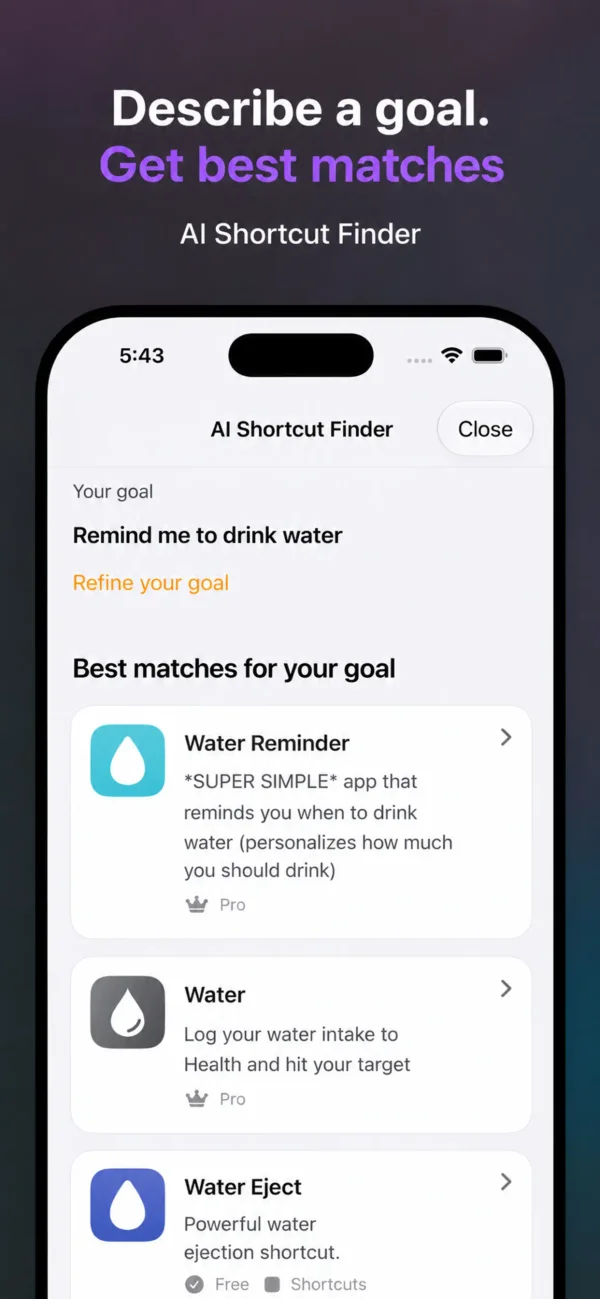
FIND A SHORTCUT WITH AI
Describe what you want to accomplish. Shortcut Finder uses private, on-device AI to rank the three closest matches from the Shortcuts Library. Refine or retry your search for different results. Your request stays on your device.
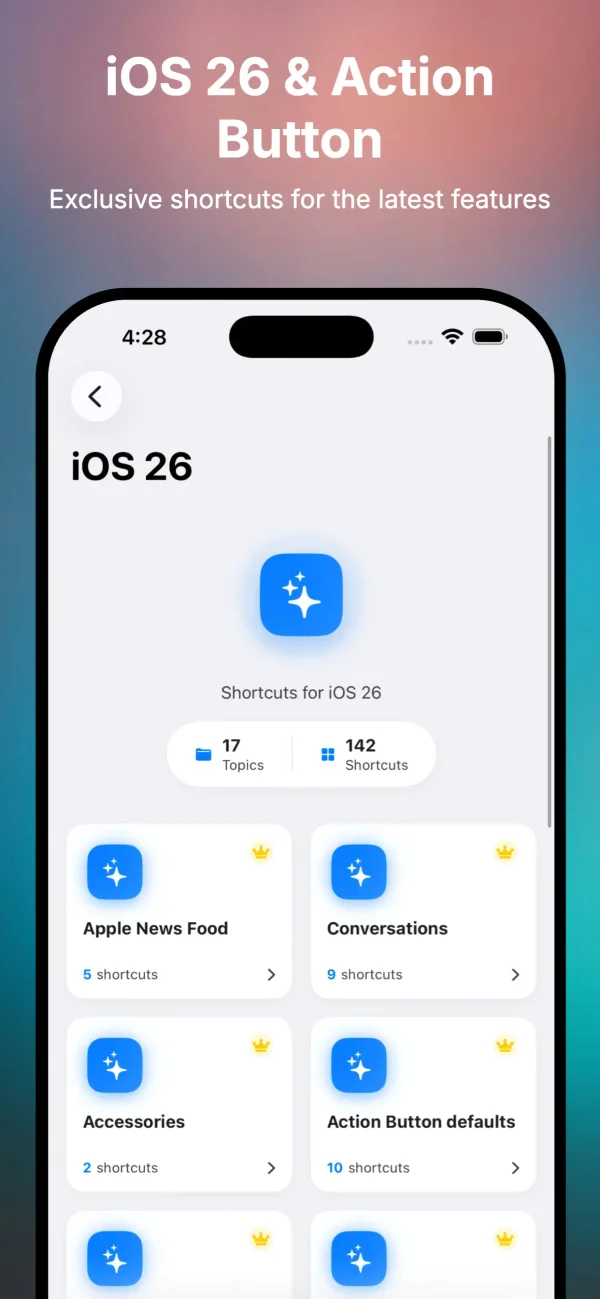
iOS 26 & ACTION BUTTON
Shortcuts for Apple Intelligence, Control Center, Action Button, Journal, and Freeform.
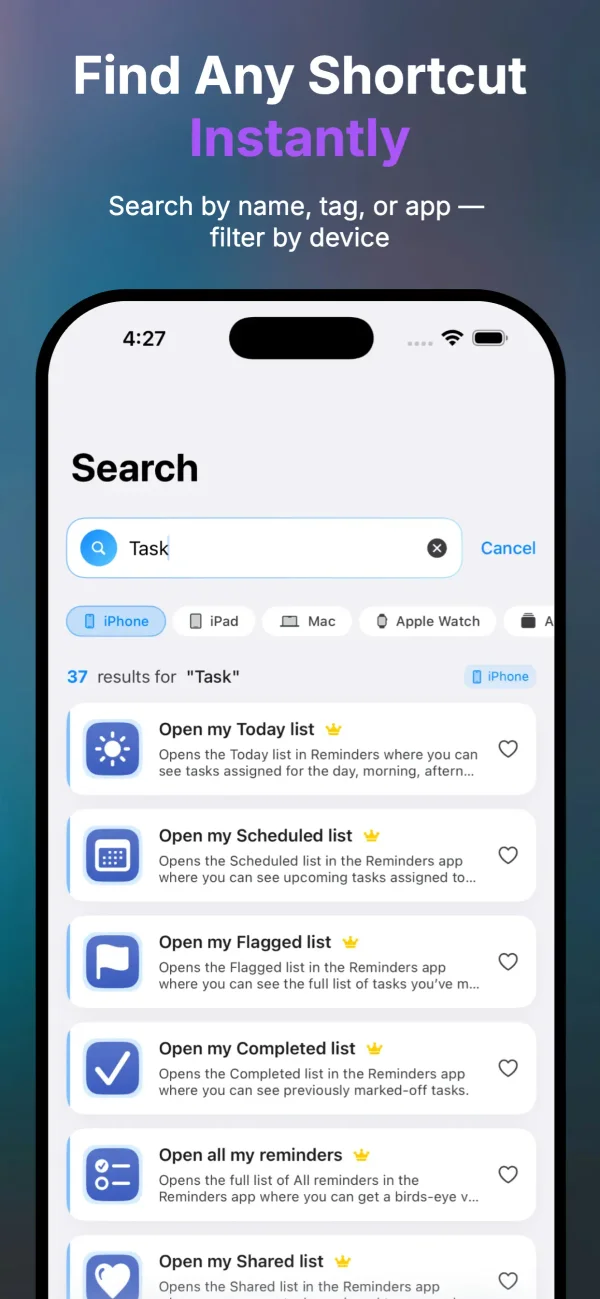
BROWSE 2,500+ SHORTCUT TEMPLATES
Search by shortcut name, description, or tags. Browse categories, collections, and supported apps without empty or duplicate entries.
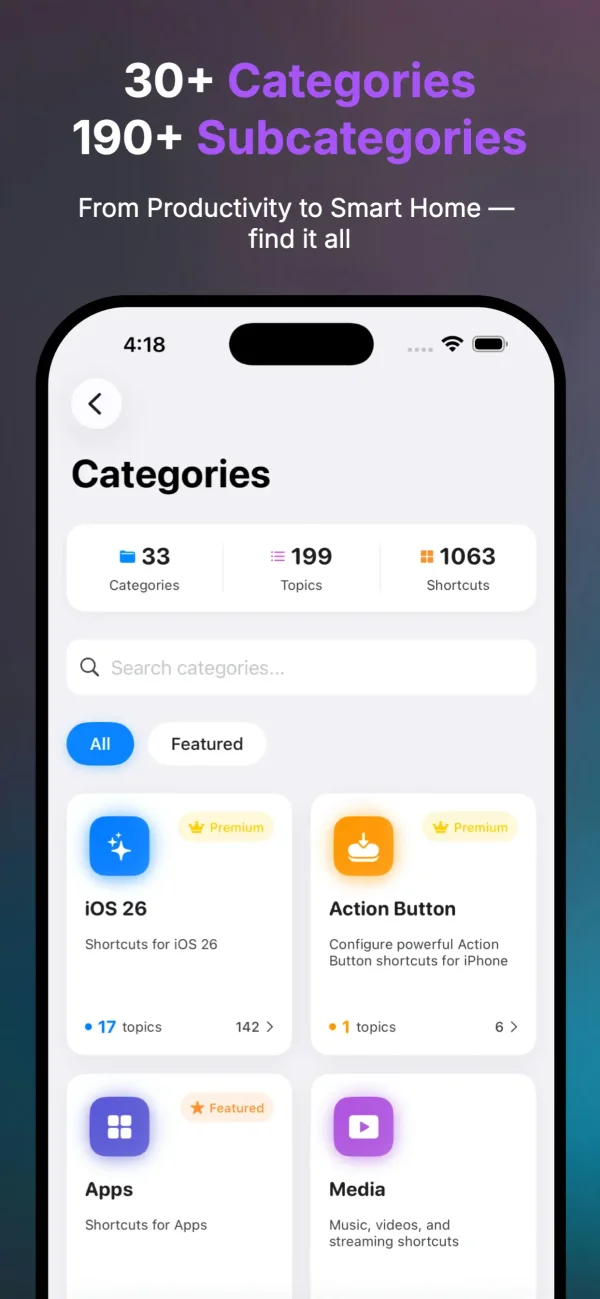
30+ CATEGORIES & 190+ SUBCATEGORIES
• Productivity — Tasks, focus, routines, document automation
• Health & Fitness — Workouts, water, sleep, health workflows
• Photos & Camera — Compression, conversion, batch processing
• Smart Home — HomeKit scenes, devices, lighting, climate
• Social Media — Sharing, content workflows, cross-posting
• Music & Audio — Playlists, Shazam, playback controls
• Communication — Messages, email, replies, text tools
• Calendar & Reminders — Events, meetings, scheduling
• Travel — Maps, directions, trip planning
• Files & Documents — Files, PDFs, document workflows
• Web & Internet — Links, URLs, web tools
• AI — AI-powered workflows
• Plus Weather, Notes, Apple TV, Podcasts, Freeform, Journal, and more
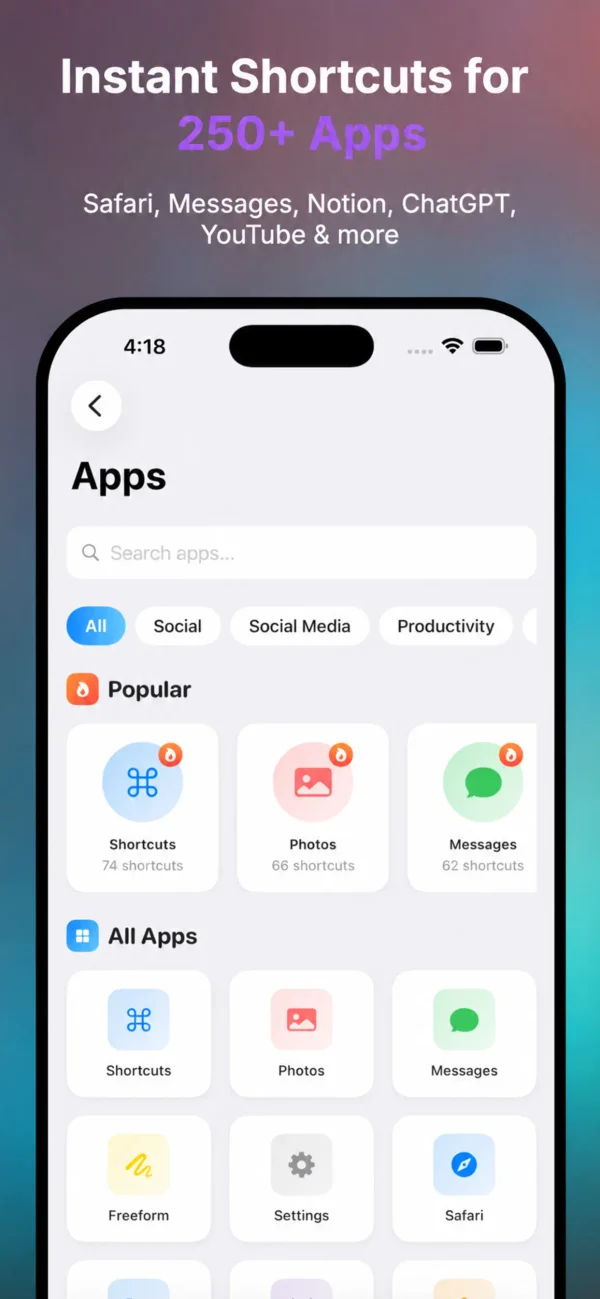
250+ SUPPORTED APPS
Find shortcuts for Safari, Messages, Mail, Notion, Instagram, YouTube, Spotify, WhatsApp, Discord, Telegram, Reminders, Calendar, Notes, Health, Home, Podcasts, Freeform, Journal, and 200+ more. Tap an app to explore its shortcuts.
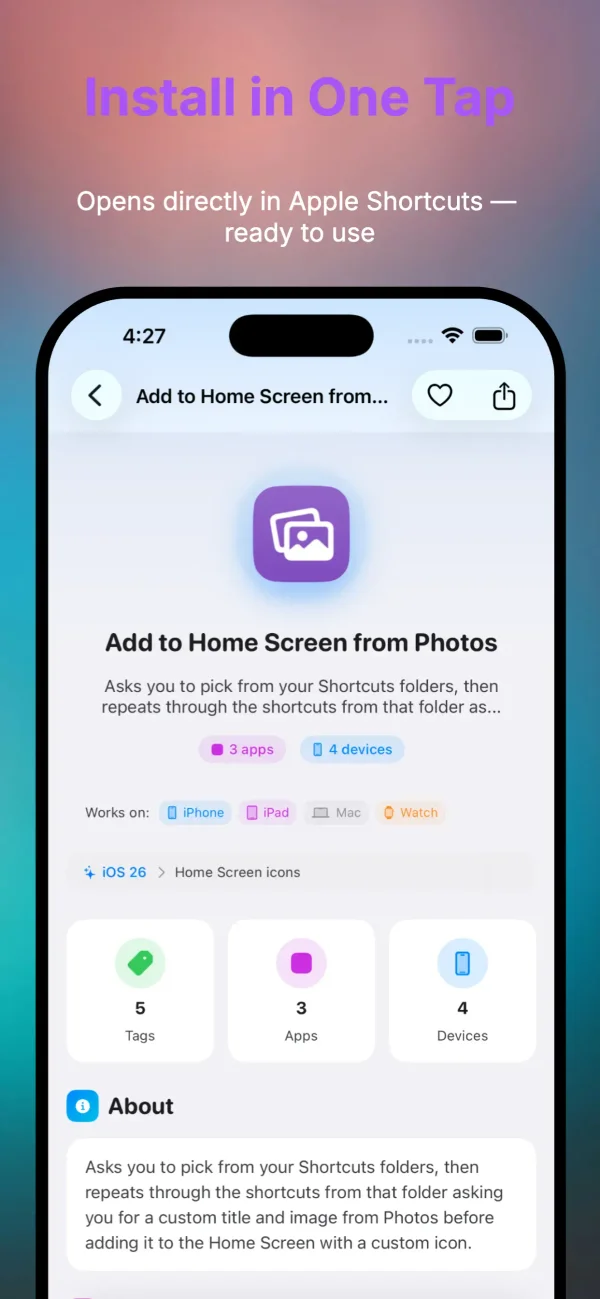
ONE-TAP INSTALL THROUGH APPLE SHORTCUTS
Review a shortcut's purpose, requirements, and device compatibility, then open it in Apple's Shortcuts app through its direct iCloud link. No copying or rebuilding required.
iPHONE, iPAD, MAC & APPLE WATCH
See device compatibility before installing and find shortcuts for iPhone, iPad, Mac, and Apple Watch.
100+ FOCUSED TOOLS
Handle common tasks without rebuilding the same steps:
• Clean, compare, sort, split, and transform lists
• Format, inspect, compare, and convert JSON and CSV
• Calculate discounts, margins, loans, dates, durations, and work hours
• Extract links, emails, hashtags, phone numbers, and PDF text
• Compress photos for easier sharing
• Validate structured text and prepare results to copy or share
Tools explain inputs, outputs, and limits. Processing stays on-device unless stated otherwise.
FAVORITES, WORKFLOWS & WIDGETS
Save shortcuts, tool inputs, and setups for quick access. Organize saved items and sync supported workflow data with iCloud when enabled. Use Home Screen widgets and App Shortcuts to start Shortcut Finder, open tools, compress photos, or return to useful content.
DESIGNED FOR iPHONE & iPAD
Improved layouts, keyboard controls, navigation, accessibility, and stability. Supports VoiceOver, Voice Control, Larger Text, increased contrast, reduced motion, and light/dark mode.
LANGUAGES
Use the full interface in English, German, French, or Spanish.
PRIVACY FIRST
Shortcut Finder uses on-device AI. Tool processing stays on-device unless stated otherwise. iCloud sync is used only when enabled.
Shortcuts Library is independent and not affiliated with Apple Inc. Apple, iPhone, iPad, Apple Watch, Mac, and Shortcuts are trademarks of Apple Inc.
Privacy Policy: https://shortcutlibrary.app/privacy
Terms of Use: https://shortcutlibrary.app/terms
Support: https://shortcutlibrary.app/support
Apple Standard EULA: https://www.apple.com/legal/internet-services/itunes/dev/stdeula/
Novedades
Versión 4.0.0 · 16/11/2026
Shortcuts Library v4.0
• 2,500+ ready-made shortcuts with one-tap install
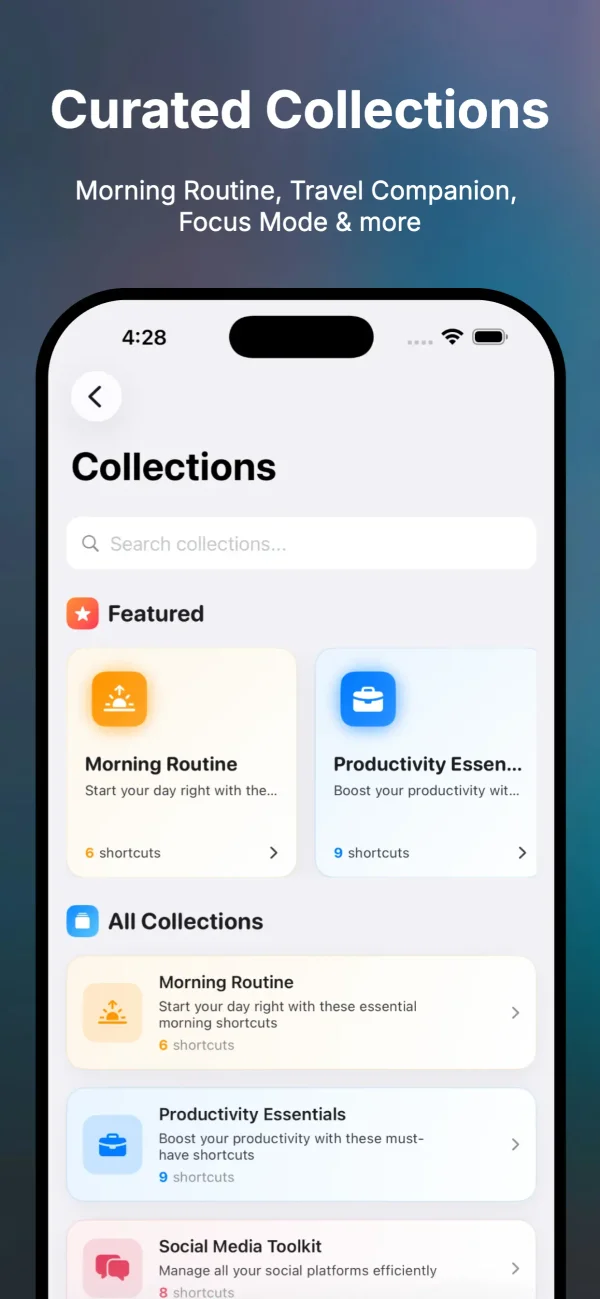
• 18 curated collections: Action Button, Control Center, Apple Intelligence, battery, photos, journal, and more
• Browse Categories, Collections, and Apps from one Library tab
• AI Finder returns up to eight matches with Pro
• New on-device Daily writing tools: meeting notes, Markdown tables, reading time, slugs
• Home starts with collections so you can pick a job, then a shortcut
• iPhone, iPad, Mac, and Apple Watch filters
We'd love your feedback — tap Settings to reach us.
Privacidad de la aplicación
Lo que GREENLOGIC INNOVATIONS LTD declara en App Store sobre cómo esta aplicación gestiona los datos.
-
Datos usados para rastrearte
Pueden usarse para rastrearte en aplicaciones y sitios web propiedad de otras empresas.
- Identificadores
-
Datos no vinculados a ti
Pueden recopilarse, pero no se vinculan a tu identidad.
- Compras
- Identificadores
- Datos de uso
Las prácticas de privacidad pueden variar, por ejemplo, según las funciones que uses o tu edad.
Información
- Vendedor
- GREENLOGIC INNOVATIONS LTD
- Categoría
- Productividad
- Versión
- 4.0.0
- Actualizado
- 16/11/2026
- Publicado
- 15/3/2026
- Tamaño
- 60,1 MB
- Requiere
- iOS 16.0 o posterior
- Clasificación por edad
- 4+
- Precio
- Gratis
- Compras en la aplicación
- Sí
- Idiomas
- Inglés, Francés, Alemán, Español
- Copyright
- © 2026 Greenlogic Innovations Ltd
Quizá también te guste
-
 ShortcutStudio - AI ShortcutsProductividad
-
 Shortcutly: Automation HubProductividad
-
 Balane TextDeck: AtajosPlantillas y portapapeles
-
 ShortcutyDiscover & Share iOS Shortcuts
-
 LLM Shortcut ToolkitProductividad
-
 CustomNotify: Alert SchedulerProductividad
-
 No Wifi AI: Offline AI ChatProductividad
-
 tinkflowProductividad
-
 Shortcuts BrowserProductividad
-
 Shortcut RecorderProductividad