- 対象年齢4+
- カテゴリ仕事効率化
- 開発元GREENLOGIC INNOVATIONS LTD
- 言語英語ほか3言語
- サイズ60.1 MB
App Storeの公式ページにリンクしています
Download.orgはShortcuts Libraryのファイルを一切ホストしていません。ボタンを押すと、GREENLOGIC INNOVATIONS LTDが公開しているApp Storeのアプリページが開きます。ページの最終確認:2026/11/22。
スクリーンショット


概要
開発元はこのテキストをお使いの言語で提供していません。
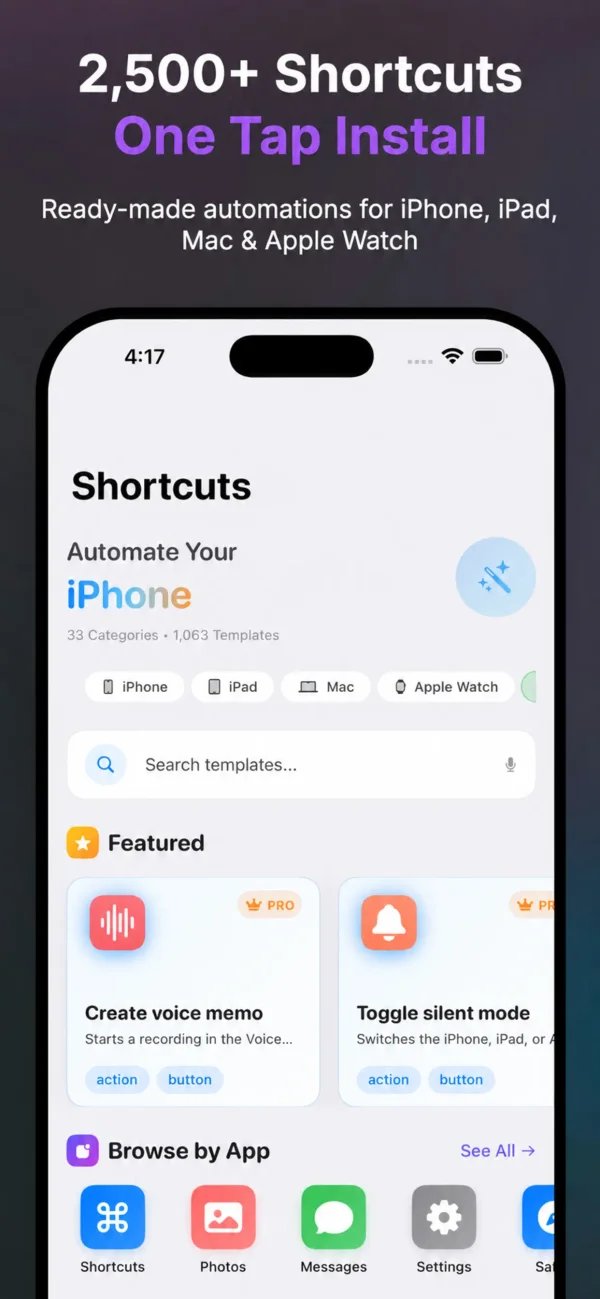
Shortcuts Library makes Apple Shortcuts easier to discover, install, and use. Explore 2,500+ ready-made shortcut templates, find shortcuts with private on-device AI, use 100+ focused tools, and organize favorites and workflows in one place.
SHORTCUTS FOR EVERYONE
Whether you're new to Apple Shortcuts or an experienced builder, find automations for productivity, photos, health, smart home, travel, communication, music, documents, social media, AI, and everyday tasks.
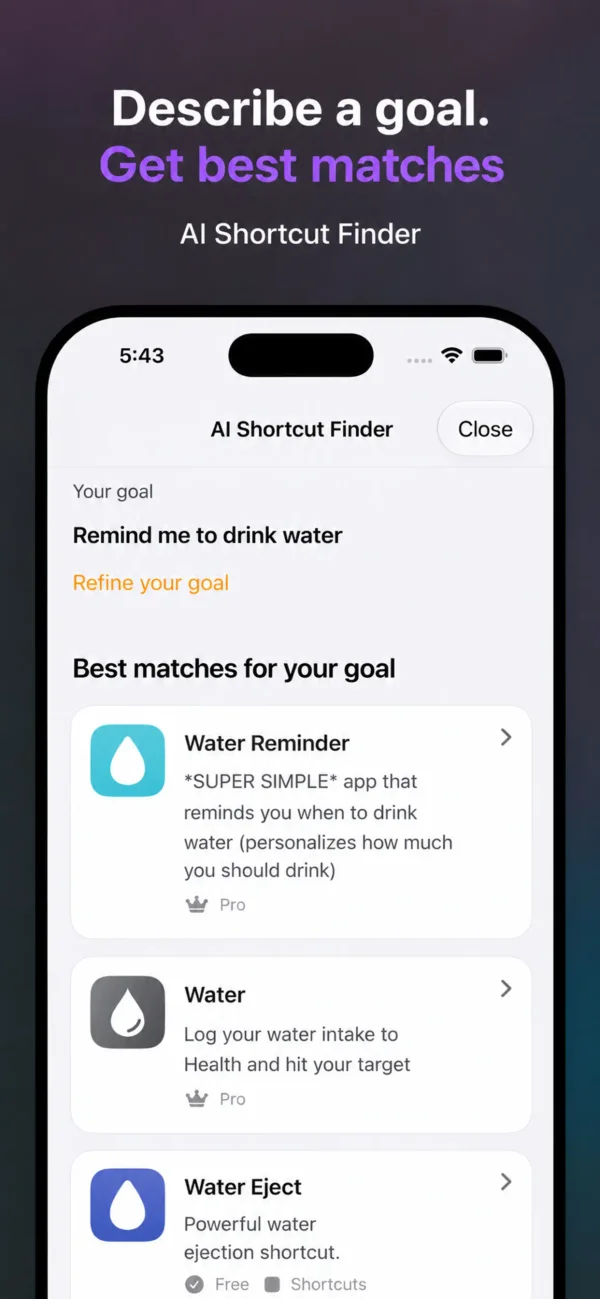
FIND A SHORTCUT WITH AI
Describe what you want to accomplish. Shortcut Finder uses private, on-device AI to rank the three closest matches from the Shortcuts Library. Refine or retry your search for different results. Your request stays on your device.
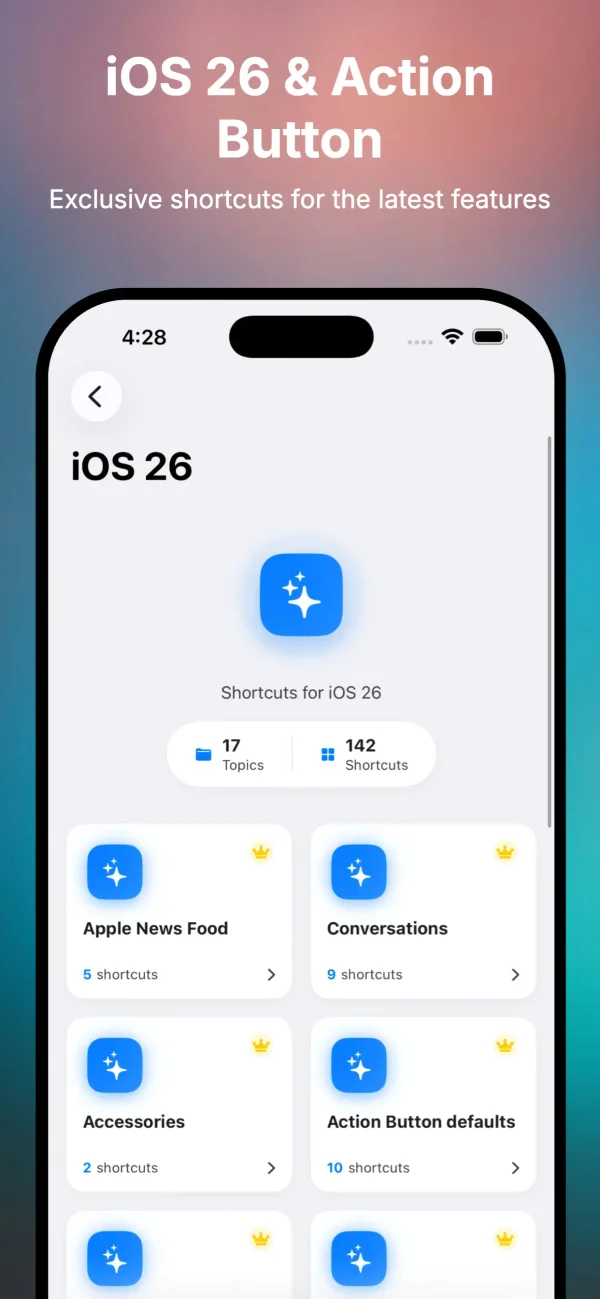
iOS 26 & ACTION BUTTON
Shortcuts for Apple Intelligence, Control Center, Action Button, Journal, and Freeform.
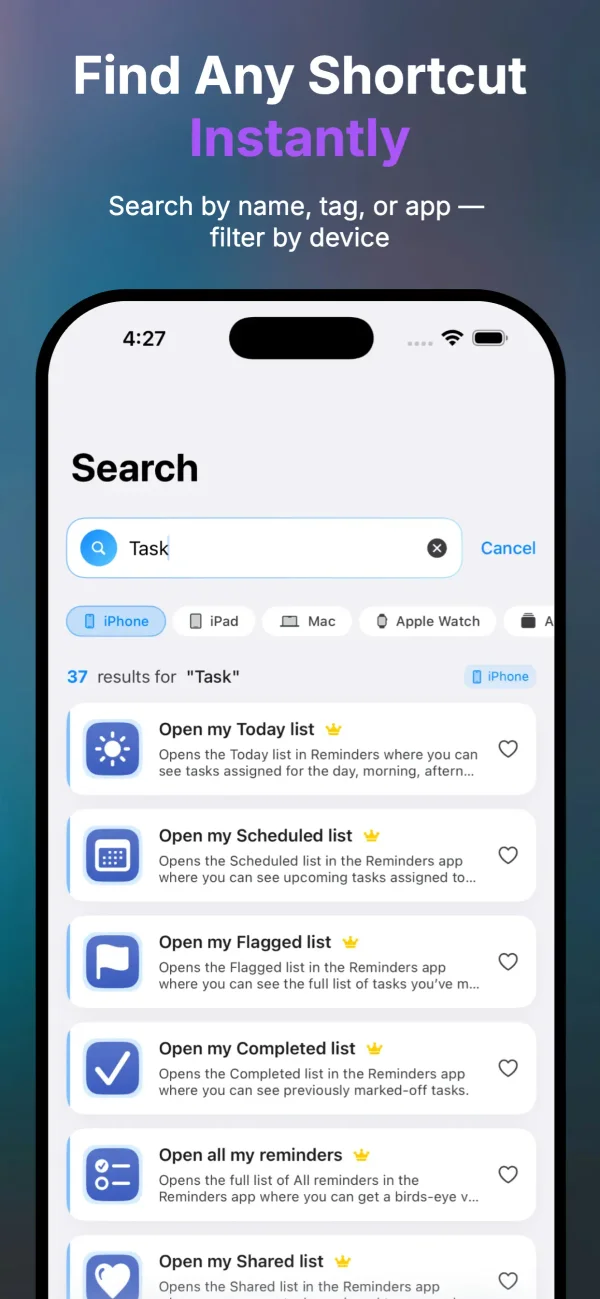
BROWSE 2,500+ SHORTCUT TEMPLATES
Search by shortcut name, description, or tags. Browse categories, collections, and supported apps without empty or duplicate entries.
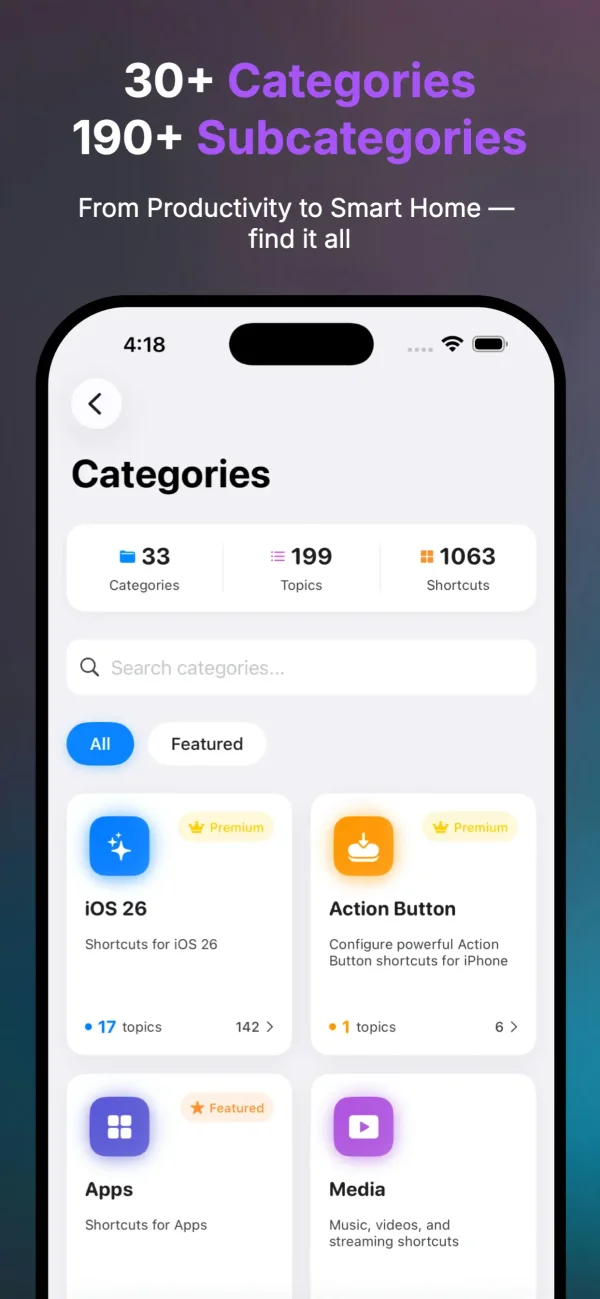
30+ CATEGORIES & 190+ SUBCATEGORIES
• Productivity — Tasks, focus, routines, document automation
• Health & Fitness — Workouts, water, sleep, health workflows
• Photos & Camera — Compression, conversion, batch processing
• Smart Home — HomeKit scenes, devices, lighting, climate
• Social Media — Sharing, content workflows, cross-posting
• Music & Audio — Playlists, Shazam, playback controls
• Communication — Messages, email, replies, text tools
• Calendar & Reminders — Events, meetings, scheduling
• Travel — Maps, directions, trip planning
• Files & Documents — Files, PDFs, document workflows
• Web & Internet — Links, URLs, web tools
• AI — AI-powered workflows
• Plus Weather, Notes, Apple TV, Podcasts, Freeform, Journal, and more
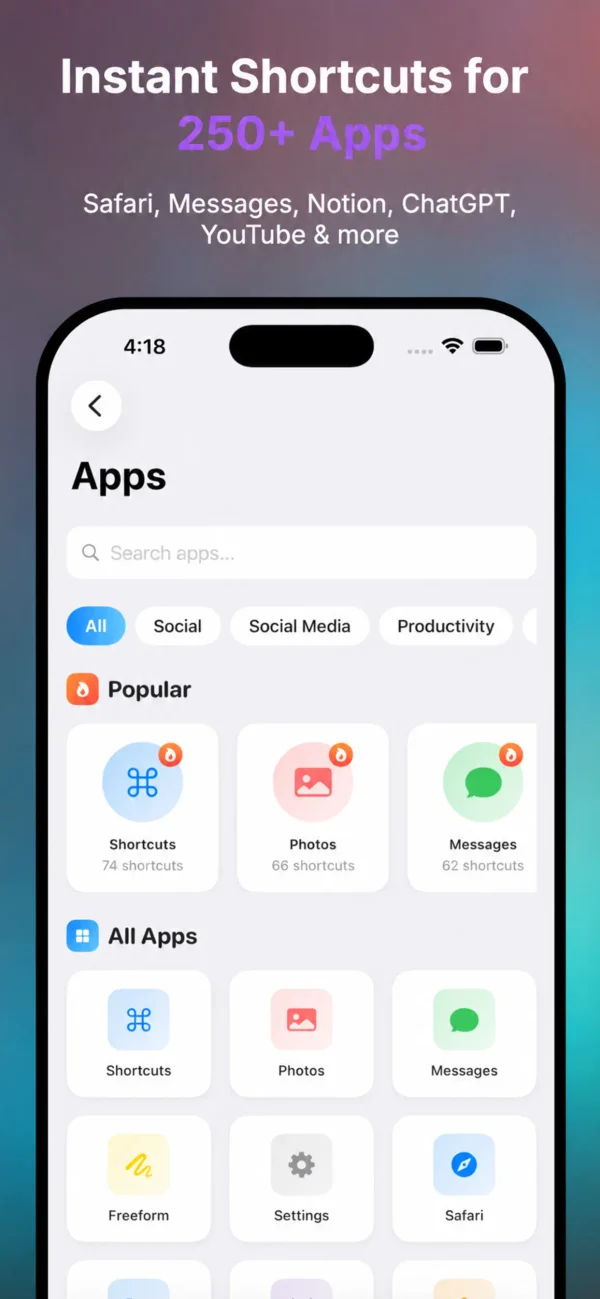
250+ SUPPORTED APPS
Find shortcuts for Safari, Messages, Mail, Notion, Instagram, YouTube, Spotify, WhatsApp, Discord, Telegram, Reminders, Calendar, Notes, Health, Home, Podcasts, Freeform, Journal, and 200+ more. Tap an app to explore its shortcuts.
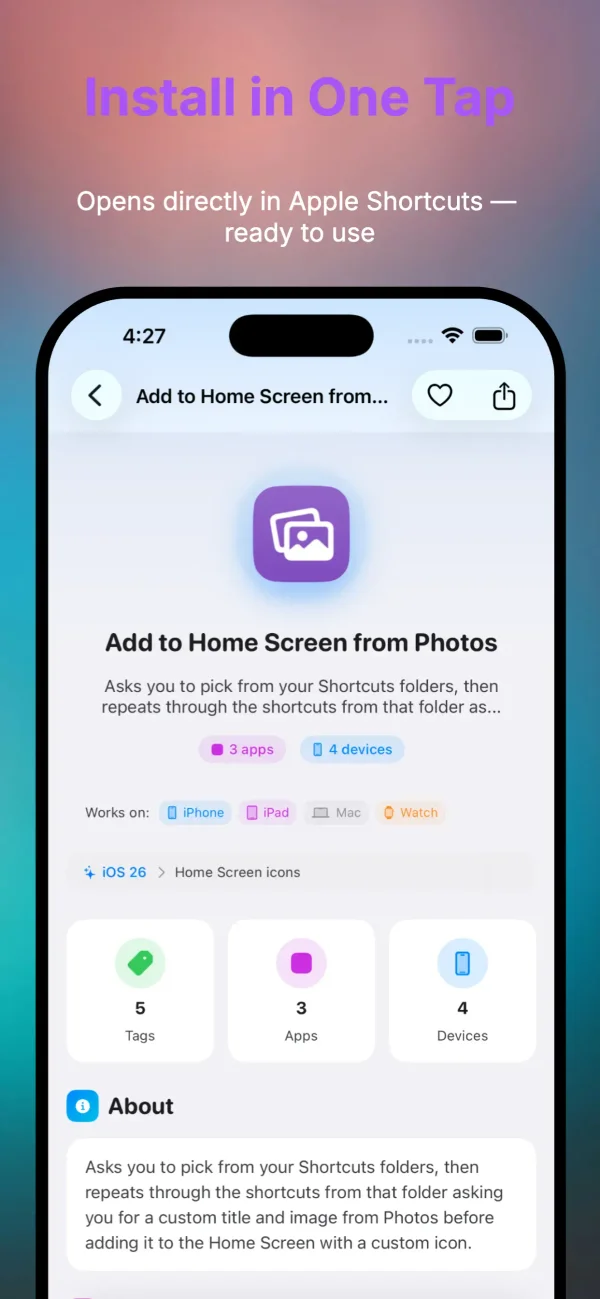
ONE-TAP INSTALL THROUGH APPLE SHORTCUTS
Review a shortcut's purpose, requirements, and device compatibility, then open it in Apple's Shortcuts app through its direct iCloud link. No copying or rebuilding required.
iPHONE, iPAD, MAC & APPLE WATCH
See device compatibility before installing and find shortcuts for iPhone, iPad, Mac, and Apple Watch.
100+ FOCUSED TOOLS
Handle common tasks without rebuilding the same steps:
• Clean, compare, sort, split, and transform lists
• Format, inspect, compare, and convert JSON and CSV
• Calculate discounts, margins, loans, dates, durations, and work hours
• Extract links, emails, hashtags, phone numbers, and PDF text
• Compress photos for easier sharing
• Validate structured text and prepare results to copy or share
Tools explain inputs, outputs, and limits. Processing stays on-device unless stated otherwise.
FAVORITES, WORKFLOWS & WIDGETS
Save shortcuts, tool inputs, and setups for quick access. Organize saved items and sync supported workflow data with iCloud when enabled. Use Home Screen widgets and App Shortcuts to start Shortcut Finder, open tools, compress photos, or return to useful content.
DESIGNED FOR iPHONE & iPAD
Improved layouts, keyboard controls, navigation, accessibility, and stability. Supports VoiceOver, Voice Control, Larger Text, increased contrast, reduced motion, and light/dark mode.
LANGUAGES
Use the full interface in English, German, French, or Spanish.
PRIVACY FIRST
Shortcut Finder uses on-device AI. Tool processing stays on-device unless stated otherwise. iCloud sync is used only when enabled.
Shortcuts Library is independent and not affiliated with Apple Inc. Apple, iPhone, iPad, Apple Watch, Mac, and Shortcuts are trademarks of Apple Inc.
Privacy Policy: https://shortcutlibrary.app/privacy
Terms of Use: https://shortcutlibrary.app/terms
Support: https://shortcutlibrary.app/support
Apple Standard EULA: https://www.apple.com/legal/internet-services/itunes/dev/stdeula/
新機能
バージョン 4.0.0 · 2026/11/16
Shortcuts Library v4.0
• 2,500+ ready-made shortcuts with one-tap install
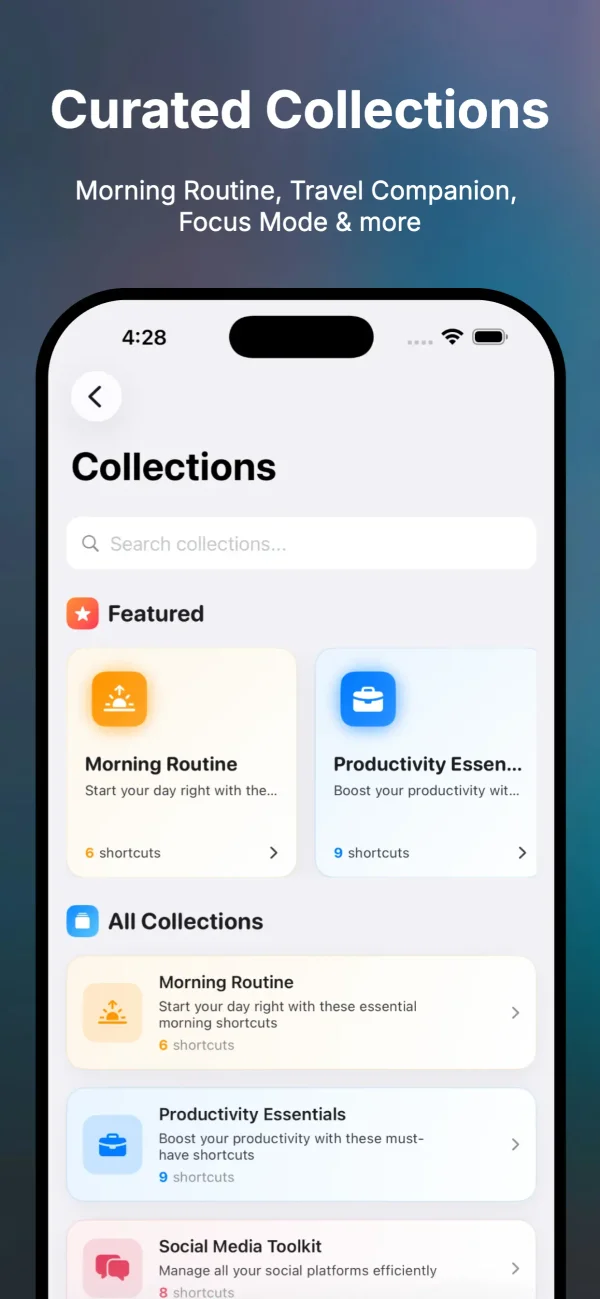
• 18 curated collections: Action Button, Control Center, Apple Intelligence, battery, photos, journal, and more
• Browse Categories, Collections, and Apps from one Library tab
• AI Finder returns up to eight matches with Pro
• New on-device Daily writing tools: meeting notes, Markdown tables, reading time, slugs
• Home starts with collections so you can pick a job, then a shortcut
• iPhone, iPad, Mac, and Apple Watch filters
We'd love your feedback — tap Settings to reach us.
アプリのプライバシー
このアプリのデータの取り扱いについて、GREENLOGIC INNOVATIONS LTDがApp Storeで申告している内容です。
-
ユーザーのトラッキングに使用されるデータ
他社のアプリやウェブサイトを横断してユーザーをトラッキングする目的で使用される場合があります。
- ID
-
ユーザーに関連付けられないデータ
収集される場合がありますが、ユーザーの識別情報には関連付けられません。
- 購入
- ID
- 使用状況データ
プライバシーの取り扱いは、ご利用の機能やお客様の年齢などに応じて異なる場合があります。
情報
- 販売元
- GREENLOGIC INNOVATIONS LTD
- カテゴリ
- 仕事効率化
- バージョン
- 4.0.0
- 更新日
- 2026/11/16
- リリース
- 2026/3/15
- サイズ
- 60.1 MB
- 必要条件
- iOS 16.0以降
- 対象年齢
- 4+
- 価格
- 無料
- アプリ内課金
- あり
- 言語
- 英語, フランス語, ドイツ語, スペイン語
- 著作権
- © 2026 Greenlogic Innovations Ltd
こちらもおすすめ
-
 ShortcutStudio - AI Shortcuts仕事効率化
-
 Shortcutly: Automation Hub仕事効率化
-
 Balane TextDeck: 定型文ショートカットプロンプト・テンプレートをワンタップでコピペ
-
 ShortcutyDiscover & Share iOS Shortcuts
-
 LLM Shortcut ToolkitAIショートカットで効率化
-
 CustomNotify: Alert Scheduler仕事効率化
-
 No Wifi AI: Offline AI Chat仕事効率化
-
 tinkflow仕事効率化
-
 Shortcuts Browserいつものサイトを、ワンタップで
-
 Shortcut Recorder仕事効率化