
SpeakerTimer: Stage Clock
Stage countdown for speakers
Diseñada para iPhone, iPad
Compras en la aplicación
- Clasificación por edad4+
- CategoríaProductividad
- DesarrolladorWei-Che Ding
- IdiomasInglés+ 1 más
- Tamaño29,4 MB
Es posible que SpeakerTimer: Stage Clock no esté disponible en App Store en este momento
No se pudo acceder a la ficha de la tienda en nuestra última comprobación. El enlace sigue llevando a la página oficial de App Store.
Capturas de pantalla


Acerca de
El desarrollador no ha proporcionado este texto en tu idioma.
At a conference, someone always stands at the edge of the stage holding time cards — and the card only goes up twice per talk. SpeakerTimer leaves an iPad on stage showing the time the whole way through, and puts the controls on the iPhone in your seat. Nobody walks on, nobody ends up in the shot.
SET IT, START IT, FORGET IT
• Pick the talk length and press Start. The iPad switches to a full-screen countdown that can't be closed by accident.
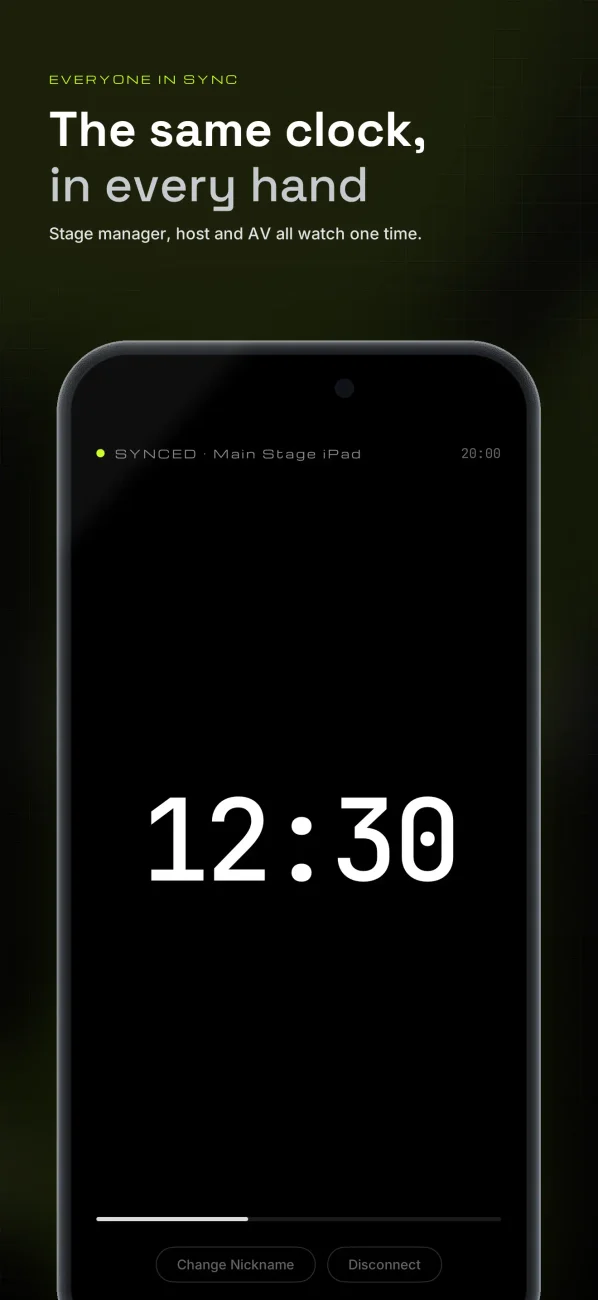
• The clock changes color at 5, 3, and 1 minute left. Thresholds and colors are customizable.
• When time is up, the clock keeps running as overtime (+MM:SS), so the crew knows exactly how far over the talk is.
• Count down or count up.
RUN IT FROM YOUR SEAT
• Open SpeakerTimer on iPhone and it finds the iPad on the same Wi-Fi — no accounts, no pairing codes.
• Everyone on the crew mirrors the same clock, so the host, the AV desk and the stage manager read the same number.
• Make one iPhone the controller (Pro) to start, pause, reset and adjust the time without walking on stage.
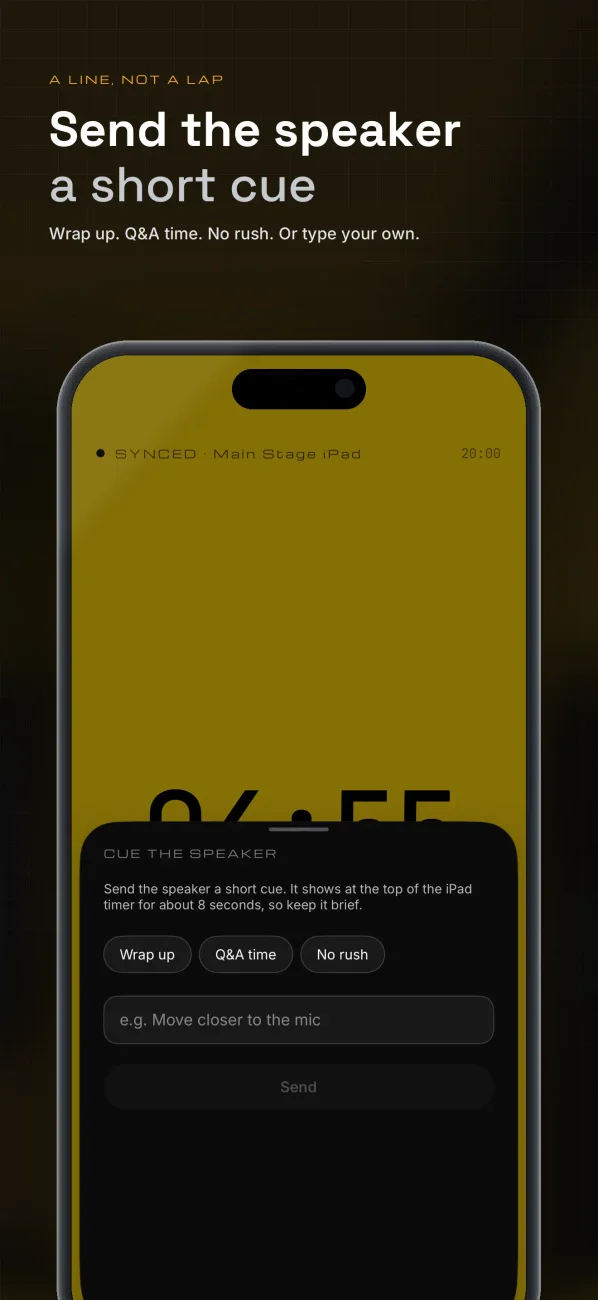
• Send a short message to the stage screen (Pro) — "Wrap up", "Q&A time", "No rush" — instead of walking up to whisper it.
SPEAKERTIMER PRO — ONE-TIME PURCHASE
• Talks of any length (free: up to 20 minutes)
• Up to 8 iPhones in sync (free: 1)
• iPhone remote: start, pause, reset, and set the time from your phone, and send short messages to the stage screen
GOOD TO KNOW
• The iPad is the timer. The iPhone app needs SpeakerTimer running on an iPad nearby.
• Both devices must be on the same Wi-Fi network. If the venue Wi-Fi blocks device-to-device connections, connect the iPad to the iPhone's Personal Hotspot.
• No accounts, no ads, no tracking.
Privacidad de la aplicación
Lo que Wei-Che Ding declara en App Store sobre cómo esta aplicación gestiona los datos.
-
Datos no vinculados a ti
Pueden recopilarse, pero no se vinculan a tu identidad.
- Compras
Las prácticas de privacidad pueden variar, por ejemplo, según las funciones que uses o tu edad.
Información
- Vendedor
- Wei-Che Ding
- Categoría
- Productividad
- Versión
- 1.0.0
- Actualizado
- 29/9/2026
- Publicado
- 29/9/2026
- Tamaño
- 29,4 MB
- Requiere
- iOS 26.0 o posterior
- Clasificación por edad
- 4+
- Compras en la aplicación
- Sí
- Idiomas
- Inglés, Chino tradicional
- Copyright
- © 2026 DinDin Dev Inc.
Quizá también te guste
-
 TokiQue: Kitchen & Talk TimerProductividad
-
 Soapbox: Speaker TimerProductividad
-
 Speech Timer PRO Speaker ClockProductividad
-
 Talklight: Speaker TimerProductividad
-
 講師手記Productividad
-
 Pomodoro by ClawRockProductividad
-
 Rostrum - Speaker TimerProductividad
-
 Segue: Stage TimerProductividad
-
 Open Micer TimerProductividad
-
 Fecha Límite y Cuenta AtrásAnillo de Progreso y Urgencia