
Speck: Object Counter
Count pills & items from photo
Diseñada para iPhone
Gratis
- Clasificación por edad4+
- CategoríaUtilidades
- DesarrolladorYi Chao Ding
- IdiomasInglés
- Tamaño39,0 MB
Enlaza a la página oficial de App Store
Download.org no aloja ningún archivo de Speck: Object Counter. El botón abre la página de la aplicación en App Store, donde la publica Yi Chao Ding. Ficha comprobada por última vez el 16/11/2026.
Capturas de pantalla


Acerca de
El desarrollador no ha proporcionado este texto en tu idioma.
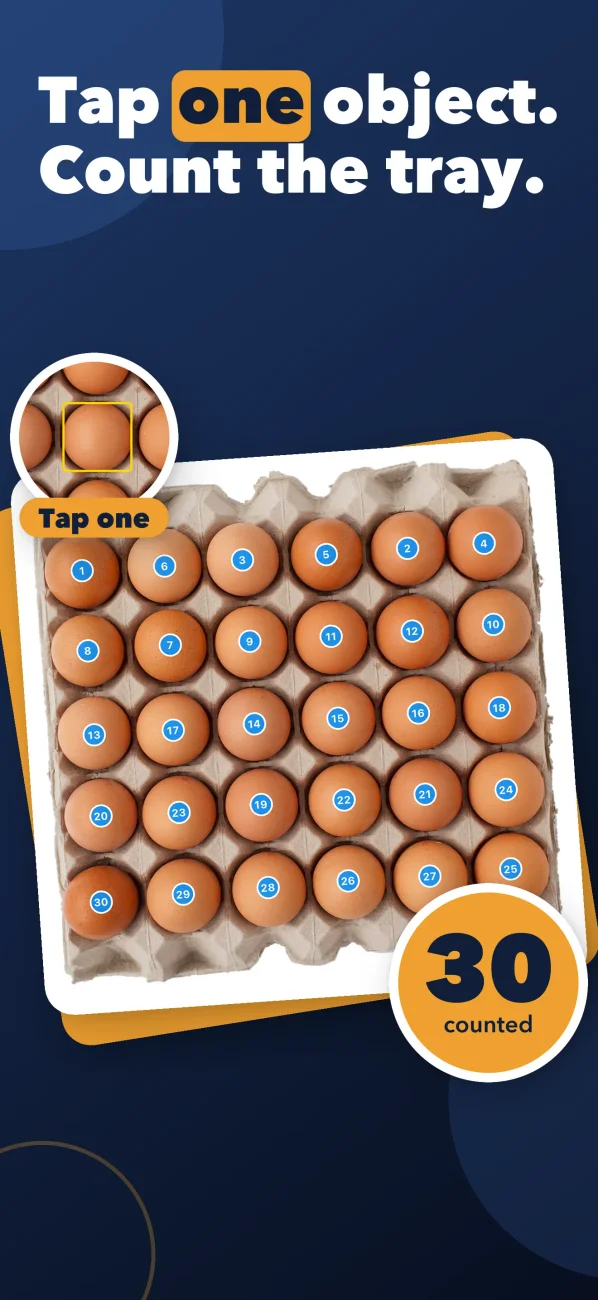
Stop counting one by one. Photograph the pile, tap a single object, and Speck marks every match it finds with a numbered dot — then you fix the stragglers with a tap.
HOW IT WORKS
1. Take a photo, or pick one from your library.
2. Tap one of the objects. That shows Speck what to count. Add a second or third example if they vary.
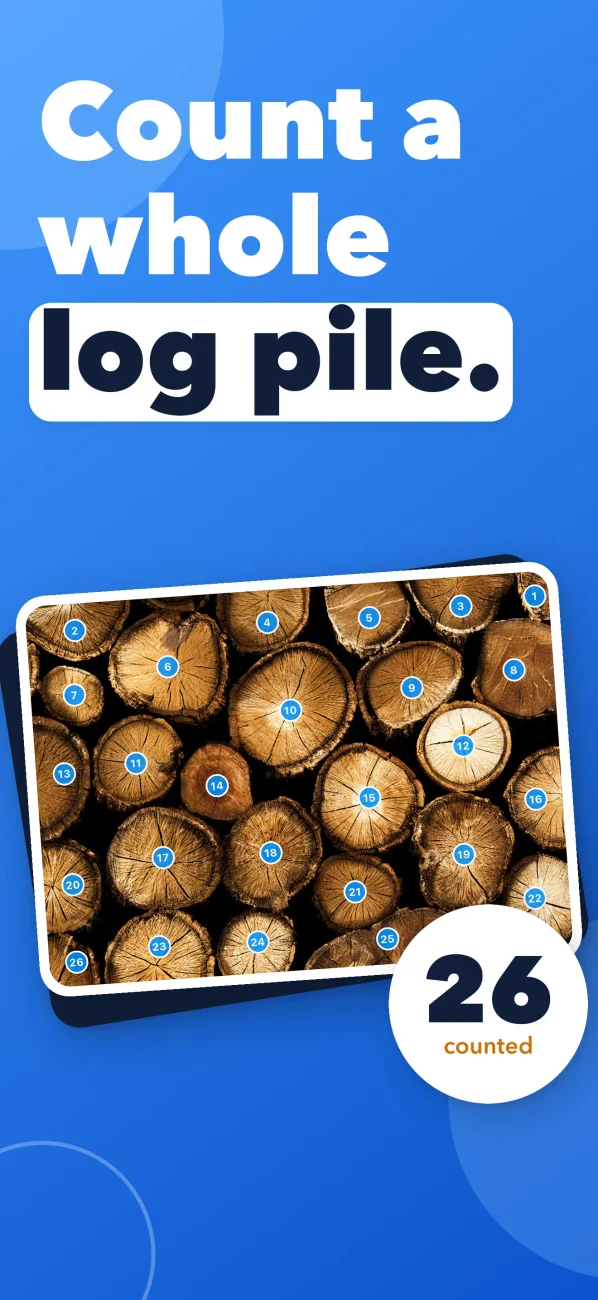
3. Tap Count. Every match gets a numbered dot, with a running total underneath.
Speck finds most of them on its own. Missed one? Tap it to add a dot. Marked something that isn't there? Tap the dot to remove it. The total updates as you go, so the number you save is one you have checked yourself — not one you have to take on trust.
WHAT PEOPLE COUNT WITH IT
• Pills and tablets in a tray
• Eggs, seeds, seedlings and produce
• Screws, bolts, nuts and fixings in a bin
• Rebar ends, pipe stacks, planks and log piles
• Coins, beads, buttons and craft supplies
• Bricks, blocks and tiles on a pallet
• Stock on a shelf, at stocktake time
MORE THAN A CLICKER
• Frame part of the photo to count only what is inside it.
• Split that frame down the middle or into a grid, and get a separate count for every cell.
• Shrink the dots when you want to see what is underneath them.
• See a warning when a photo is too crowded to trust at a glance, so you know when to check the dots.
• Use the flash in dim store rooms.
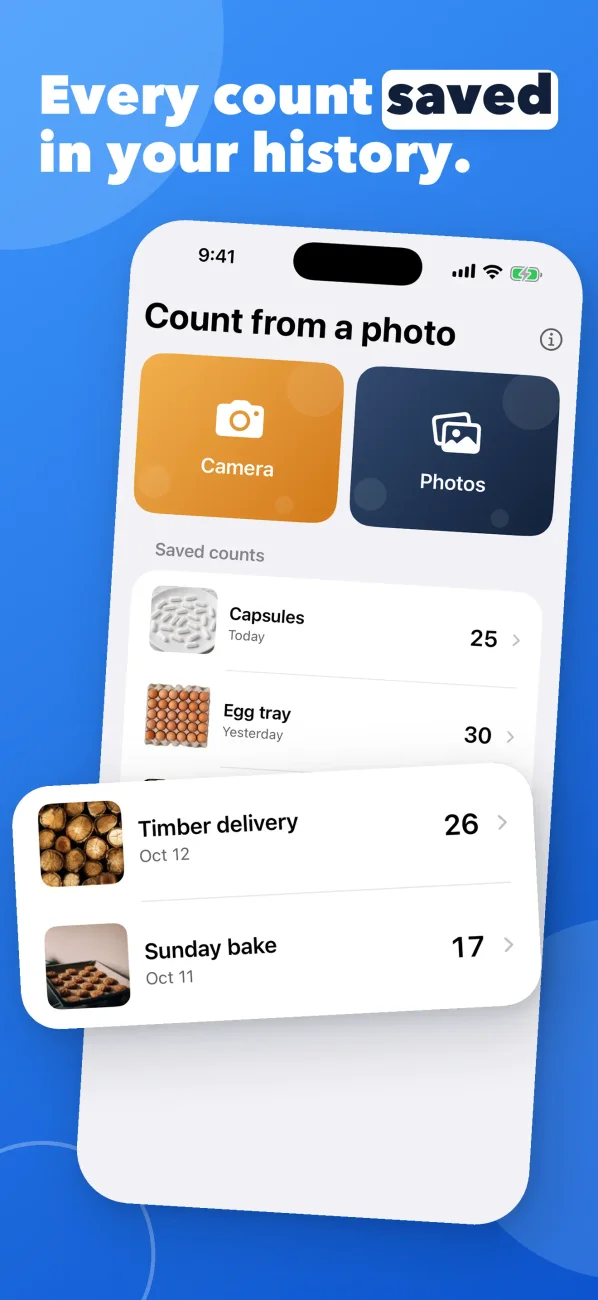
• Name a count — "Tray 3, blue caps" — and find it again in your history.
• Reopen a saved count later to move the frame or fix a dot.
• Share the marked-up photo, so the next person can see exactly what was counted.
PRIVATE BY DESIGN
Counting runs on your iPhone's Neural Engine. Your photos and your counts stay on the device and are never uploaded. Speck needs an internet connection once, on first launch, to finish setting itself up — after that it counts with no connection at all.
No account. No ads. No subscription.
WHAT IT IS GOOD AT — AND WHAT IT ISN'T
Speck works best on a group of objects of a similar size and shape, photographed straight on and close enough that each one is clearly visible. Dense, overlapping or wildly uneven piles are harder: it will miss a few, or dot the same thing twice. That is exactly what the tap-to-fix dots are for. Speck is not a replacement for your own eyes — it is a fast first pass that gets you most of the way in a second, so you only have to correct the rest.
Novedades
Versión 1.2 · 27/10/2026
• Much better at counting small things spread out on a table, like screws, nuts, beads or pills.
• Counting lots of small items can take a few extra seconds, and Speck reminds you to glance over the dots.
• Fixes counting that never started on some older iPhones.
Privacidad de la aplicación
Lo que Yi Chao Ding declara en App Store sobre cómo esta aplicación gestiona los datos.
-
Datos no vinculados a ti
Pueden recopilarse, pero no se vinculan a tu identidad.
- Identificadores
- Datos de uso
- Diagnóstico
Las prácticas de privacidad pueden variar, por ejemplo, según las funciones que uses o tu edad.
Información
- Vendedor
- Yi Chao Ding
- Categoría
- Utilidades
- Versión
- 1.2
- Actualizado
- 27/10/2026
- Publicado
- 2/9/2026
- Tamaño
- 39,0 MB
- Requiere
- iOS 17.0 o posterior
- Clasificación por edad
- 4+
- Precio
- Gratis
- Idiomas
- Inglés
- Copyright
- © 2026 Yi Chao Ding
Quizá también te guste
-
 Contador de Objetos por FotoGestión precisa del inventario
-
 Count Things by Photo & CameraUtilidades
-
 IMS MIAUtilidades
-
 Smart Visual CounterUtilidades
-
 Board Foot Calculator WoodProMadera, tablas y bitácora
-
 DotTap - Cuenta Cualquier CosaToca para Contar en Fotos
-
 Contador Objetos: Contar FotoInventario y Escaneo AI
-
 HueScope: Color Blind CameraUtilidades
-
 Contador de Fotos AIContador inteligente de fotos
-
 Zero-shot CountingUtilidades