Split Screen & Dual Browser
Browse Two Websites at Once
Diseñada para iPhone, iPad, iPod touch
Gratis · Compras en la aplicación
- Clasificación por edad4+
- CategoríaUtilidades
- DesarrolladorNgo Tien
- IdiomasInglés
- Tamaño8,9 MB
Enlaza a la página oficial de App Store
Download.org no aloja ningún archivo de Split Screen & Dual Browser. El botón abre la página de la aplicación en App Store, donde la publica Ngo Tien. Ficha comprobada por última vez el 20/11/2026.
Capturas de pantalla
Acerca de
El desarrollador no ha proporcionado este texto en tu idioma.
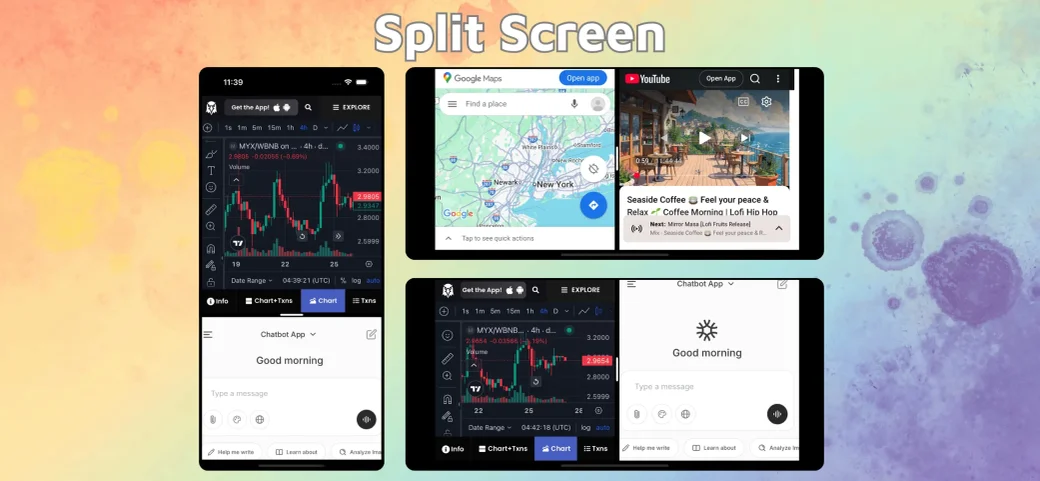
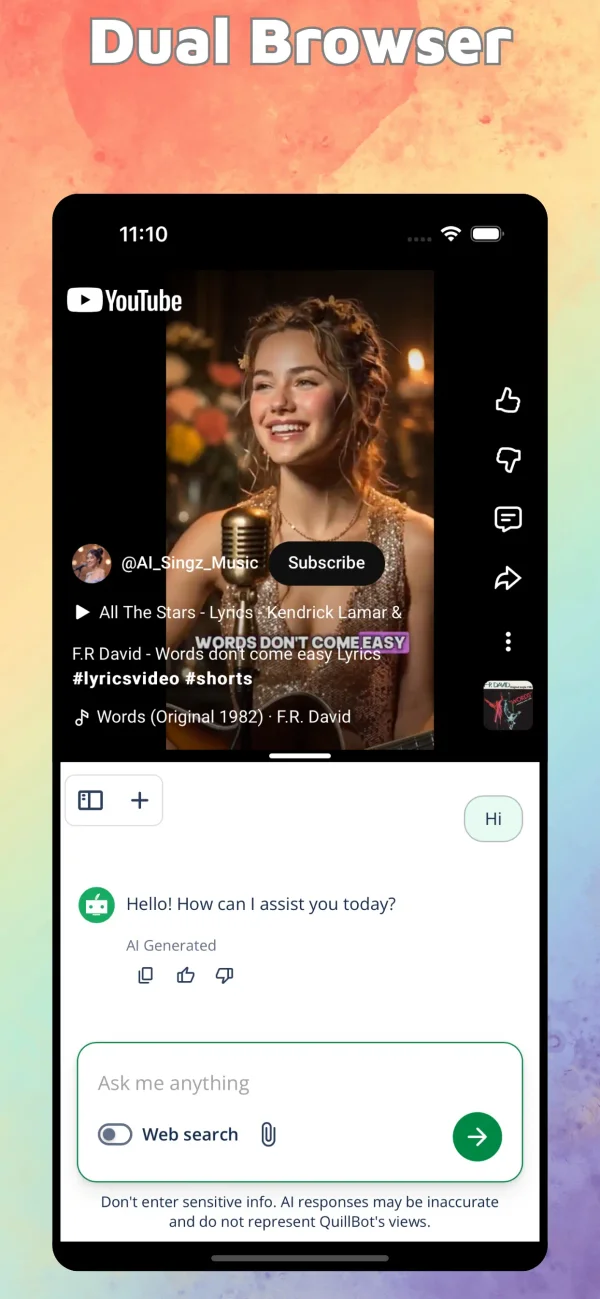
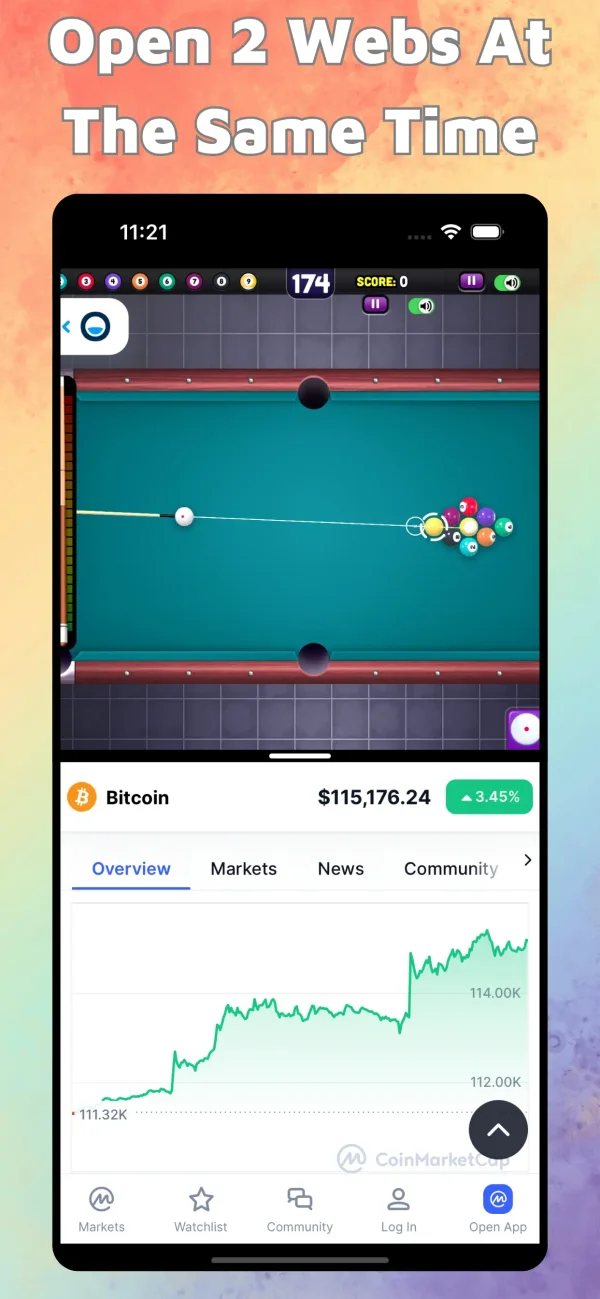
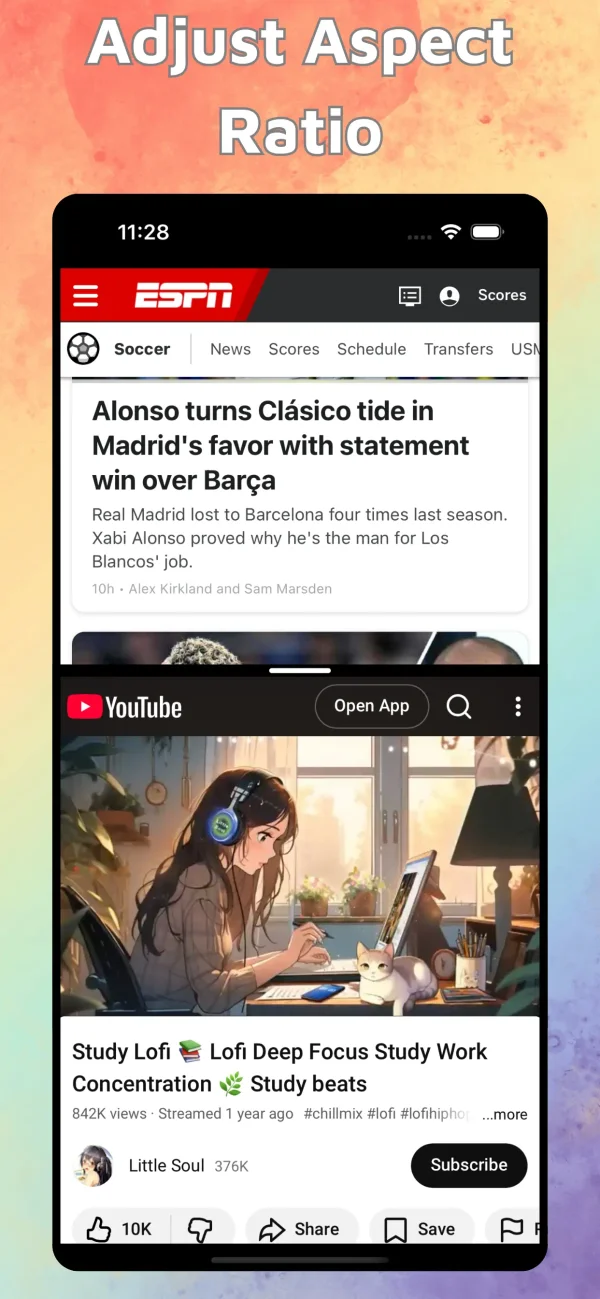
With Split Screen & Dual Browser, you can effortlessly view and interact with two different websites at the same time — right on your iPhone or iPad. Perfect for multitasking, research, studying, or simply browsing more efficiently.
Key Features:
Split Screen Mode:
Open and use two web pages side by side. Read an article on one side while taking notes on Google Docs, watch YouTube while browsing social media, or compare information between two sites — all without switching tabs.
Resizable Dual Windows:
Adjust the size of each window freely with a simple drag. Focus on what matters most while keeping the second site visible for reference or updates.
Smart and Intuitive Interface:
Designed for smooth navigation and control. Swap windows with a tap, drag edges to resize instantly, and enjoy a clean, distraction-free browsing experience.
Landscape & Portrait Support:
Seamlessly adapts to your device orientation. Whether in portrait or landscape, your split layout stays fluid and responsive.
Full Browser Features:
Each window includes independent browsing, history, bookmarks, and tab management — just like a real browser, times two!
Why You’ll Love It:
Maximize your productivity and make full use of your screen space. Whether you’re working, learning, or simply browsing smarter, Split Screen & Dual Browser helps you do more — faster and easier.
Download now and experience true multitasking on iOS!
Split Screen & Dual Browser Premium Plans:
• 3-day free trial then $9.99/month
Information about the auto-renewal of subscription:
• Payment will be charged to iTunes Account at confirmation of purchase.
• Subscription automatically renews unless auto-renew is turned off at least 24-hours before the end of the current period.
• Account will be charged for renewal within 24-hours prior to the end of the current period, and identify the cost of the renewal. The cost depends on the selected plan.
• Subscriptions may be managed by the user and auto-renewal may be turned off by going to the user's Account Settings after purchase.
• Any unused portion of the free trial will be forfeited when the user purchases a subscription.
Privacy Policy: https://ngotienmobile.blogspot.com/2024/03/privacy-policy.html
Terms of Use: https://ngotienmobile.blogspot.com/2024/03/terms-of-use.html
Novedades
Versión 2.0 · 5/2/2026
Fix some bugs
Privacidad de la aplicación
Lo que Ngo Tien declara en App Store sobre cómo esta aplicación gestiona los datos.
-
No se recopilan datos
El desarrollador no recopila ningún dato de esta aplicación.
Las prácticas de privacidad pueden variar, por ejemplo, según las funciones que uses o tu edad.
Información
- Vendedor
- Ngo Tien
- Categoría
- Utilidades
- Versión
- 2.0
- Actualizado
- 5/2/2026
- Publicado
- 29/10/2025
- Tamaño
- 8,9 MB
- Requiere
- iOS 15.6 o posterior
- Clasificación por edad
- 4+
- Precio
- Gratis
- Compras en la aplicación
- Sí
- Idiomas
- Inglés
- Copyright
- © Split Screen 2025
Quizá también te guste
-
 Split Screen - Split ViewDual Window, Multiple Screen
-
 PiP Tube - Floating AppsPantalla Dividida Doble
-
 Split Screen: Dual WindowUtilidades
-
 Split Screen - MultitaskingUtilidades
-
 Multitasking Split ScreenDual web browser
-
 MultiWindow - Dual BrowserUtilidades
-
 Split Screen - Dual WindowUtilidades
-
 GameBoost: Lower Ping & LagUtilidades
-
 Navegador en pantalla divididaDos webs a la vez
-
 Split screen PlayerUtilidades