SQLStudio Light
Manage SQL Server databases
Diseñada para iPhone, iPad, Mac
Gratis · Compras en la aplicación
- Clasificación por edad4+
- CategoríaPara desarrolladores
- DesarrolladorDario Bondi
- IdiomasInglés+ 1 más
- Tamaño29,2 MB
Enlaza a la página oficial de App Store
Download.org no aloja ningún archivo de SQLStudio Light. El botón abre la página de la aplicación en App Store, donde la publica Dario Bondi. Ficha comprobada por última vez el 12/11/2026.
Capturas de pantalla
Acerca de
El desarrollador no ha proporcionado este texto en tu idioma.
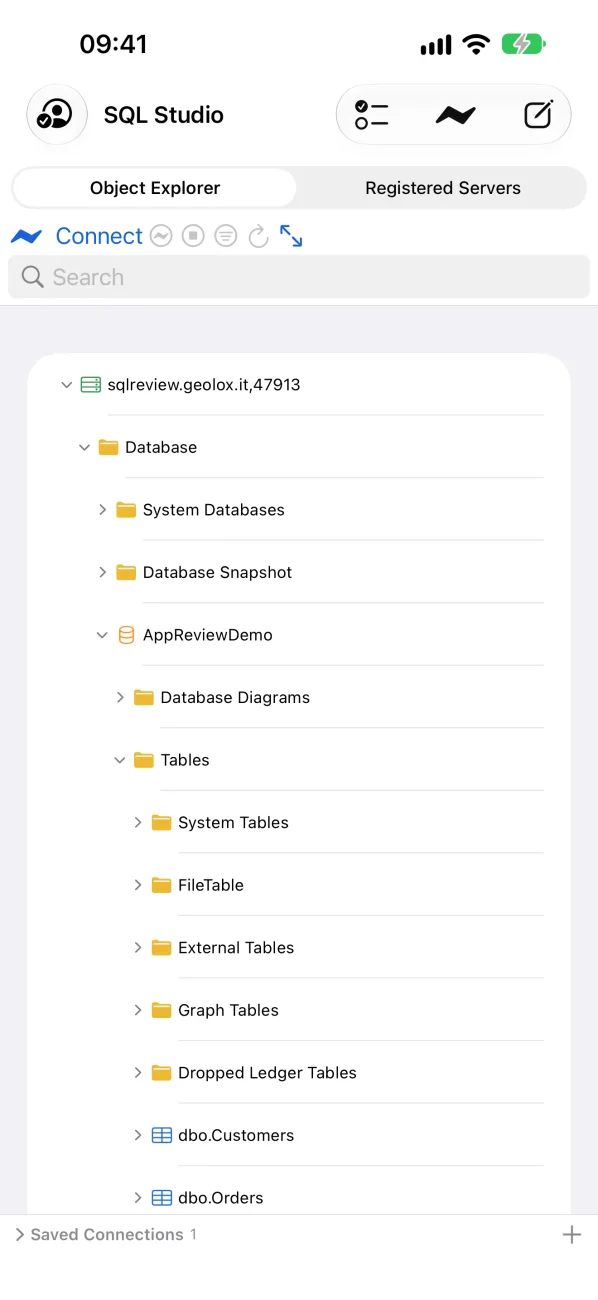
SQLStudio Light brings the tools to administer and develop Microsoft SQL Server, Azure SQL Database and Azure SQL Managed Instance databases to Mac, iPhone and iPad, with an interface that feels familiar to anyone who uses SQL Server Management Studio.
Connect directly to your server on your local network, over a VPN or across the internet: there is nothing to install on the server.
QUERY EDITOR
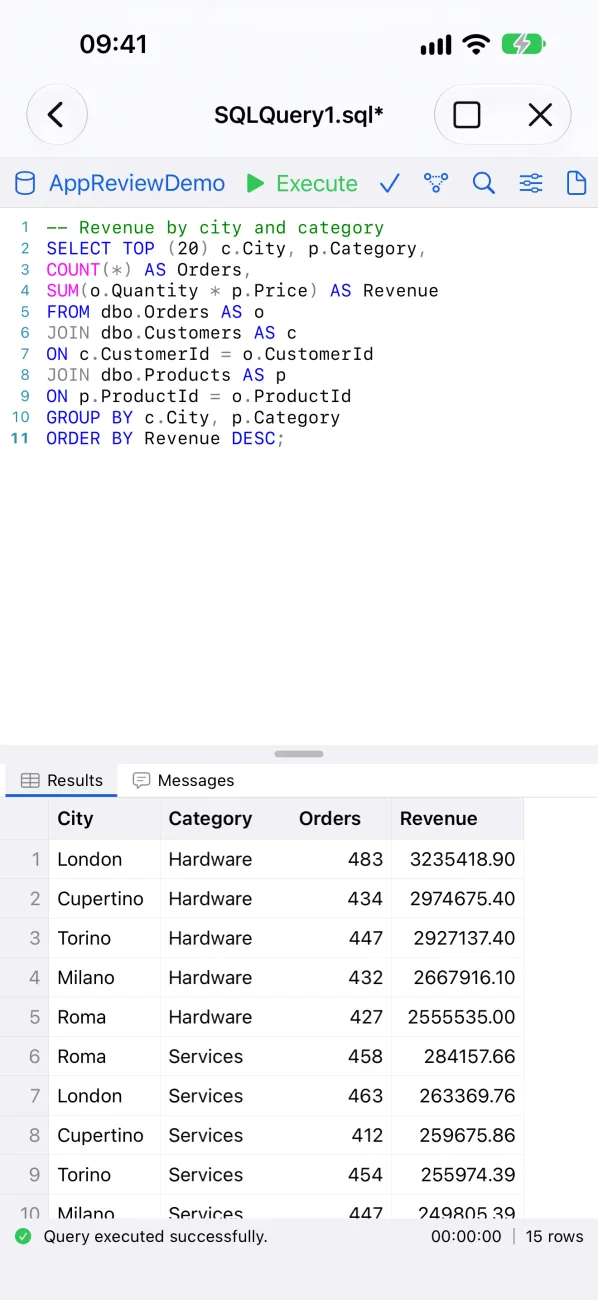
• Syntax highlighting and IntelliSense: keywords, tables, columns, procedures and parameters
• Run scripts with GO and SQLCMD mode; results to grid, text or file
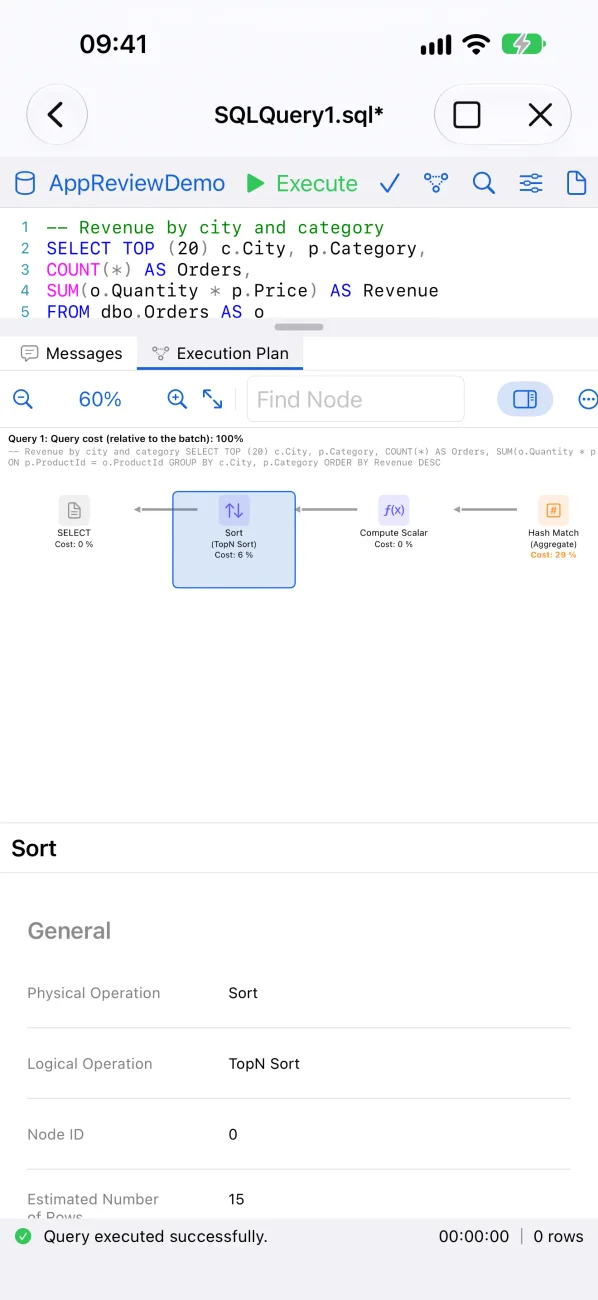
• Estimated and actual execution plans with a graphical viewer, Live Query Statistics and client statistics
• Code formatting, syntax checking, more than 300 templates and snippets
• Per-window transactions, query options, .sql and .sqlplan files
OBJECT EXPLORER
• Databases, tables, views, programmability, security, SQL Server Agent, Always On, replication and much more
• Complete context menus, filters, search, object details and dependencies
• CREATE, ALTER, DROP, SELECT and INSERT scripts, plus the Generate Scripts wizard
ADMINISTRATION
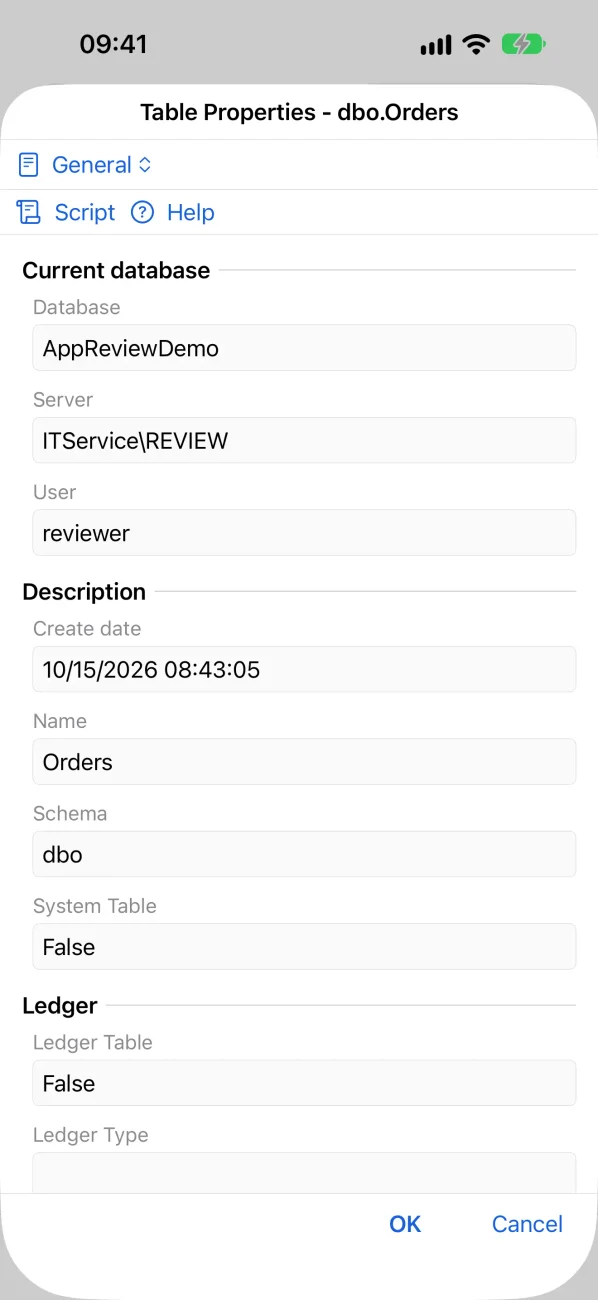
• More than 130 dialogs and wizards: server and database properties, backup and restore, logins, users and roles, indexes, partitioning, compression, Always On, replication, Database Mail, maintenance plans, the Integration Services catalog, SQL Server Agent jobs
• Every dialog can also generate the matching T-SQL script
• Table designer, database diagrams, data editing, CSV import
REPORTS AND MONITORING
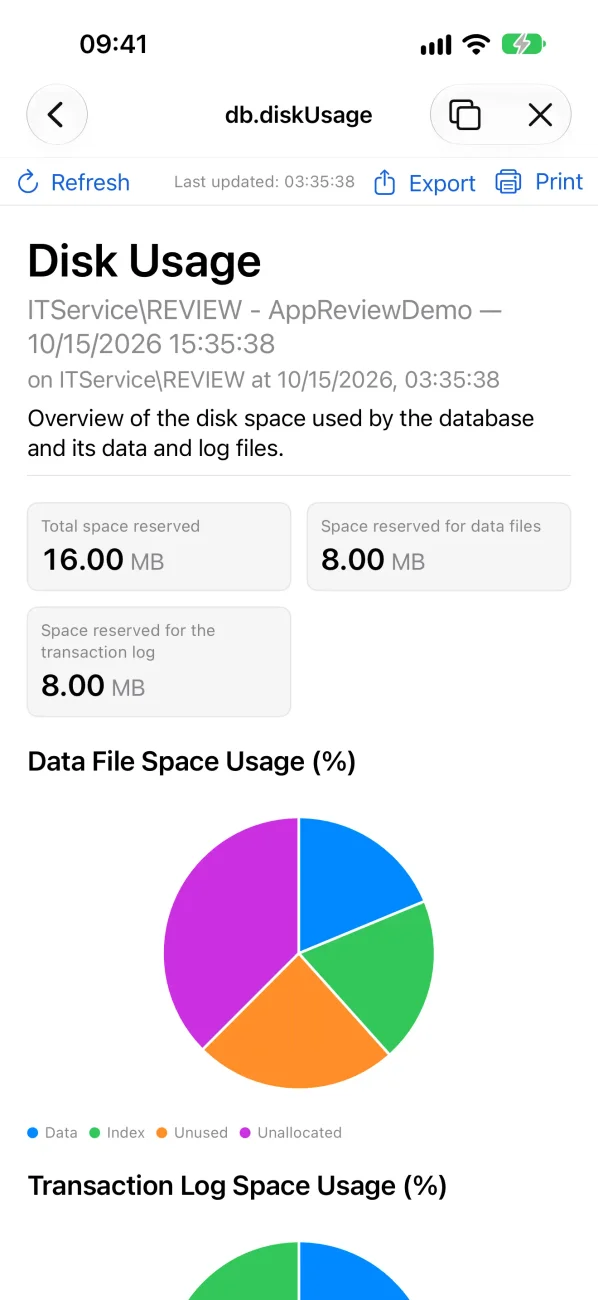
• 63 standard server and database reports
• Query Store, Activity Monitor, Job Activity Monitor, Always On Dashboard
• Log File Viewer, vulnerability assessment, missing indexes, live Extended Events
SECURE CONNECTIONS
• SQL Server Authentication or a Microsoft Entra access token
• Mandatory or strict encryption (TDS 8.0)
• Saved connections and registered servers with groups
• Passwords are stored only in the device Keychain, protected with Touch ID or Face ID
• No account to create, no data sent to third parties
FREE AND PROFESSIONAL
SQLStudio Light is free: connect to your servers, browse objects, view properties and reports, and run read-only queries (SELECT).
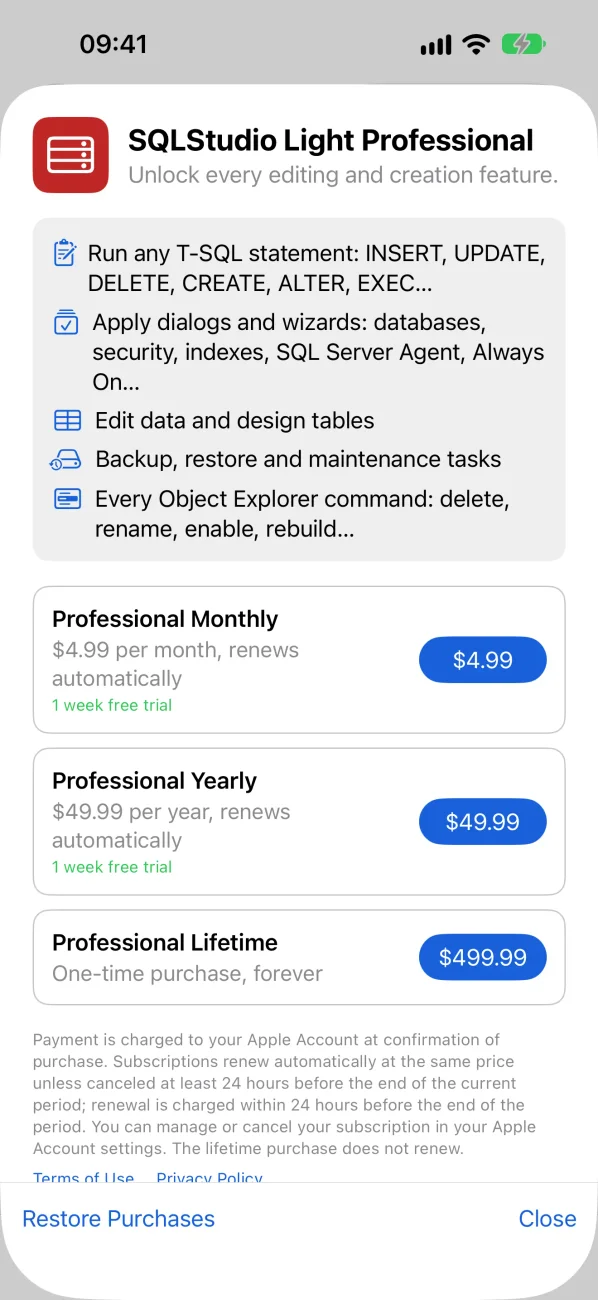
SQLStudio Light Professional unlocks every feature that changes or creates something: any statement in the query editor, saving dialogs and wizards, the table designer, data editing, Object Explorer commands and tasks such as backup and restore.
Professional is available as a monthly or annual subscription, or as a one-time lifetime purchase. Subscriptions renew automatically unless canceled at least 24 hours before the end of the current period, and can be managed in your Apple Account settings.
Terms of Use: https://www.geolox.it/sqlstudio-light/terms.html
Privacy Policy: https://www.geolox.it/sqlstudio-light/privacy.html
Need Windows authentication, DacFx (.bacpac/.dacpac) and the complete SSMS toolset? Try SQL Studio, the full free edition that works through the SQL Studio gateway installed on your own server.
Available in English and Italian.
SQLStudio Light is an independent product by IT Service, not affiliated with or endorsed by Microsoft. SQL Server, Azure and SQL Server Management Studio are trademarks of Microsoft Corporation.
Novedades
Versión 1.1.5 · 19/10/2026
New app icon.
Privacidad de la aplicación
Lo que Dario Bondi declara en App Store sobre cómo esta aplicación gestiona los datos.
-
No se recopilan datos
El desarrollador no recopila ningún dato de esta aplicación.
Las prácticas de privacidad pueden variar, por ejemplo, según las funciones que uses o tu edad.
Información
- Vendedor
- Dario Bondi
- Categoría
- Para desarrolladores
- Versión
- 1.1.5
- Actualizado
- 19/10/2026
- Publicado
- 16/10/2026
- Tamaño
- 29,2 MB
- Requiere
- iOS 26.0 o posterior
- Clasificación por edad
- 4+
- Precio
- Gratis
- Compras en la aplicación
- Sí
- Idiomas
- Inglés, Italiano
- Copyright
- © 2026 IT Service
Quizá también te guste
-
 SQL Multi Studio: SQL ClientPara desarrolladores
-
 Bit Blazor UIPara desarrolladores
-
 Driven – Live App AnalyticsPara desarrolladores
-
 SQL Server Mobile ClientPara desarrolladores
-
 Flutter UI TemplatesPara desarrolladores
-
 SQLite Mobile ClientPara desarrolladores
-
 TablePlus - Database ClientPara desarrolladores
-
 MySQL Client by SQLProPara desarrolladores
-
 PostgreSQL ClientPara desarrolladores
-
 SQLiteFlow - SQLite EditorPara desarrolladores