SQLStudio Light
Manage SQL Server databases
Dirancang untuk iPhone, iPad, Mac
Gratis · Pembelian dalam aplikasi
- Batasan usia4+
- KategoriAlat Pengembang
- PengembangDario Bondi
- BahasaInggris+ 1 lainnya
- Ukuran29,2 MB
Tertaut ke halaman resmi App Store
Download.org tidak menyimpan file SQLStudio Light apa pun. Tombol ini membuka halaman aplikasi di App Store, tempat Dario Bondi menerbitkannya. Halaman terakhir diperiksa pada 12/11/2026.
Tangkapan layar
Tentang
Pengembang belum menyediakan teks ini dalam bahasa Anda.
SQLStudio Light brings the tools to administer and develop Microsoft SQL Server, Azure SQL Database and Azure SQL Managed Instance databases to Mac, iPhone and iPad, with an interface that feels familiar to anyone who uses SQL Server Management Studio.
Connect directly to your server on your local network, over a VPN or across the internet: there is nothing to install on the server.
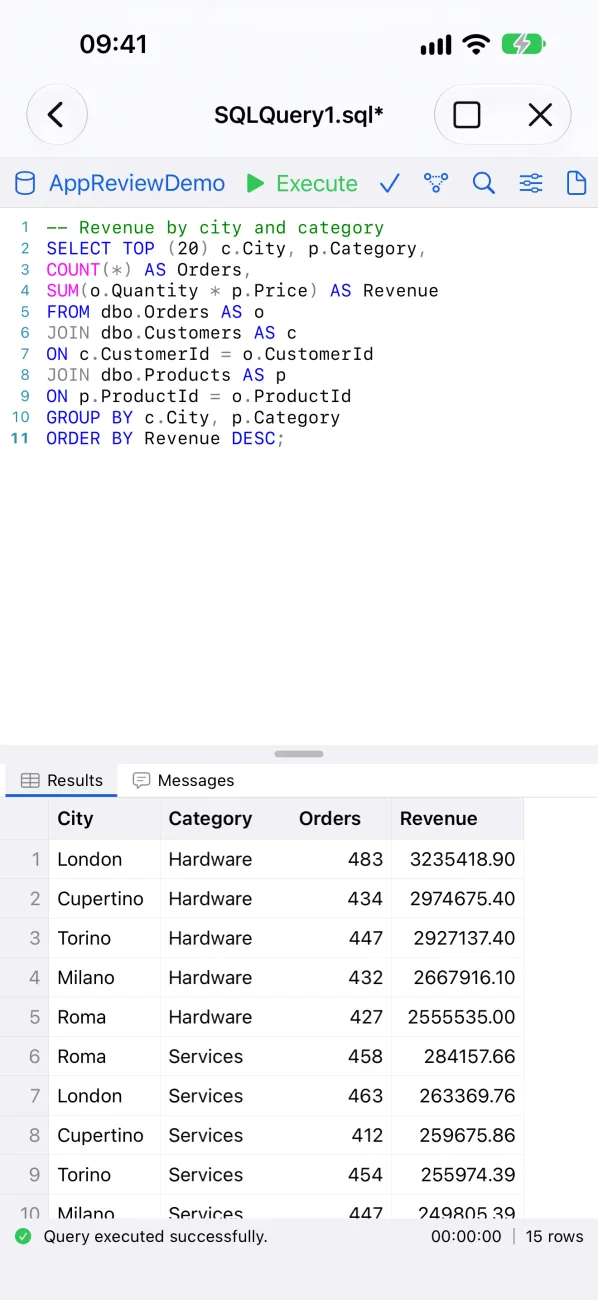
QUERY EDITOR
• Syntax highlighting and IntelliSense: keywords, tables, columns, procedures and parameters
• Run scripts with GO and SQLCMD mode; results to grid, text or file
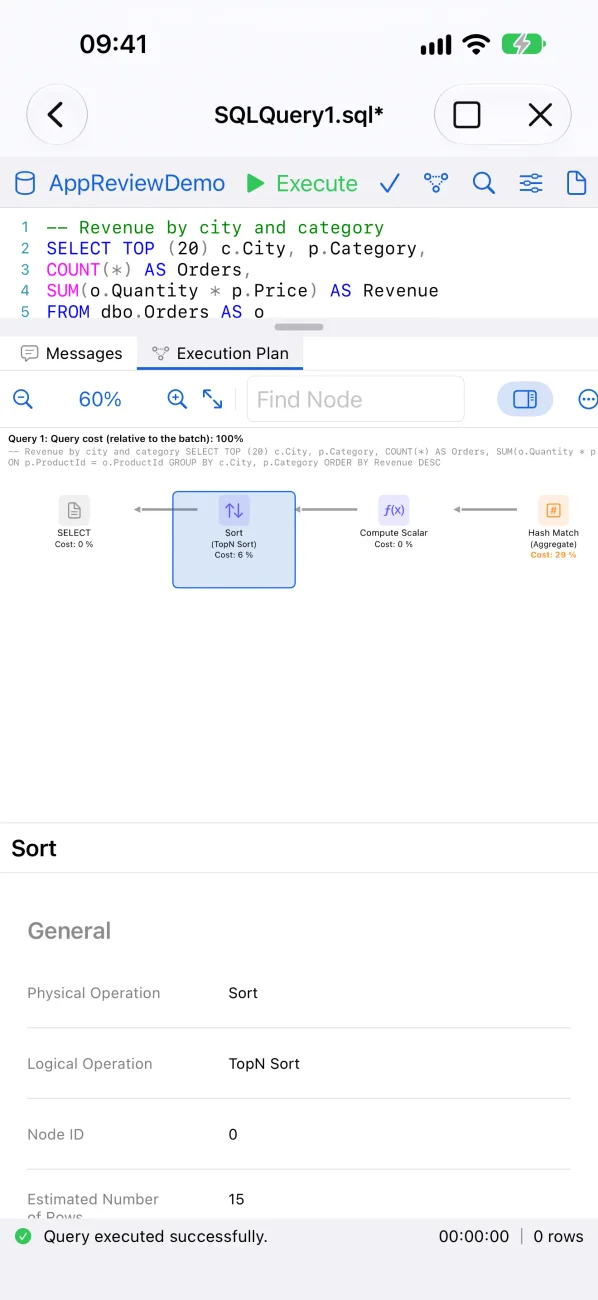
• Estimated and actual execution plans with a graphical viewer, Live Query Statistics and client statistics
• Code formatting, syntax checking, more than 300 templates and snippets
• Per-window transactions, query options, .sql and .sqlplan files
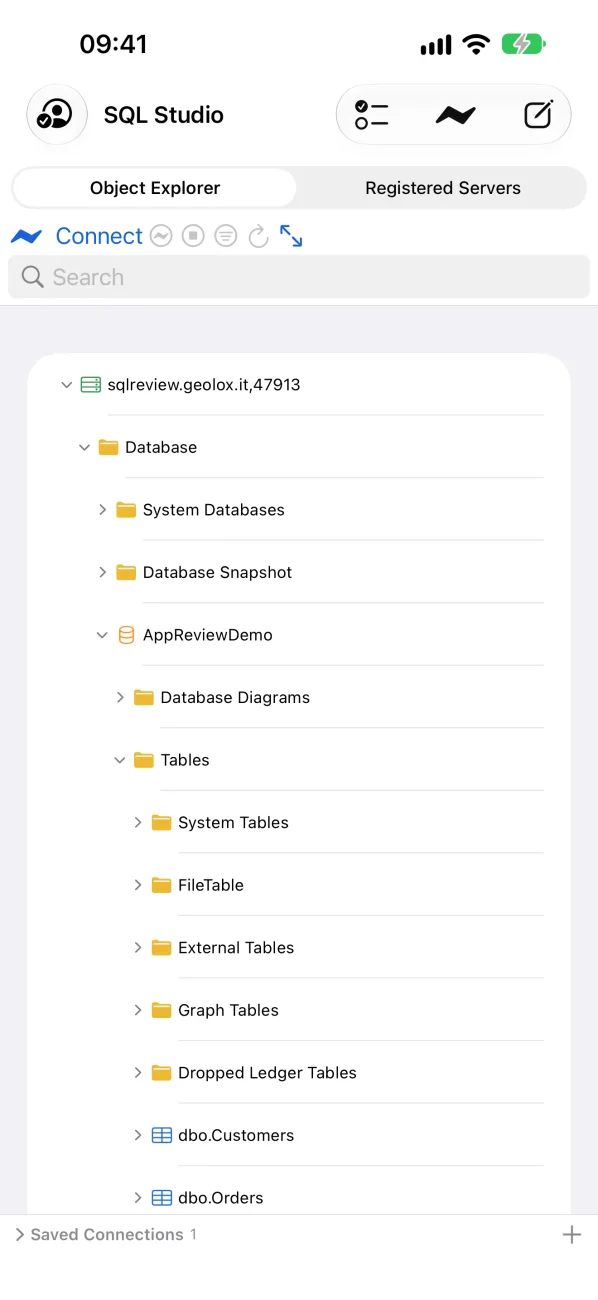
OBJECT EXPLORER
• Databases, tables, views, programmability, security, SQL Server Agent, Always On, replication and much more
• Complete context menus, filters, search, object details and dependencies
• CREATE, ALTER, DROP, SELECT and INSERT scripts, plus the Generate Scripts wizard
ADMINISTRATION
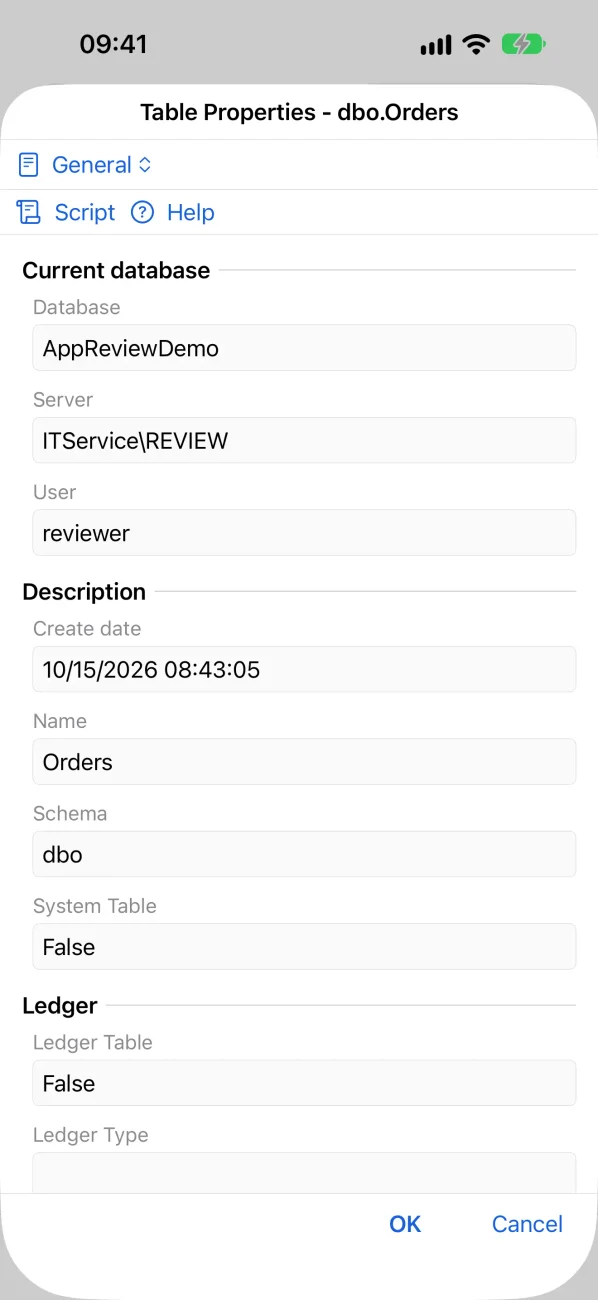
• More than 130 dialogs and wizards: server and database properties, backup and restore, logins, users and roles, indexes, partitioning, compression, Always On, replication, Database Mail, maintenance plans, the Integration Services catalog, SQL Server Agent jobs
• Every dialog can also generate the matching T-SQL script
• Table designer, database diagrams, data editing, CSV import
REPORTS AND MONITORING
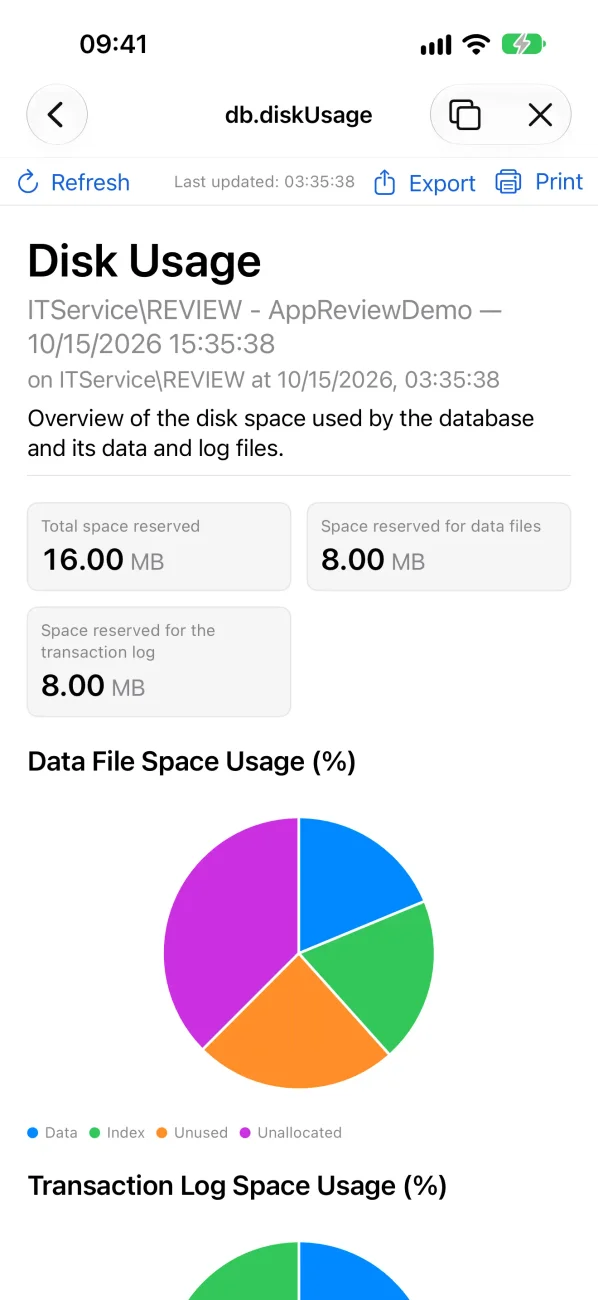
• 63 standard server and database reports
• Query Store, Activity Monitor, Job Activity Monitor, Always On Dashboard
• Log File Viewer, vulnerability assessment, missing indexes, live Extended Events
SECURE CONNECTIONS
• SQL Server Authentication or a Microsoft Entra access token
• Mandatory or strict encryption (TDS 8.0)
• Saved connections and registered servers with groups
• Passwords are stored only in the device Keychain, protected with Touch ID or Face ID
• No account to create, no data sent to third parties
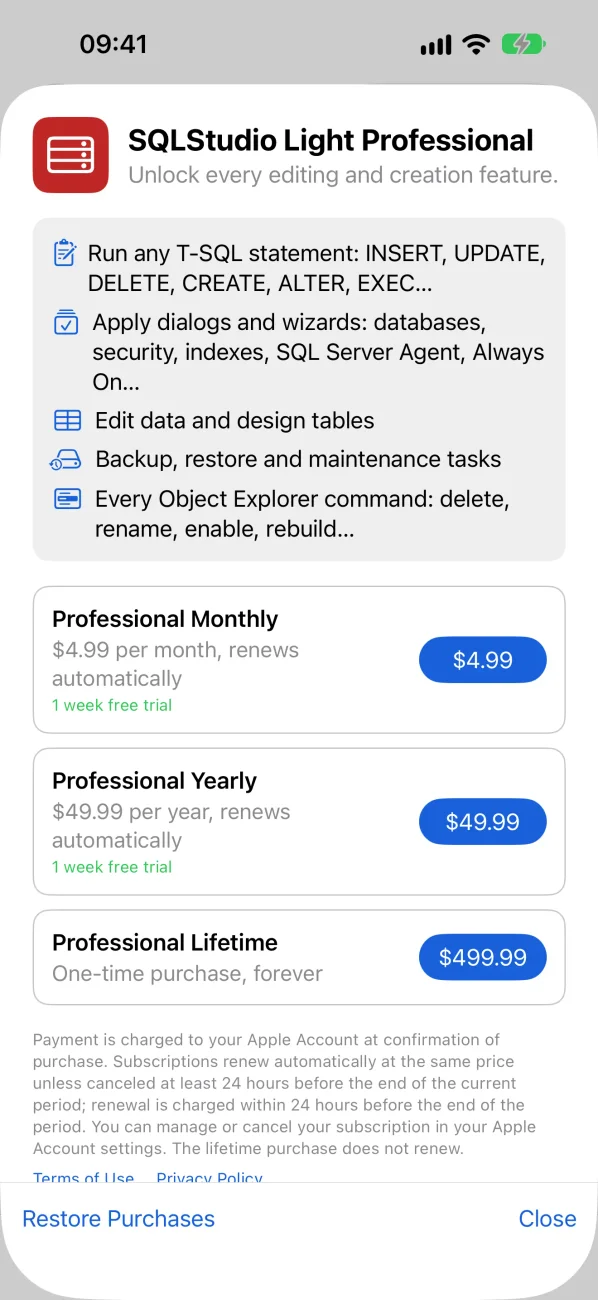
FREE AND PROFESSIONAL
SQLStudio Light is free: connect to your servers, browse objects, view properties and reports, and run read-only queries (SELECT).
SQLStudio Light Professional unlocks every feature that changes or creates something: any statement in the query editor, saving dialogs and wizards, the table designer, data editing, Object Explorer commands and tasks such as backup and restore.
Professional is available as a monthly or annual subscription, or as a one-time lifetime purchase. Subscriptions renew automatically unless canceled at least 24 hours before the end of the current period, and can be managed in your Apple Account settings.
Terms of Use: https://www.geolox.it/sqlstudio-light/terms.html
Privacy Policy: https://www.geolox.it/sqlstudio-light/privacy.html
Need Windows authentication, DacFx (.bacpac/.dacpac) and the complete SSMS toolset? Try SQL Studio, the full free edition that works through the SQL Studio gateway installed on your own server.
Available in English and Italian.
SQLStudio Light is an independent product by IT Service, not affiliated with or endorsed by Microsoft. SQL Server, Azure and SQL Server Management Studio are trademarks of Microsoft Corporation.
Yang baru
Versi 1.1.5 · 19/10/2026
New app icon.
Privasi aplikasi
Yang dinyatakan Dario Bondi di App Store tentang cara aplikasi ini menangani data.
-
Data tidak dikumpulkan
Pengembang tidak mengumpulkan data apa pun dari aplikasi ini.
Praktik privasi dapat bervariasi, misalnya berdasarkan fitur yang Anda gunakan atau usia Anda.
Informasi
- Penjual
- Dario Bondi
- Kategori
- Alat Pengembang
- Versi
- 1.1.5
- Diperbarui
- 19/10/2026
- Dirilis
- 16/10/2026
- Ukuran
- 29,2 MB
- Memerlukan
- iOS 26.0 atau yang lebih baru
- Batasan usia
- 4+
- Harga
- Gratis
- Pembelian dalam aplikasi
- Ya
- Bahasa
- Inggris, Italia
- Hak cipta
- © 2026 IT Service
Mungkin Anda juga suka
-
 SQL Multi Studio: SQL ClientAlat Pengembang
-
 Bit Blazor UIAlat Pengembang
-
 Driven – Live App AnalyticsAlat Pengembang
-
 SQL Server Mobile ClientAlat Pengembang
-
 Flutter UI TemplatesAlat Pengembang
-
 SQLite Mobile ClientAlat Pengembang
-
 TablePlus - Database ClientAlat Pengembang
-
 MySQL Client by SQLProAlat Pengembang
-
 PostgreSQL ClientAlat Pengembang
-
 SQLiteFlow - SQLite EditorAlat Pengembang