Stillplace: Focus & Sleep
White Noise, Rain & ADHD Timer
Diseñada para iPhone
Gratis
- Clasificación por edad4+
- CategoríaProductividad
- DesarrolladorLiubomyr Olshanskyi
- IdiomasInglés+ 17 más
- Tamaño115,3 MB
Enlaza a la página oficial de App Store
Download.org no aloja ningún archivo de Stillplace: Focus & Sleep. El botón abre la página de la aplicación en App Store, donde la publica Liubomyr Olshanskyi. Ficha comprobada por última vez el 23/11/2026.
Capturas de pantalla

Acerca de
El desarrollador no ha proporcionado este texto en tu idioma.
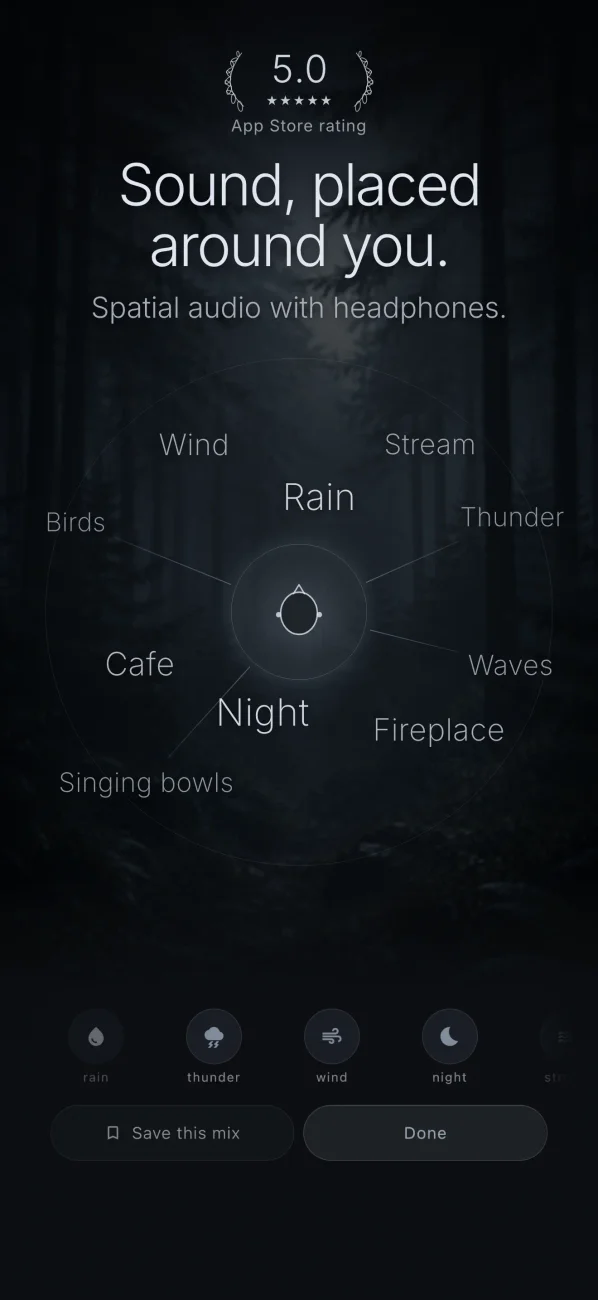
Stillplace is a quiet place made of sound. Put rain, thunder or a fireplace where you want them around you, lay white, pink or brown noise underneath, and each sound plays from its place.
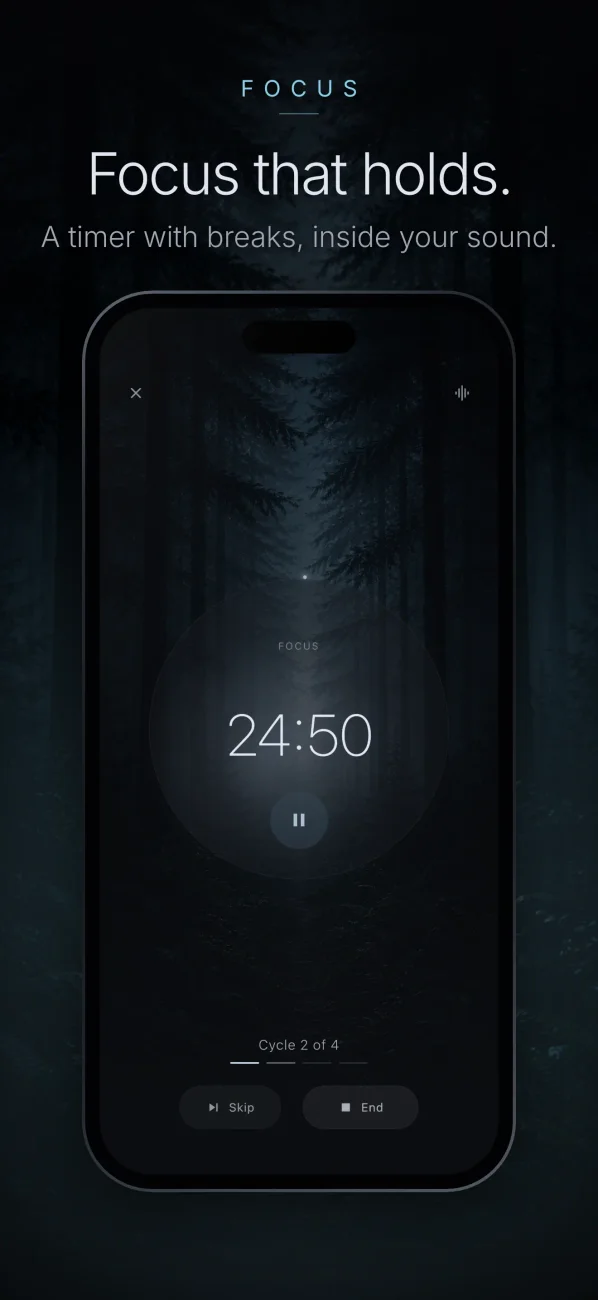
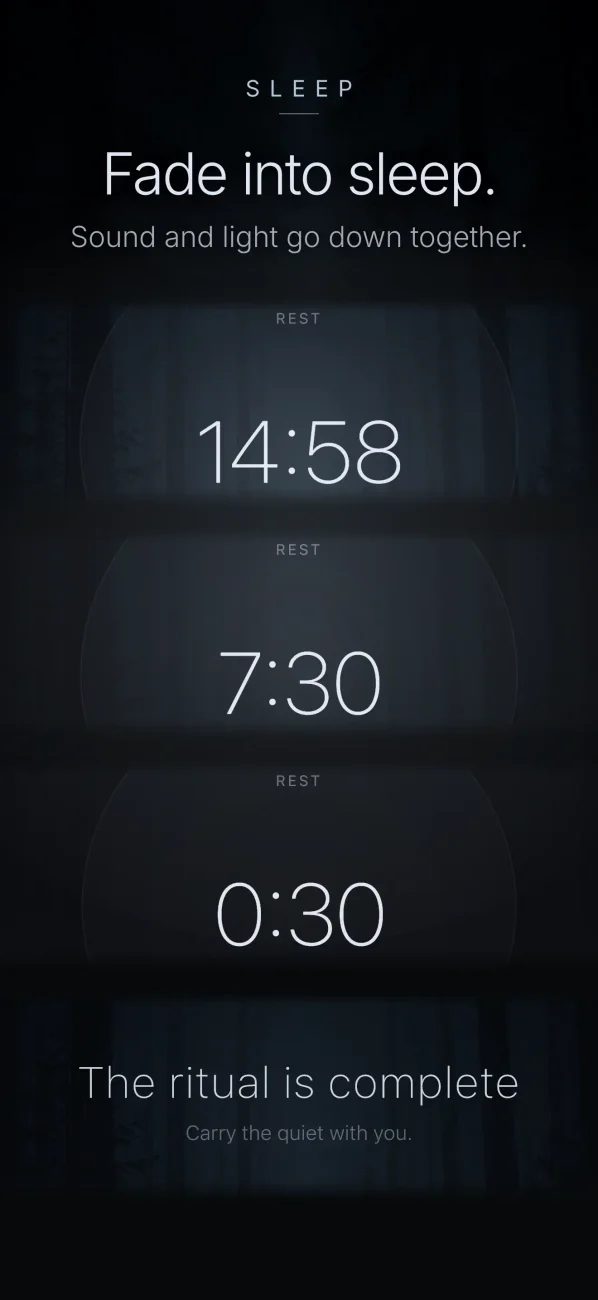
Focus with a timer and breaks, and block the apps you choose until the session ends. Fall asleep with a sleep timer that fades sound and light together. Or just let the room play.
Free, with no ads, no subscriptions and no in-app purchases.
The room
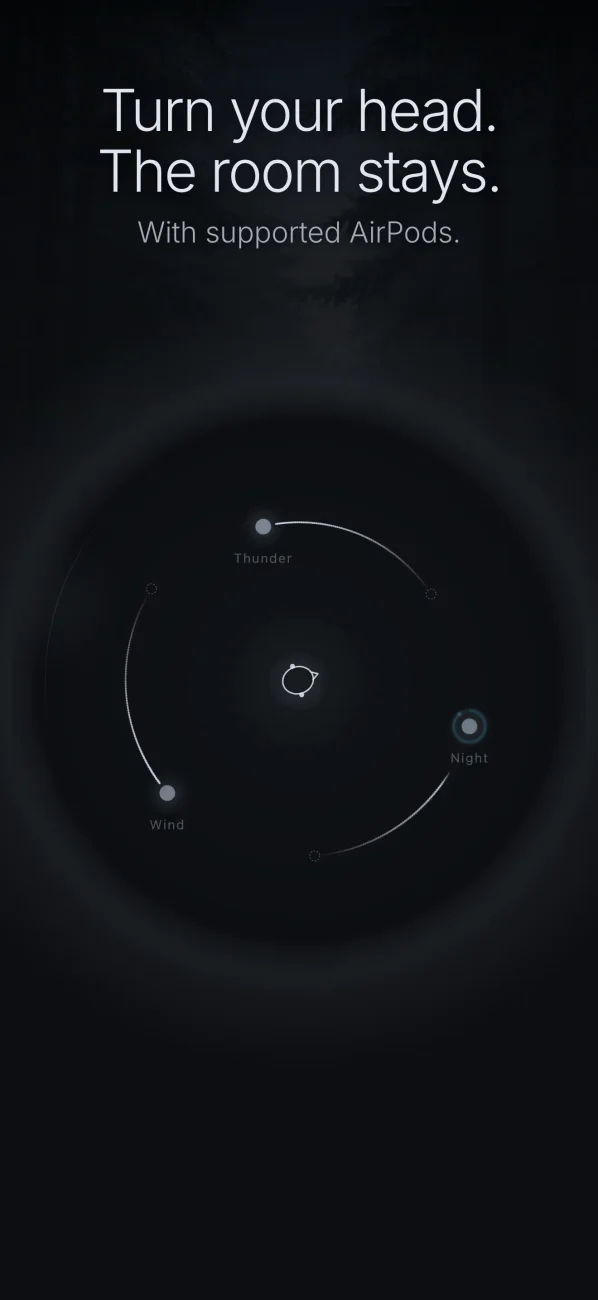
• Every sound has a place. Drag it near or far, ahead, beside or behind you. The angle is where you hear it from; the distance is how present it feels.
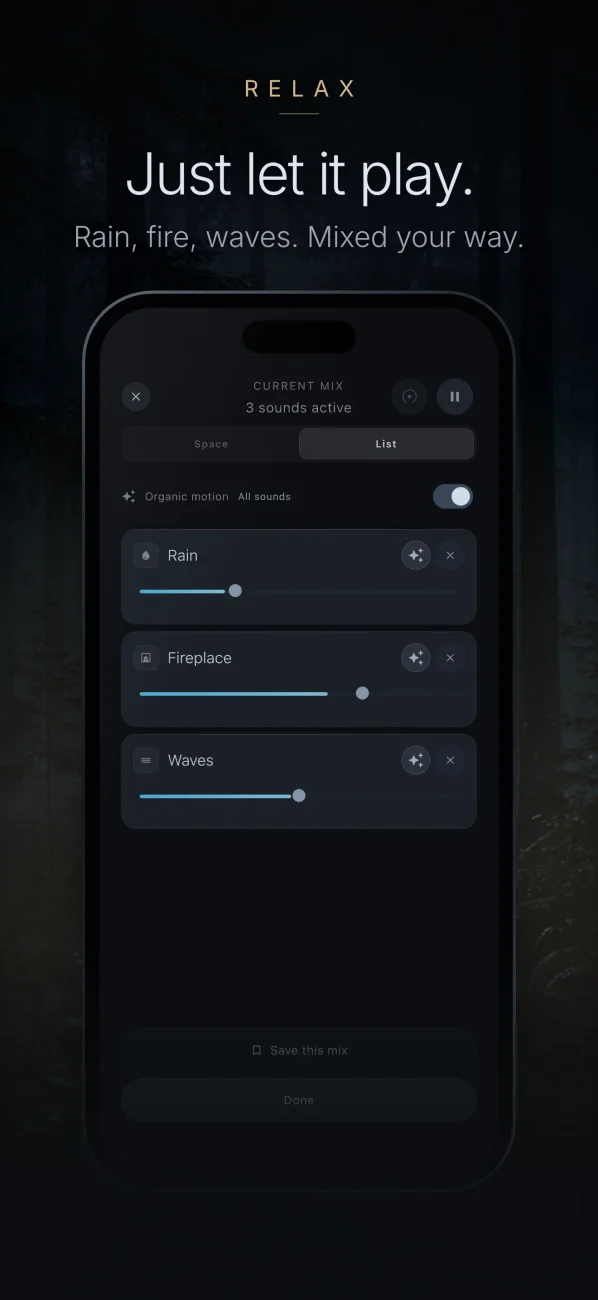
• Rain, thunder, wind, waves, birds, a stream, a fireplace and more, with white noise, pink noise and brown noise under any mix or on their own.
• Organic motion: switch it on and each sound gently rises and falls, so the mix never sits still.
• Save the mixes you come back to. A saved mix remembers where every sound sits.
• With headphones on iPhone, the room is true spatial audio. On the speaker it folds down to stereo, and every sound still plays.
• With AirPods Pro, AirPods Max or AirPods (3rd or 4th generation), head tracking keeps the room in place as you turn your head.
• A short guided tour shows you how the room works the first time you open it.
Focus
• Start a session and the sound you built keeps playing. The screen dims to a breathing orb and a quiet timer.
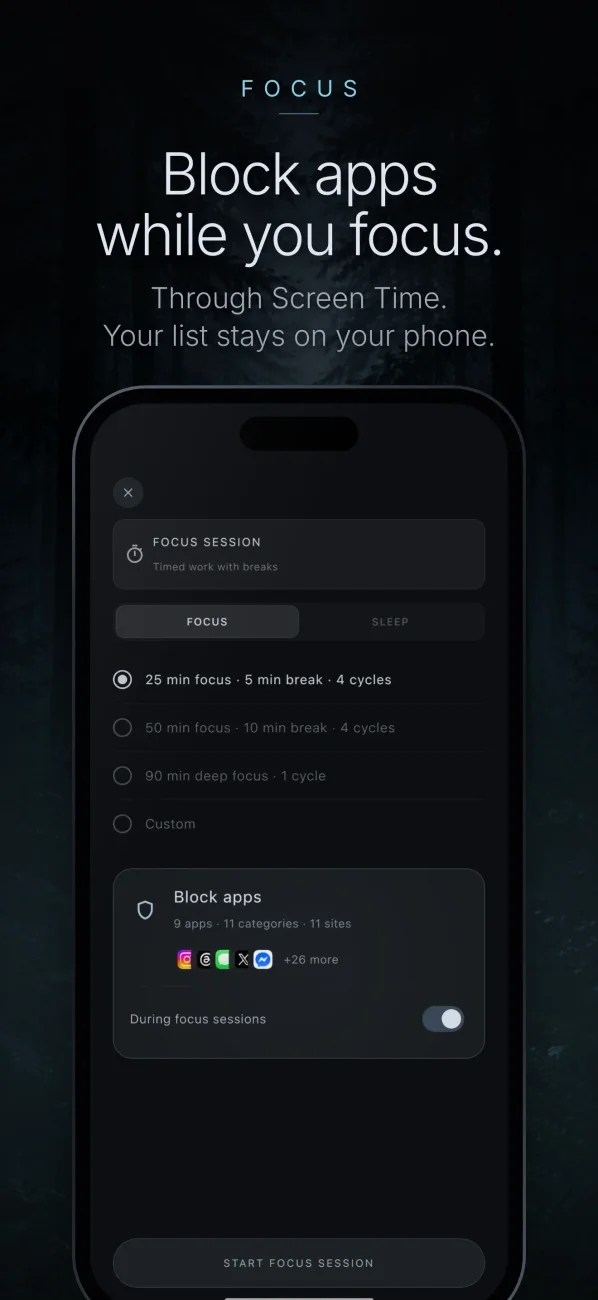
• Presets of 25 minutes of focus with a 5-minute break, 50 with 10, or 90 minutes of deep focus. Or set your own lengths and number of cycles.
• Pause, skip or end as you go. With strict mode on, ending early takes intention.
• The timer follows you to the Lock Screen and the Dynamic Island.
Block apps
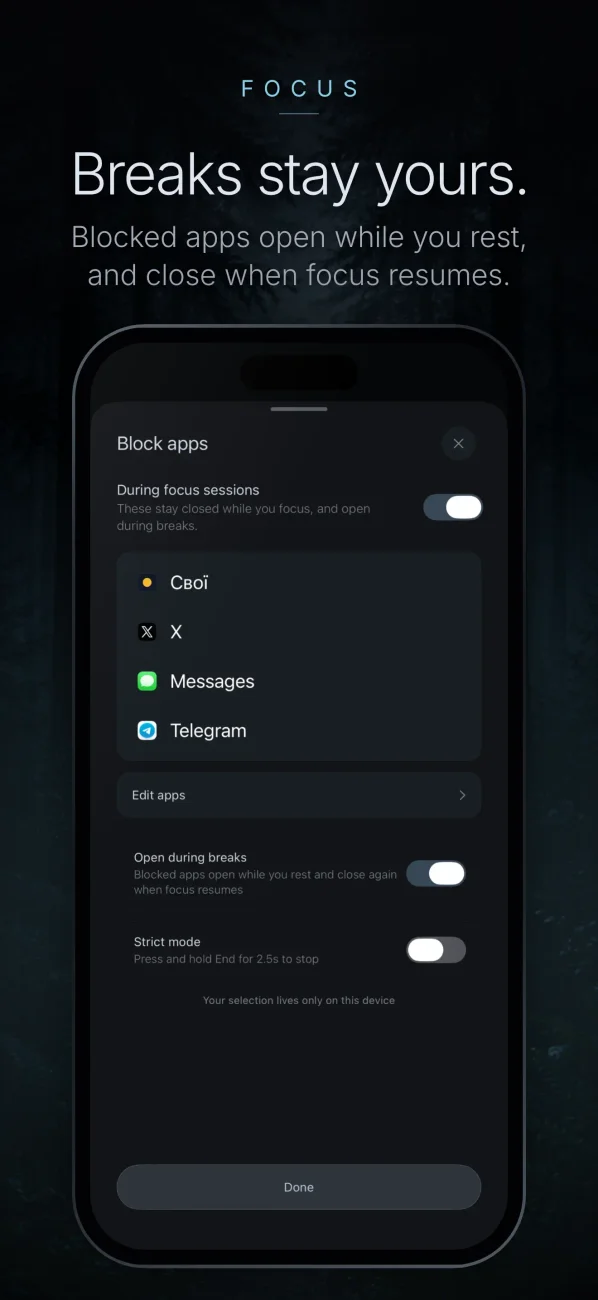
• Choose the apps, categories and websites that pull you away. Through Apple's Screen Time they stay closed during a focus session and open again when it ends.
• Open during breaks: let them open for each break, and they close again when focus returns.
• Your list stays on your phone. Stillplace never sees which apps you choose.
Sleep
• A sleep timer: choose how long. Sound and light fade out together, so the room grows quiet as the screen grows dark.
• Head tracking pauses for the fade, so turning on your pillow doesn't move the room.
Nothing to keep up with
Stillplace is completely free: no ads, no subscriptions, no in-app purchases, nothing locked, and no account to make. There are no streaks, points or charts about you. When a session ends, it says "Well done." and nothing more.
Basic usage analytics help us improve the app. You can switch them off at any time in Settings.
Novedades
Versión 1.0.3 · 18/11/2026
Protect Focus is now called Block apps.
• Blocking turns on as soon as you've chosen your apps, and the card shows the apps you picked.
• New: Open during breaks. Blocked apps open for each break and close again when focus returns.
• Bigger, clearer Skip and End buttons during a session. In strict mode, a quick tap on End shows how to stop.
• If another app takes the sound during a session, a Resume sound button brings it back.
• Ending a session in its first minute no longer asks you to confirm.
• In the guided tour of the room, tap anywhere to move on to the next step.
Privacidad de la aplicación
Lo que Liubomyr Olshanskyi declara en App Store sobre cómo esta aplicación gestiona los datos.
-
Datos vinculados a ti
Pueden recopilarse y vincularse a tu identidad.
- Información de contacto
- Contenido del usuario
-
Datos no vinculados a ti
Pueden recopilarse, pero no se vinculan a tu identidad.
- Ubicación
- Contenido del usuario
- Identificadores
- Datos de uso
Las prácticas de privacidad pueden variar, por ejemplo, según las funciones que uses o tu edad.
Información
- Vendedor
- Liubomyr Olshanskyi
- Categoría
- Productividad
- Versión
- 1.0.3
- Actualizado
- 18/11/2026
- Publicado
- 29/10/2026
- Tamaño
- 115,3 MB
- Requiere
- iOS 18.2 o posterior
- Clasificación por edad
- 4+
- Precio
- Gratis
- Idiomas
- Inglés, Árabe, Belarusian, Checo, Francés, Alemán, Hindi, Italiano, Japonés, Coreano, Polaco, Portugués + 6 más
- Copyright
- © 2026 Liubomyr Olshanskyi
Quizá también te guste
-
 House Bober: Home MaintenanceProductividad
-
 Run Late: GPS Alarm ClockCamina para apagar la alarma
-
 Opus: Temporizador de PomodoroEstudiar, TDAH, Enfoque y Arte
-
 Syncra - Cloud ClipboardProductividad
-
 MotoCare Service LogProductividad
-
 QuickSummaryAI: AI SummarizerDocument, Audio & Web Summary
-
 HabitreeProductividad
-
 Focus-D: Pomodoro Study TimerProductividad
-
 Noti - Lock Screen NotesProductividad