Stillplace: Focus & Sleep
White Noise, Rain & ADHD Timer
Được thiết kế cho iPhone
Miễn phí
- Độ tuổi4+
- Danh mụcHiệu Suất
- Nhà phát triểnLiubomyr Olshanskyi
- Ngôn ngữTiếng Anh+ 17 ngôn ngữ khác
- Kích thước115,3 MB
Liên kết đến trang App Store chính thức
Download.org không lưu trữ tệp nào của Stillplace: Focus & Sleep. Nút này mở trang ứng dụng trên App Store, nơi Liubomyr Olshanskyi phát hành ứng dụng. Trang được kiểm tra lần cuối: 23/11/2026.
Ảnh chụp màn hình

Giới thiệu
Nhà phát triển chưa cung cấp nội dung này bằng ngôn ngữ của bạn.
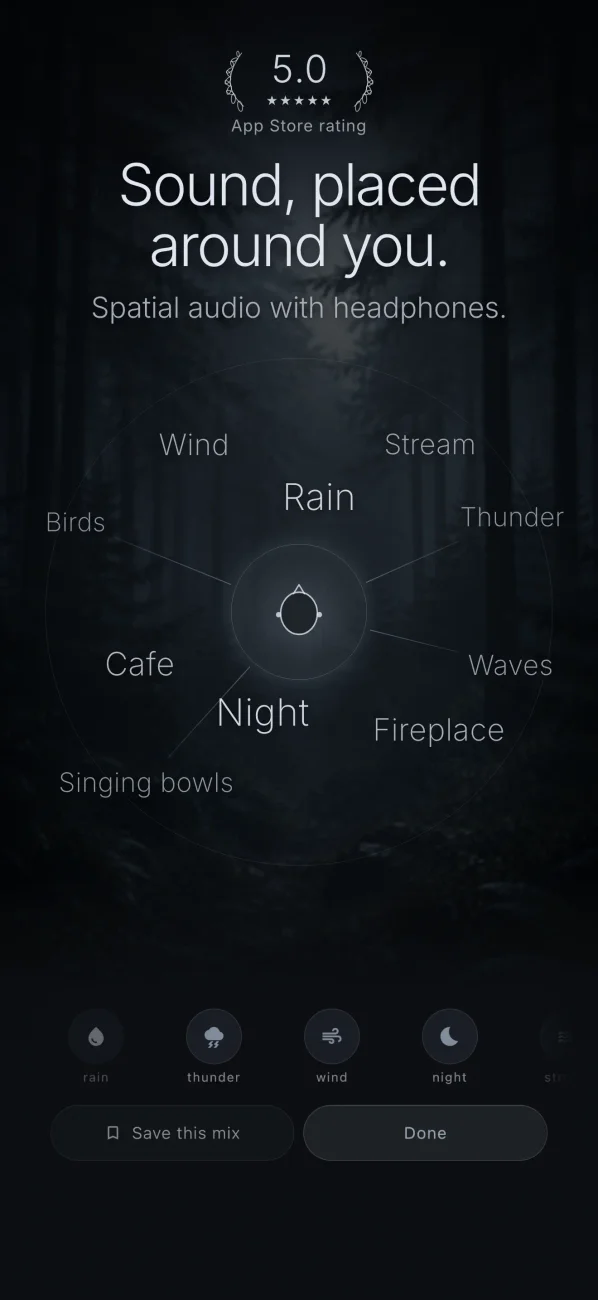
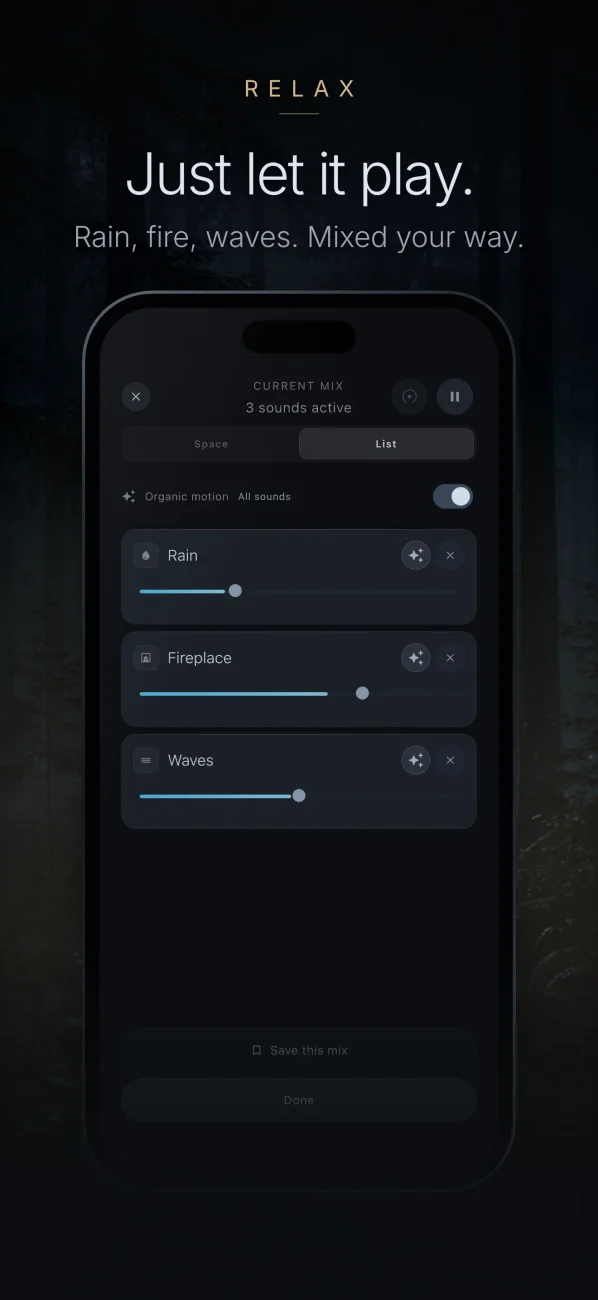
Stillplace is a quiet place made of sound. Put rain, thunder or a fireplace where you want them around you, lay white, pink or brown noise underneath, and each sound plays from its place.
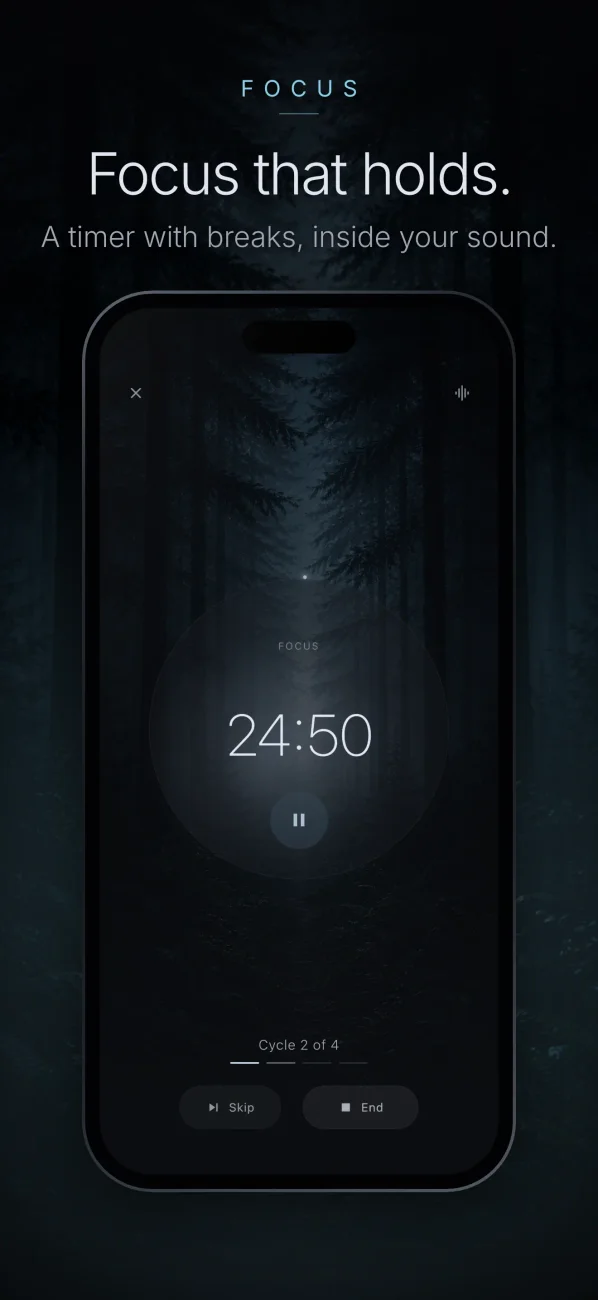
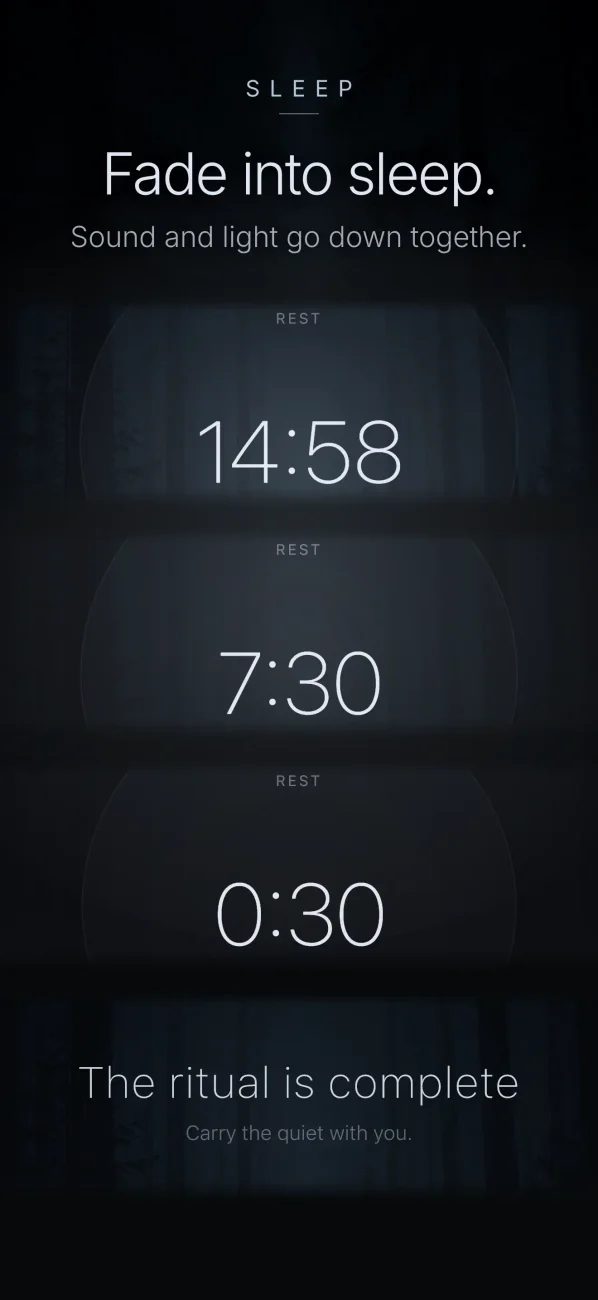
Focus with a timer and breaks, and block the apps you choose until the session ends. Fall asleep with a sleep timer that fades sound and light together. Or just let the room play.
Free, with no ads, no subscriptions and no in-app purchases.
The room
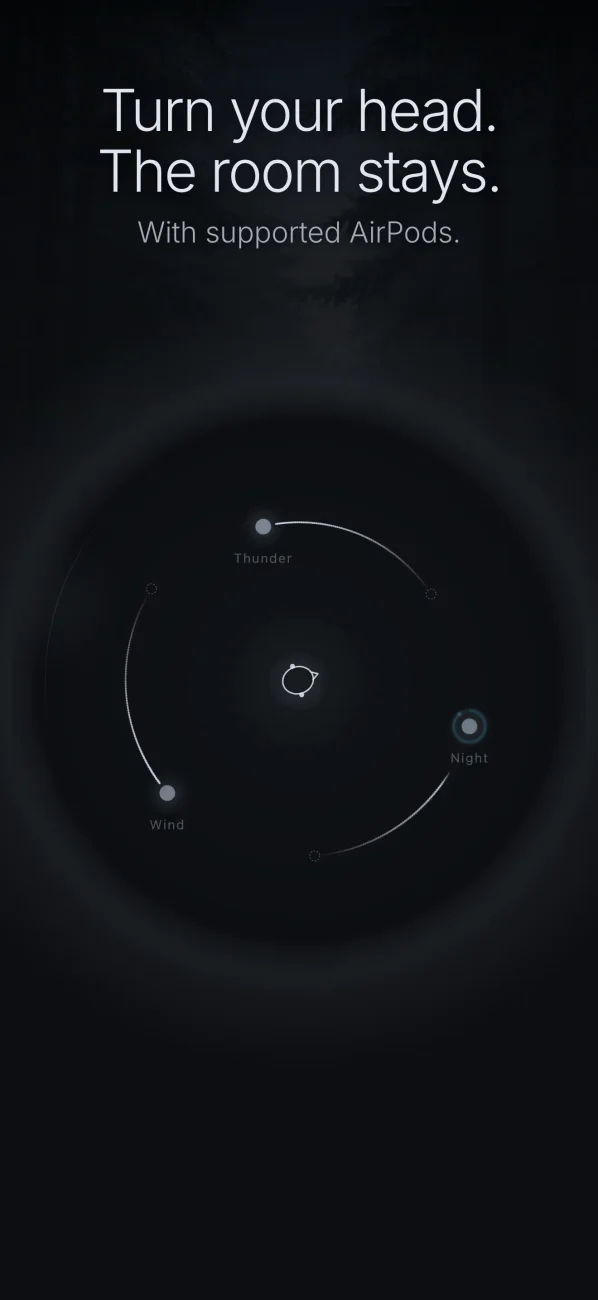
• Every sound has a place. Drag it near or far, ahead, beside or behind you. The angle is where you hear it from; the distance is how present it feels.
• Rain, thunder, wind, waves, birds, a stream, a fireplace and more, with white noise, pink noise and brown noise under any mix or on their own.
• Organic motion: switch it on and each sound gently rises and falls, so the mix never sits still.
• Save the mixes you come back to. A saved mix remembers where every sound sits.
• With headphones on iPhone, the room is true spatial audio. On the speaker it folds down to stereo, and every sound still plays.
• With AirPods Pro, AirPods Max or AirPods (3rd or 4th generation), head tracking keeps the room in place as you turn your head.
• A short guided tour shows you how the room works the first time you open it.
Focus
• Start a session and the sound you built keeps playing. The screen dims to a breathing orb and a quiet timer.
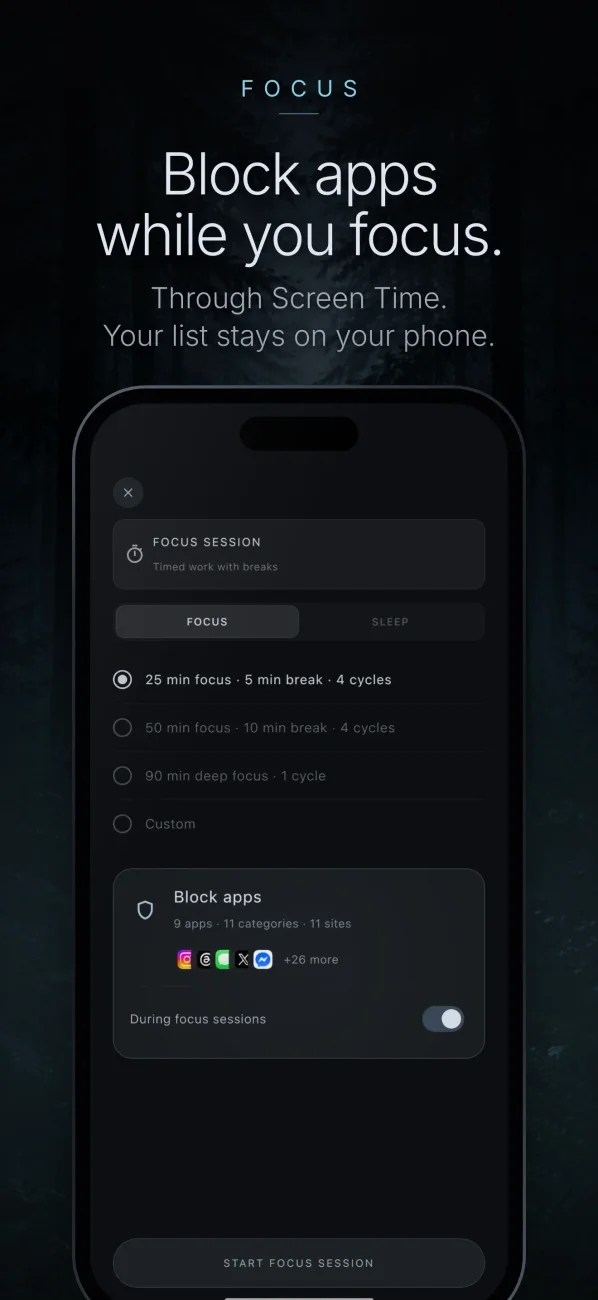
• Presets of 25 minutes of focus with a 5-minute break, 50 with 10, or 90 minutes of deep focus. Or set your own lengths and number of cycles.
• Pause, skip or end as you go. With strict mode on, ending early takes intention.
• The timer follows you to the Lock Screen and the Dynamic Island.
Block apps
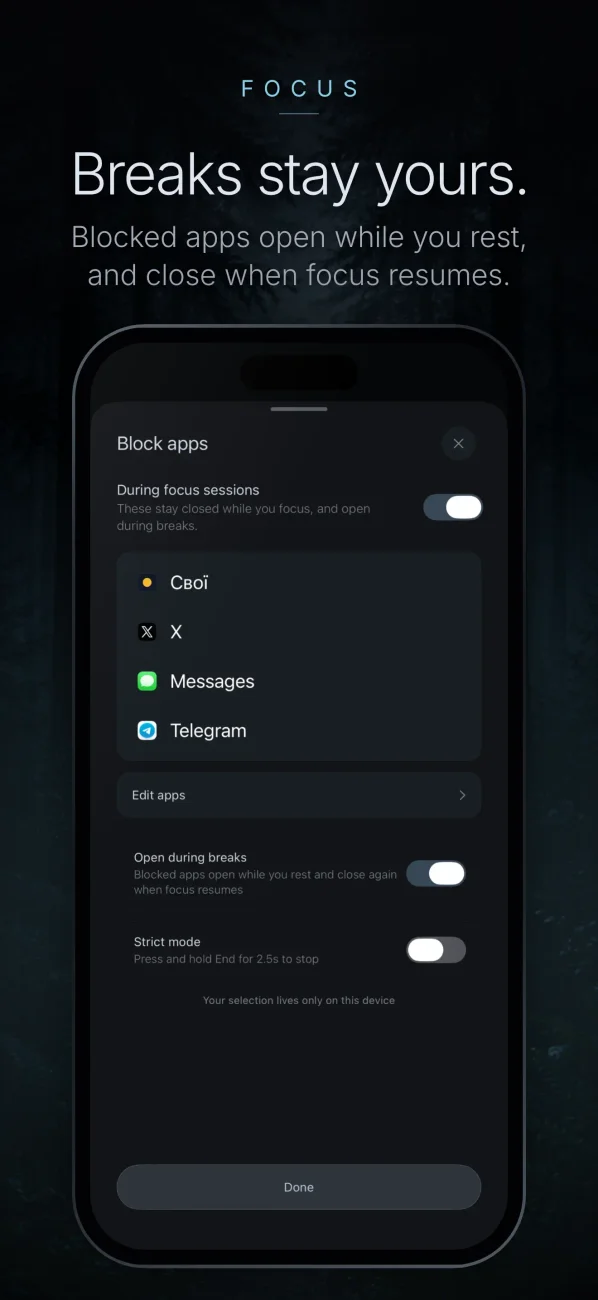
• Choose the apps, categories and websites that pull you away. Through Apple's Screen Time they stay closed during a focus session and open again when it ends.
• Open during breaks: let them open for each break, and they close again when focus returns.
• Your list stays on your phone. Stillplace never sees which apps you choose.
Sleep
• A sleep timer: choose how long. Sound and light fade out together, so the room grows quiet as the screen grows dark.
• Head tracking pauses for the fade, so turning on your pillow doesn't move the room.
Nothing to keep up with
Stillplace is completely free: no ads, no subscriptions, no in-app purchases, nothing locked, and no account to make. There are no streaks, points or charts about you. When a session ends, it says "Well done." and nothing more.
Basic usage analytics help us improve the app. You can switch them off at any time in Settings.
Có gì mới
Phiên bản 1.0.3 · 18/11/2026
Protect Focus is now called Block apps.
• Blocking turns on as soon as you've chosen your apps, and the card shows the apps you picked.
• New: Open during breaks. Blocked apps open for each break and close again when focus returns.
• Bigger, clearer Skip and End buttons during a session. In strict mode, a quick tap on End shows how to stop.
• If another app takes the sound during a session, a Resume sound button brings it back.
• Ending a session in its first minute no longer asks you to confirm.
• In the guided tour of the room, tap anywhere to move on to the next step.
Quyền riêng tư của ứng dụng
Những gì Liubomyr Olshanskyi khai báo trên App Store về cách ứng dụng này xử lý dữ liệu.
-
Dữ liệu liên kết với bạn
Có thể được thu thập và liên kết với danh tính của bạn.
- Thông tin liên hệ
- Nội dung của người dùng
-
Dữ liệu không liên kết với bạn
Có thể được thu thập nhưng không liên kết với danh tính của bạn.
- Vị trí
- Nội dung của người dùng
- Mã định danh
- Dữ liệu sử dụng
Phương thức đảm bảo quyền riêng tư có thể khác nhau, chẳng hạn như tuỳ theo các tính năng bạn sử dụng hoặc độ tuổi của bạn.
Thông tin
- Người bán
- Liubomyr Olshanskyi
- Danh mục
- Hiệu Suất
- Phiên bản
- 1.0.3
- Cập nhật
- 18/11/2026
- Phát hành
- 29/10/2026
- Kích thước
- 115,3 MB
- Yêu cầu
- iOS 18.2 trở lên
- Độ tuổi
- 4+
- Giá
- Miễn phí
- Ngôn ngữ
- Tiếng Anh, Tiếng Ả Rập, Belarusian, Tiếng Séc, Tiếng Pháp, Tiếng Đức, Hindi, Tiếng Ý, Tiếng Nhật, Tiếng Hàn, Tiếng Ba Lan, Tiếng Bồ Đào Nha + 6 ngôn ngữ khác
- Bản quyền
- © 2026 Liubomyr Olshanskyi
Có thể bạn cũng thích
-
 House Bober: Home MaintenanceHiệu Suất
-
 Run Late: GPS Alarm ClockHiệu Suất
-
 Opus: Pomodoro Focus TimerHiệu Suất
-
 Syncra - Cloud ClipboardHiệu Suất
-
 MotoCare Service LogHiệu Suất
-
 QuickSummaryAI: AI SummarizerHiệu Suất
-
 HabitreeHiệu Suất
-
 Focus-D: Pomodoro Study TimerHiệu Suất
-
 Noti - Lock Screen NotesHiệu Suất