terminALL: SSH Remote Desktop
Terminal, files, live screen
Diseñada para iPhone, iPad, iPod touch
Gratis · Compras en la aplicación
- Clasificación por edad4+
- CategoríaPara desarrolladores
- DesarrolladorBurak Bas
- IdiomasInglés
- Tamaño58,5 MB
Enlaza a la página oficial de App Store
Download.org no aloja ningún archivo de terminALL: SSH Remote Desktop. El botón abre la página de la aplicación en App Store, donde la publica Burak Bas. Ficha comprobada por última vez el 13/11/2026.
Capturas de pantalla
Acerca de
El desarrollador no ha proporcionado este texto en tu idioma.
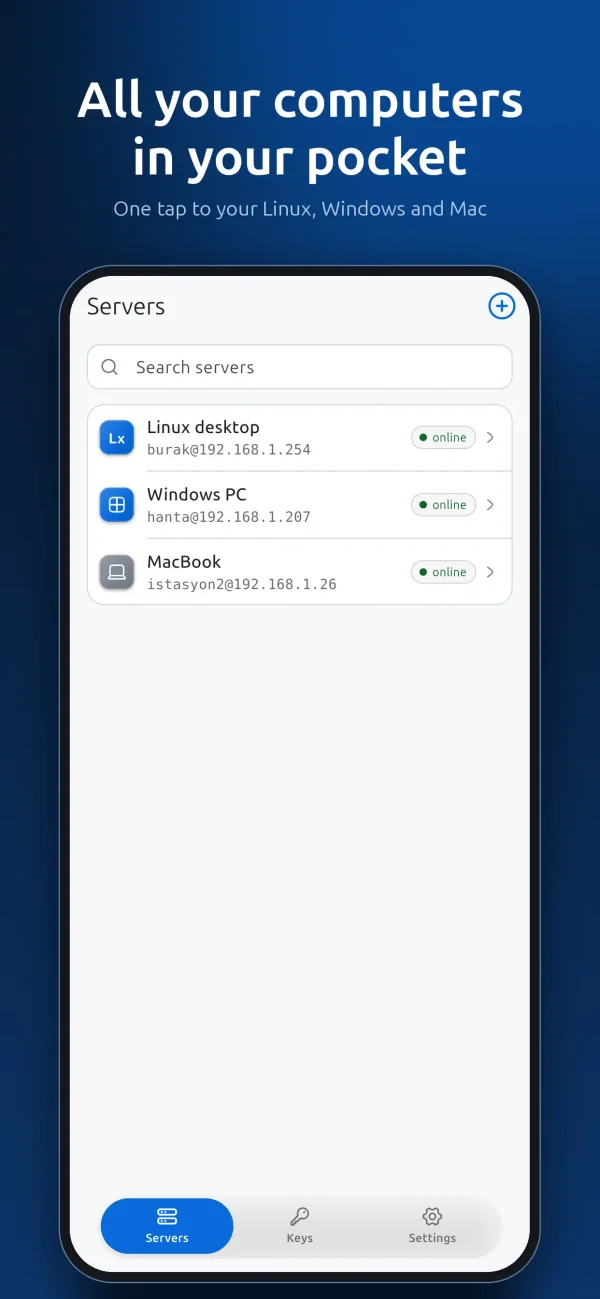
Your computers, in your pocket. terminALL connects your iPhone and iPad to your Linux, Windows and Mac machines: terminal, files, live desktop and remote control in one app.
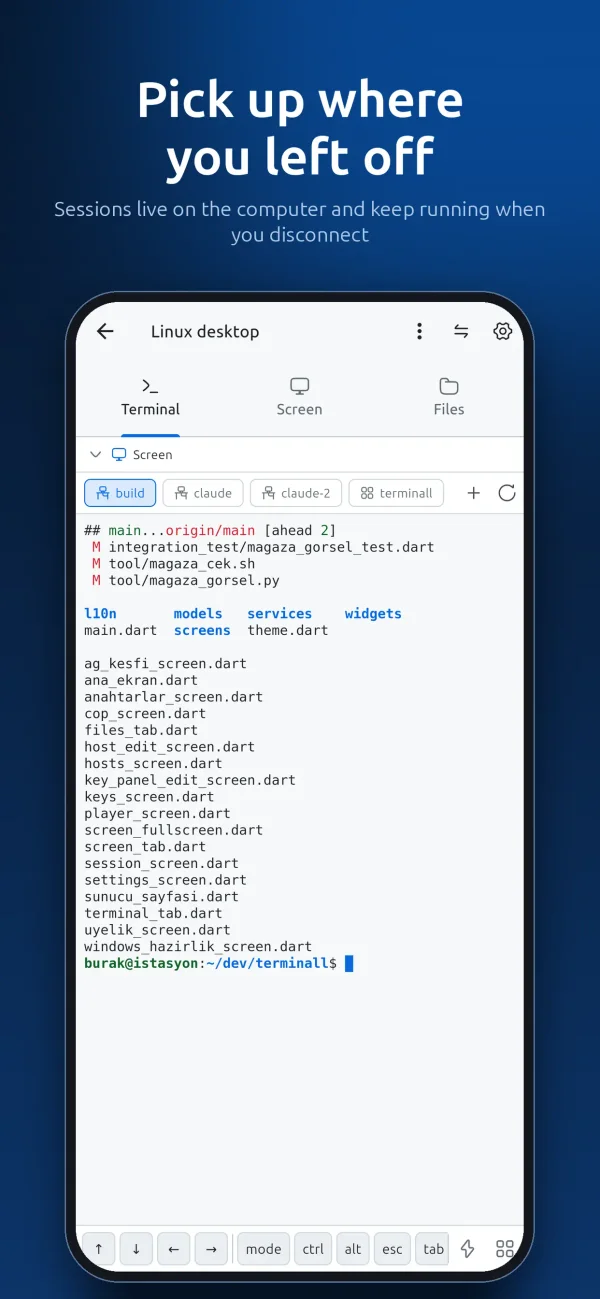
If you left something running when you walked out the door — a build, a backup, a long script or a coding agent — you can check on it and keep going from your phone. Your sessions live on the computer: close the app, lose the connection, the work keeps running and picks up exactly where you left it.
TERMINAL
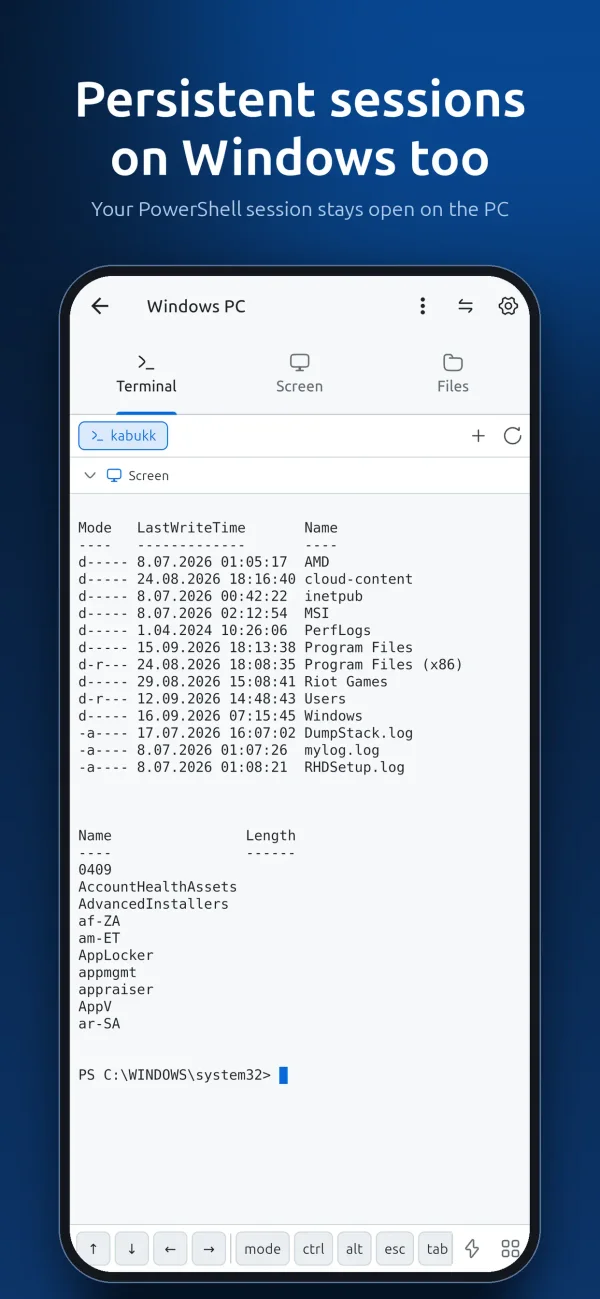
• Persistent sessions: tmux on Linux and Mac, a persistent PowerShell on Windows
• Switch, rename and open sessions on the computer with one tap
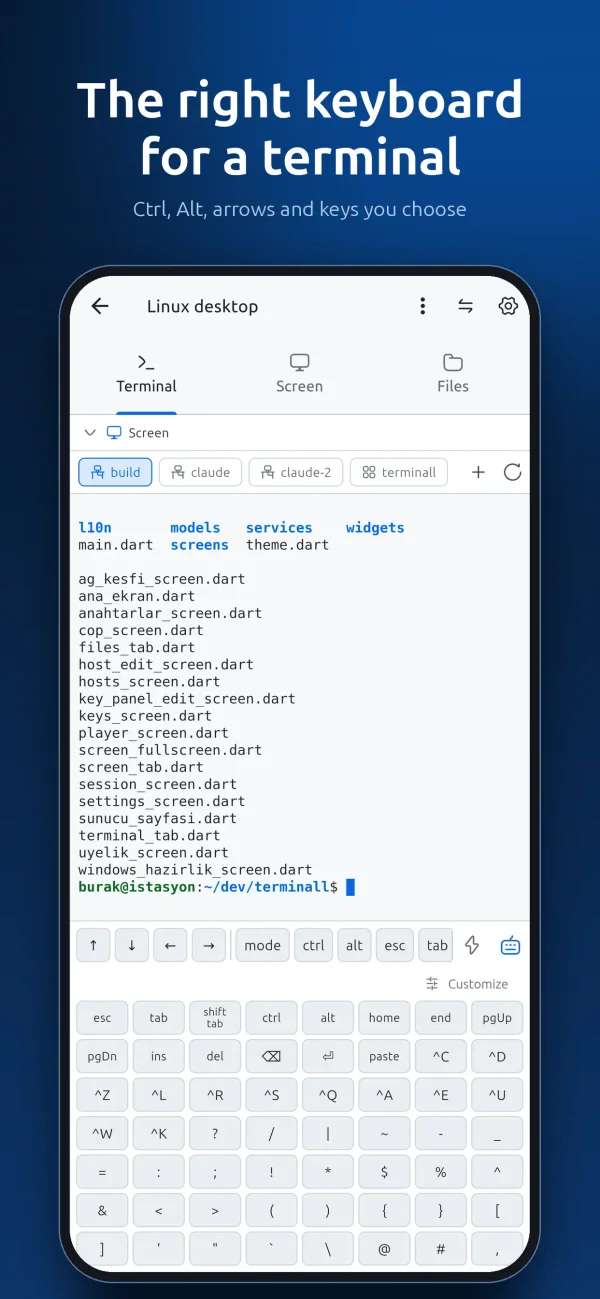
• A key bar built for a terminal: Ctrl, Alt, arrows, Esc, Tab and keys you add
• Snippets: type the commands you use often with one tap
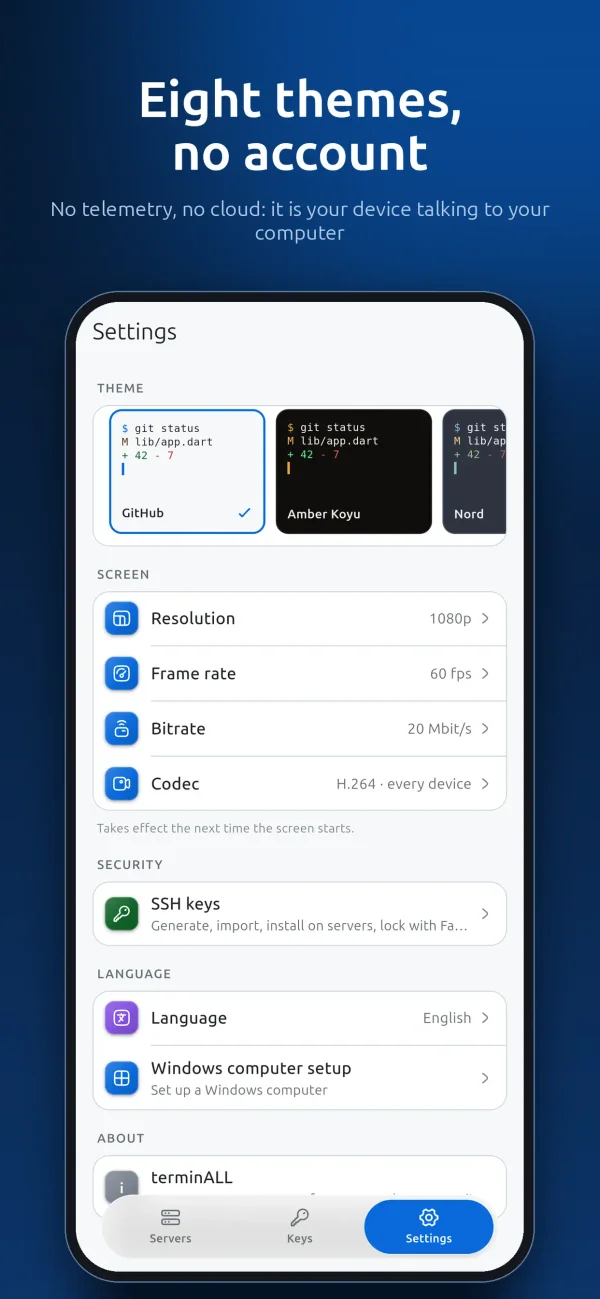
• Eight themes, adjustable font and size
FILES
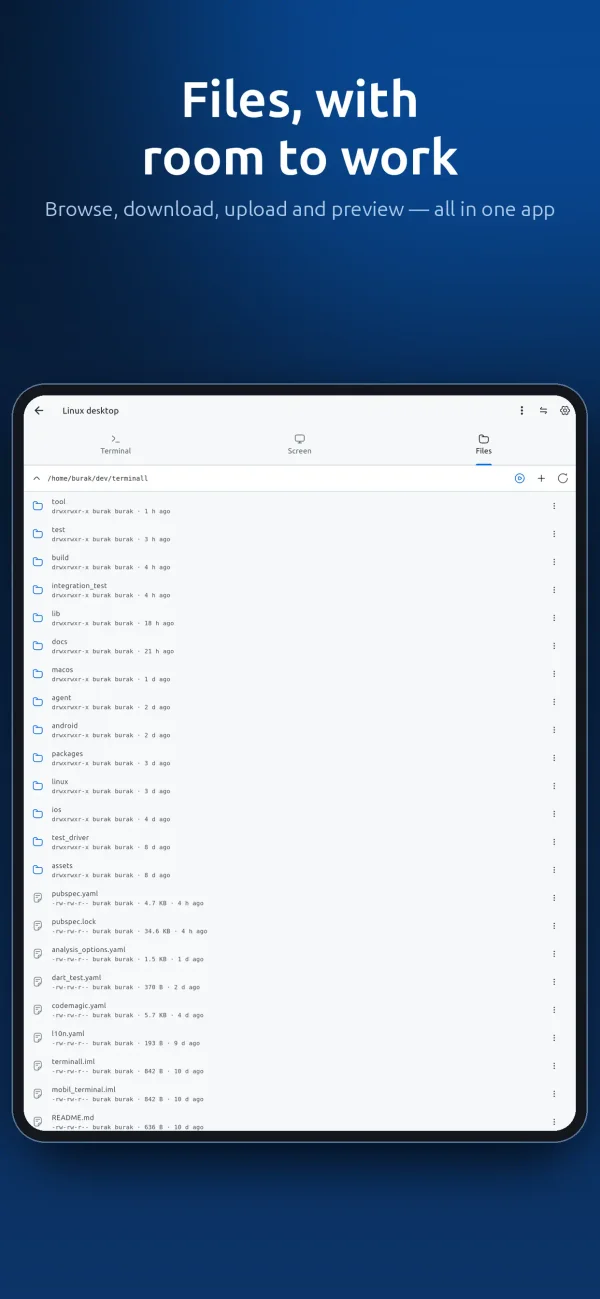
• Browse, download, upload, rename and delete over SFTP
• Preview photos, video, PDF and text
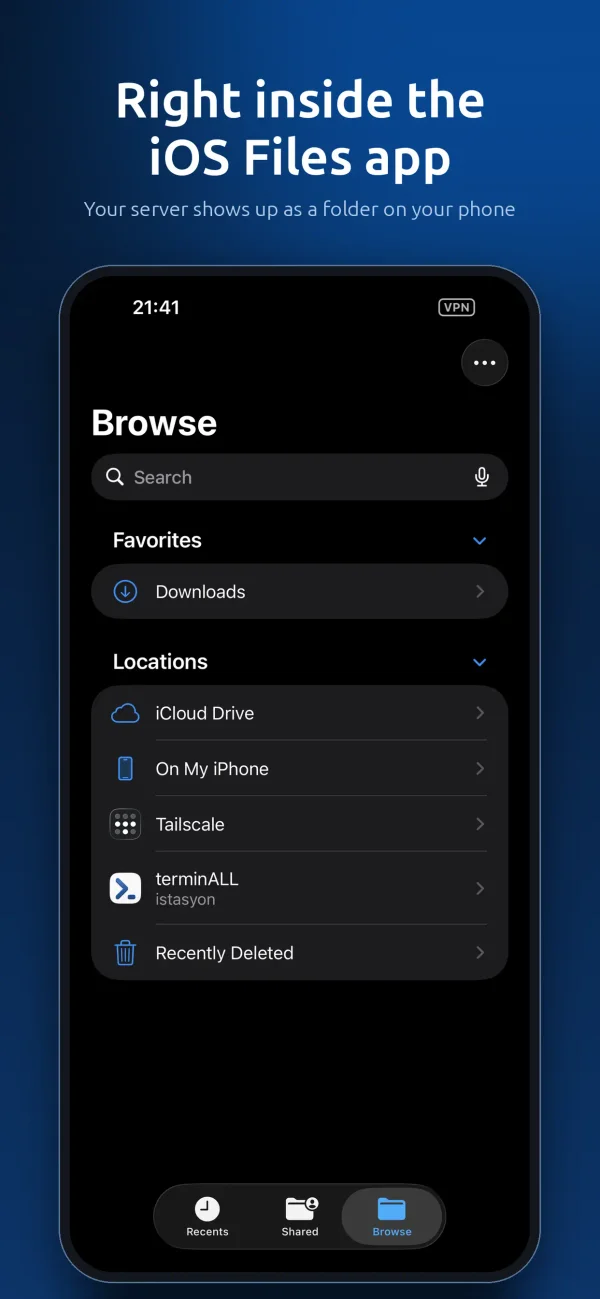
• Adds itself to the iOS Files app as a location: your server shows up as a folder on your phone and opens from other apps too
SCREEN AND CONTROL
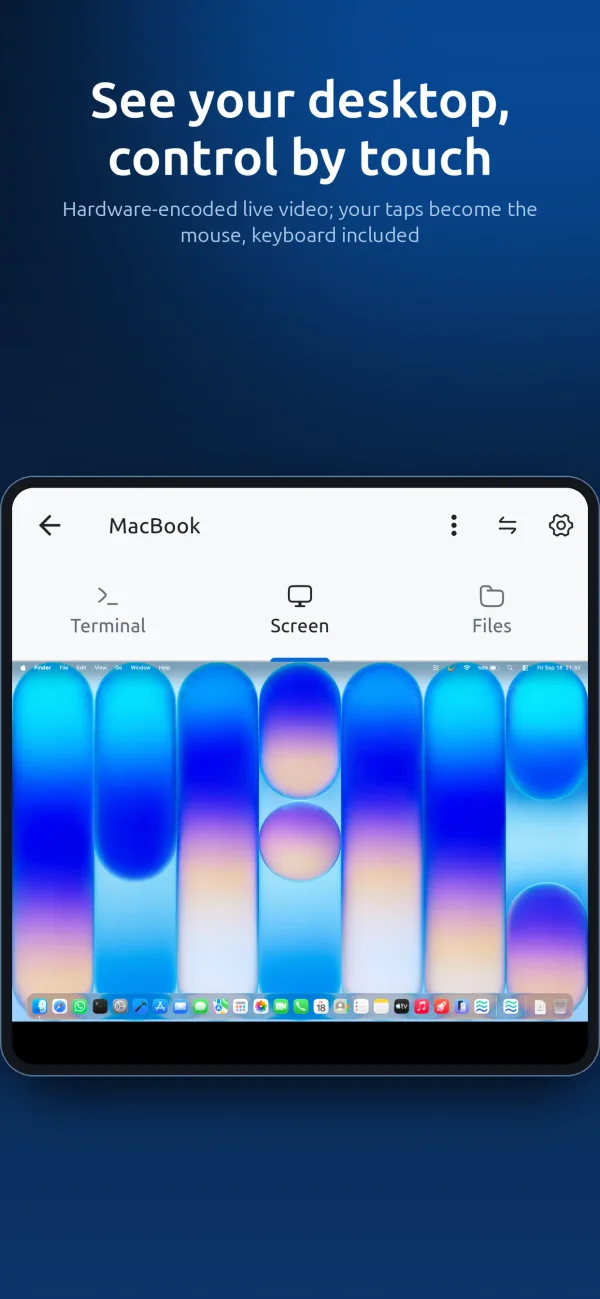
• Watch your computer's desktop live (hardware-encoded H.264/HEVC)
• Your taps become the mouse; the keyboard is in the same app
• Resolution, frame rate and bitrate are yours to set
• Linux, Windows and Mac
POWER
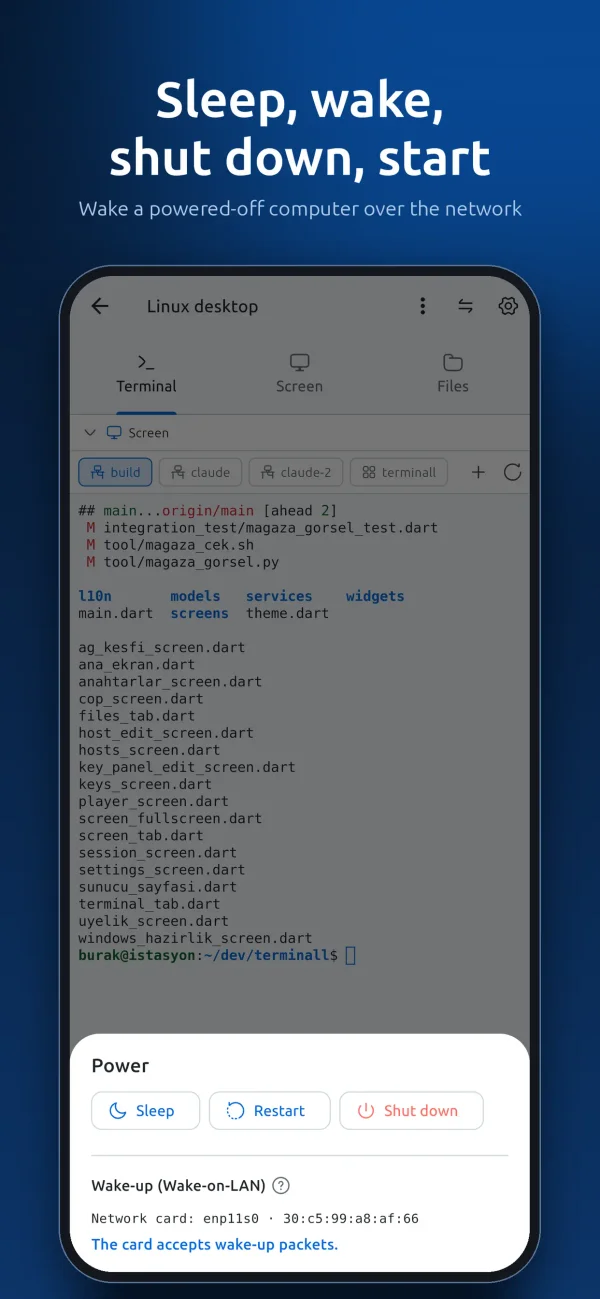
• Sleep, restart, shut down, hibernate
• Wake a powered-off computer over the network; if your phone is on another network, another computer that is awake relays the packet
CONNECTION AND SECURITY
• Generate, import and install SSH keys; lock them with Face ID or Touch ID
• Port forwarding (ssh -L / ssh -R) and agent forwarding
• A second address is found on its own for when you are away from home
• Finds the computers on your local network
PRIVACY
No account, no sign-up, no servers of ours. The connection is between your device and your own computer; passwords and keys stay in your device's secure enclave. We collect no telemetry. If you want, your servers, keys and settings carry over to your other Apple devices through iCloud — still with no account and no extra cost.
SUPPORTED SYSTEMS
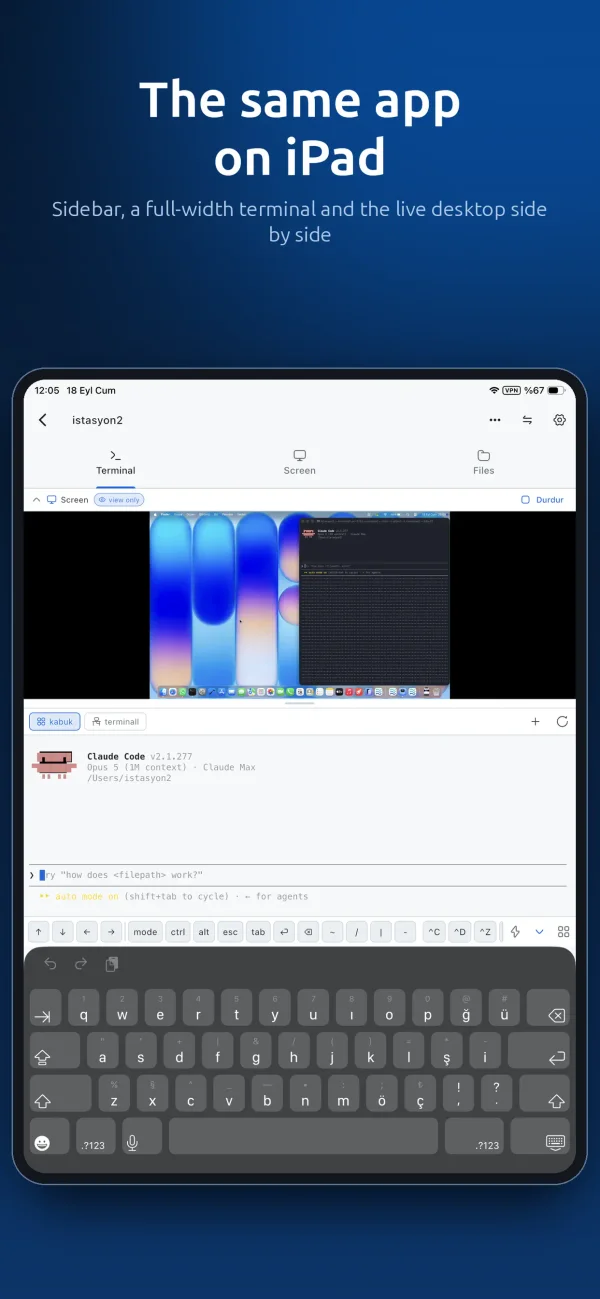
Linux, Windows 10/11 and macOS. The same app on iPhone and iPad, with sidebar navigation and a full-width terminal on the big screen.
MEMBERSHIP
Connecting requires a membership; the first 7 days are free.
• Monthly — $2.99
• Yearly — $14.99
• Lifetime (one-time purchase) — $24.99
Subscriptions renew automatically at the same price unless cancelled at least 24 hours before the period ends. You are charged when the free trial ends. Cancel anytime in your App Store account settings. Your saved servers and keys are always yours: even without a membership you can view, edit and export them. Only connecting is locked.
Terms of Use: https://www.apple.com/legal/internet-services/itunes/dev/stdeula/
Privacy Policy: https://terminall.app/privacy
Novedades
Versión 1.0.1 · 8/10/2026
• Prepare a computer now works on Windows, Linux and Mac: run one line on the computer, SSH is turned on and the app connects.
• Terminal tabs you open on a Linux or Mac computer also appear on your phone; close one on either side and it closes on both.
• Screen streaming is more stable: fixed a crash when a stream dropped and restarted; on a Mac you are told what to do if no picture arrives.
• Sunshine and tmux are installed automatically on Linux and Mac when needed.
• New "Keep the computer awake" switch on the Power page; Linux and Mac also get the ask-for-password-at-startup/wake setting.
• A locked Linux or Mac computer opens the screen view automatically so you can unlock it.
• The home screen shows each computer's last known status right away; a computer that can't be reached says "unreachable" instead of "asleep".
• Scrolling the terminal with your finger works on every computer; type "gui app" in the shell to open a program on the computer.
Privacidad de la aplicación
Lo que Burak Bas declara en App Store sobre cómo esta aplicación gestiona los datos.
-
No se recopilan datos
El desarrollador no recopila ningún dato de esta aplicación.
Las prácticas de privacidad pueden variar, por ejemplo, según las funciones que uses o tu edad.
Información
- Vendedor
- Burak Bas
- Categoría
- Para desarrolladores
- Versión
- 1.0.1
- Actualizado
- 8/10/2026
- Publicado
- 23/9/2026
- Tamaño
- 58,5 MB
- Requiere
- iOS 15.0 o posterior
- Clasificación por edad
- 4+
- Precio
- Gratis
- Compras en la aplicación
- Sí
- Idiomas
- Inglés
- Copyright
- © 2026 Burak Bas
Quizá también te guste
-
 Nexalis FlashPara desarrolladores
-
 Clive: SSH & Mosh TerminalSFTP, tmux & código agéntico
-
 Teletype: SSH & Remote DesktopPara desarrolladores
-
 PhaselisPara desarrolladores
-
 TermLoop MobilePara desarrolladores
-
 Ravelon: SSH, SFTP, RDP & VNCPara desarrolladores
-
 Kex - SSH & Mosh ClientPara desarrolladores
-
 Shellward: SSH Client & SFTPPara desarrolladores
-
 Cliente SSH Terminal ServidorArchivos, túnel, puertos, nube
-
 Conchshell: SSH, SFTP & RDPPara desarrolladores