Tickframe: Time Lapse Camera
Stop Motion, 4K, No Watermark
Diseñada para iPhone
Gratis · Compras en la aplicación
- Clasificación por edad4+
- CategoríaFoto y vídeo
- DesarrolladorMaksim Danilchenko
- IdiomasInglés
- Tamaño1,5 MB
Enlaza a la página oficial de App Store
Download.org no aloja ningún archivo de Tickframe: Time Lapse Camera. El botón abre la página de la aplicación en App Store, donde la publica Maksim Danilchenko. Ficha comprobada por última vez el 16/11/2026.
Capturas de pantalla
Acerca de
El desarrollador no ha proporcionado este texto en tu idioma.
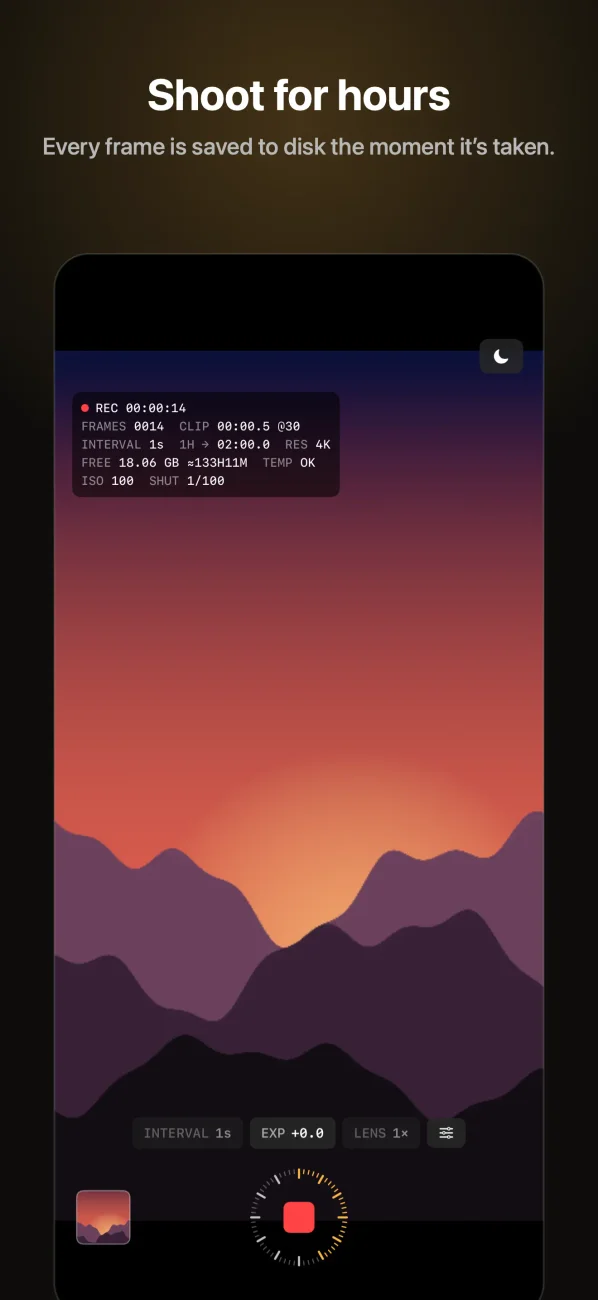
Tickframe shoots time-lapse and stop motion on iPhone and writes every frame to disk the moment it’s taken. If the app or the phone stops, the frames you already shot are still there.
Free, with no watermark, no ads and no subscription. Export in 4K.
TIME-LAPSE
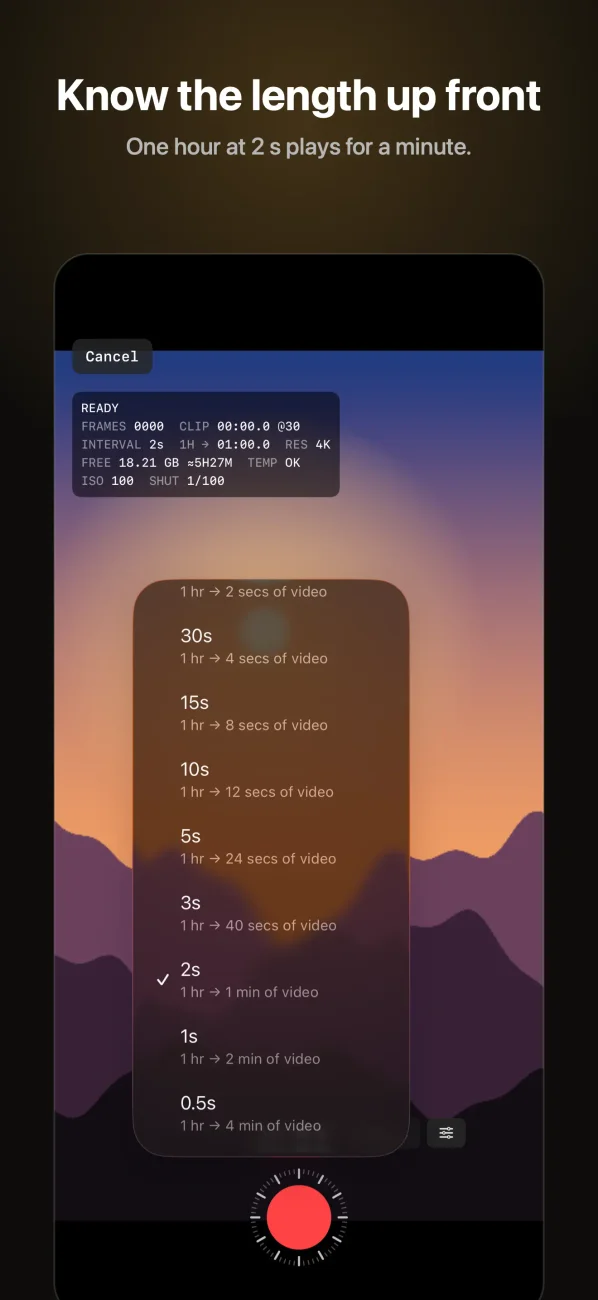
• Intervals from 0.5 s to 5 min. The interval menu shows how much video one hour of capture makes.
• Stop after a set time, or start after a delay.
• The readout shows frames, elapsed time, clip length, battery, temperature, and free space counted in hours of capture.
• During long captures the screen dims itself. Tap to wake it.
• Start with a volume button or Camera Control.
• Lock focus, exposure and white balance, or set exposure compensation.
STOP MOTION
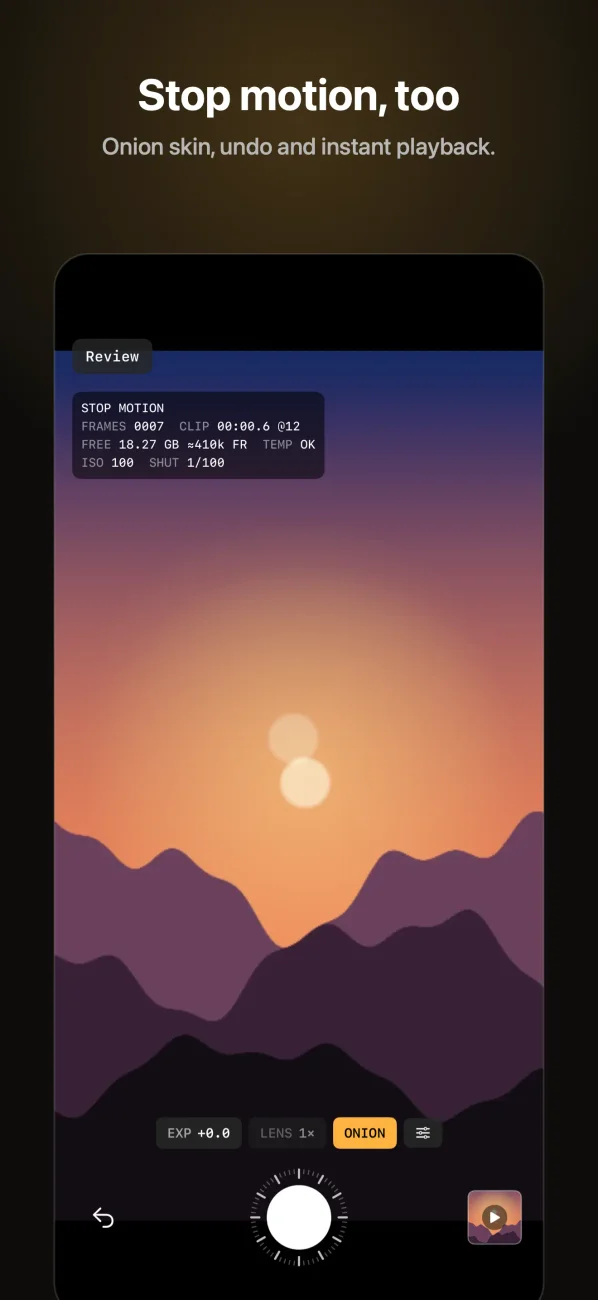
• Onion skin shows the last frame over the camera.
• Undo the last frame.
• Tap the thumbnail to play the last two seconds without leaving the camera.
EDIT AND EXPORT
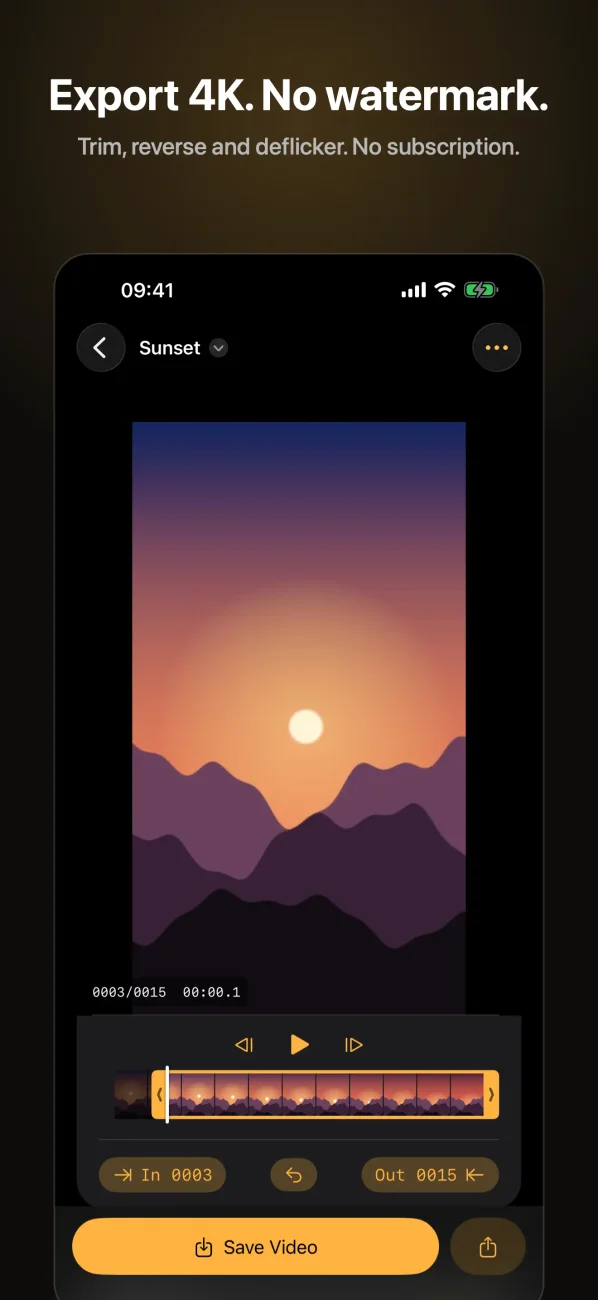
• Trim with handles, reverse, deflicker.
• 12 to 60 fps. Source resolution, 4K, 1080p or 720p. HEVC or H.264.
• Save Video exports and saves to Photos in one step.
• Make a video from photos you already have, sorted by the time they were taken.
• Every project is a folder in the Files app. Share the frames or save them to Photos.
PRO, ONE-TIME PURCHASE
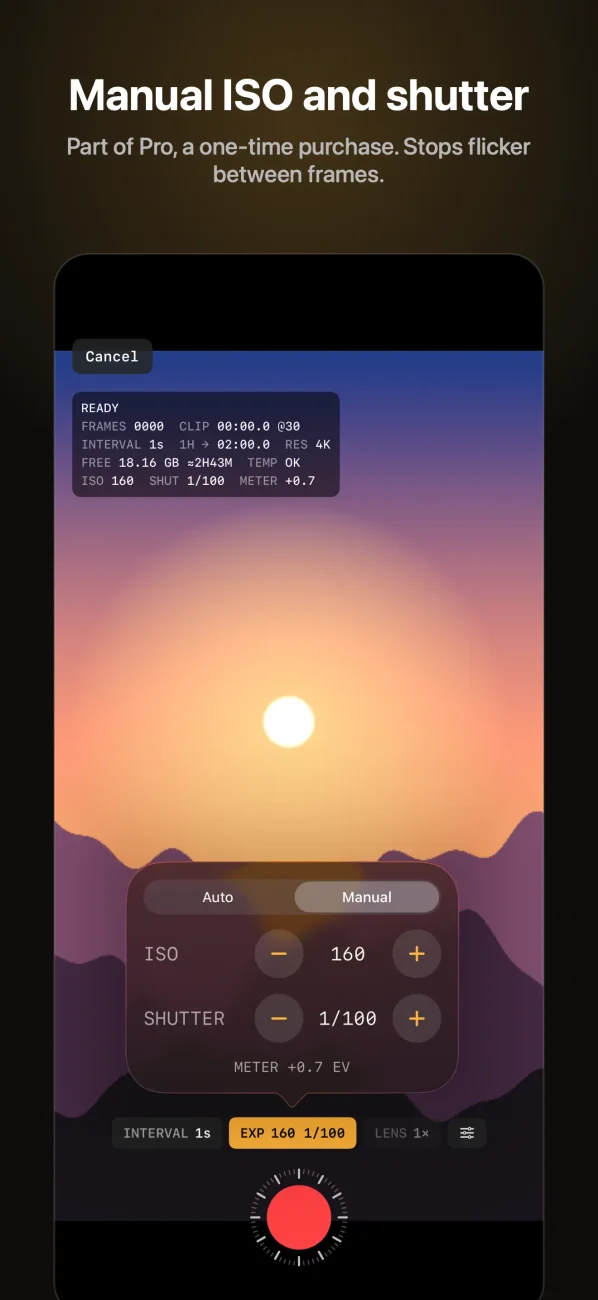
• Manual ISO and shutter speed in third stops.
• Start at a clock time, for sunrise. While the screen is dimmed, the camera stays off until two minutes before the start.
Try Pro settings in the viewfinder before you buy. Pro works with Family Sharing.
PRIVACY
Tickframe collects no data. Your frames stay on your iPhone.
Keep Tickframe open while it captures. iOS turns the camera off when the phone locks or another app comes to the front; capture picks up again when you come back.
Privacidad de la aplicación
Lo que Maksim Danilchenko declara en App Store sobre cómo esta aplicación gestiona los datos.
-
No se recopilan datos
El desarrollador no recopila ningún dato de esta aplicación.
Las prácticas de privacidad pueden variar, por ejemplo, según las funciones que uses o tu edad.
Información
- Vendedor
- Maksim Danilchenko
- Categoría
- Foto y vídeo
- Versión
- 1.0
- Actualizado
- 30/10/2026
- Publicado
- 29/10/2026
- Tamaño
- 1,5 MB
- Requiere
- iOS 18.0 o posterior
- Clasificación por edad
- 4+
- Precio
- Gratis
- Compras en la aplicación
- Sí
- Idiomas
- Inglés
- Copyright
- © 2026 Maksim Danilchenko
Quizá también te guste
-
 GR VibeShotFoto y vídeo
-
 LapseArc: Timelapse 8K estableCámara 8K y editor RAW
-
 FrameFold: cámara stop motionGratis. Dispara sola
-
 Tickshot – IntervalómetroSeries de fotos programadas
-
 ラプス帳 - タイムラプス・定点観測カメラFoto y vídeo
-
 Interval Pro: Timelapse 4KCámara rápida, control manual
-
 Sentry Detector de MovimientoCámara nocturna para mascotas
-
 Timelapse HelperFoto y vídeo
-
 Video Stopwatch CameraFoto y vídeo
-
 Simple Video SplitterFoto y vídeo