- Clasificación por edad4+
- CategoríaMúsica
- Desarrolladorllcheesell Inc.
- IdiomasInglés+ 5 más
- Tamaño3,4 MB
Enlaza a la página oficial de App Store
Download.org no aloja ningún archivo de Timecode Tool App. El botón abre la página de la aplicación en App Store, donde la publica llcheesell Inc. Ficha comprobada por última vez el 17/11/2026.
Capturas de pantalla


Acerca de
El desarrollador no ha proporcionado este texto en tu idioma.
Timecode Tool is a focused utility for live-show technicians who need to generate, monitor, convert, measure or calculate SMPTE timecode on iPad, iPhone, and Apple Silicon Mac.
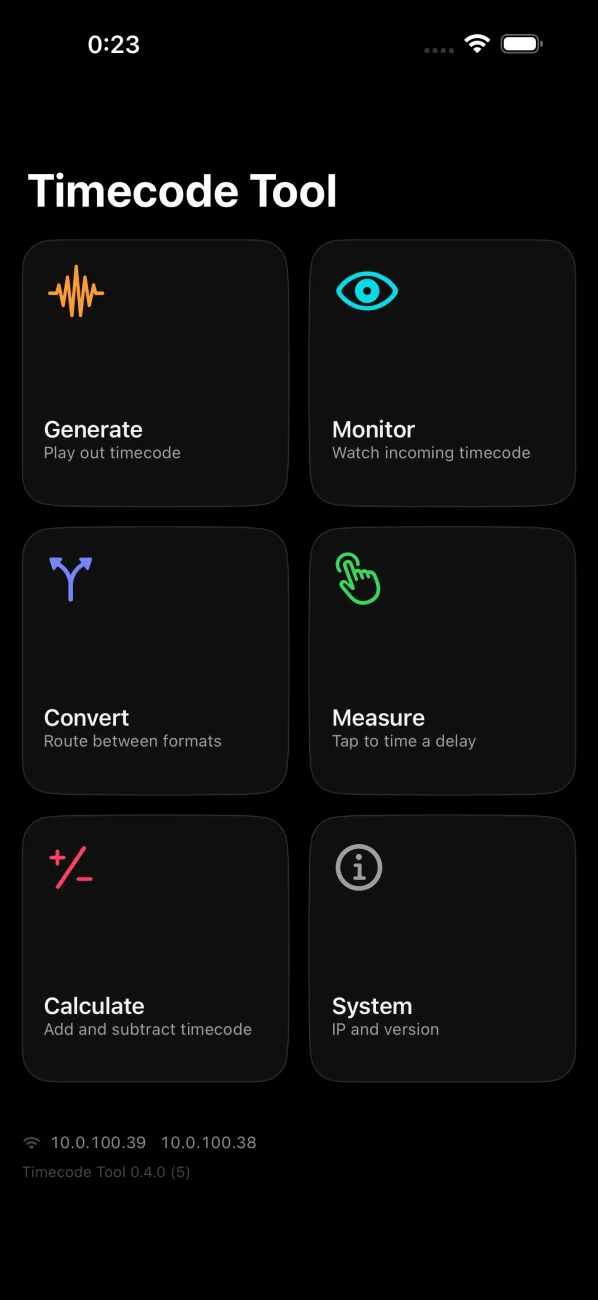
Five tools:
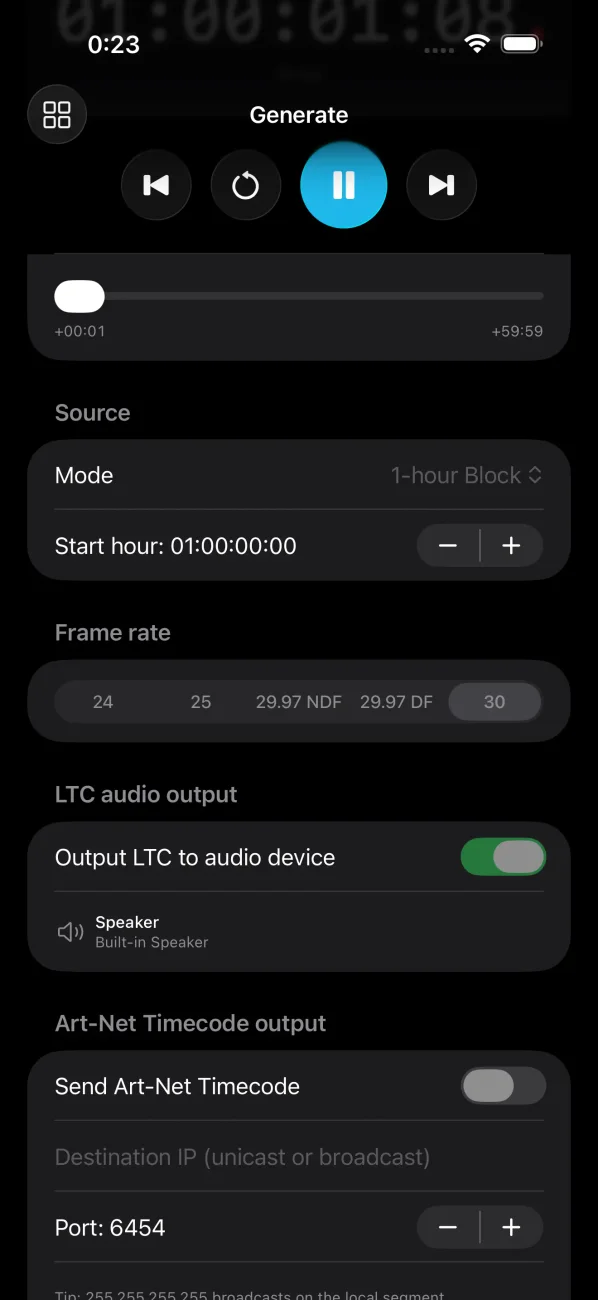
GENERATE
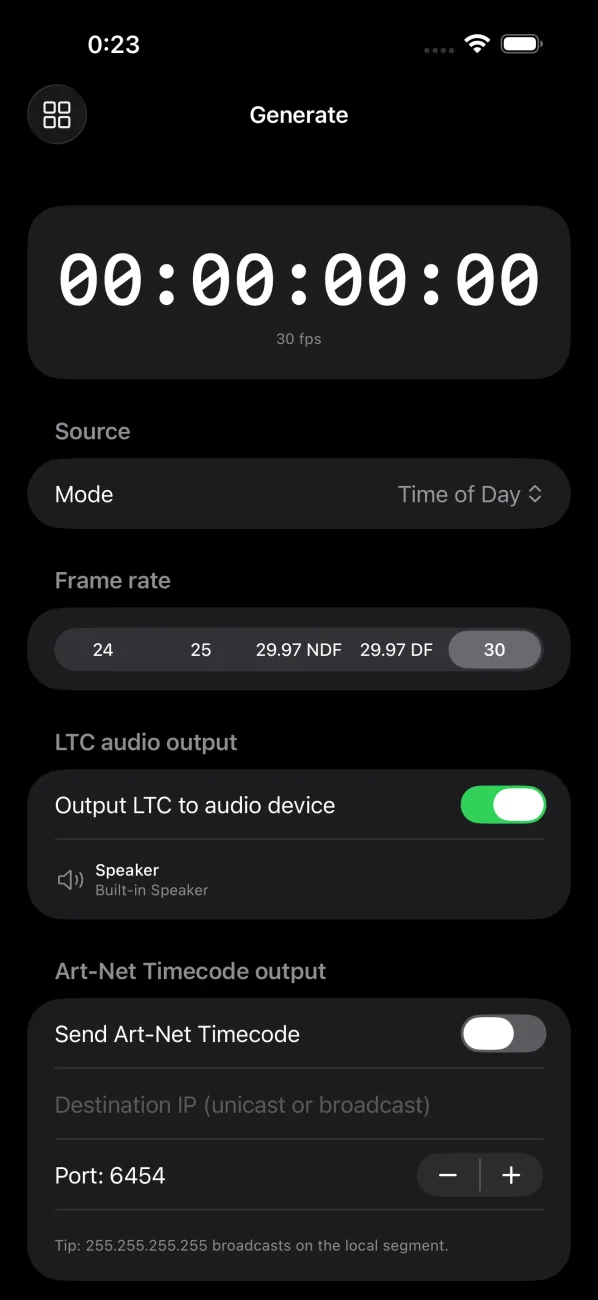
• Output LTC audio and Art-Net Timecode driven by system time-of-day, a free-running 1-hour block, or a custom Start Timecode you type in (e.g. 02:03:20:15) that free-runs from that point.
• A media-player transport while running — previous block, back to start of block, play/pause, next block. (Hidden for time-of-day, which follows the wall clock instead of a block you can skip through.)
• Pick FPS (24, 25, 29.97 NDF, 29.97 DF, 30) including correct SMPTE drop-frame counting.
• Send to a specific Art-Net destination IP (unicast or broadcast).
MONITOR
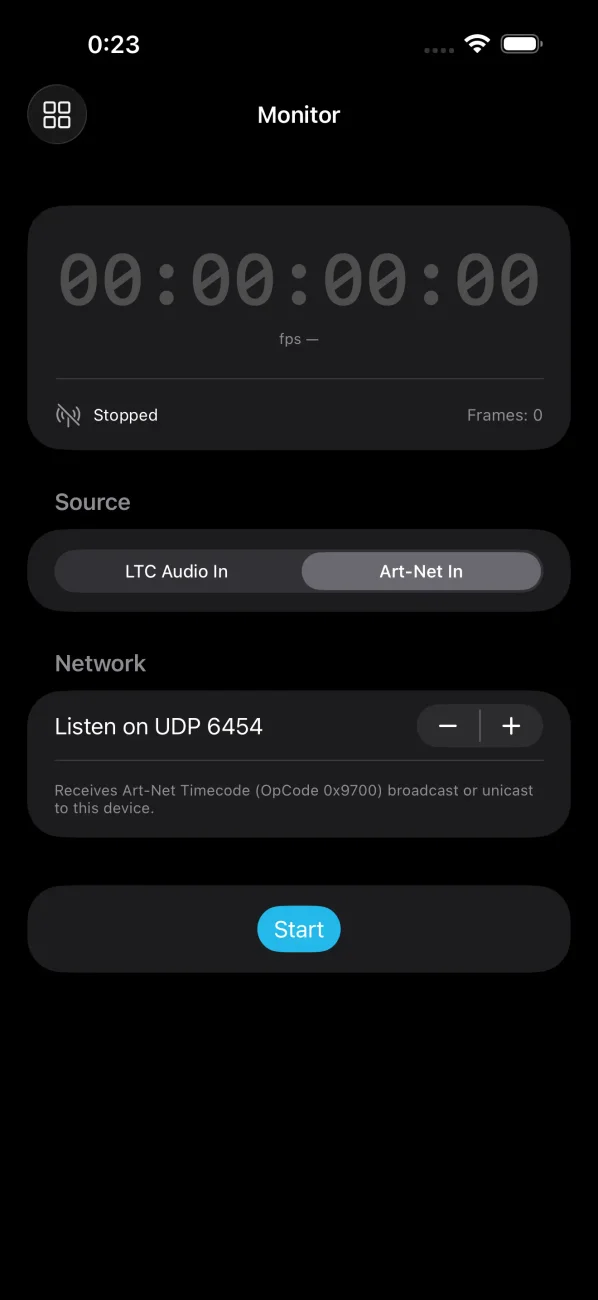
• A large, glanceable timecode readout for monitoring.
• Choose the source: decode LTC from an audio input, or receive Art-Net Timecode over the network. Frame rate and lock state are shown live.
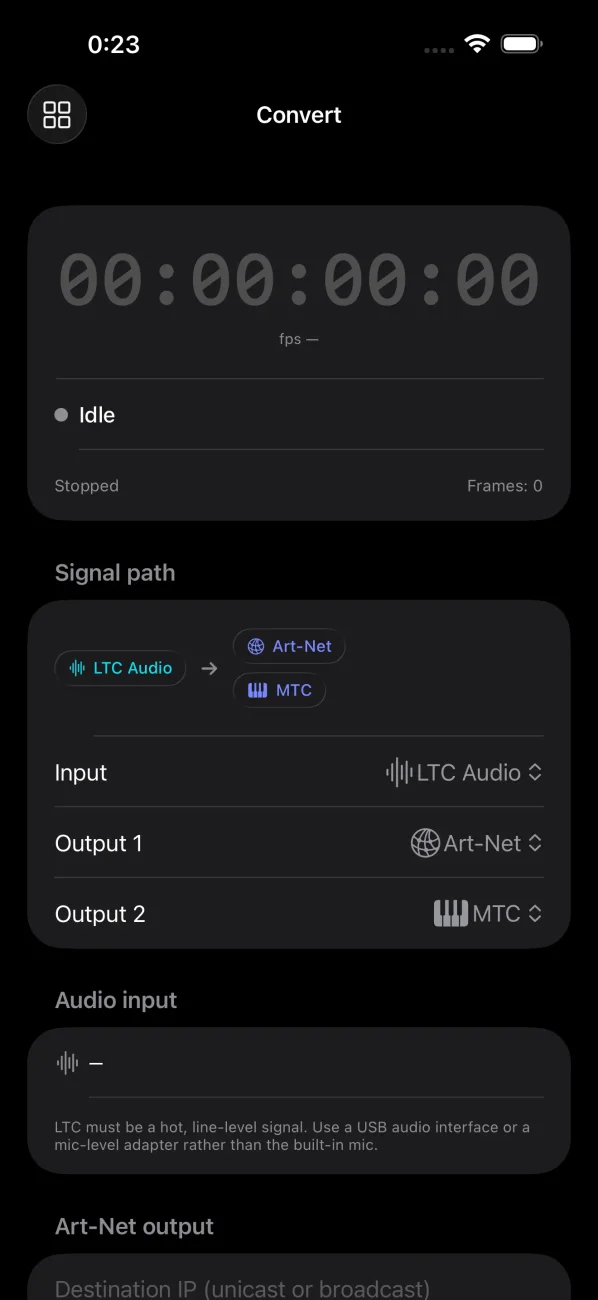
CONVERT
• Route one timecode input to up to two simultaneous outputs, freely chosen: input is LTC audio, Art-Net, or MTC; each output is LTC audio, Art-Net, or MTC.
• MTC: Timecode Tool publishes a virtual MIDI port, "Timecode Tool", that shows up as a MIDI input in every other app on your device — your DAW can chase it with no cable or MIDI interface. Output can also go to a real MIDI destination, and input can come from any MIDI source.
• Warns up front about setups that would misbehave: Art-Net in and out sharing a UDP port, LTC in and out on the built-in speaker and mic, and MTC feeding back into itself.
• Latency compensation per output, with drift tracking and a re-sync control. Auto-detects the source frame rate and the drop-frame flag, with an override for 29.97 non-drop versus 30 fps.
MEASURE
• A delay checker. Tap the pad twice — or keep tapping along to a beat — and read the interval in milliseconds, frames at the rate you choose, timecode, BPM, seconds, or audio samples.
• Then hear it: two clicks exactly that far apart, a click every interval, or your own taps replayed, placed on the audio clock to the sample.
• A tap far from the others — a double tap, a missed beat — is flagged as it lands and left out of the statistics. Save a measurement with its taps, rate and statistic, and bring it back later.
• Last, average, min, max and jitter at a glance; every unit has Copy.
CALCULATE
• A timecode calculator. Add, subtract, multiply and divide timecode, frames, seconds, milliseconds and h:mm:ss clock time in any mix — for example "01:03:40:15, one minute thirty-five later".
• Pick each operand's unit on a sliding switch under the field. Shorthand accepted: 95s, 1500ms, 1m35s, 40f, or just digits into a timecode field. Paste into any field; the unit follows the text.
• A sentence above the result says what was done — "Added 1 min 35 s to timecode 01:03:40:15" — and the result appears in every form at once, each with its own Copy, chaining back into the next calculation. Drop-frame arithmetic uses the same frame counting as the generator.
• Measure and Calculate also work at 59.94 and 60 fps.
Cross-cutting features:
• Background audio — keeps generating / decoding when the screen is locked or another app is foreground.
• Phone calls and Siri don't break the timecode stream; it resumes.
• Shows your device's IP addresses. Works with Class-Compliant USB audio interfaces.
Available in English, Japanese, Korean, Simplified Chinese, French and German.
Timecode Tool does not collect, store, or transmit any personal data.
Novedades
Versión 0.4.0 · 8/9/2026
• New: Measure — a tap delay checker. Tap twice and read the interval in milliseconds, frames, timecode, BPM, seconds or samples, then hear it back as two sample-accurate clicks, a click loop, or your taps replayed. A tap far from the rest is flagged as it lands and left out of the statistics; measurements can be saved and brought back later.
• New: Calculate — a timecode calculator. Add, subtract, scale and divide timecode, frames, seconds, milliseconds and clock time in any mix, with the unit chosen on a sliding switch under each field. A sentence above the result says what was done; the result shows in every form with Copy, and any field takes a paste.
• 59.94 and 60 fps in Measure and Calculate.
• The app now speaks Japanese, Korean, Simplified Chinese, French and German as well as English.
Privacidad de la aplicación
Lo que llcheesell Inc. declara en App Store sobre cómo esta aplicación gestiona los datos.
-
No se recopilan datos
El desarrollador no recopila ningún dato de esta aplicación.
Las prácticas de privacidad pueden variar, por ejemplo, según las funciones que uses o tu edad.
Información
- Vendedor
- llcheesell Inc.
- Categoría
- Música
- Versión
- 0.4.0
- Actualizado
- 8/9/2026
- Publicado
- 26/5/2026
- Tamaño
- 3,4 MB
- Requiere
- iOS 17.0 o posterior
- Clasificación por edad
- 4+
- Precio
- 1,99 €
- Idiomas
- Inglés, Francés, Alemán, Japonés, Coreano, Chino simplificado
- Copyright
- © llcheesell Inc.