- Classificação etária4+
- CategoriaMúsica
- Desenvolvedorllcheesell Inc.
- IdiomasInglêse mais 5
- Tamanho3,4 MB
Leva à página oficial na App Store
O Download.org não hospeda nenhum arquivo de Timecode Tool App. O botão abre a página do app na App Store, onde llcheesell Inc. o publica. Página verificada pela última vez em 17/11/2026.
Capturas de tela


Sobre
O desenvolvedor não forneceu este texto no seu idioma.
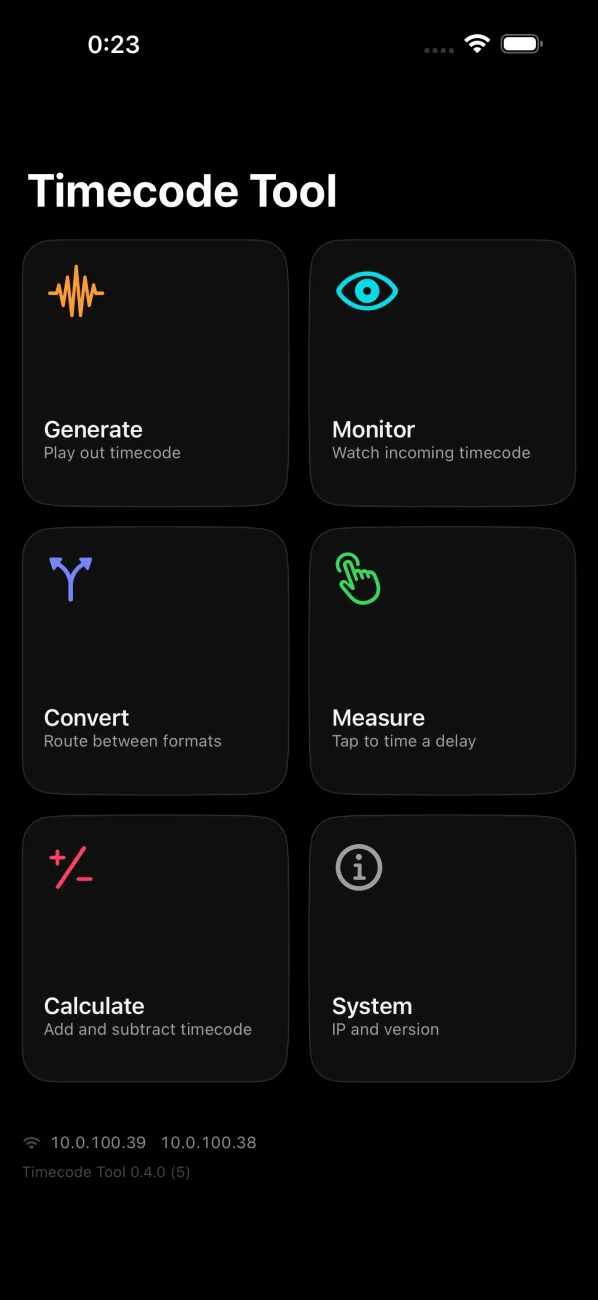
Timecode Tool is a focused utility for live-show technicians who need to generate, monitor, convert, measure or calculate SMPTE timecode on iPad, iPhone, and Apple Silicon Mac.
Five tools:
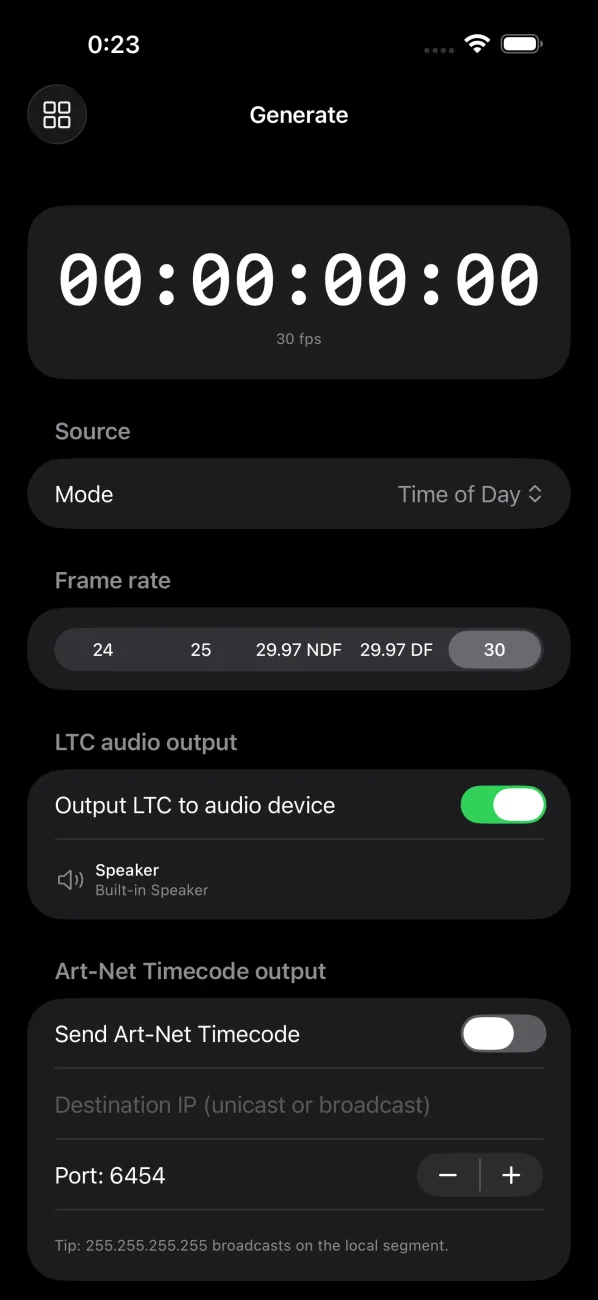
GENERATE
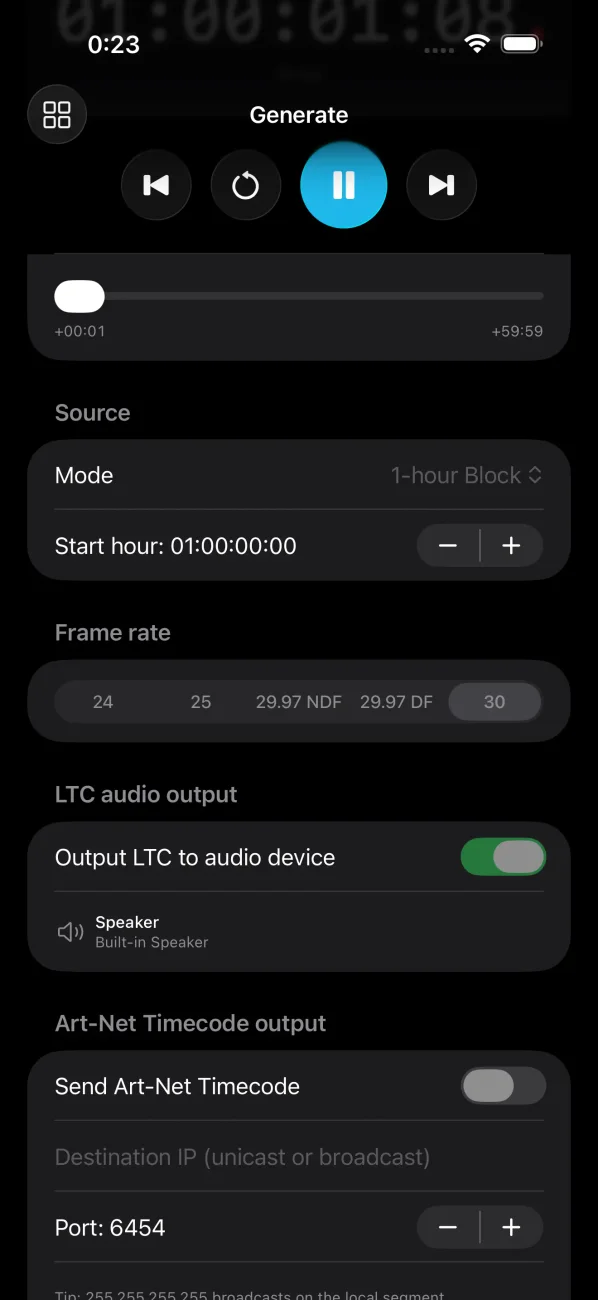
• Output LTC audio and Art-Net Timecode driven by system time-of-day, a free-running 1-hour block, or a custom Start Timecode you type in (e.g. 02:03:20:15) that free-runs from that point.
• A media-player transport while running — previous block, back to start of block, play/pause, next block. (Hidden for time-of-day, which follows the wall clock instead of a block you can skip through.)
• Pick FPS (24, 25, 29.97 NDF, 29.97 DF, 30) including correct SMPTE drop-frame counting.
• Send to a specific Art-Net destination IP (unicast or broadcast).
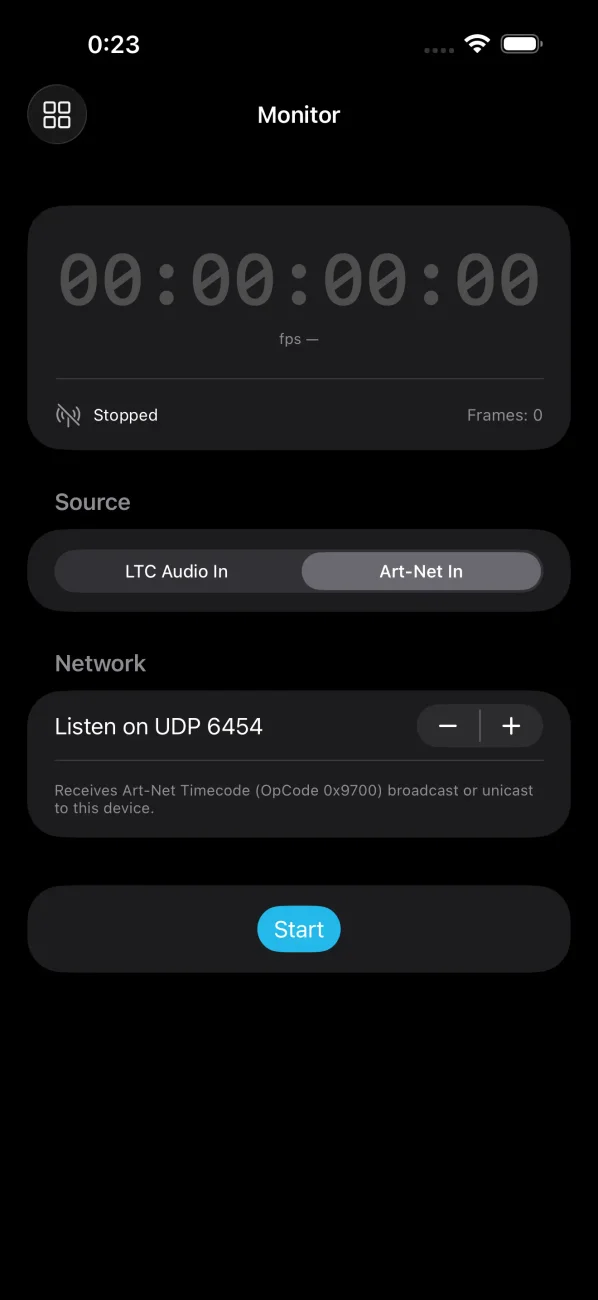
MONITOR
• A large, glanceable timecode readout for monitoring.
• Choose the source: decode LTC from an audio input, or receive Art-Net Timecode over the network. Frame rate and lock state are shown live.
CONVERT
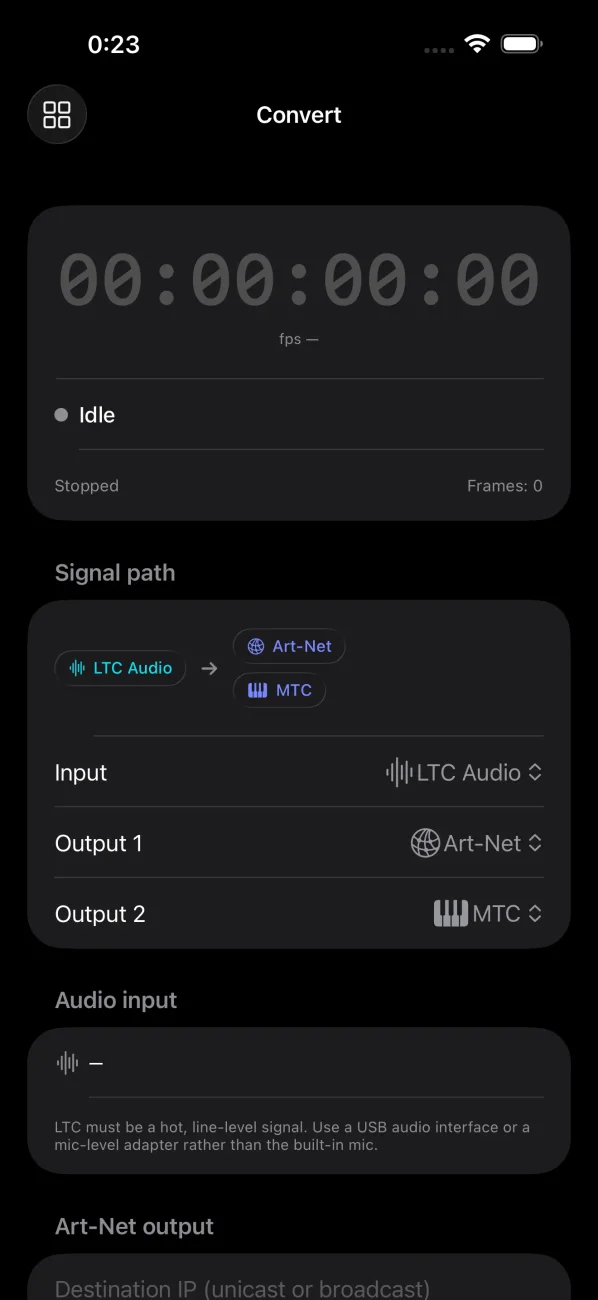
• Route one timecode input to up to two simultaneous outputs, freely chosen: input is LTC audio, Art-Net, or MTC; each output is LTC audio, Art-Net, or MTC.
• MTC: Timecode Tool publishes a virtual MIDI port, "Timecode Tool", that shows up as a MIDI input in every other app on your device — your DAW can chase it with no cable or MIDI interface. Output can also go to a real MIDI destination, and input can come from any MIDI source.
• Warns up front about setups that would misbehave: Art-Net in and out sharing a UDP port, LTC in and out on the built-in speaker and mic, and MTC feeding back into itself.
• Latency compensation per output, with drift tracking and a re-sync control. Auto-detects the source frame rate and the drop-frame flag, with an override for 29.97 non-drop versus 30 fps.
MEASURE
• A delay checker. Tap the pad twice — or keep tapping along to a beat — and read the interval in milliseconds, frames at the rate you choose, timecode, BPM, seconds, or audio samples.
• Then hear it: two clicks exactly that far apart, a click every interval, or your own taps replayed, placed on the audio clock to the sample.
• A tap far from the others — a double tap, a missed beat — is flagged as it lands and left out of the statistics. Save a measurement with its taps, rate and statistic, and bring it back later.
• Last, average, min, max and jitter at a glance; every unit has Copy.
CALCULATE
• A timecode calculator. Add, subtract, multiply and divide timecode, frames, seconds, milliseconds and h:mm:ss clock time in any mix — for example "01:03:40:15, one minute thirty-five later".
• Pick each operand's unit on a sliding switch under the field. Shorthand accepted: 95s, 1500ms, 1m35s, 40f, or just digits into a timecode field. Paste into any field; the unit follows the text.
• A sentence above the result says what was done — "Added 1 min 35 s to timecode 01:03:40:15" — and the result appears in every form at once, each with its own Copy, chaining back into the next calculation. Drop-frame arithmetic uses the same frame counting as the generator.
• Measure and Calculate also work at 59.94 and 60 fps.
Cross-cutting features:
• Background audio — keeps generating / decoding when the screen is locked or another app is foreground.
• Phone calls and Siri don't break the timecode stream; it resumes.
• Shows your device's IP addresses. Works with Class-Compliant USB audio interfaces.
Available in English, Japanese, Korean, Simplified Chinese, French and German.
Timecode Tool does not collect, store, or transmit any personal data.
Novidades
Versão 0.4.0 · 08/09/2026
• New: Measure — a tap delay checker. Tap twice and read the interval in milliseconds, frames, timecode, BPM, seconds or samples, then hear it back as two sample-accurate clicks, a click loop, or your taps replayed. A tap far from the rest is flagged as it lands and left out of the statistics; measurements can be saved and brought back later.
• New: Calculate — a timecode calculator. Add, subtract, scale and divide timecode, frames, seconds, milliseconds and clock time in any mix, with the unit chosen on a sliding switch under each field. A sentence above the result says what was done; the result shows in every form with Copy, and any field takes a paste.
• 59.94 and 60 fps in Measure and Calculate.
• The app now speaks Japanese, Korean, Simplified Chinese, French and German as well as English.
Privacidade do app
O que llcheesell Inc. declara na App Store sobre como este app lida com os dados.
-
Dados não coletados
O desenvolvedor não coleta nenhum dado deste app.
As práticas de privacidade podem variar, por exemplo, com base nos recursos que você usa ou na sua idade.
Informações
- Vendedor
- llcheesell Inc.
- Categoria
- Música
- Versão
- 0.4.0
- Atualizado
- 08/09/2026
- Lançamento
- 26/05/2026
- Tamanho
- 3,4 MB
- Requer
- iOS 17.0 ou posterior
- Classificação etária
- 4+
- Preço
- R$ 12,90
- Idiomas
- Inglês, Francês, Alemão, Japonês, Coreano, Chinês simplificado
- Copyright
- © llcheesell Inc.