
TransFloat: AI Live Translator
Video Translation & Subtitles
Diseñada para iPhone
Gratis · Compras en la aplicación
- Clasificación por edad4+
- CategoríaUtilidades
- DesarrolladorShanghai Qinfu Information Technology Co., Ltd.
- IdiomasInglés+ 5 más
- Tamaño24,1 MB
Enlaza a la página oficial de App Store
Download.org no aloja ningún archivo de TransFloat: AI Live Translator. El botón abre la página de la aplicación en App Store, donde la publica Shanghai Qinfu Information Technology Co., Ltd. Ficha comprobada por última vez el 12/11/2026.
Capturas de pantalla
Acerca de
El desarrollador no ha proporcionado este texto en tu idioma.
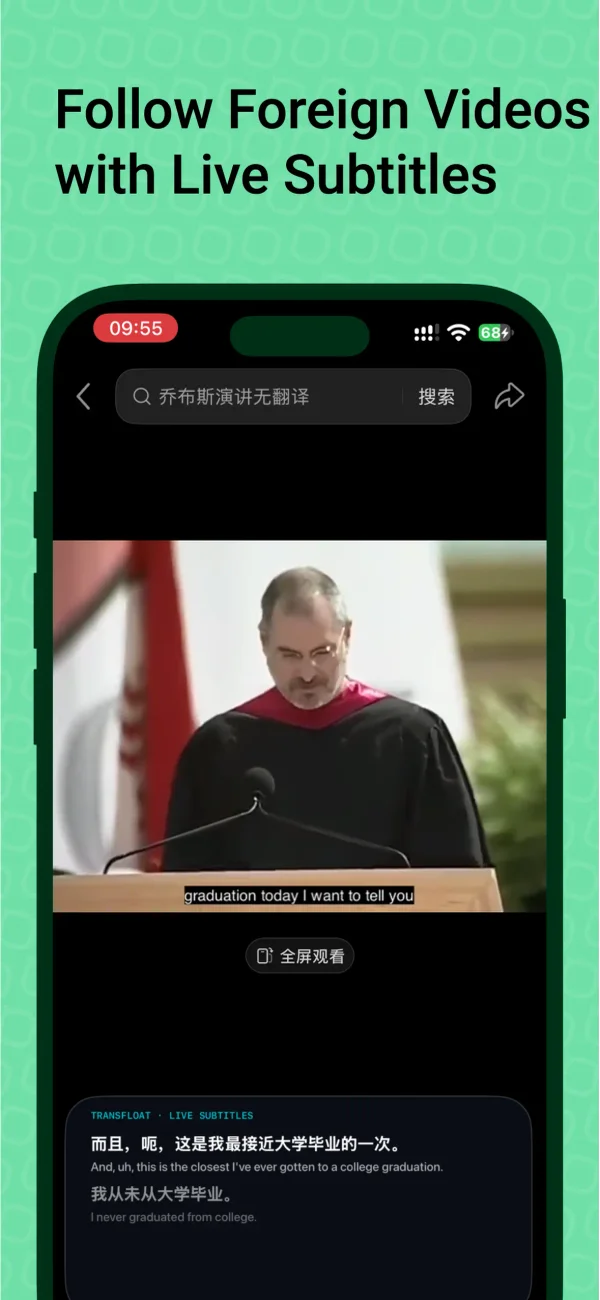
Watching a video in another language? Follow what is being said with live bilingual subtitles.
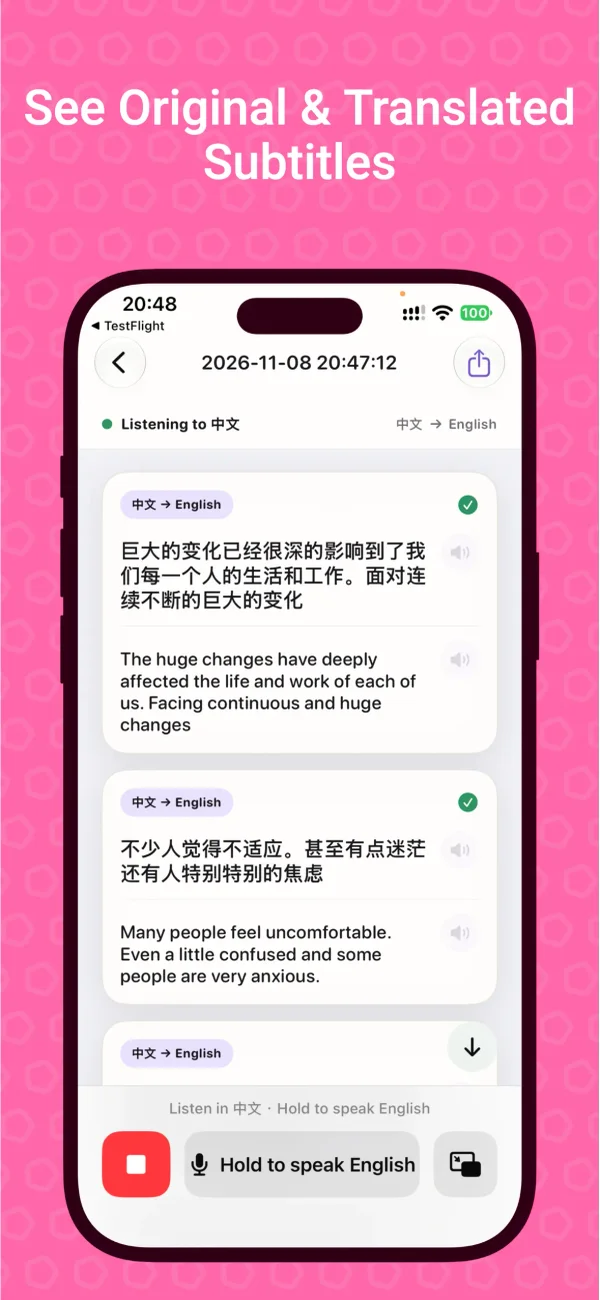
TransFloat helps you understand speech as it happens. See the original words alongside a translation, keep captions visible while using supported apps, and return to important moments later. It is built for foreign-language videos, livestreams, conversations, classes, and recordings.
LIVE SPEECH AND BILINGUAL SUBTITLES
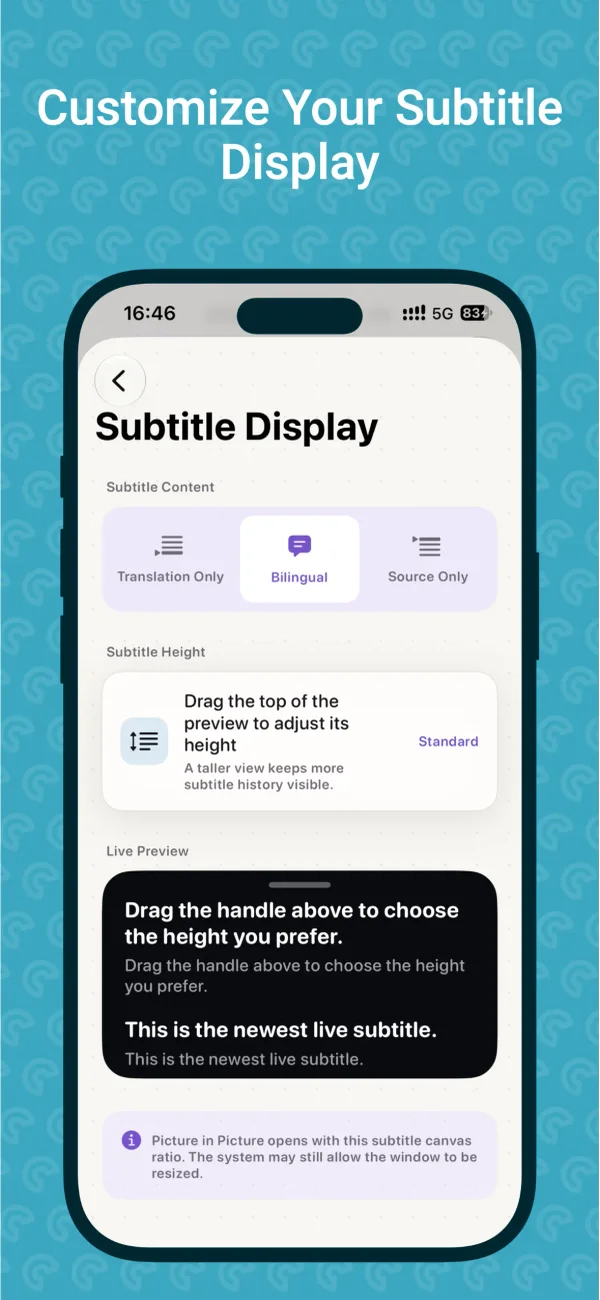
Use your iPhone microphone to turn nearby speech into readable text. For supported language pairs, the translation appears alongside the original in easy-to-follow segments. Useful for talks, lectures, language practice, and in-person conversations.
PRESS AND HOLD TO REPLY IN ANOTHER LANGUAGE — PRO
During a microphone conversation, press and hold the language control to speak in the other language. Release to switch back. You control the direction of each turn; TransFloat does not automatically identify who is speaking.
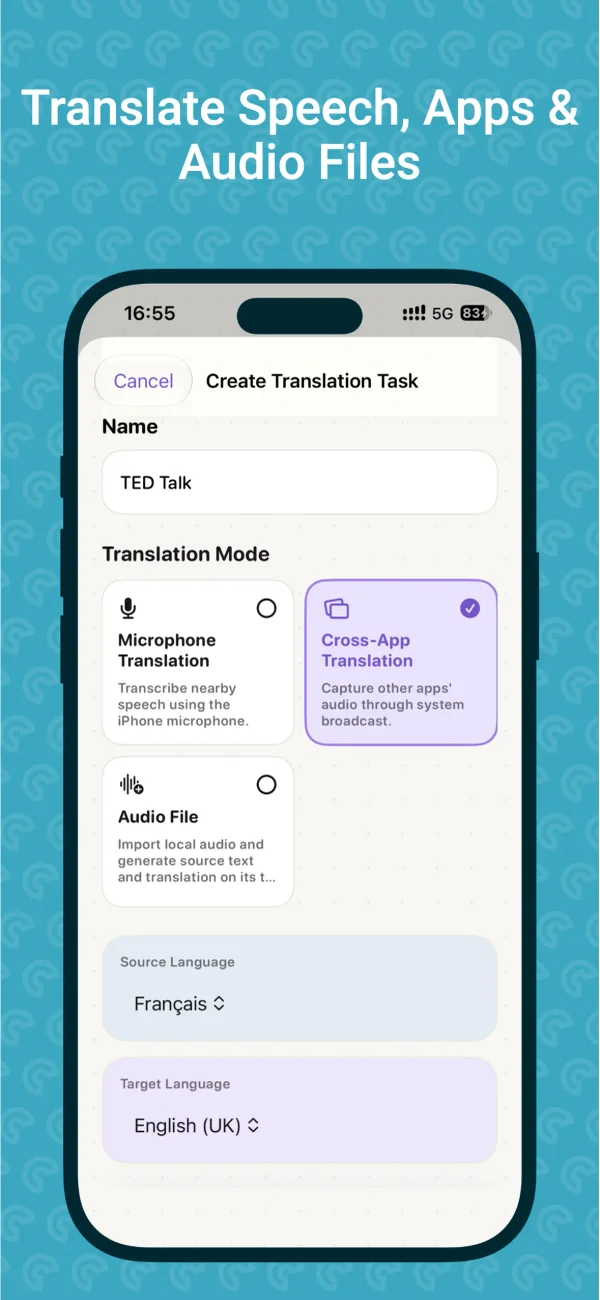
TRANSLATE AUDIO FROM SUPPORTED APPS — PRO
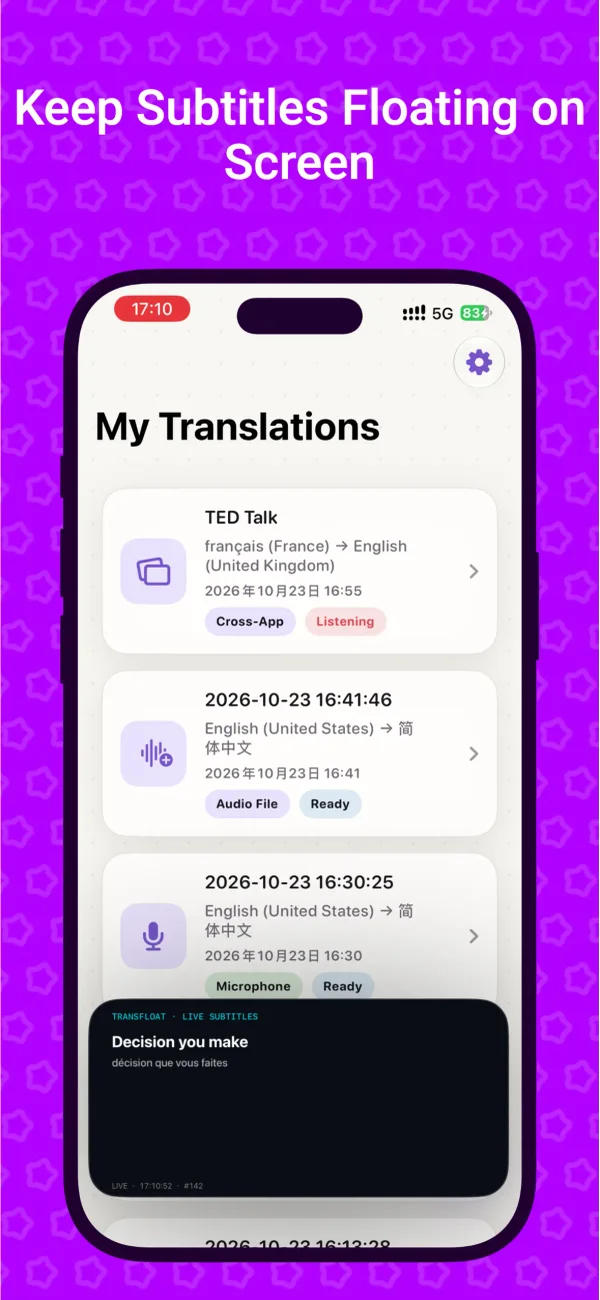
Start an iOS screen broadcast to capture eligible playback audio from supported apps. Follow original and translated subtitles in TransFloat or show them in Picture in Picture while switching apps. Audio access depends on the source app, protected content, device, and iOS behavior. TransFloat does not translate on-screen text or images.
IMPORT AUDIO FILES — PRO
Import an audio file to generate time-aligned transcription and, when available, translation. Review the results at your own pace. Video file importing, dubbing, and video export are not included.
REVIEW, READ ALOUD, AND EXPORT
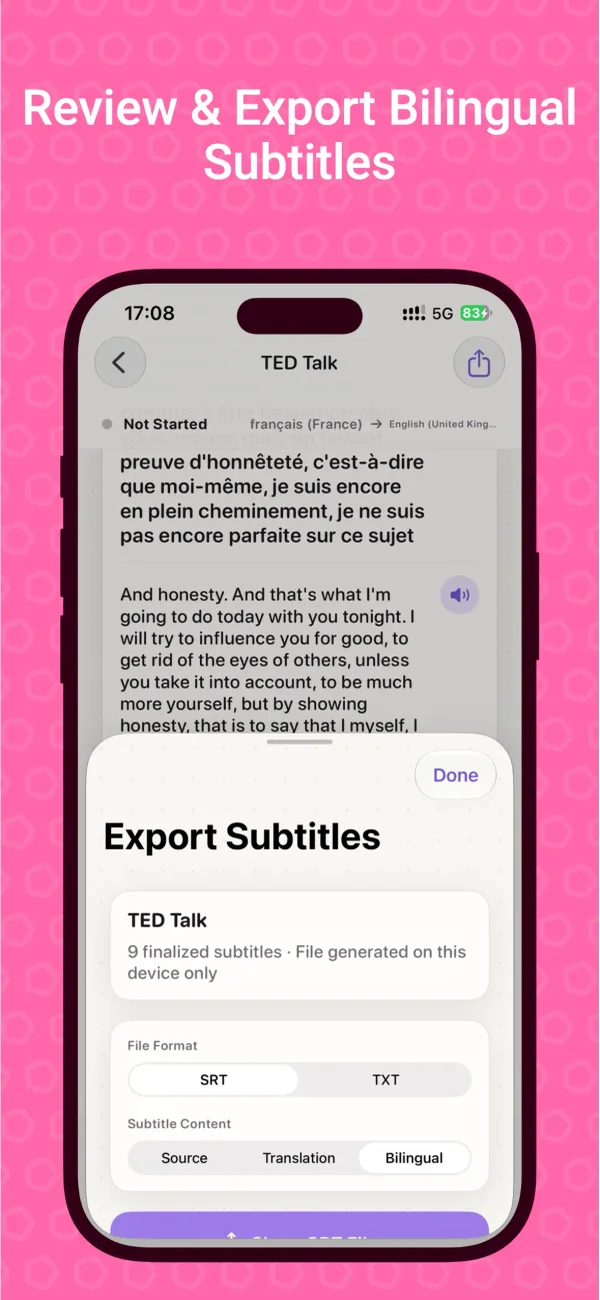
Revisit finalized subtitle segments in your task history. Listen to supported text read aloud after recording. Pro users can share original text, translations, or bilingual subtitles as SRT or TXT files.
PRIVACY AND OPTIONAL ICLOUD SYNC
TransFloat uses Apple-managed speech recognition and translation resources. Task history stores subtitle text locally by default rather than original captured microphone audio. Pro users can optionally sync tasks and subtitles through their Apple Account using iCloud. Language resource downloads, purchases, and iCloud sync may require internet access.
FREE AND PRO
Free: basic microphone recognition and forward translation for supported languages.
Pro: reverse-language conversation input, supported cross-app audio translation, audio file import, Picture in Picture subtitles, subtitle export, and optional iCloud sync.
Pro may be available as a monthly subscription, yearly subscription, or one-time lifetime purchase, subject to your region and current in-app offers. Subscription pricing is shown before purchase. Auto-renewing subscriptions renew unless cancelled through Apple Account subscription settings. Restore Purchases is available in the app.
IMPORTANT
TransFloat is designed for iPhone. Features, recognition languages, language pairs, and accuracy vary with system support, downloaded resources, speech conditions, and audio source. Not every app or protected video can be captured. Check important translations against the original. Interface languages: English, Simplified Chinese, Traditional Chinese, Japanese, German, and French.
TERMS OF USE
Apple Standard End User License Agreement:
https://www.apple.com/legal/internet-services/itunes/dev/stdeula/
Novedades
Versión 1.1 · 12/11/2026
NEW: During microphone conversations, Pro users can press and hold to speak in the other language. Release to return to the original language.
IMPROVED: Stability and reliability across live speech recognition and translation sessions.
Privacidad de la aplicación
Lo que Shanghai Qinfu Information Technology Co., Ltd. declara en App Store sobre cómo esta aplicación gestiona los datos.
-
Datos no vinculados a ti
Pueden recopilarse, pero no se vinculan a tu identidad.
- Compras
Las prácticas de privacidad pueden variar, por ejemplo, según las funciones que uses o tu edad.
Información
- Vendedor
- Shanghai Qinfu Information Technology Co., Ltd.
- Categoría
- Utilidades
- Versión
- 1.1
- Actualizado
- 12/11/2026
- Publicado
- 28/10/2026
- Tamaño
- 24,1 MB
- Requiere
- iOS 26.4 o posterior
- Clasificación por edad
- 4+
- Precio
- Gratis
- Compras en la aplicación
- Sí
- Idiomas
- Inglés, Francés, Alemán, Japonés, Chino simplificado, Chino tradicional
- Copyright
- © 2026 Shanghai Qinfu Information Technology Co., Ltd.
Quizá también te guste
-
 Notchet: Gestor de copiasPortapapeles y fragmentos
-
 觅境附近设备与信号观察
-
 CantonAIUtilidades
-
 TV Remotely: Mando a DistanciaDuplica pantalla y envía vídeo
-
 Aquarium Log: Water TrackerUtilidades
-
 TalliedCuenta los puntos por ti
-
 Image Compressor-Top AI EngineUtilidades
-
 Curio: Home Screen WidgetsUtilidades
-
 Pixel Pet AlarmUtilidades
-
 录播精灵Utilidades