
TransFloat: AI Live Translator
Video Translation & Subtitles
iPhone için tasarlandı
Ücretsiz · Uygulama içi satın alma
- Yaş sınırı4+
- KategoriYardımcılar
- GeliştiriciShanghai Qinfu Information Technology Co., Ltd.
- Dillerİngilizce+ 5 dil daha
- Boyut24,1 MB
Resmi App Store sayfasına bağlanır
Download.org, TransFloat: AI Live Translator için hiçbir dosya barındırmaz. Düğme, uygulamanın App Store üzerindeki sayfasını açar; uygulamayı orada Shanghai Qinfu Information Technology Co., Ltd. yayınlar. Sayfanın son kontrolü: 12.11.2026.
Ekran görüntüleri
Hakkında
Geliştirici bu metni dilinizde sunmamış.
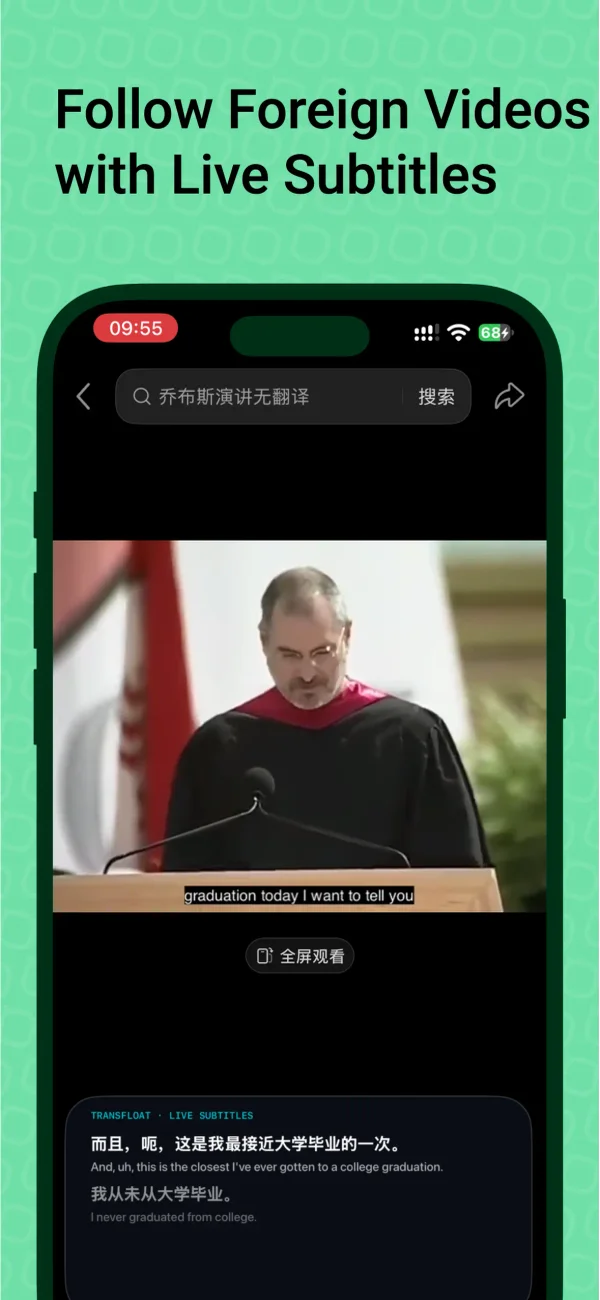
Watching a video in another language? Follow what is being said with live bilingual subtitles.
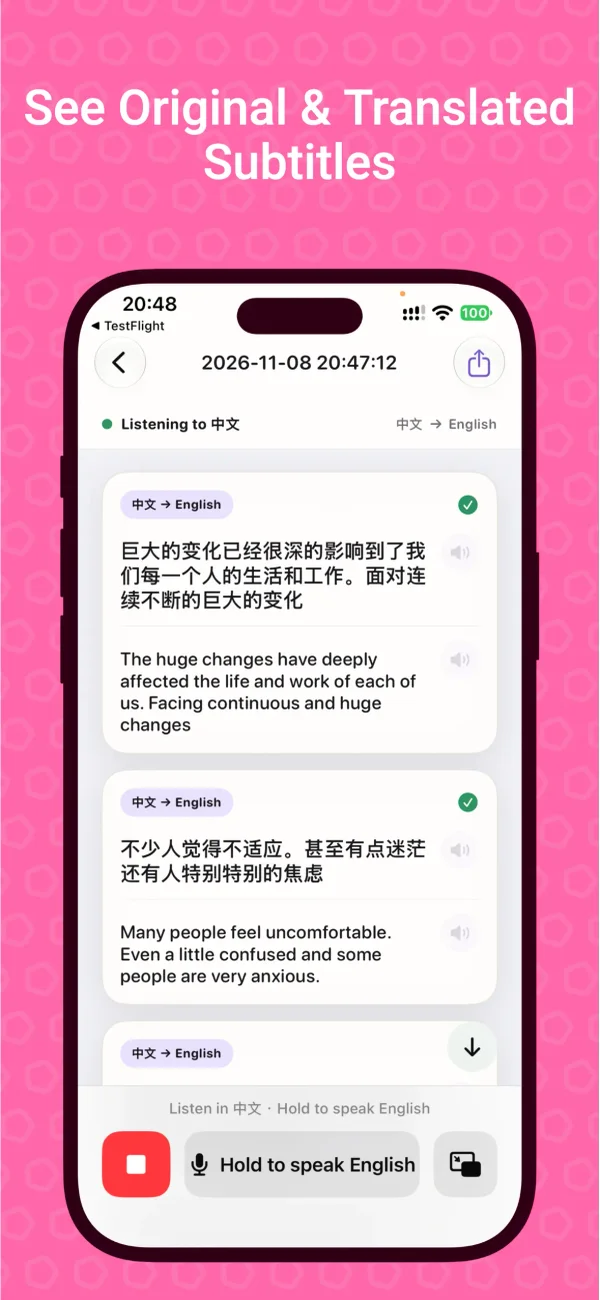
TransFloat helps you understand speech as it happens. See the original words alongside a translation, keep captions visible while using supported apps, and return to important moments later. It is built for foreign-language videos, livestreams, conversations, classes, and recordings.
LIVE SPEECH AND BILINGUAL SUBTITLES
Use your iPhone microphone to turn nearby speech into readable text. For supported language pairs, the translation appears alongside the original in easy-to-follow segments. Useful for talks, lectures, language practice, and in-person conversations.
PRESS AND HOLD TO REPLY IN ANOTHER LANGUAGE — PRO
During a microphone conversation, press and hold the language control to speak in the other language. Release to switch back. You control the direction of each turn; TransFloat does not automatically identify who is speaking.
TRANSLATE AUDIO FROM SUPPORTED APPS — PRO
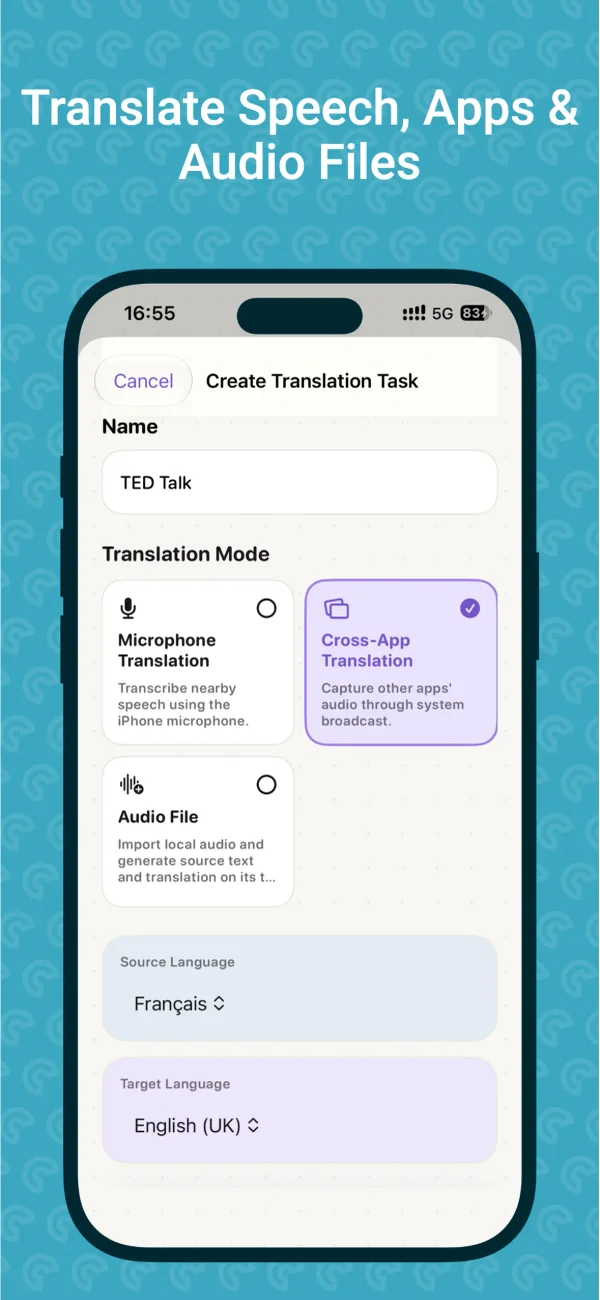
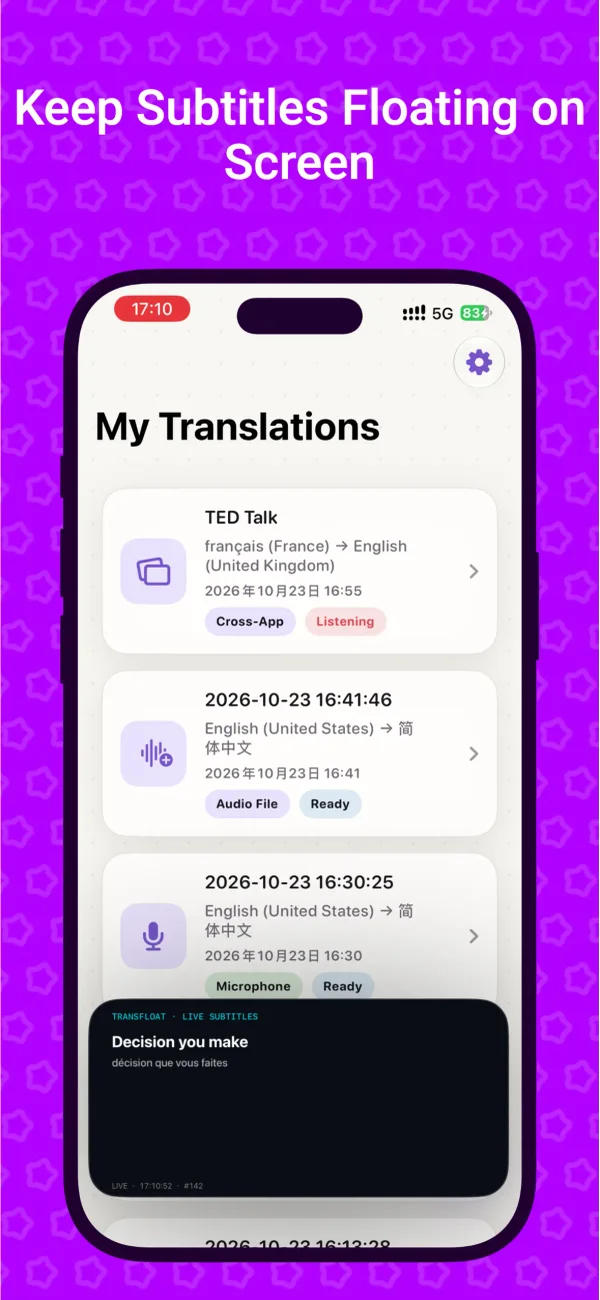
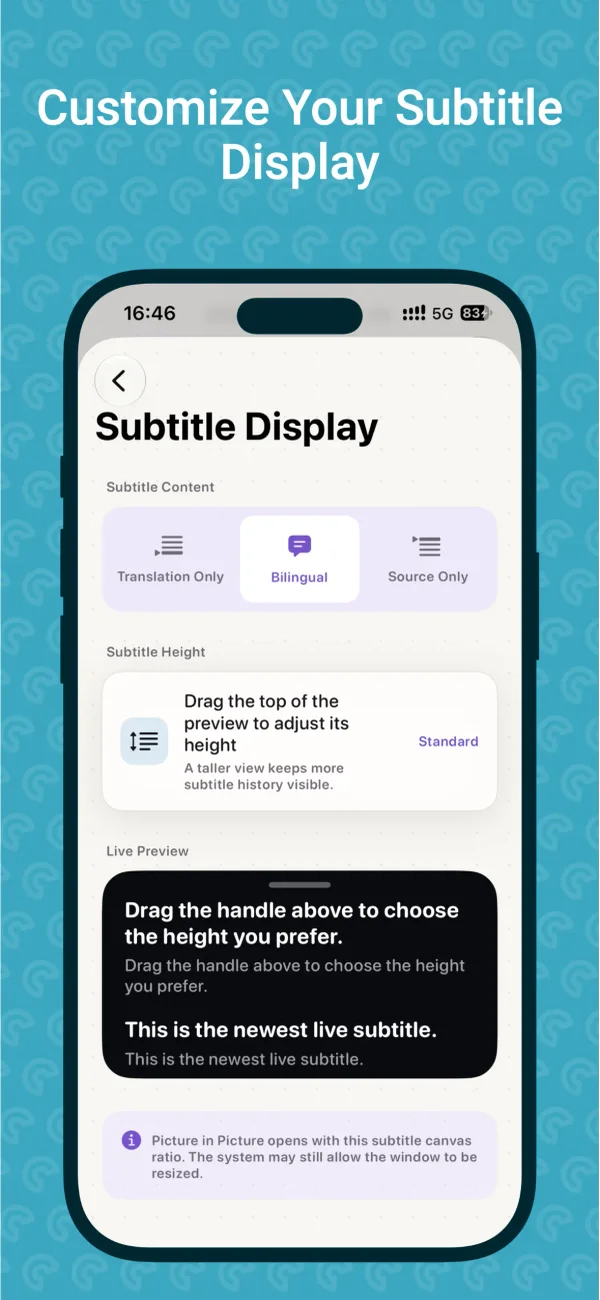
Start an iOS screen broadcast to capture eligible playback audio from supported apps. Follow original and translated subtitles in TransFloat or show them in Picture in Picture while switching apps. Audio access depends on the source app, protected content, device, and iOS behavior. TransFloat does not translate on-screen text or images.
IMPORT AUDIO FILES — PRO
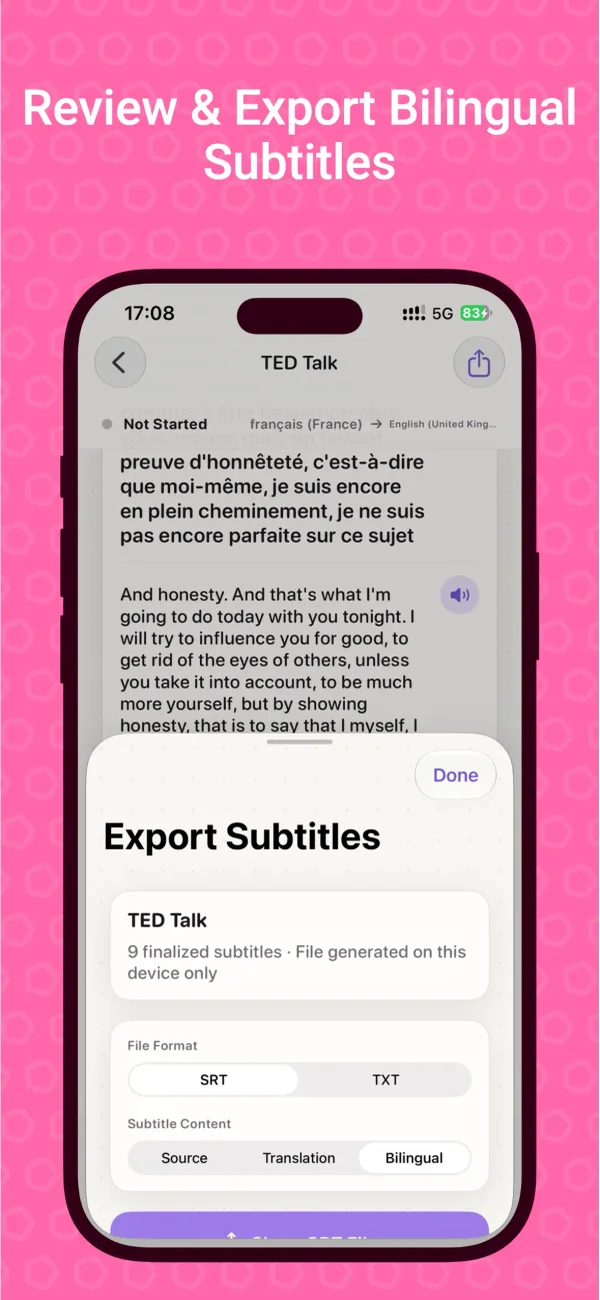
Import an audio file to generate time-aligned transcription and, when available, translation. Review the results at your own pace. Video file importing, dubbing, and video export are not included.
REVIEW, READ ALOUD, AND EXPORT
Revisit finalized subtitle segments in your task history. Listen to supported text read aloud after recording. Pro users can share original text, translations, or bilingual subtitles as SRT or TXT files.
PRIVACY AND OPTIONAL ICLOUD SYNC
TransFloat uses Apple-managed speech recognition and translation resources. Task history stores subtitle text locally by default rather than original captured microphone audio. Pro users can optionally sync tasks and subtitles through their Apple Account using iCloud. Language resource downloads, purchases, and iCloud sync may require internet access.
FREE AND PRO
Free: basic microphone recognition and forward translation for supported languages.
Pro: reverse-language conversation input, supported cross-app audio translation, audio file import, Picture in Picture subtitles, subtitle export, and optional iCloud sync.
Pro may be available as a monthly subscription, yearly subscription, or one-time lifetime purchase, subject to your region and current in-app offers. Subscription pricing is shown before purchase. Auto-renewing subscriptions renew unless cancelled through Apple Account subscription settings. Restore Purchases is available in the app.
IMPORTANT
TransFloat is designed for iPhone. Features, recognition languages, language pairs, and accuracy vary with system support, downloaded resources, speech conditions, and audio source. Not every app or protected video can be captured. Check important translations against the original. Interface languages: English, Simplified Chinese, Traditional Chinese, Japanese, German, and French.
TERMS OF USE
Apple Standard End User License Agreement:
https://www.apple.com/legal/internet-services/itunes/dev/stdeula/
Yenilikler
Sürüm 1.1 · 12.11.2026
NEW: During microphone conversations, Pro users can press and hold to speak in the other language. Release to return to the original language.
IMPROVED: Stability and reliability across live speech recognition and translation sessions.
Uygulama gizliliği
Bu uygulamanın verileri nasıl işlediği hakkında Shanghai Qinfu Information Technology Co., Ltd. tarafından App Store üzerinde yapılan beyan.
-
Sizinle ilişkilendirilmeyen veriler
Toplanabilir ancak kimliğinizle ilişkilendirilmez.
- Satın alımlar
Gizlilik uygulamaları, örneğin kullandığınız özelliklere veya yaşınıza göre değişiklik gösterebilir.
Bilgiler
- Satıcı
- Shanghai Qinfu Information Technology Co., Ltd.
- Kategori
- Yardımcılar
- Sürüm
- 1.1
- Güncellendi
- 12.11.2026
- Yayın tarihi
- 28.10.2026
- Boyut
- 24,1 MB
- Gereksinim
- iOS 26.4 veya sonrası
- Yaş sınırı
- 4+
- Fiyat
- Ücretsiz
- Uygulama içi satın alma
- Evet
- Diller
- İngilizce, Fransızca, Almanca, Japonca, Basitleştirilmiş Çince, Geleneksel Çince
- Telif hakkı
- © 2026 Shanghai Qinfu Information Technology Co., Ltd.
Bunları da beğenebilirsiniz
-
 Notchet: Clipboard ManagerYardımcılar
-
 觅境附近设备与信号观察
-
 CantonAIYardımcılar
-
 TV Remotely: Akıllı KumandaEkran yansıtma ve yayınlama
-
 Aquarium Log: Water TrackerYardımcılar
-
 Tallied - Score KeeperYardımcılar
-
 Image Compressor-Top AI EngineYardımcılar
-
 Curio - 桌面小组件Yardımcılar
-
 Pixel Pet AlarmYardımcılar
-
 录播精灵Yardımcılar