
TripMeter: Drive Tracker
Auto Trip Log & Driving Stats
Diseñada para iPhone
Gratis · Compras en la aplicación
- Clasificación por edad4+
- CategoríaNavegación
- Desarrollador家龙 李
- IdiomasInglés+ 8 más
- Tamaño24,5 MB
Enlaza a la página oficial de App Store
Download.org no aloja ningún archivo de TripMeter: Drive Tracker. El botón abre la página de la aplicación en App Store, donde la publica 家龙 李. Ficha comprobada por última vez el 25/11/2026.
Capturas de pantalla

Acerca de
El desarrollador no ha proporcionado este texto en tu idioma.
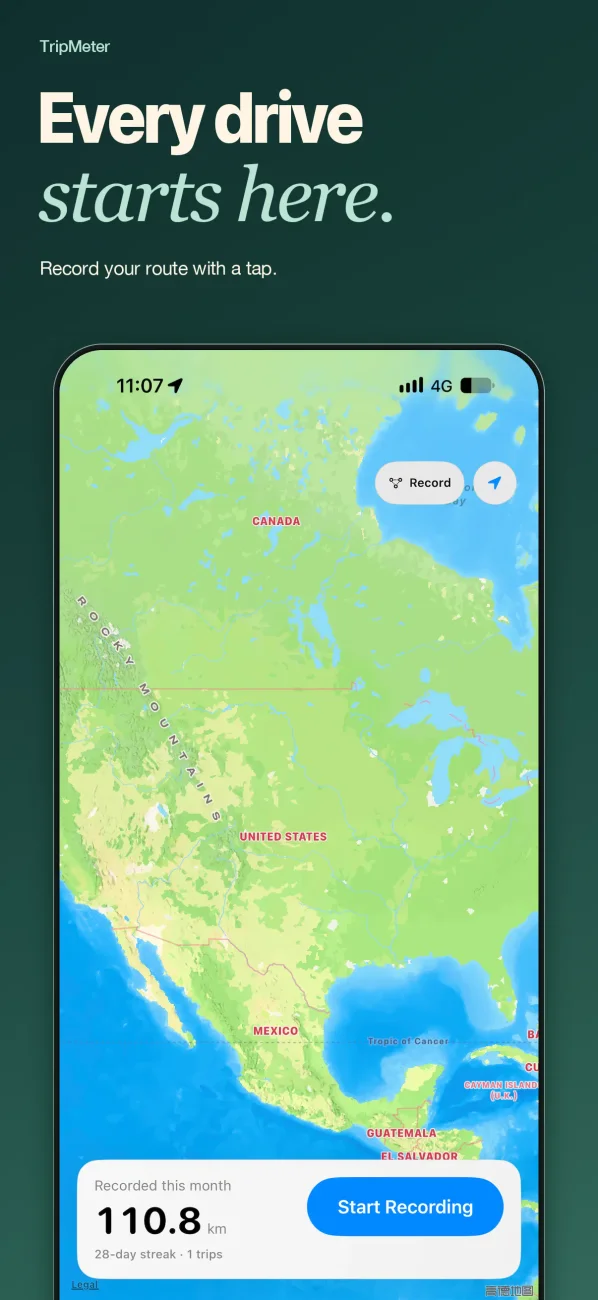
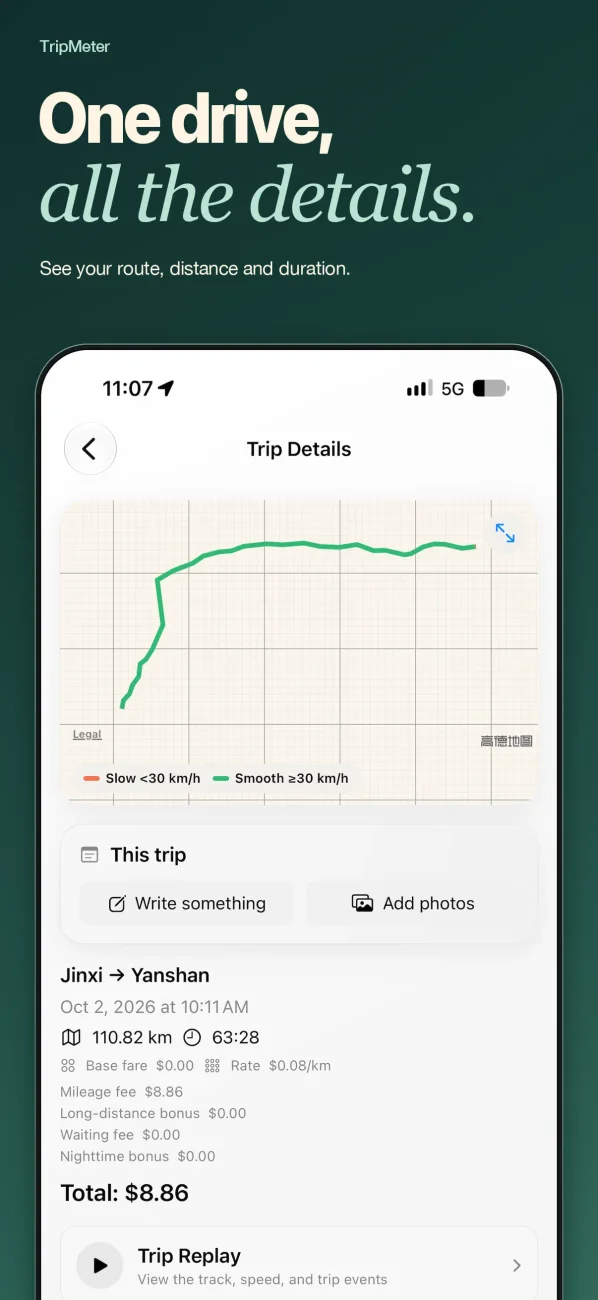
TripMeter logs your drives and turns them into maps, stats and replays you'll want to look back on. No account, no ads, no tracking: your trips stay on your iPhone, and in your own iCloud if you turn on sync.
AUTOMATIC TRIP LOG
• Smart Recording (Pro): starts when you start driving and saves when you park, so there's nothing to remember
• Or start a trip with one tap, a Shortcut or the Control Center button
• Start recording when CarPlay or your car's Bluetooth connects, with a Shortcuts automation
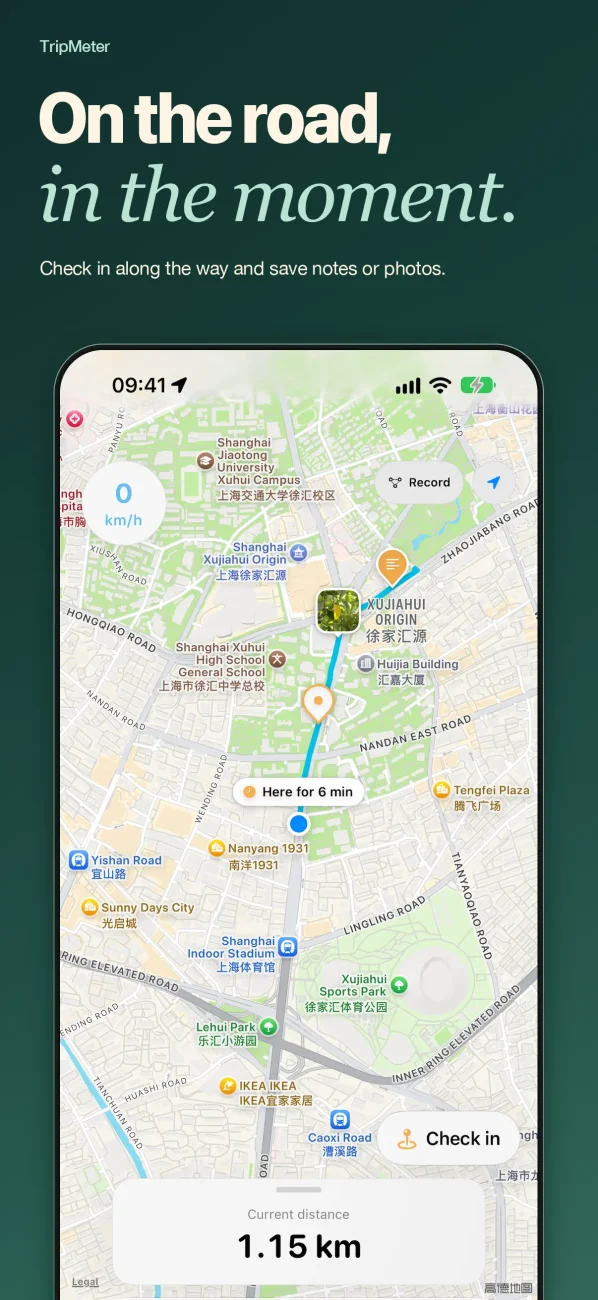
• Live Activity and Dynamic Island show distance and time on the Lock Screen
• Home Screen and Lock Screen widgets: distance this month, driving score and your latest trip
• Trips are saved as you go and restored if the app closes mid-drive
EVERY ROAD ON ONE MAP
• Route heatmap: every trip on a single map, and the roads you drive most glow brightest (zoom and time filters with Pro)
• All-Day Footprints (Pro): quietly records where you go all day, without pressing start
• Year and month recaps
UNDERSTAND YOUR DRIVING
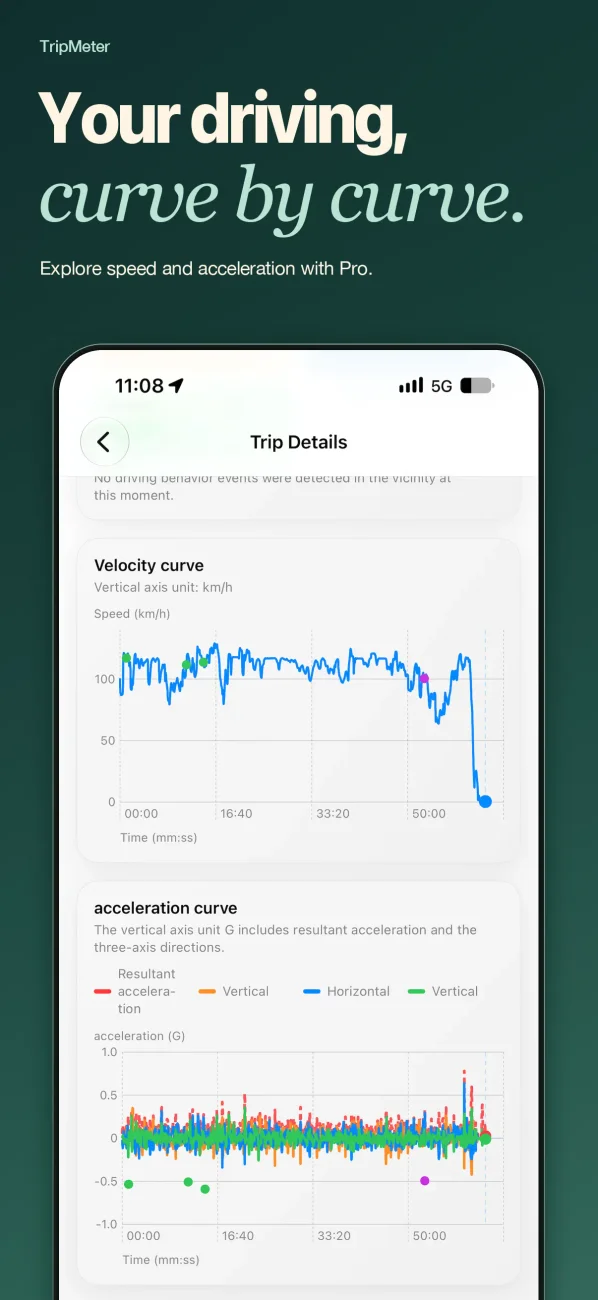
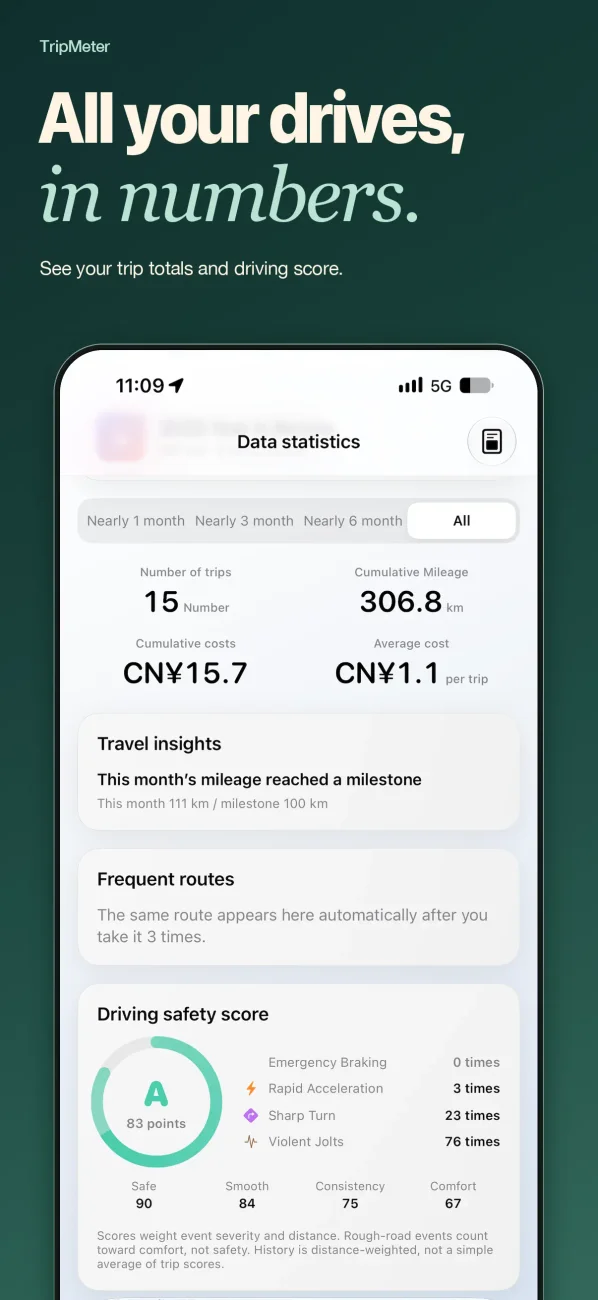
• Driving score for safety, smoothness, stability and road comfort, based on hard braking, rapid acceleration, sharp turns and bumpy roads
• Speed, acceleration and elevation charts for every trip (Pro)
• Recurring routes with your best times, and commute stats between home and work (Pro)
• Monthly driving report and travel insights (Pro)
• Several vehicles, each with its own history
RELIVE AND SHARE
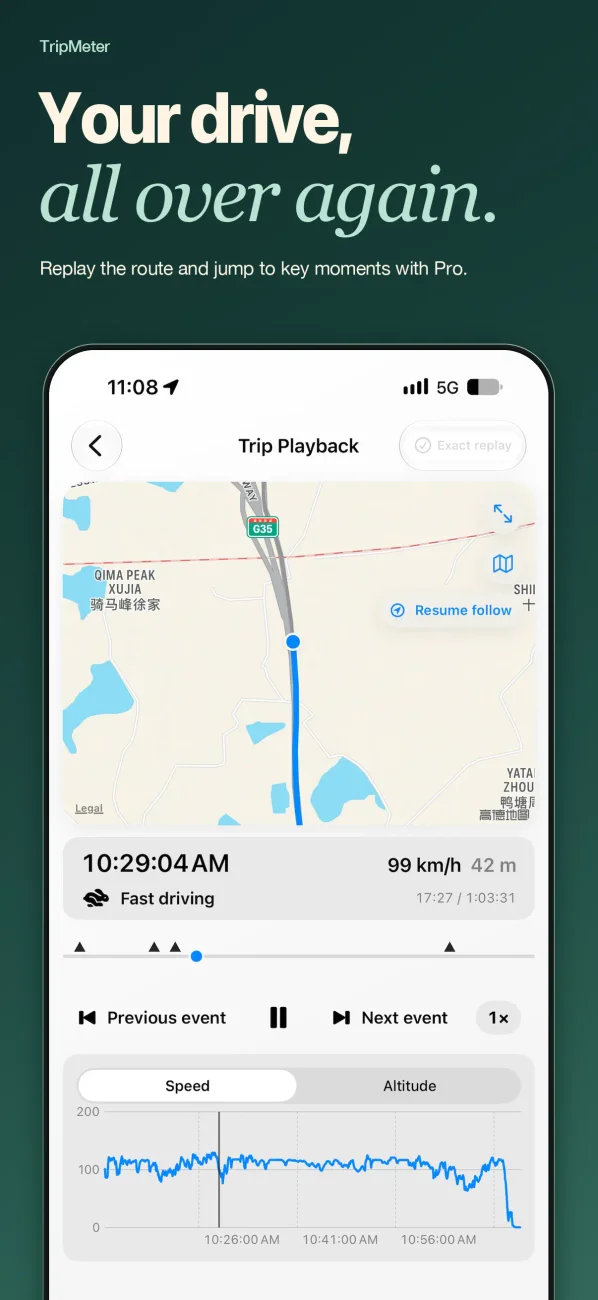
• Replay any trip on the map and export it as a video (Pro)
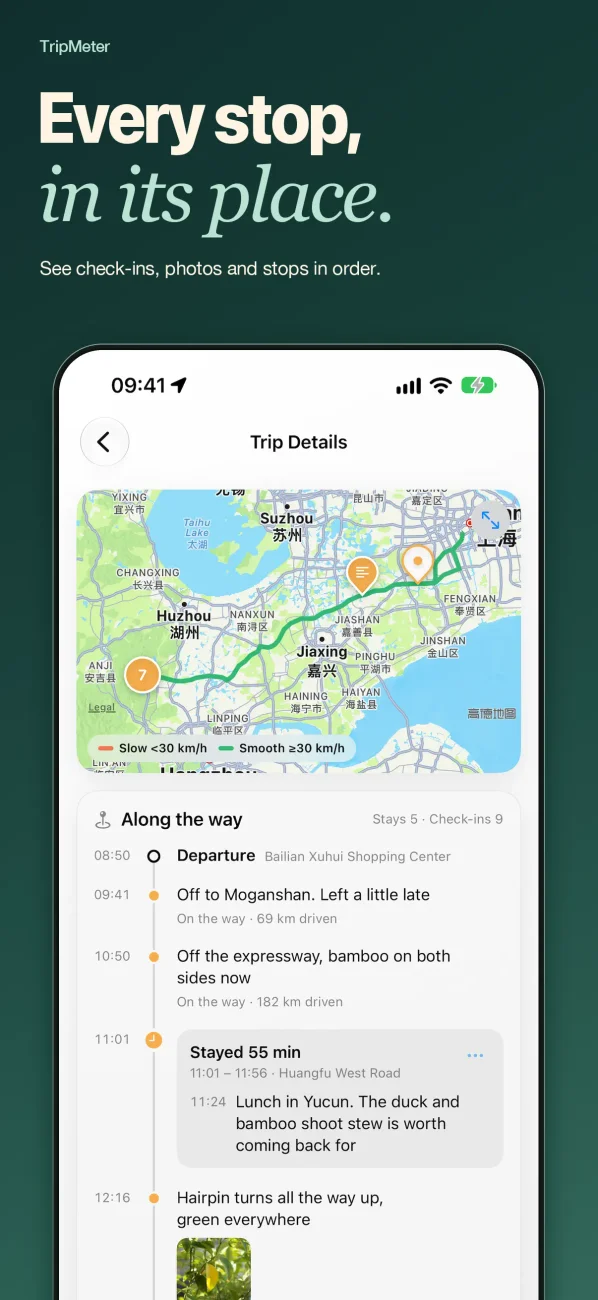
• A timeline for every trip: stops are detected automatically, and notes and photos are pinned where they happened
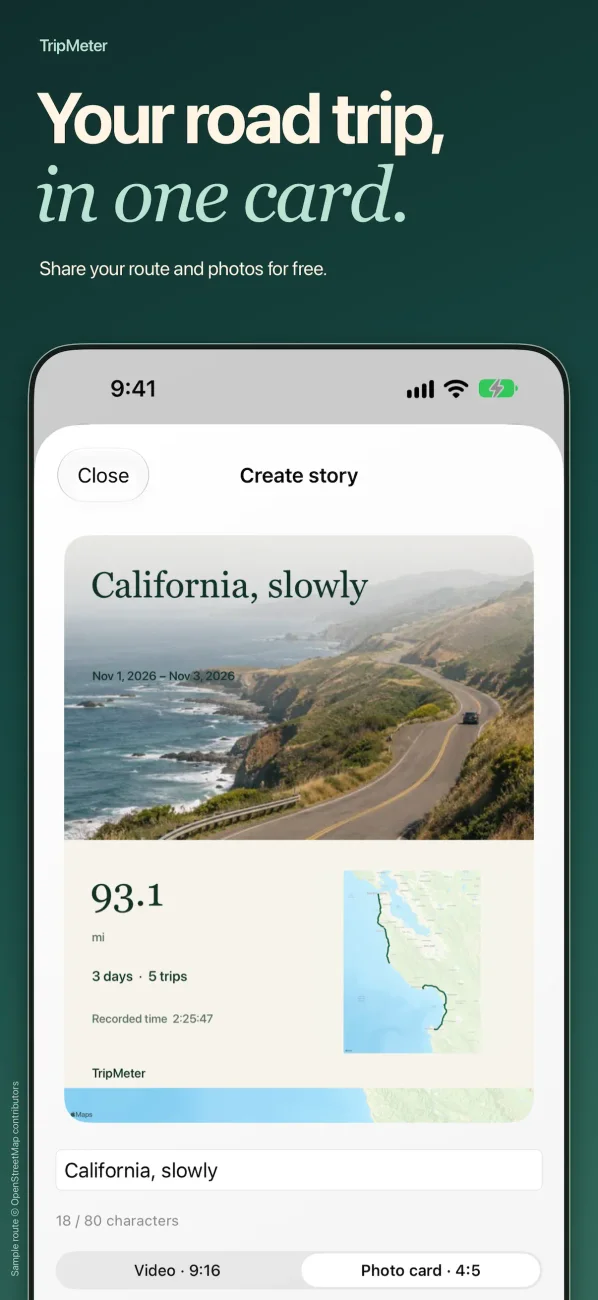
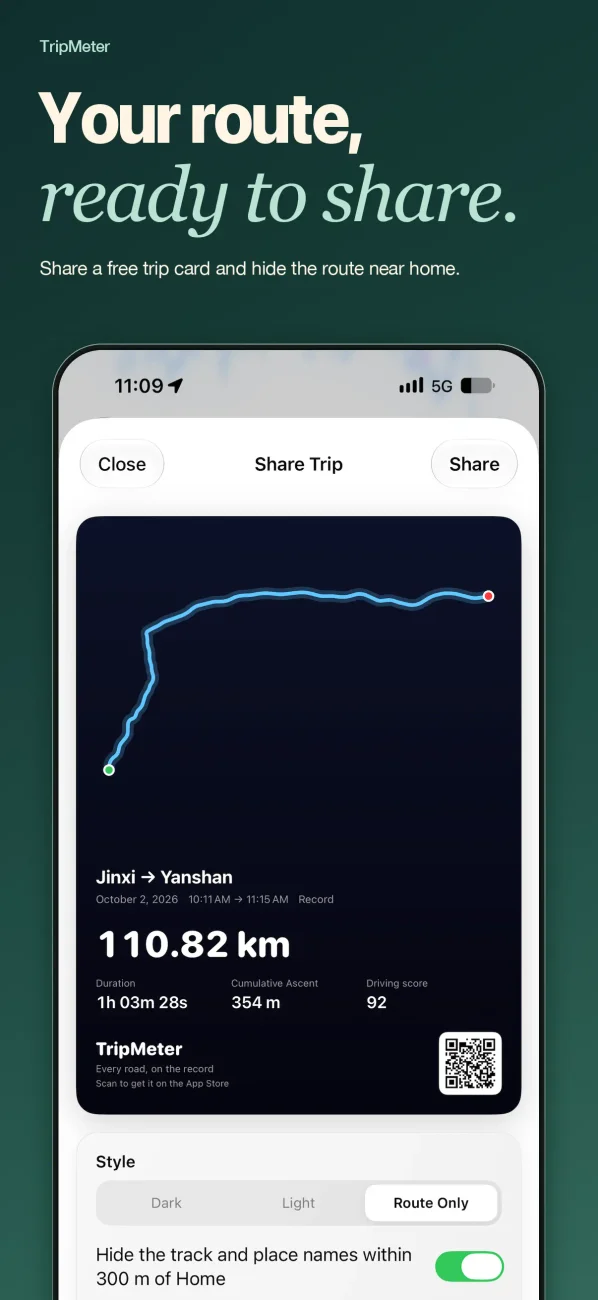
• Share cards with your route and key stats; your home area is hidden automatically
• Driving, cycling, running or walking: each trip shows the stats that fit
YOUR DATA, YOUR FORMAT
• Import GPX and KML tracks
• Export PDF, CSV and GPX / KML / GeoJSON, one trip or all at once (Pro)
• Miles or kilometers, any currency, 12- or 24-hour time
• Optional fare estimate and navigation mode; compare the planned route with the one you drove (Pro)
PRIVATE BY DESIGN
TripMeter has no account and no servers. Trips are stored on your device and, with iCloud sync, in your own iCloud. We can't see where you've been.
TRIPMETER PRO
The free version records unlimited trips and shows your 5 most recent. Older trips stay saved and unlock with Pro.
Pro includes Smart Recording, All-Day Footprints, iCloud sync, full trip history, replay and video export, PDF / CSV / track exports and batch export, the full heatmap, speed, acceleration and elevation analysis, monthly reports, insights, commute and recurring-route stats, and future updates to Pro features.
Pro is available as a yearly subscription or a one-time lifetime purchase. Payment is charged to your Apple Account. The subscription renews automatically unless canceled at least 24 hours before the end of the current period. Manage or cancel it in your App Store account settings.
Terms of Use (EULA): https://www.apple.com/legal/internet-services/itunes/dev/stdeula/
Privacy Policy: https://github.com/PoppiesLee/privacy-policy
Novedades
Versión 2.4.0 · 24/11/2026
--Important Notice--
If you have enabled the "All-Day Footprints" (all-day tracking) feature, the app might get stuck during an update. If this happens, please force-close the app (swipe up on the app card to close it completely); the update will then proceed normally, with no impact on your data or features.
DO NOT uninstall the app, as doing so will result in the loss of all your data!
--What’s New in This Update--
1. Optimized Navigation and Billing: Billing mileage is now only calculated after a route is successfully re-planned; mileage remains unchanged while the trip is paused. For long-distance trips, nighttime mileage and low-speed waiting charges are calculated based on new data, reducing redundant computations.
2. Optimized Smart Recording and Lock Screen Live Activities: Improved background departure detection, recovery after interruptions, and data saving upon trip completion. Pausing a trip stops the sampling of driving behavior while preserving existing records. If "Smart Recognition" is disabled and no map or specific destination is selected, location tracking will automatically pause when idle. Lock Screen Live Activities now also update in sync with the pausing, resuming, and completion of a trip.
3. Optimized iCloud Sync: Trip notes can now be synced; missing photos are automatically retrieved, and photos added from different devices can be merged. Fixed an issue where deleted trips might reappear during synchronization. Improvements have also been made to the syncing of trips, vehicles, frequent locations, and "All-Day Footprints."
4. Optimized Maps, Tracks, and History: After manually panning or zooming the map during recording, the view will no longer automatically snap back to the current track point. Turnaround points on tracks are now displayed more accurately, and the map interface has been adjusted to accommodate the bottom panel. Editing an individual trip now only updates its specific summary, and archived daily tracks can be reused when viewing "All-Day Footprints."
5. Optimized Statistics, Insights, and Trip Replay: Tapping on "Travel Insights" now opens the associated trip. Following a cloud sync, driving analysis and navigation comparisons within trip details will refresh. Charts spanning multiple years now distinguish between the same months across different years, and changing the "mode of travel" triggers a re-analysis of frequent routes. If a replay is paused at a stop, resuming playback will complete the remaining duration of that stop.
6. Optimized Data Import and Export: The import of GPX and KML files, as well as batch exports, are now processed in the background. In KML files, if a timestamp for an individual point is invalid, the timestamps for subsequent track points will still map correctly. Long notes in PDF exports can now span multiple pages, and multiple trips starting at the same second can be saved separately within a GPX archive.
7. Optimized "Travel Stories": Previews are rendered according to their actual on-screen display size, and redundant frame-by-frame rendering is reduced during export; the final output maintains a resolution of 1080 × 1920 at 30 frames per second.
8. Optimized Widgets, Shortcuts, and Accessibility: Improved compatibility with iOS 17 widgets; fixed issues regarding day/month counts for "continuous recording" that span across date boundaries, color display when no rating is available, and the representation of route endpoints in the Dynamic Island. Shortcuts can now switch to the foreground when precise location access is required. Enhanced support for Dark Mode contrast, larger text sizes, VoiceOver, and "Reduce Motion" settings; also corrected terminology related to duration and acceleration in several languages.
Privacidad de la aplicación
Lo que 家龙 李 declara en App Store sobre cómo esta aplicación gestiona los datos.
-
No se recopilan datos
El desarrollador no recopila ningún dato de esta aplicación.
Las prácticas de privacidad pueden variar, por ejemplo, según las funciones que uses o tu edad.
Información
- Vendedor
- 家龙 李
- Categoría
- Navegación
- Versión
- 2.4.0
- Actualizado
- 24/11/2026
- Publicado
- 21/1/2026
- Tamaño
- 24,5 MB
- Requiere
- iOS 17.0 o posterior
- Clasificación por edad
- 4+
- Precio
- Gratis
- Compras en la aplicación
- Sí
- Idiomas
- Inglés, Francés, Alemán, Japonés, Coreano, Portugués, Chino simplificado, Español, Chino tradicional
- Copyright
- © 2026 JiaLongLi
Quizá también te guste
-
 TripMeter: Drive Cost & FuelNavegación
-
 Paravia: Mapa de viajes y artePósters, 3D y vídeos de viaje
-
 MooFootprint - Travel MapTrack, share, relive your jour
-
 Speedometer: Trip LogNavegación
-
 GoLog · Life Footprint MapViajes
-
 Oro AtlasNavegación
-
 Path: Diario y mapa de viajesHistorial de ubicaciones GPS
-
 DX500RALLY.SHOTNavegación
-
 Trailhome: Retorno GPSEl camino de vuelta, sin red
-
 TraceWay - GPX RecorderNavegación