
Tully: Timeblock Planner
Make time for your Reminders
Diseñada para iPhone, iPad
Compras en la aplicación
- Clasificación por edad4+
- CategoríaProductividad
- DesarrolladorRebecca Chapman
- IdiomasInglés
- Tamaño20,9 MB
Es posible que Tully: Timeblock Planner no esté disponible en App Store en este momento
No se pudo acceder a la ficha de la tienda en nuestra última comprobación. El enlace sigue llevando a la página oficial de App Store.
Capturas de pantalla


Acerca de
El desarrollador no ha proporcionado este texto en tu idioma.
Your to-do list is endless, but your day isn't. Make a realistic plan, see your whole day at a glance, and then focus on one thing at a time.
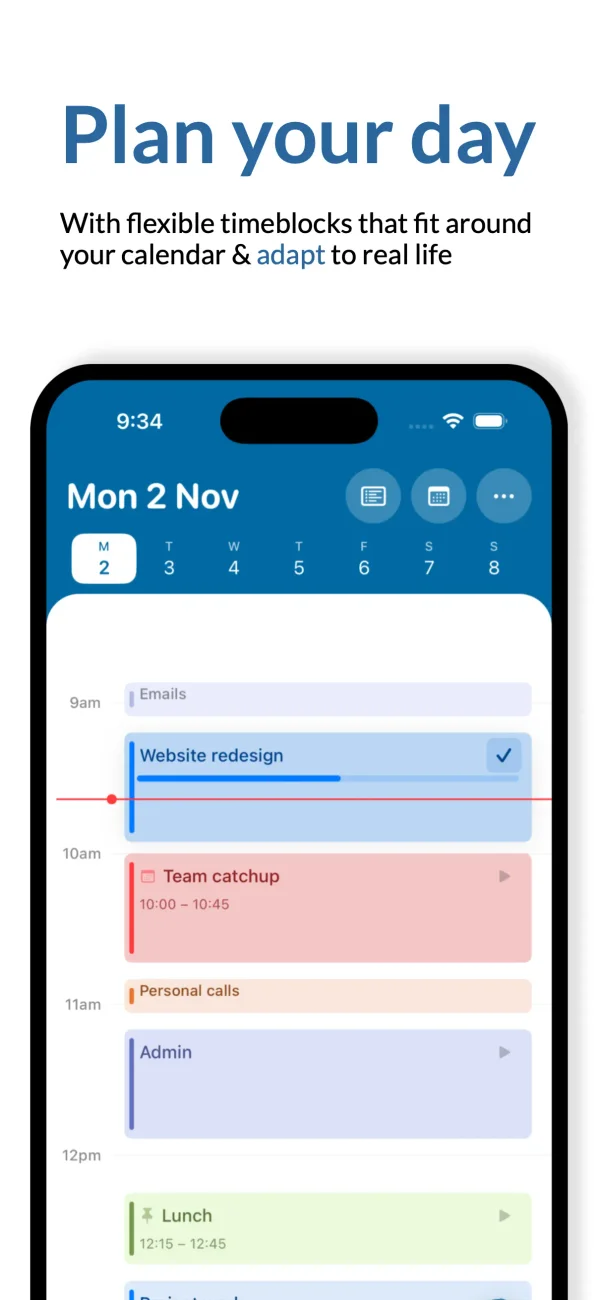
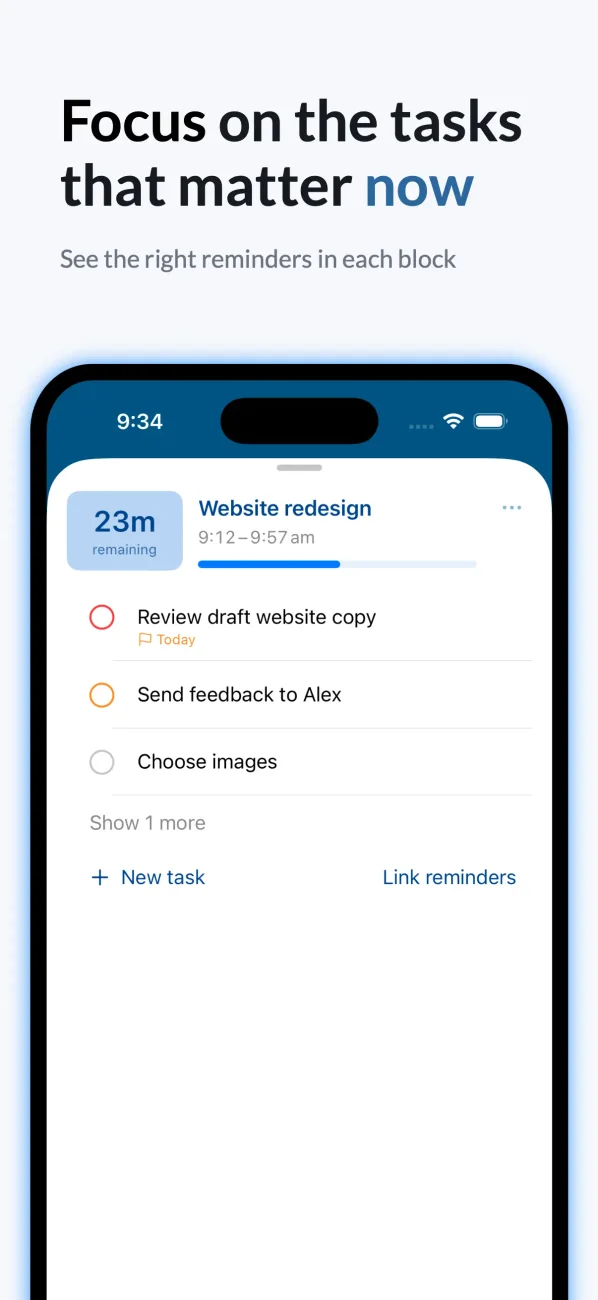
Tully combines flexible time blocking and time tracking with your existing Apple Reminders and Calendar. Add time blocks, and Tully automatically fits them around your calendar events. Start working on a block, and you'll only see relevant reminders. Keep track of where your time really goes.
BUILT NATIVELY ON APPLE REMINDERS AND CALENDAR
No importing, no separate task system, no new inbox. Tully works directly with your existing reminders and calendars. Anything you add, update or complete in Tully reflects in your native Apple apps, and vice versa.
PLAN
• Add time blocks that automatically fit around your calendar events
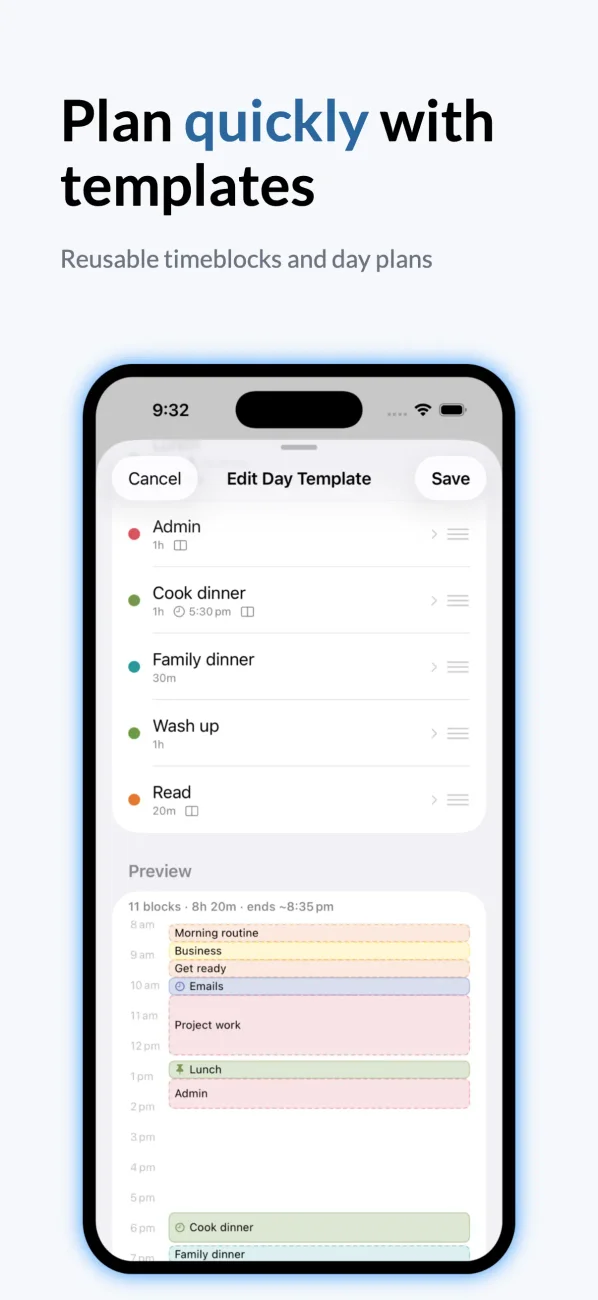
• Create reusable block and day templates
• Pin blocks to specific times or set “not before” times
• Use projects, tags, and lists to filter the reminders that show inside each block, or create a block for a specific reminder
ORGANIZE
Tully adds extra features to supercharge your Apple Reminders:
• Group reminders into projects
• Set deadlines as well as start dates
• Repeat reminders after completion
• Snooze reminders or push to “someday/maybe”
FOCUS
• Focus on one block - and its reminders - at a time
• Get alerts for upcoming blocks, the end of planned time, and when running overtime
• If you keep working past the planned time, Tully pushes later blocks back
• If you're interrupted or haven't finished, choose to 'continue later'
• Home Screen widgets: see the current or next block, start or stop focus, and complete tasks without opening the app
REVIEW
• Check reminders that need your attention in the day overview or review tab
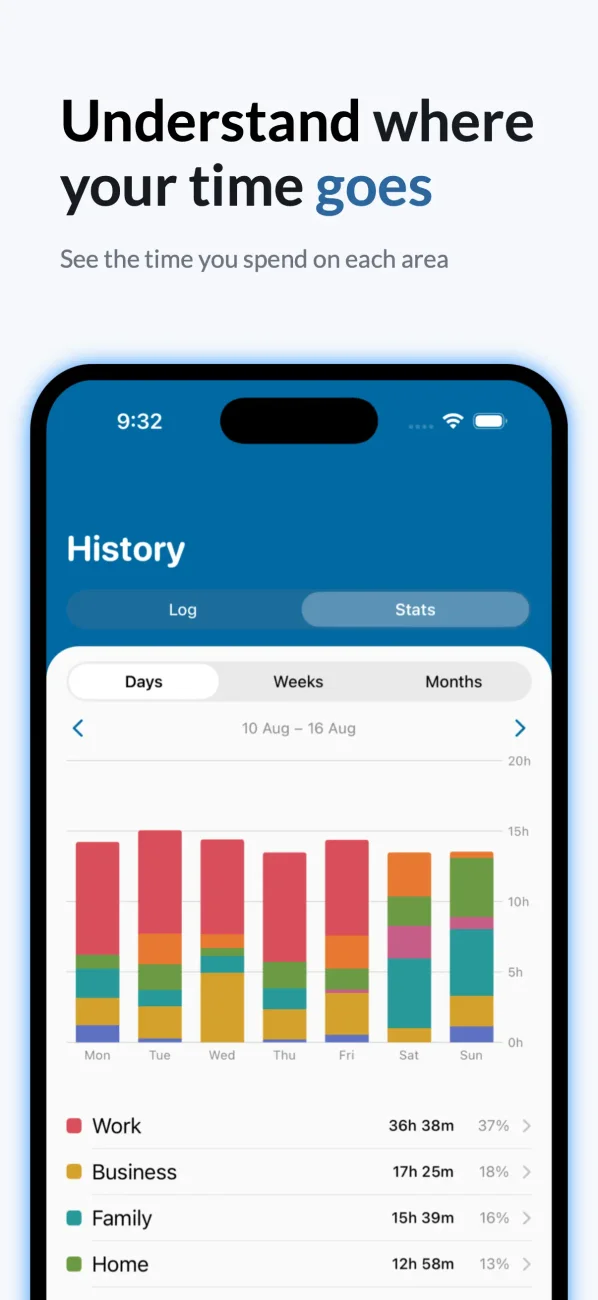
• See where your time actually went: history with session logs, time-per-category charts, and heatmaps
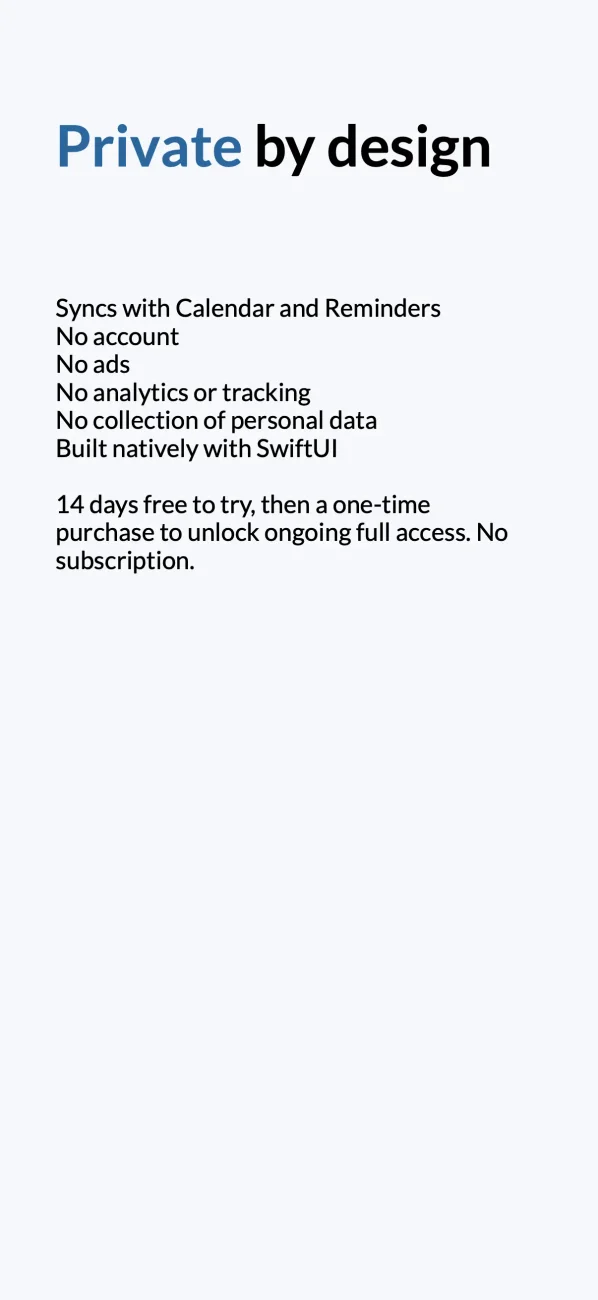
PRIVATE BY DESIGN
Tully collects no data. Everything stays on your device and in your personal iCloud, which syncs Tully across your devices. No account, no analytics, no ads.
ONE-TIME PAYMENT
Tully is completely free to try for 2 weeks - no payment method required. After that, a one-time purchase of Tully Pro is needed to continue using Tully's planning features. There is no subscription and you won't be charged automatically. Payment will be charged to your Apple Account at confirmation of purchase.
REGULARLY UPDATED
Tully is actively developed and improving. Have an idea or suggestion? I'd love to hear it! Go to Settings → Send Feedback.
Privacy policy: https://becc00.github.io/tully-app-info/privacy.html
Terms of use: https://www.apple.com/legal/internet-services/itunes/dev/stdeula/
Novedades
Versión 1.7 · 17/11/2026
New
• Redesigned timeblock sheet. Timeblocks now open in a compact half-height sheet, so you can still see and interact with your timeline. Swipe up to expand.
• Swipe between timeblocks. Swipe left or right to move through your day without closing the sheet.
• Edit in place. Tap the timeblock title, time, duration or notes to edit them directly.
• Title suggestions while editing. Choosing a suggestion sets the timeblock title and colour, plus notes if you choose a template.
Improved
• Simpler reminder linking. Timeblocks show a compact summary of linked lists, tags and projects; tap ‘Link reminders’ to manage.
• Simpler scheduling. A clearer layout for choosing Floating or Pinned, with optional Earliest start and Splittable settings.
• Reminder notes open in full for easier editing.
• Reminders with a dedicated block no longer appear in other timeblocks on the same day.
Fixed
• Overtime alerts are now cleared when you stop a block from a Live Activity or notification.
• The undo bar no longer covers the + button in Today.
• Deleted repeating reminders disappear from timeblocks immediately.
• Some layout issues in Today on iPad have been fixed.
• Occasional inconsistencies in focus status when syncing between devices have been addressed.
Privacidad de la aplicación
Lo que Rebecca Chapman declara en App Store sobre cómo esta aplicación gestiona los datos.
-
No se recopilan datos
El desarrollador no recopila ningún dato de esta aplicación.
Las prácticas de privacidad pueden variar, por ejemplo, según las funciones que uses o tu edad.
Información
- Vendedor
- Rebecca Chapman
- Categoría
- Productividad
- Versión
- 1.7
- Actualizado
- 17/11/2026
- Publicado
- 22/9/2026
- Tamaño
- 20,9 MB
- Requiere
- iOS 26.0 o posterior
- Clasificación por edad
- 4+
- Compras en la aplicación
- Sí
- Idiomas
- Inglés
- Copyright
- © 2026 Rebecca Chapman
Quizá también te guste
-
 Done Bear: GTD Task ManagerProductividad
-
 Hourglass - Cuenta RegresivaContador de Días & Timer
-
 Sonto - Metas y PlanificadorObjetivos, Agenda y Diario
-
 Loominote: Tomar notas con IAGrabadora de voz, plan, tareas
-
 Plnnr AI: Daily PlannerProductividad
-
 Anchor: Calendario y AgendaPlanificador semanal y tareas
-
 Yoodoo: Agenda diaria TDAHBloques de tiempo y enfoque
-
 Organizador de tareas: AlignAgenda, horario y hábitos
-
 Calendar Widget - Schedule AppProductividad
-
 Simple Organizador de tareasCalendario,Planificador,Notas