
- 対象年齢4+
- カテゴリ仕事効率化
- 開発元Rebecca Chapman
- 言語英語
- サイズ20.9 MB
App Storeの公式ページにリンクしています
Download.orgはTully: Timeblock Plannerのファイルを一切ホストしていません。ボタンを押すと、Rebecca Chapmanが公開しているApp Storeのアプリページが開きます。ページの最終確認:2026/11/18。
スクリーンショット


概要
開発元はこのテキストをお使いの言語で提供していません。
Your to-do list is endless, but your day isn't. Make a realistic plan, see your whole day at a glance, and then focus on one thing at a time.
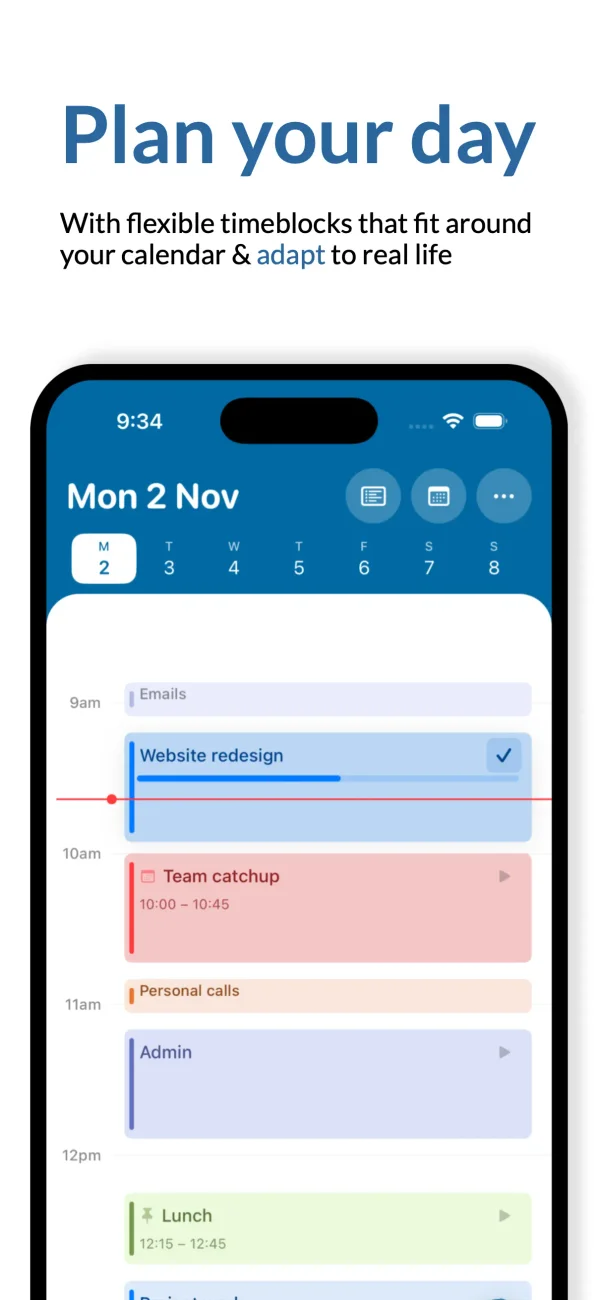
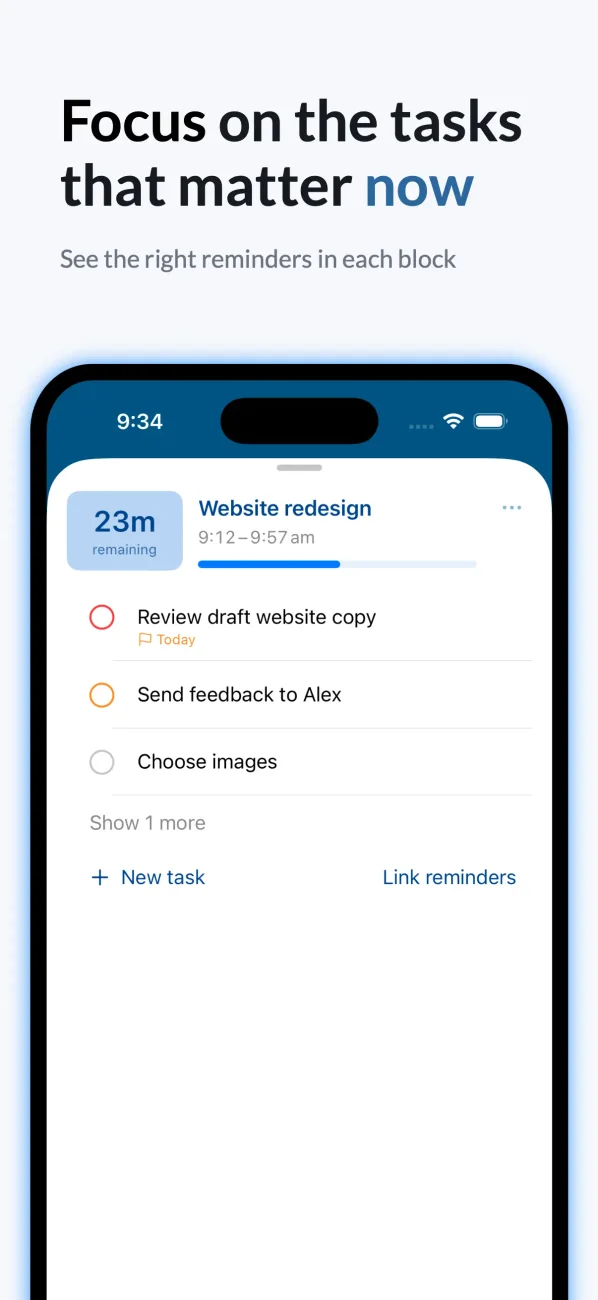
Tully combines flexible time blocking and time tracking with your existing Apple Reminders and Calendar. Add time blocks, and Tully automatically fits them around your calendar events. Start working on a block, and you'll only see relevant reminders. Keep track of where your time really goes.
BUILT NATIVELY ON APPLE REMINDERS AND CALENDAR
No importing, no separate task system, no new inbox. Tully works directly with your existing reminders and calendars. Anything you add, update or complete in Tully reflects in your native Apple apps, and vice versa.
PLAN
• Add time blocks that automatically fit around your calendar events
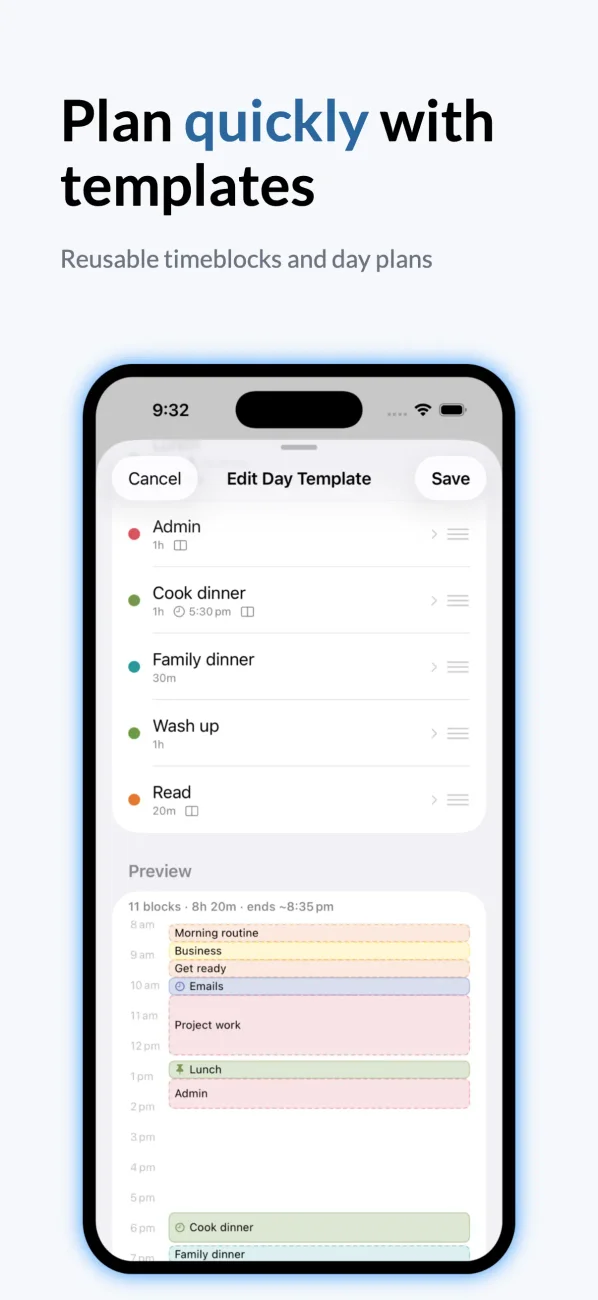
• Create reusable block and day templates
• Pin blocks to specific times or set “not before” times
• Use projects, tags, and lists to filter the reminders that show inside each block, or create a block for a specific reminder
ORGANIZE
Tully adds extra features to supercharge your Apple Reminders:
• Group reminders into projects
• Set deadlines as well as start dates
• Repeat reminders after completion
• Snooze reminders or push to “someday/maybe”
FOCUS
• Focus on one block - and its reminders - at a time
• Get alerts for upcoming blocks, the end of planned time, and when running overtime
• If you keep working past the planned time, Tully pushes later blocks back
• If you're interrupted or haven't finished, choose to 'continue later'
• Home Screen widgets: see the current or next block, start or stop focus, and complete tasks without opening the app
REVIEW
• Check reminders that need your attention in the day overview or review tab
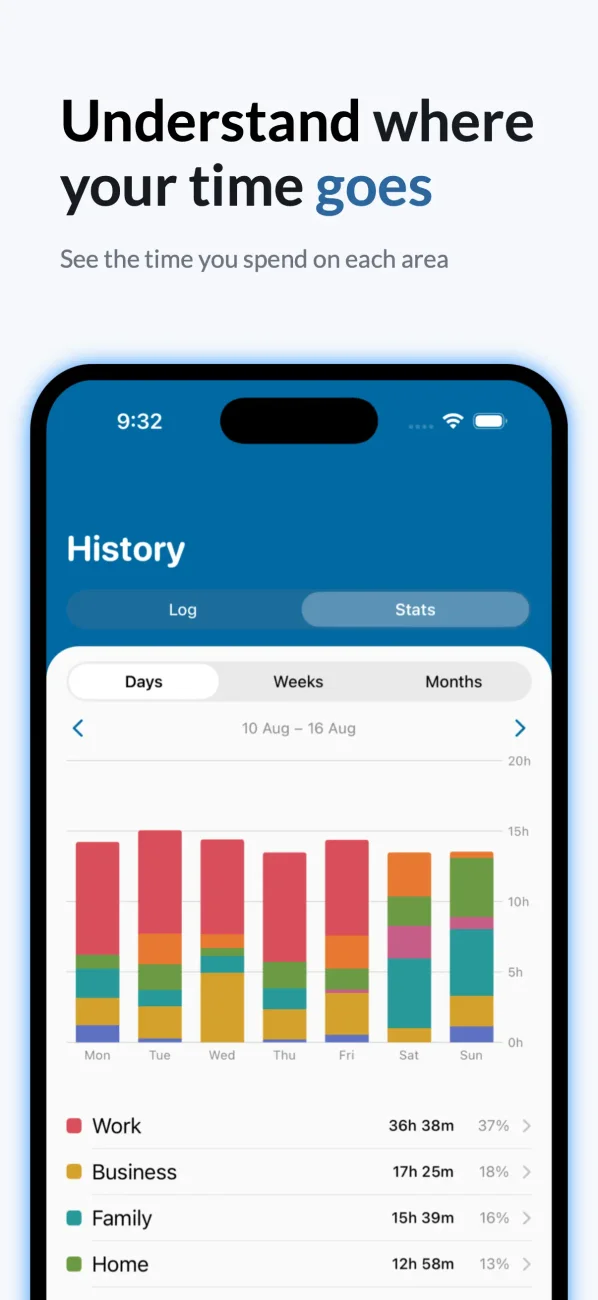
• See where your time actually went: history with session logs, time-per-category charts, and heatmaps
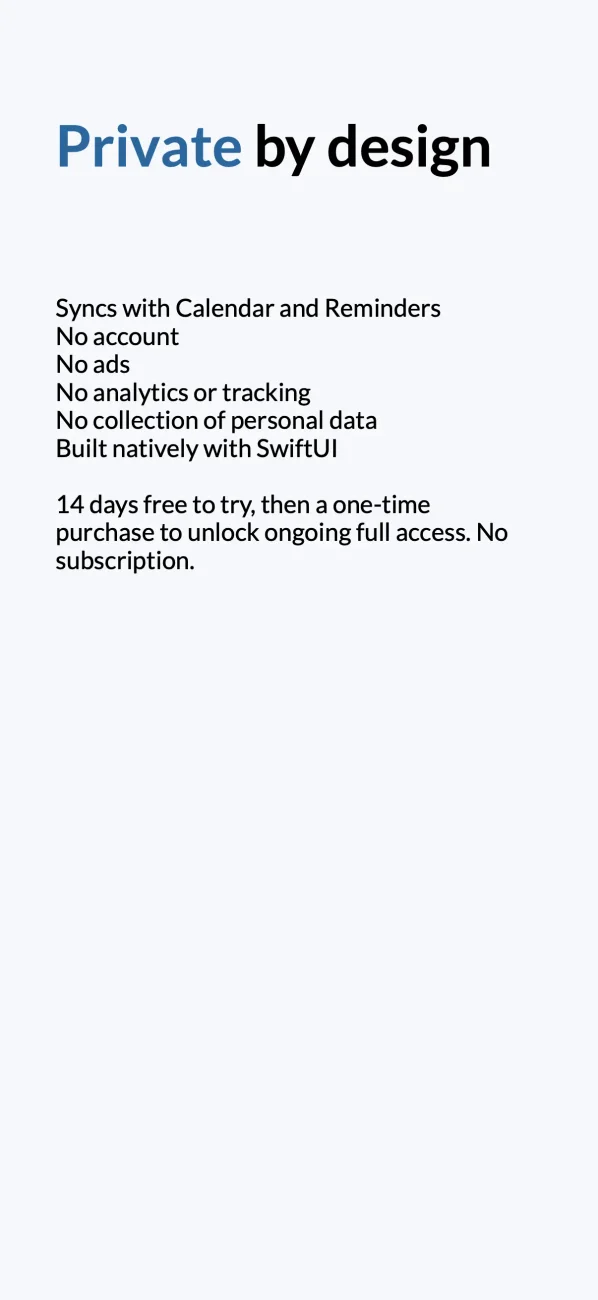
PRIVATE BY DESIGN
Tully collects no data. Everything stays on your device and in your personal iCloud, which syncs Tully across your devices. No account, no analytics, no ads.
ONE-TIME PAYMENT
Tully is completely free to try for 2 weeks - no payment method required. After that, a one-time purchase of Tully Pro is needed to continue using Tully's planning features. There is no subscription and you won't be charged automatically. Payment will be charged to your Apple Account at confirmation of purchase.
REGULARLY UPDATED
Tully is actively developed and improving. Have an idea or suggestion? I'd love to hear it! Go to Settings → Send Feedback.
Privacy policy: https://becc00.github.io/tully-app-info/privacy.html
Terms of use: https://www.apple.com/legal/internet-services/itunes/dev/stdeula/
新機能
バージョン 1.7 · 2026/11/17
New
• Redesigned timeblock sheet. Timeblocks now open in a compact half-height sheet, so you can still see and interact with your timeline. Swipe up to expand.
• Swipe between timeblocks. Swipe left or right to move through your day without closing the sheet.
• Edit in place. Tap the timeblock title, time, duration or notes to edit them directly.
• Title suggestions while editing. Choosing a suggestion sets the timeblock title and colour, plus notes if you choose a template.
Improved
• Simpler reminder linking. Timeblocks show a compact summary of linked lists, tags and projects; tap ‘Link reminders’ to manage.
• Simpler scheduling. A clearer layout for choosing Floating or Pinned, with optional Earliest start and Splittable settings.
• Reminder notes open in full for easier editing.
• Reminders with a dedicated block no longer appear in other timeblocks on the same day.
Fixed
• Overtime alerts are now cleared when you stop a block from a Live Activity or notification.
• The undo bar no longer covers the + button in Today.
• Deleted repeating reminders disappear from timeblocks immediately.
• Some layout issues in Today on iPad have been fixed.
• Occasional inconsistencies in focus status when syncing between devices have been addressed.
アプリのプライバシー
このアプリのデータの取り扱いについて、Rebecca ChapmanがApp Storeで申告している内容です。
-
データの収集なし
開発元はこのアプリからデータを収集しません。
プライバシーの取り扱いは、ご利用の機能やお客様の年齢などに応じて異なる場合があります。
情報
- 販売元
- Rebecca Chapman
- カテゴリ
- 仕事効率化
- バージョン
- 1.7
- 更新日
- 2026/11/17
- リリース
- 2026/9/22
- サイズ
- 20.9 MB
- 必要条件
- iOS 26.0以降
- 対象年齢
- 4+
- 価格
- 無料
- アプリ内課金
- あり
- 言語
- 英語
- 著作権
- © 2026 Rebecca Chapman
こちらもおすすめ
-
 Done Bear: GTD Task Manager仕事効率化
-
 Hourglass - カウントダウン & 記念日あと何日?日数カウント・ウィジェット
-
 Sonto - 目標達成&手帳プランナー年間目標から毎日の計画まで
-
 Loominote: スマートAIメモ・ノートボイスレコーダー・予定・タスク
-
 Plnnr AI: Daily Planner仕事効率化
-
 Anchor: Time Blocking Planner仕事効率化
-
 Yoodoo: ADHD Daily Planner仕事効率化
-
 タイムライン 一日予定表 時間管理 タスク: Align目標・勉強計画・習慣化・集中・ルーティン・タイムブロック
-
 カレンダー ウィジェット - 手帳 スケジュール帳 アプリウィジェット カレンダー 手帳 スケジュール 予定表 シフト
-
 Simplified - 時間割, タイムスケジュール管理勉強計画, 予定表, マイルーティン, 習慣化, 目標記録