
VertiCut
Landscape video to vertical
Diseñada para iPhone
Gratis · Compras en la aplicación
- Clasificación por edad4+
- CategoríaFoto y vídeo
- Desarrolladorkou works
- IdiomasJaponés+ 1 más
- Tamaño2,0 MB
Enlaza a la página oficial de App Store
Download.org no aloja ningún archivo de VertiCut. El botón abre la página de la aplicación en App Store, donde la publica kou works. Ficha comprobada por última vez el 12/11/2026.
Capturas de pantalla


Acerca de
El desarrollador no ha proporcionado este texto en tu idioma.
Turn landscape footage into vertical video.
VertiCut cuts a 9:16 vertical video out of footage shot in landscape (16:9), following your subject automatically as it crops. No computer, no editing software — just your iPhone.
TAP A PERSON, AND IT FOLLOWS THEM
Tap the person to follow on the first frame. VertiCut analyzes the whole clip and moves the vertical frame to keep them centered. The movement is smoothed, so small jitters in the face don't become a shaky picture.
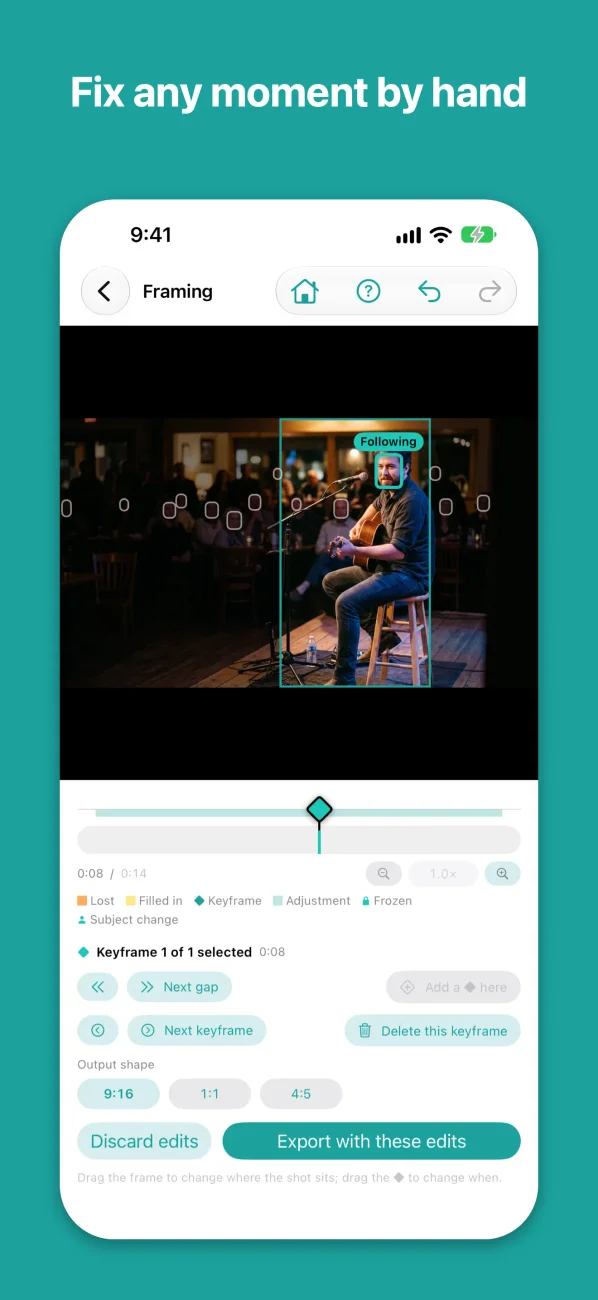
FIX WHAT THE AUTOMATIC TRACKING MISSES
• Add a ◆ (keyframe) on the timeline and drag the frame to change what's in shot
• Switch to a different person partway through
• “Freeze up to the next ◆” holds the framing still over a stretch
• Stretches the tracking had to estimate are marked on the timeline, one tap away
• Pinch to zoom the timeline; undo and redo as you go
EXPORTED AS THE ORIGINAL
• Colors stay as they were in the original video
• The original audio tracks are carried over as they are
• Resolution is capped at the original's — nothing is upscaled
• Save the result to Photos
YOUR VIDEO NEVER LEAVES YOUR DEVICE
Face detection, tracking and export all happen on your iPhone. Nothing about your video or the faces in it is sent anywhere, and there is no account. No analytics, no ads.
FREE AND PRO
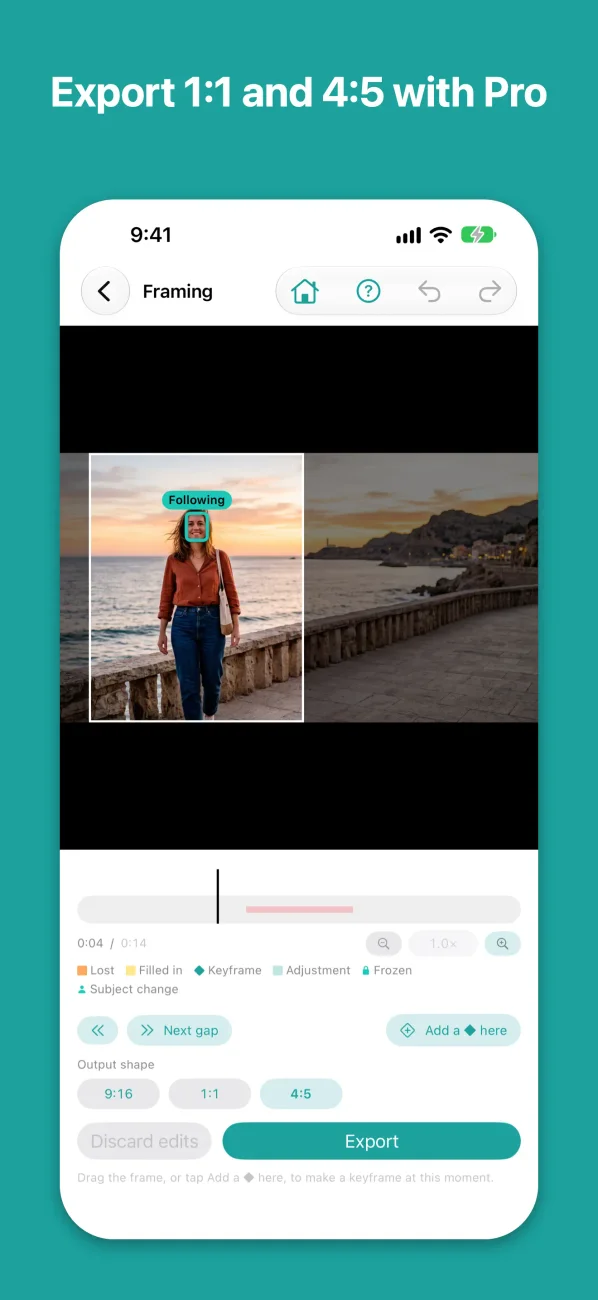
The free version includes all of the automatic tracking, person switching, keyframes and freezing. It has three limits, and only three:
• Videos up to 1 minute
• 9:16 output
• A watermark on exported videos
Pro is a one-time purchase, not a subscription. It removes the length limit, adds 1:1 and 4:5 output, and removes the watermark.
Requires an iPhone with iOS 17 or later.
Privacidad de la aplicación
Lo que kou works declara en App Store sobre cómo esta aplicación gestiona los datos.
-
No se recopilan datos
El desarrollador no recopila ningún dato de esta aplicación.
Las prácticas de privacidad pueden variar, por ejemplo, según las funciones que uses o tu edad.
Información
- Vendedor
- kou works
- Categoría
- Foto y vídeo
- Versión
- 1.0
- Actualizado
- 28/9/2026
- Publicado
- 28/9/2026
- Tamaño
- 2,0 MB
- Requiere
- iOS 17.0 o posterior
- Clasificación por edad
- 4+
- Precio
- Gratis
- Compras en la aplicación
- Sí
- Idiomas
- Japonés, Inglés
- Copyright
- © 2026 kou works
Quizá también te guste
-
 VertiEdit − 横動画を縦に変換16:9をそのまま9:16へ。端末内で完結
-
 Follower - Subject FramingFoto y vídeo
-
 FILMGAWIFoto y vídeo
-
 AI Camera (Livemedia)Foto y vídeo
-
 TakeFlow: Cámara vertical 4KGraba una vez, reencuadra solo
-
 Reframer - Video ReframerFoto y vídeo
-
 Centered – Auto ReframeEl encuadre te sigue siempre
-
 FrameFit - ReencuadreReencuadre social auto
-
 PickCamFancam con IA para una persona
-
 CutFrame - AI Video EditorFoto y vídeo