
- Age rating4+
- CategoryPhoto & Video
- Developerkou works
- LanguagesJapanese+ 1 more
- Size2.0 MB
Links to the official App Store page
Download.org hosts no file of VertiCut. The button opens its official App Store page, published by kou works. Listing last checked on Nov 12, 2026.
Screenshots


About
Turn landscape footage into vertical video.
VertiCut cuts a 9:16 vertical video out of footage shot in landscape (16:9), following your subject automatically as it crops. No computer, no editing software — just your iPhone.
TAP A PERSON, AND IT FOLLOWS THEM
Tap the person to follow on the first frame. VertiCut analyzes the whole clip and moves the vertical frame to keep them centered. The movement is smoothed, so small jitters in the face don't become a shaky picture.
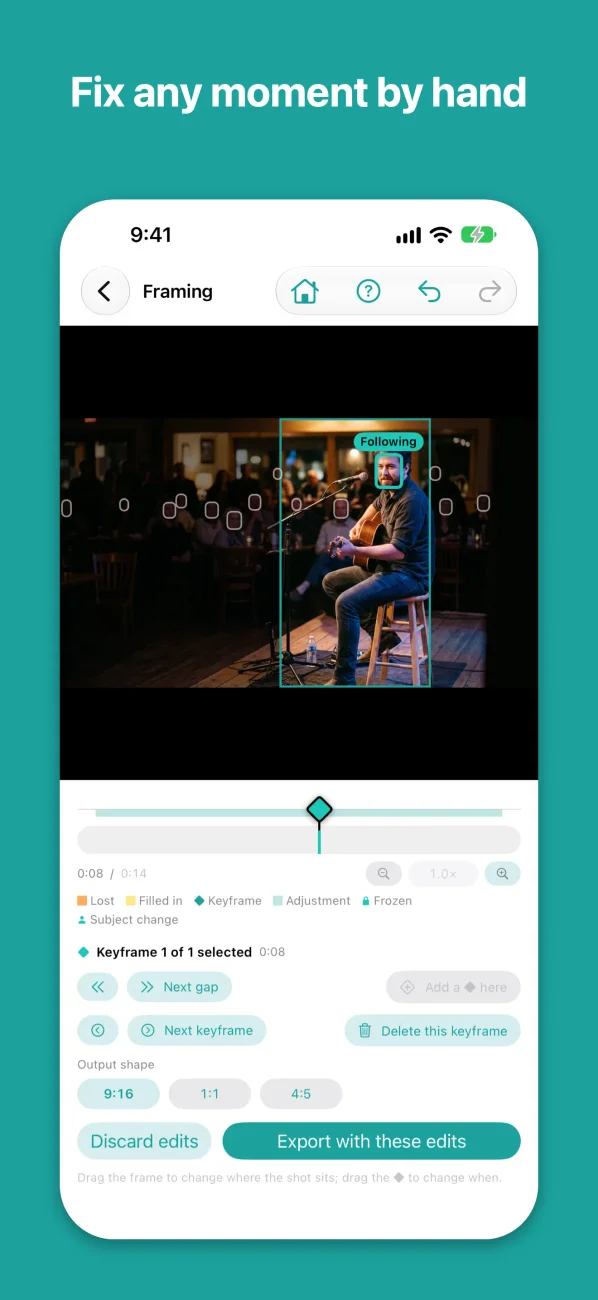
FIX WHAT THE AUTOMATIC TRACKING MISSES
• Add a ◆ (keyframe) on the timeline and drag the frame to change what's in shot
• Switch to a different person partway through
• “Freeze up to the next ◆” holds the framing still over a stretch
• Stretches the tracking had to estimate are marked on the timeline, one tap away
• Pinch to zoom the timeline; undo and redo as you go
EXPORTED AS THE ORIGINAL
• Colors stay as they were in the original video
• The original audio tracks are carried over as they are
• Resolution is capped at the original's — nothing is upscaled
• Save the result to Photos
YOUR VIDEO NEVER LEAVES YOUR DEVICE
Face detection, tracking and export all happen on your iPhone. Nothing about your video or the faces in it is sent anywhere, and there is no account. No analytics, no ads.
FREE AND PRO
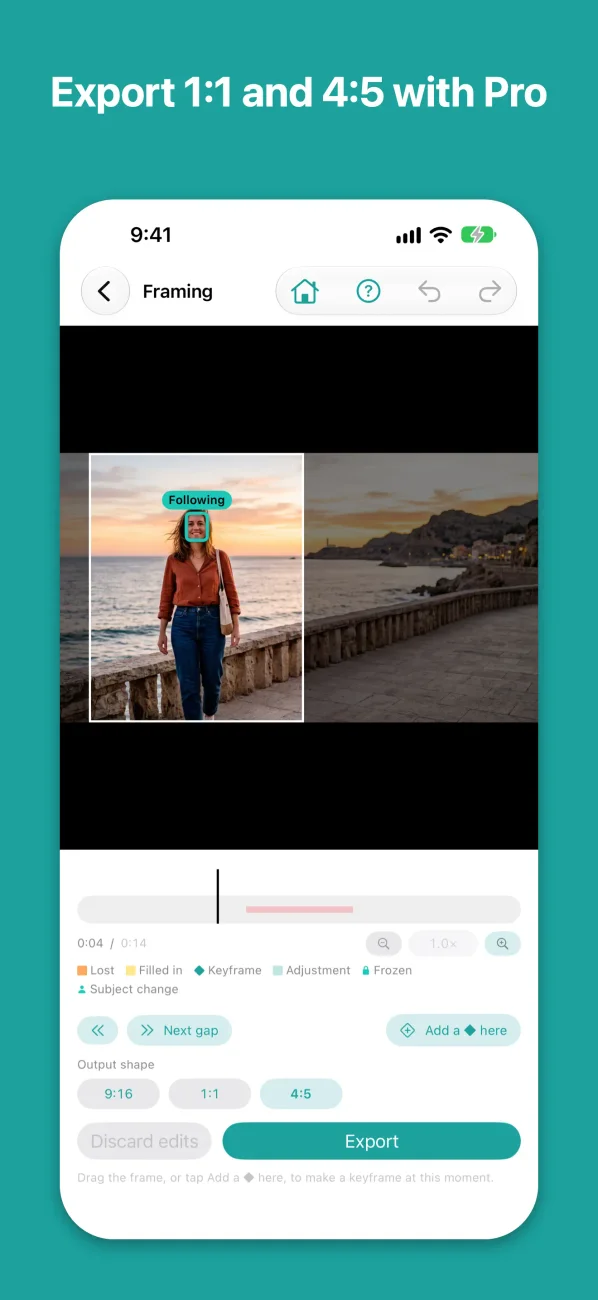
The free version includes all of the automatic tracking, person switching, keyframes and freezing. It has three limits, and only three:
• Videos up to 1 minute
• 9:16 output
• A watermark on exported videos
Pro is a one-time purchase, not a subscription. It removes the length limit, adds 1:1 and 4:5 output, and removes the watermark.
Requires an iPhone with iOS 17 or later.
App privacy
What kou works declares on the App Store about how this app handles data.
-
Data not collected
The developer does not collect any data from this app.
Privacy practices may vary, for example with the features you use or your age.
Information
- Seller
- kou works
- Category
- Photo & Video
- Version
- 1.0
- Updated
- Sep 28, 2026
- Released
- Sep 28, 2026
- Size
- 2.0 MB
- Requires
- iOS 17.0 or later
- Age rating
- 4+
- In-app purchases
- Yes
- Languages
- Japanese, English
- Copyright
- © 2026 kou works
You might also like
-
 VertiEdit − 横動画を縦に変換16:9をそのまま9:16へ。端末内で完結
-
 Follower - Subject FramingFollow the subject in frame
-
 FILMGAWI여러 명 영상에서 인물별 세로 영상
-
 AI Camera (Livemedia)Photo & Video
-
 TakeFlow: 4K Vertical CameraRecord Once, Auto-Frame Video
-
 Reframer - Video ReframerReframe videos for any shape
-
 Centered – Auto ReframeYou move. The frame follows.
-
 FrameFit - Auto ReframeAuto reframe social photos
-
 PickCamAI Fancam: Auto-follow anyone
-
 CutFrame - AI Video EditorReels Maker, Captions & Music